Computer Station Nation is reader-supported.
When you buy through links on our site, we may earn an affiliate commission. Learn more.
Picking a desk lamp gets complicated fast once you start looking at the options. Here’s a clear framework that cuts through the noise.
Step 1: Figure out how you’ll use it
Task lighting (reading, writing, keyboard work) needs directional, focused light. Ambient accent lighting is about vibe, not output. Most desk setups need both, but a single lamp should cover the task side — ambient comes from strips and secondary sources.
Step 2: Match brightness to your monitor setup
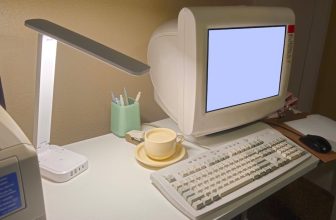
Using a monitor? Keep the lamp at 200–400 lumens. Higher than that and you’re competing with the screen. No monitor (writing desk, drawing setup)? Go 400–700 lumens for proper task lighting.
Step 3: Non-negotiable features
- Adjustable color temperature (at minimum: warm and cool modes)
- Dimmer with at least 5 levels
- Flicker-free LED (not just “LED” — specifically flicker-free)
- Flexible neck or adjustable arm for positioning
Step 4: Nice to have
- USB charging port in the base — practically free convenience on modern lamps
- Wireless charging pad — useful if your phone is always on the desk
- Memory function — remembers your last setting when you turn it back on
Step 5: Match your desk footprint
Tight desk with a monitor arm? Clip-on or monitor light bar. Standard desk with room to spare? Base lamp. Both work — the constraint is your desk space, not the lamp quality.
FAQ
Do I need to spend more than $30 on a desk lamp?
No. The BCOOSS at $14.99 covers all the basics (dimmer, color temp, wireless charging). Above $30 you’re paying for smarter scheduling, better build, or a specific aesthetic. Perfectly reasonable, but not required for great desk lighting.
What if I can only afford one color temperature?
Pick 4000–4500K (neutral white). It works all day, doesn’t look harsh at night, and is the closest to natural light. Avoid 6500K as a single fixed option — too harsh for evening use.