Computer Station Nation is reader-supported.
When you buy through links on our site, we may earn an affiliate commission. Learn more.
A computer built into a desk may not seem like the most practical thing in the world, but the point you’re missing here is that it is totally awesome.
Hidden hardware. Glass-top viewing windows. Custom RGB. Cable management that would make a system integrator weep happy tears. A desk PC is the build version of overengineering — it costs more, takes longer, and will absolutely impress everyone who walks into your battlestation.
Quick rundown — pros and cons
Cons:
- Hard to move once it’s built
- Difficult to upgrade — you can’t just swap a side panel off
- A pain to clean (dust loves big enclosed spaces)
- More expensive than a regular case + desk combo
Pros:
- Looks absolutely epic
- So much room for activities on top
- Your mom will think you’re a hacker
- Cable management goes from “problem” to “feature”
Side note: regular gaming computer desks can be epic too if a desk PC is too much commitment for you.
Build your own custom desk PC
If you’re handy, this is the way. DIY is how desk PCs were born in the first place — every commercial option you’ll see today is just somebody copying a build that started in a garage. There are a few proven paths to take.
Built-in computer desk plans
You can draw up your own plans in a 3D modeling program, but for those who want to follow something tried and true, a couple options exist.
Follow a build log. Plenty of people document their entire build online. The most famous is probably the Linus Tech Tips desk PC (with downloadable plans on the original video). They’ve also done a follow-up build, though without official plans this time.
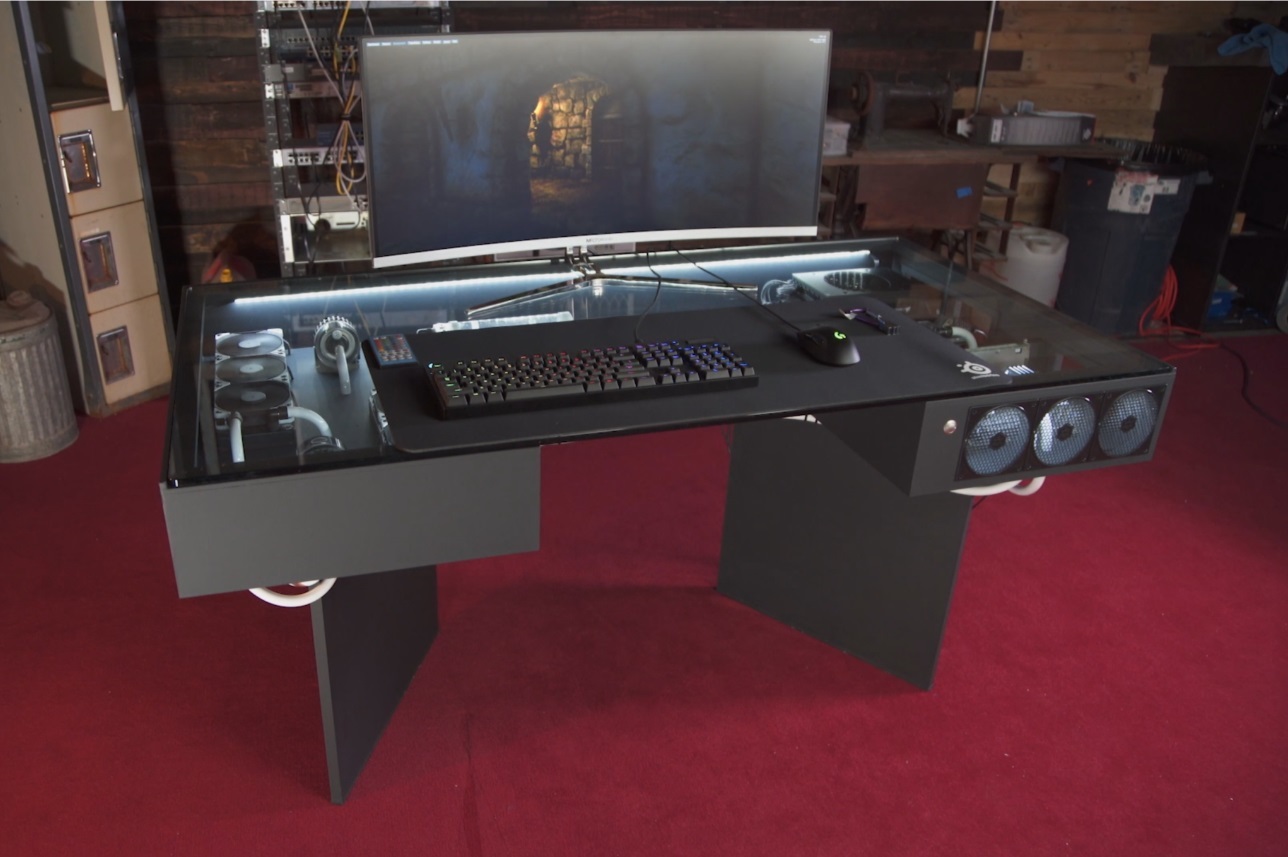
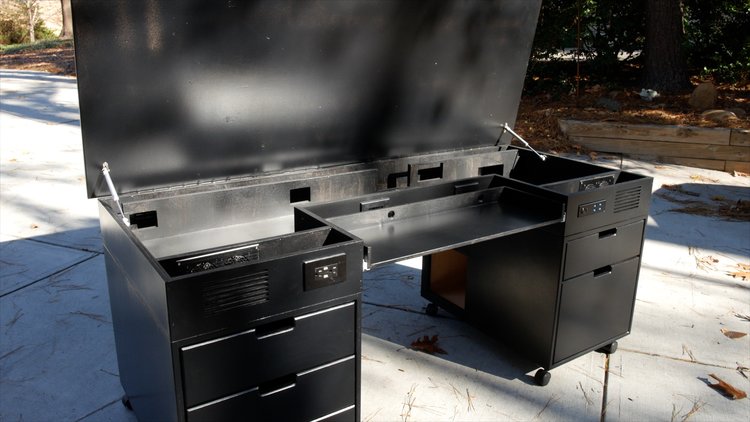
Buy plans. The professional plans on the market are basically one option: Crafted Workshop’s desk PC plans (video walkthrough here). If you’ve got tools and patience but no design background, this is worth the spend.
Materials you’ll need
If you’re winging it without plans, here’s what most builds have in common.
Power tools and space. Could you build this with hand tools in a tiny apartment? Probably. Should you? Probably not. Plan out where this is going to happen and how long it will take before you commit.
MDF. Most builders use medium-density fiberboard. It’s basically super-compressed sawdust — hard like wood but easier to manipulate. Cuts clean, takes paint well, and won’t break the bank.
Screws, nuts, and bolts. Various lengths depending on your wood thickness and component placement. I’m the kind of guy who eyeballs it. If you want a clean desk, don’t be that kind of guy. Measure twice, cut once.
Glass top. Most builders go this route so you can see the internals. It’s the obvious choice for showing off all the work you just did. If you skip it, honestly, just hide a regular case under a normal desk and call it a day.
Lots of fans. Desk PCs are big hollow boxes. Air doesn’t move on its own — push it around with intake and exhaust fans, more than you’d put in a regular case. Hot air pooling under glass is the fastest way to thermal-throttle your build.
Custom water cooling. Optional, but if you want full mad-scientist energy, this is where you get it. Hard tubing, RGB coolant, oversized rads — desk PCs are basically the only build where the loop becomes part of the room’s decor.
Custom buttons. Power and reset buttons mounted somewhere accessible make the whole thing feel finished. Lifting glass off the top to short the front-panel pins gets old fast.
Tiny status screens. Some builders mount small displays for temps, fan speeds, and clock speeds. Optional, but it pushes the whole thing closer to “NASA control room” territory.
Buy a pre-made desk PC case
Don’t want to build one? You can buy a desk that’s already designed to mount a PC inside it. The selection is small, but what’s out there is impressive.
LIAN LI DK-05F
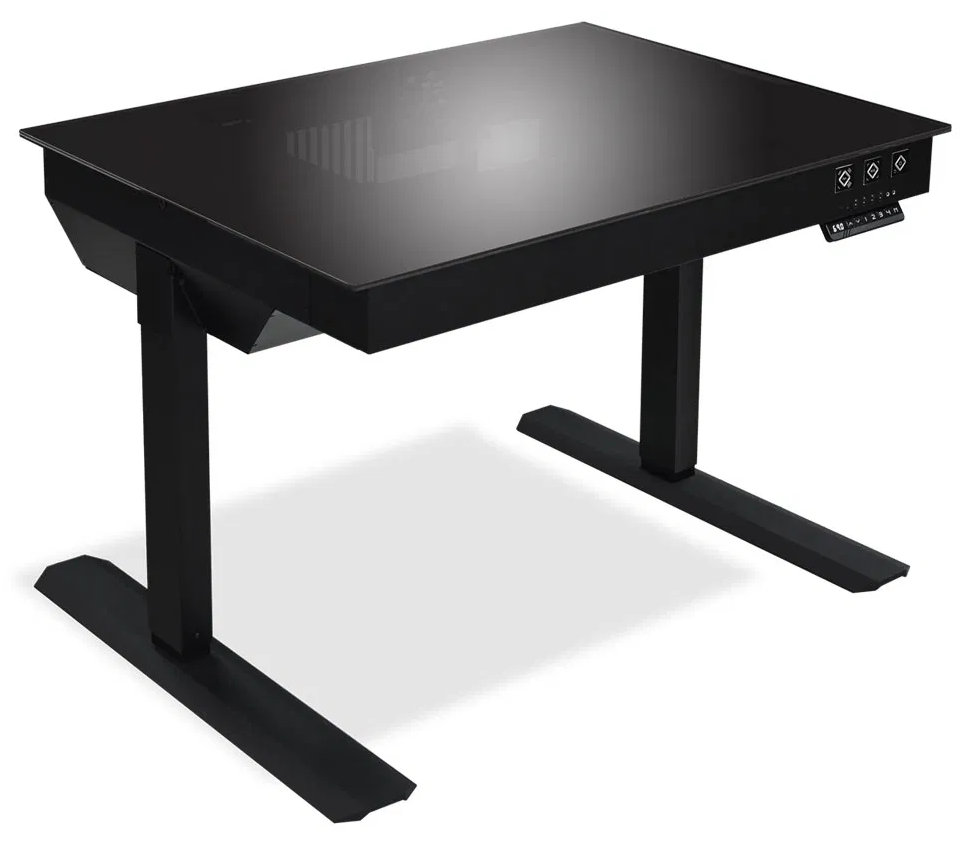
The DK-05F is the OG of pre-built desk PCs. Aluminum and steel construction, dual motorized height adjustment, and enough room inside for a serious build. Stock comes and goes — Amazon listings can disappear when it’s out of production. Newegg and B&H Photo are usually the more reliable places to find one in stock.
Hydra Desk
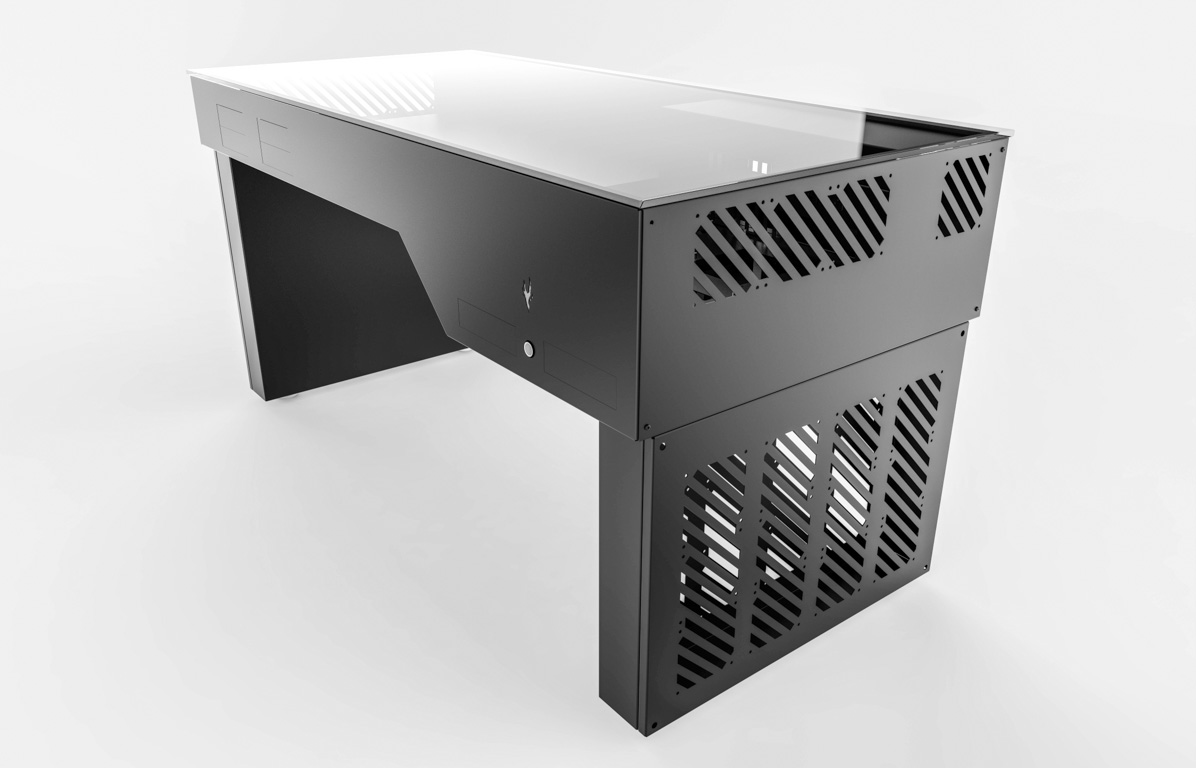
The Hydra Desk has a different vibe — more workstation, less gaming-bro. Newegg is their official US partner. The build gallery on their site is genuinely worth scrolling through if you’re still trying to decide whether to commit to this whole project.
GTEPC Extreme
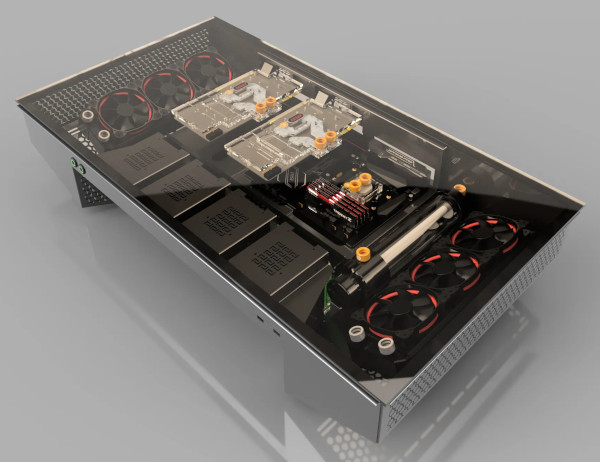
This one’s an EU operation, small builder, very high-end. US shipping is going to hurt — probably as much as a whole cheap computer desk. But if budget isn’t your top concern, the build quality is on a different level than what you’ll find on Newegg.
Lazy DIY: hybrid solutions
Don’t want to build from scratch but don’t want to drop a grand on a pre-made case either? You can shove a PC into an existing desk. IKEA is famously the answer here.
YetAnotherTechChannel built one into an IKEA Micke desk drawer. Cut some holes, route some wires, and boom — desk PC. The same concept works on basically any desk with drawers.
No drawers? Don’t worry, friend. Linus Tech Tips has you covered again — in this video they mount the PC internals to the underside of a standing desk. Different aesthetic, same idea.
Common desk PC questions
Depending on materials and whether you DIY or buy pre-built, expect anywhere from $300 (lazy DIY into an existing IKEA desk) to $2000+ (full pre-made case like the LIAN LI DK-05F).
Yes, more than a regular case. Desk PCs are big enclosed spaces with lots of fans pulling air through. Use dust filters on every intake and plan to clean it more often than you would a tower.
MDF is the standard. It’s affordable, easy to cut, holds screws well, and takes paint cleanly. For the top, tempered glass is the go-to so you can show off the internals.
Yes — local woodworkers and custom case modders will take commissions. Expect to pay $1500+ for a fully custom build. Crafted Workshop’s plans are a good middle ground if you want professional design without the full custom price tag.
A desk PC is a computer built directly into the body of a desk — usually under a glass top so you can see the internals. The desk itself acts as the case, replacing the traditional tower.
Final word
Three paths here. Lots of time and money for a fully custom build. Moderate money and a little time for a pre-built case. Or a small amount of money and a moderate amount of time for the lazy DIY hybrid. Pick your path based on what’s actually scarce in your life — usually it’s time, sometimes it’s cash, occasionally it’s both. If you’re still on the fence, check out our writeup on computer desks with recessed monitors for an alternative way to hide the hardware without the full desk-PC commitment.
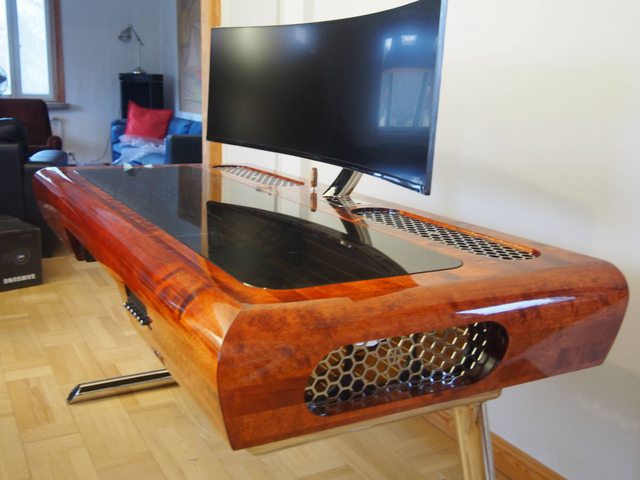
Epic custom desk PC examples
Leaving you with these to drool over.
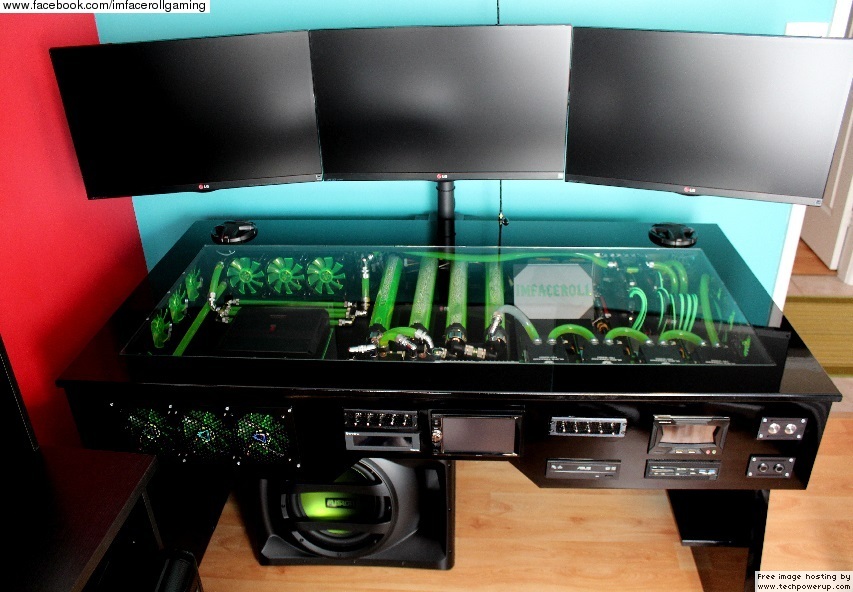
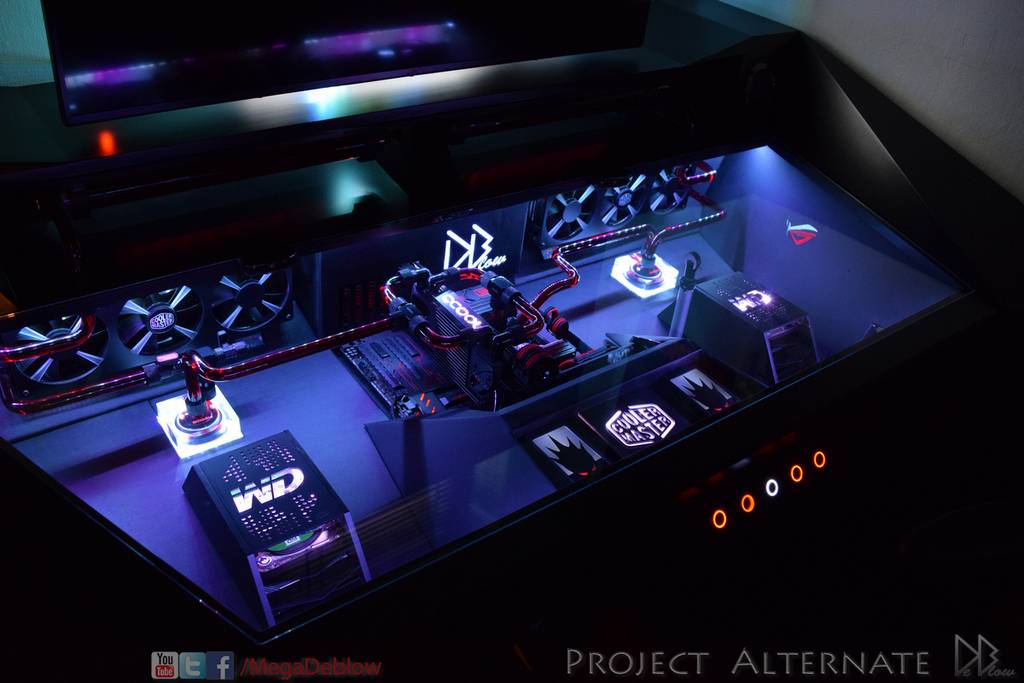
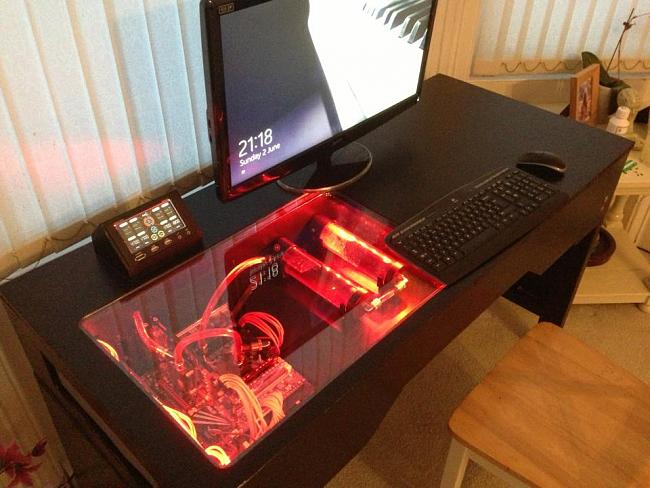
Did I miss something? New stuff hits the market constantly, so you might also try searching Amazon for any new desk PCs that have entered the market.