Computer Station Nation is reader-supported.
When you buy through links on our site, we may earn an affiliate commission. Learn more.
Good streaming lighting doesn’t have to cost a fortune. The difference between no lighting and $20 worth of lighting is massive. The difference between $20 and $200 is much smaller. If you’re trying to improve your stream’s look without breaking the bank, this guide covers what to buy and what to skip.
What to look for in budget streaming lights
Four things actually matter at this price tier:
- Adjustable color temperature — you want to dial between warm (3200K) and cool (5600K) to match your room
- Adjustable brightness — fixed brightness is frustrating; dimmer control is non-negotiable
- Stable mount — a light that keeps falling over is worse than no light
- Diffusion — direct LEDs are harsh; diffused panels are more flattering
At this price point, don’t worry about CRI ratings, Bowens mounts, or DMX control. Those are studio concerns. Get something bright enough, adjustable enough, and stable enough — you’re done.
Top affordable streaming lights
Logitech Litra Glow — best under $60 for desk streamers
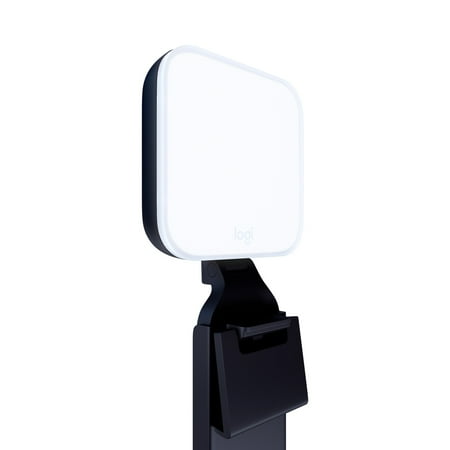
The Litra Glow premium streaming light is the fastest way to achieve professional-quality lighting for videos and streaming. Logitech’s TrueSoft technology delivers balanced, full-spectrum LED light with cinematic color accuracy for natural skin tones and a radiant look on camera. Eliminate...
The Litra Glow is the best “real” streaming light at the budget end of the market. Logitech built it specifically for streamers — it has a high CRI (90+), adjustable color temp from 2700K to 6500K, brightness control via the G Hub app or the button on the unit, and a compact clip that attaches to a monitor.
At $60 it’s not the cheapest option here, but it’s the most polished. If you want one light, plug-and-play setup, and consistent results, this is it.
| Color temp range | 2700K–6500K |
| Brightness control | Yes (app + button) |
| Mount | Monitor clip |
| Price | ~$60 |
Lerpwige 40W Studio Light — best value panel under $40
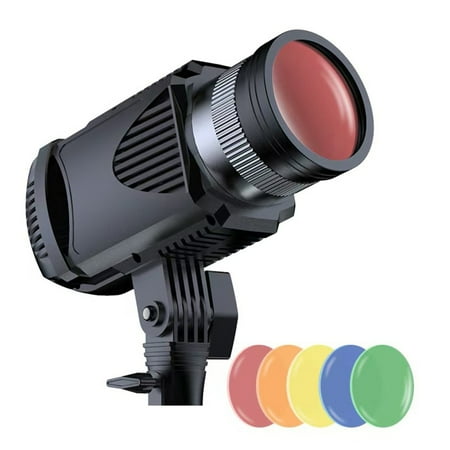
Features: Experience superior illumination with our 40W Powerful Broadcast Room Fill Light Set, to ensuring optimaled lighting for your streaming and enhancing video quality. This light set offers adjustable color temperature, low energy consumption, and long life with rotatable capabilities for...
If you want more raw output than a small clip-on light delivers, the Lerpwige 40W panel is a step up. It’s a proper LED panel designed for photography/video use, with bi-color control (warm to cool) and enough brightness to fill a desk space from 3–4 feet away. At $36 it’s a legitimate studio-style light at budget price.
| Power | 40W |
| Color temp | Adjustable warm/cool |
| Brightness control | Yes |
| Price | ~$36 |
Portable Selfie Streaming Light — best under $30
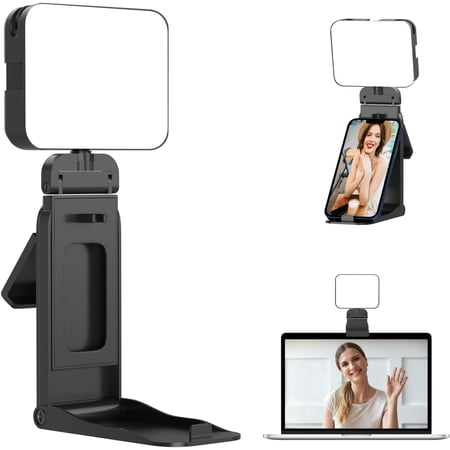
Portable LED Fill Light with Phone Stand: Perfect for Streaming, Conferences & Content Creation Tired of dim, shadowy video calls? Or struggling to get professional lighting for your vlogs and selfies? Our Portable LED Fill Light with Phone Stand is your all-in-one solution for bright,...
This category of portable selfie/streaming light represents the sweet spot for streamers who don’t want to mount anything permanently. Adjustable brightness, adjustable color temp, USB powered — it clips or sits on a desk and points at your face. At $26 there’s not much to argue with.
| Power source | USB |
| Brightness control | Yes |
| Color temp | Adjustable |
| Price | ~$26 |
Bower Clip-on Snap Light — best for laptop streamers
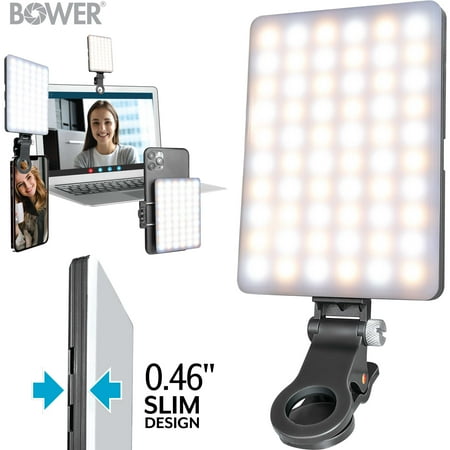
Introducing the Bower Clip-on Snap Light, a compact and lightweight LED light tool ideal for live streaming, selfies, and video calls. It easily attaches to phones and devices with a secure, anti-scratch rubberized clip. This versatile light features 8 adjustable brightness levels and dual...
If you stream from a laptop and want zero setup hassle, the Bower clip-on is designed for you. It clips directly to a laptop screen, powers via USB, and folds flat for storage. The light output is limited compared to a full panel, but for close-up face cam it’s adequate and the convenience factor is real.
| Mount | Laptop/monitor clip |
| Power source | USB |
| Best use | Laptop streaming, close cam |
| Price | ~$21 |
COOPHYA 4″ LED Streaming Light — most compact
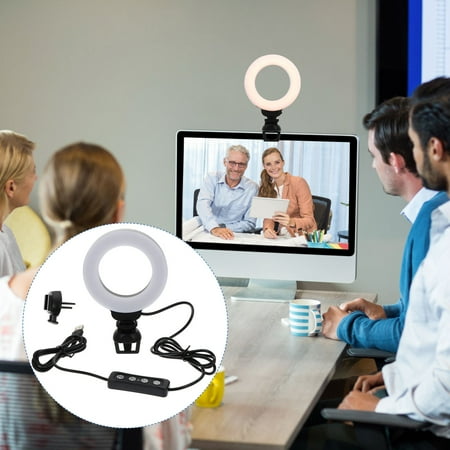
Description Compact size, portable and lightweight, easy to carry around. -video lightingWith clip, -video light lampallows the light to be installed as you need. Can be installed on , cell phone, desktop PC, tablet, desk, etc. -light for video recordingYou can give it as your friends or family,...
At $14, this is the entry point for anyone who just wants something — anything — to improve their face lighting. It’s small (4 inches), USB powered, and sits on a desk stand. Light output is limited, so keep it close (within 18–24 inches). Best for tight desk setups where you don’t have room for a larger light.
| Size | 4 inches |
| Power source | USB |
| Best use | Very small desks, close cam |
| Price | ~$14 |
Budget lighting setups by tier
Under $20 — get something on your face
The COOPHYA or Bower clip-on. Either gets you from “webcam in the dark” to “person with visible face lighting.” Limited output but better than nothing, especially in dark rooms.
$20–40 — real improvement
The portable selfie light or the Lerpwige panel. This is where lighting starts looking intentional rather than accidental. Adjustable color temp means you can dial in a consistent look that doesn’t shift as room light changes.
$50–70 — proper streaming light
The Logitech Litra Glow. This is a device built specifically for the streaming use case with the features that matter — CRI, range of color temp, and a mount designed for monitor-top placement. Worth the extra $20–30 over cheaper options if you’re streaming more than casually.
What you don’t need to spend on
Softboxes — useful for photography, awkward for streaming desks. You’re not shooting products from multiple angles. A panel or ring light at close range gives you the same soft light effect without the bulk.
RGB effects lights — those colored LED strips and bars look cool in setup shots but add little to stream quality. A plain white key light does more for your face than a red/blue background glow. Add RGB after you nail your key lighting, not before.
Multiple lights immediately — start with one well-placed key light. Get comfortable with it. Add a fill light if you notice harsh shadows. Add background lighting last.
FAQ
Is a $15 streaming light good enough?
Good enough to be noticeably better than no light, yes. Not good enough to look polished if you’re close-comparing to streamers with proper setup. For a first light or for casual streaming, $15 is absolutely fine. Upgrade when you’re streaming regularly and care about production quality.
Should I get a ring light or LED panel on a budget?
Ring lights work better at close range (under 3 feet). LED panels work better at distance and in larger spaces. For a typical desk streaming setup with your camera 2–3 feet away, either works. Ring lights are slightly cheaper at the entry level; panels give you more flexibility as you upgrade.
Why does my cheap light look flickery on stream?
This is usually a frame rate / power frequency mismatch. In the US, set your camera shutter speed to 1/60s (or your OBS frame rate to 30fps) to sync with 60Hz power. In Europe/Australia, use 1/50s or 25fps. Most budget LEDs flicker at certain shutter speeds.
Do I need two lights to stream?
No. One well-placed key light in front of you is better than two poorly placed lights. Start with one, learn to position it, then add a second fill light if you want to soften shadows. Most budget streamers do fine with a single key light for years.