Computer Station Nation is reader-supported.
When you buy through links on our site, we may earn an affiliate commission. Learn more.
Best capture cards: quick picks
| Pick | Card | Price |
|---|---|---|
| Best specs / overall | 4K@60 / 2K@144Hz HDR VRR | $26.99 |
| Best name-brand budget | DIGITNOW 4K USB 3.0 | $21.99 |
| Best mid-budget | 4K HDMI USB Cam Link | $16.19 |
| Best value silver | DIGITNOW 4K (Silver) | $15.99 |
| Budget plug-and-play | Vivitar HDMI to USB | $13 |
| Ultra budget | 4K HDMI to USB (generic) | $8.99 |
Full reviews below.
Quick reality check before this list: if you stream PC games, you don’t need a capture card at all. OBS captures PC footage directly via software. Capture cards are for console streamers and dual-PC setups — one machine plays, one streams. If that’s you, read on.
These are the budget options — all under $30. They’re not Elgato or AVerMedia. But they’re USB plug-and-play, work with OBS, and for basic console streaming they get the job done without a $150 investment.
Best capture cards for streaming
1. 4K@60 / 2K@144Hz HDR VRR Capture Card — best specs under $30
The spec sheet on this one is legitimately impressive for $26.99: 4K passthrough at 60Hz, 2K at 144Hz, 1080p at 240Hz, HDR support, VRR (variable refresh rate), and near-zero latency. Compatible with PS5, Xbox Series X/S, Nintendo Switch, and standard cameras. Works in OBS, Twitch, and YouTube streaming setups.
VRR passthrough and 4K60 at this price is unusual. Whether the passthrough holds up under all game modes depends on the console and cable quality, but for the money this is the strongest spec set on the list.
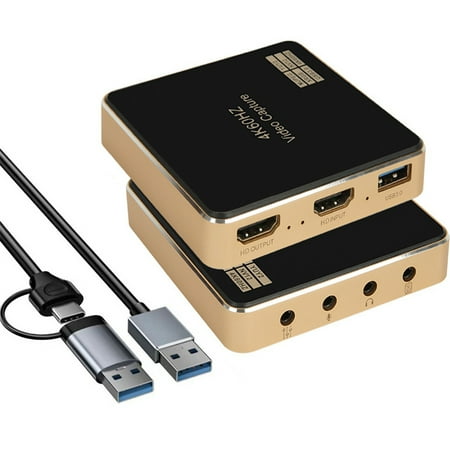
Capture Card for Streaming and Recording,4K@60HZ,1080P@240HZ,2K@144hz HDR VRR Passthrough Near-Zero Latency Audio Video Capture Card for PS5, Xbox Series X/S, Nintendo in OBS,Twitch,YouTube,Camera,PC
2. DIGITNOW 4K USB 3.0 Capture Card — best name-brand budget
DIGITNOW has been in the capture card space long enough to have a real support track record. At $21.99 the USB 3.0 connection gives you more bandwidth than USB 2.0 cards at similar prices — relevant for 4K capture specifically. HDMI input, full HD 1080p capture output, plug-and-play with OBS.
If you want a capture card with an actual company behind it rather than a generic white-label device, DIGITNOW is the call at this price. The USB 3.0 spec is a meaningful differentiator in the sub-$25 tier.
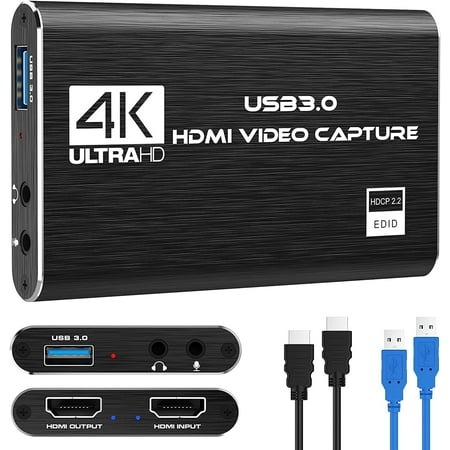
DIGITNOW Capture card resolution up to 1080p for video source and it is ideal for all HDMI devices such as PS4, PS3, Xbox One, Xbox 360, Wii U, Nintendo Switch, DVDs, DSLR, Camera, Security Camera and set top box. Plug and Play, suitable for Windows and Mac OS. It can capture one single channel...
3. 4K HDMI USB Cam Link — solid mid-budget
At $16.19, this is a standard HDMI-to-USB capture card with Nintendo Switch, PS5, PS4, Xbox, and 3DS compatibility. 1080p at 60fps capture, works as a cam link for DSLR and mirrorless cameras too. The cam link functionality is worth noting — if you ever want to use a DSLR as your webcam source, this handles that without extra software.
Broad device compatibility and the cam link use case make this one of the more versatile options in the budget tier.
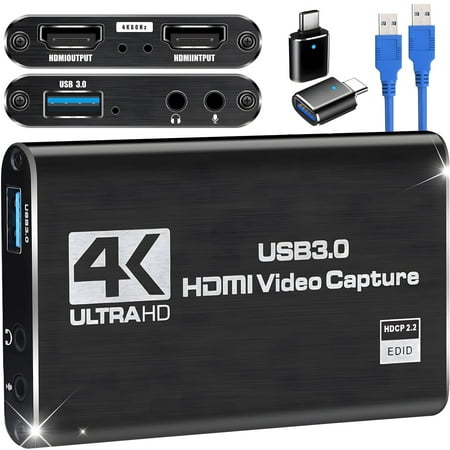
【4K Loop-out & 2K30 Capture】 This HDMI game capture card for switch comes with 5 ports. Faster transmission speed, better meet the needs of high frame rate video capture, support 4K 60HZ HDMI input and loop out up to 4K 60HZ, perfectly adapted to USB3.0 1080P 60fps/2K30fps video output. Support...
4. DIGITNOW 4K Silver — value pick
The silver variant of the DIGITNOW at $15.99 — essentially the same specs as the black version at $21.99 but slightly cheaper. USB 3.0, 1080p capture, compatible with OBS. If the black version is out of stock or you prefer the aesthetic, this is the same card.
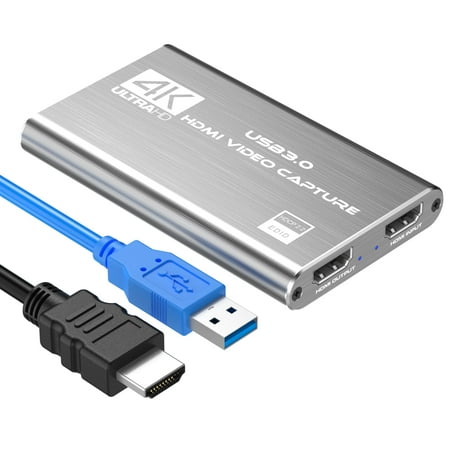
Product description Our 4K Video Capture can capture both HDMI video and HDMI audio, sending audio and video signals to computers and smart phones for preview and storage. It is the BEST Choice for you. Advantages: 1.Universal Compatibility. Support most acquisition software, Support...
5. Vivitar HDMI to USB — simple plug-and-play
The Vivitar at $13 is the simplest option: HDMI in, USB out, real-time capture, includes a USB-C adapter cable. Vivitar is an established AV brand. This is the pick if you want a recognizable name at the entry price point and don’t need USB 3.0 bandwidth or advanced passthrough specs.
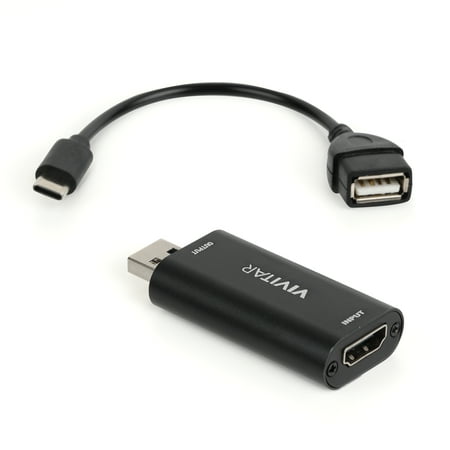
The Vivitar Creator Series HDMI to USB Video Capture Card Converter with Real-time HDMI Video and Audio Capture provides real-time HDMI video and audio capture for next-level live streaming, online class teaching, vlogging, video conferencing and dual screen share. With our advanced transmission...
6. 4K HDMI to USB Generic — ultra budget floor
At $8.99 this is the cheapest plug-and-play capture card on the list. It claims 4K input and 1080p capture output, works with Nintendo Switch, PS3/4, Xbox, and Twitch. No frills, no support infrastructure behind it. For testing whether capture cards work in your setup before investing in a better one, this is a low-risk entry point.
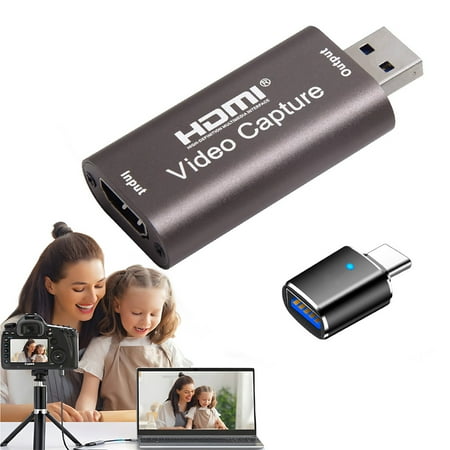
take care When using a video capture card, it is necessary to download a software called "OBS Studio" on the computer to work with the video capture card We give you one usb 3.0 to usb c adapters (black) so that you can also use this video capture card on usb c ports, such as ipad, macbook, and...
What to know before buying a capture card
USB capture cards vs. PCIe capture cards: all six options here are USB (external). PCIe cards install inside your PC and offer lower latency and more bandwidth, but require opening your machine and a spare PCIe slot. For streaming — as opposed to local recording at maximum quality — USB capture cards work fine. The latency difference doesn’t matter when you’re encoding for a stream anyway.
Passthrough vs. capture resolution: the “4K” claim on budget cards usually means 4K passthrough to your TV/monitor, not 4K capture. Actual capture is typically 1080p. This is fine for streaming — you don’t need to capture at 4K if you’re streaming at 1080p — but worth understanding so you’re not surprised when OBS shows a 1080p source.
Driver requirements: most USB capture cards are plug-and-play on Windows and Mac via UVC (USB Video Class). OBS recognizes them as video sources automatically. If a card requires proprietary driver installation, check compatibility before buying for Linux setups.
Frequently asked questions
Do I need a capture card for PC streaming?
No. OBS captures PC game footage directly via software. Capture cards are for console streaming and dual-PC setups only.
Will these work with PS5 and Xbox Series X?
Yes, with a caveat: PS5 and Xbox Series X support 4K HDR gaming modes that may need to be adjusted for capture. Set your console to 1080p output for the most reliable capture experience. The VRR-supporting card (#1 on this list) handles more of these modes natively.
Elgato vs. budget capture cards — is the price difference worth it?
Elgato HD60 X at ~$149 offers better software, guaranteed PS5/Xbox Series X compatibility, 4K60 passthrough that actually works across all game modes, and Elgato’s support infrastructure. The budget cards here work for basic streaming but may have edge cases with newer console features. If you’re streaming console seriously, the Elgato is worth the premium. For occasional or beginner streaming, the budget cards get you started.
Related reading
- Streaming Gear: The Complete Guide
- How to Set Up a Capture Card for Streaming
- Elgato vs AVerMedia: Which Capture Card Wins?