Computer Station Nation is reader-supported.
When you buy through links on our site, we may earn an affiliate commission. Learn more.
RGB lighting for a battlestation has come a long way from cheap strips that die in six months. The options right now range from basic color strips to full screen-sync systems pulling real-time colors off your display. Here’s what’s actually worth buying — no filler.
Quick picks
- Best screen-sync bias light: TV LED Backlight with Screen Sync — sensor-based, any monitor, $32.29
- Best RGB light bars: INDMIRD RGBIC Light Bars 2-Pack — app control, music sync, $26.99
- Best wall panels: DAYBETTER Triangle LED Panels 10-pack — music reactive, $23.99
- Best budget strip: Hovmgk RGB Computer Light — USB, Bluetooth, $14.47
- Best PC monitor sync: Skydimo RGB Ambient Strip — screen sync sensor, $25
How we selected these
Five products across three categories: wall panels, light bars, and bias/screen-sync strips. The cutoffs: app or Bluetooth control (hardwired-only RGB is annoying to use), actual music or screen sync rather than just color presets, and build that won’t fall apart in a month. No single-color strips made the cut — if you’re going RGB, go RGBIC or skip it.
Table of contents
- 1. TV LED Backlight with Screen Sync — best bias light
- 2. INDMIRD Light Bars — best RGB bars
- 3. DAYBETTER Triangle Panels — best wall panels
- 4. Hovmgk RGB Strip — best budget
- 5. Skydimo Screen Sync — best PC monitor sync
- Buying advice
- FAQ
1. TV LED Backlight with Screen Sync — best bias light
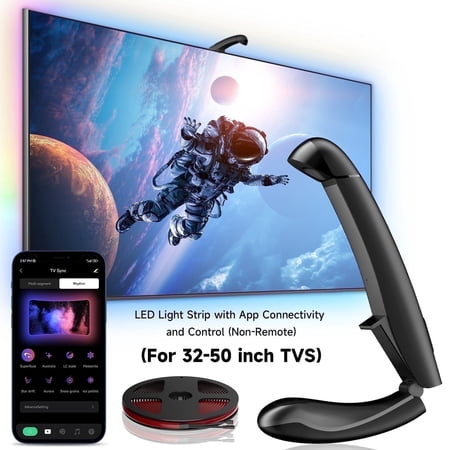
LED TV Backlight For 32-50 Inch TVs. Why choose Soifcik TV LED backlight? Because with it, you will have a warm home, full of love. Very easy to install, energy-saving, dimmable, automatic switch, adjustable, color-changing multi-function, elevate your screen experience sync, shine, and...
| Spec | Detail |
|---|---|
| Price | $32.29 |
| Type | LED strip + sensor |
| Sync method | Screen sensor |
| Coverage | 11.5ft strip |
| App control | Yes |
Rating: 4.6/5
This is the bias lighting setup most people land on after trying a couple of cheaper options. The sensor attaches to the corner of your monitor, reads the screen colors, and the strip behind the monitor matches them in near-real-time. Gaming in a dark room with this running is a different experience — the monitor colors bleed onto the wall and the whole setup feels immersive in a way that’s hard to describe until you’ve tried it.
The 11.5-foot strip covers most monitors and TVs. App control lets you switch between screen sync, music mode, and static scenes without touching anything physical.
What works: real screen sync via sensor, any display, long strip length, app control, music mode.
What doesn’t: sensor placement takes trial and error to get right, priciest on this list.
2. INDMIRD RGBIC Light Bars 2-Pack — best RGB bars
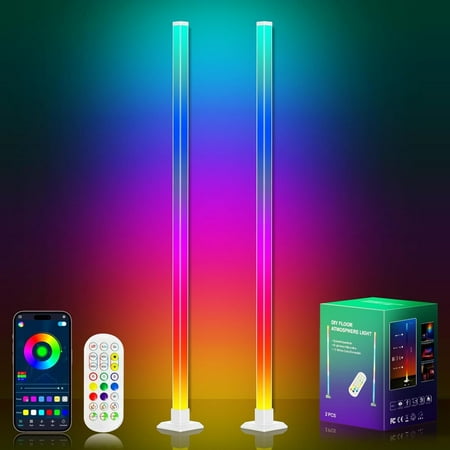
Brand: INDMIRD Special Feature: Brightness Adjustment, App Control, Remote Control, RGB Multicolor, Music Sync Wattage: 8 Watts Light Color: Multicolor, RGB Energy Source: USB Electrical Cable
| Spec | Detail |
|---|---|
| Price | $26.99 |
| Type | RGBIC light bars (2) |
| Control | App + remote |
| Music sync | Yes (built-in mic) |
| Modes | Multiple scene presets |
Rating: 4.4/5
Two bars for under $27. RGBIC means each bar can show multiple colors simultaneously — not a single flat hue. Put them behind your monitors, on a shelf, or flanking the battlestation and the gradient effects look way more premium than the price suggests.
The built-in mic for music sync actually works — reactions are fast enough that it doesn’t look delayed. App control and a remote are both included. The remote is the useful one; quick scene changes mid-session without touching your phone.
What works: RGBIC multi-color, music sync mic, app and remote both included, solid 2-pack value.
What doesn’t: fixed bar size limits placement options compared to strips.
3. DAYBETTER Triangle LED Panels 10-Pack — best wall panels
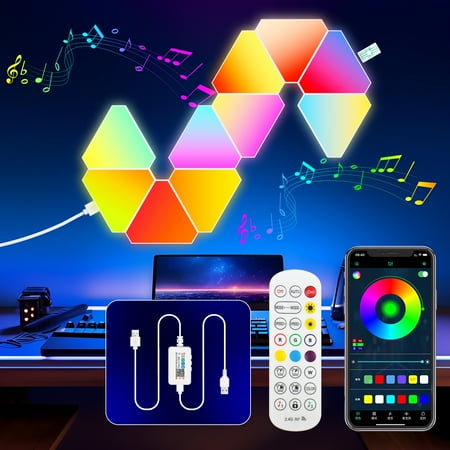
DAYBETTER LED splicing wall lamp adopts unique RGB technology, providing 16 million colors and multiple lighting modes. The unique and creative DIY splicing design can form a variety of shapes and lighting effects according to your rich imagination. Advanced mobile phone APP software control...
| Spec | Detail |
|---|---|
| Price | $23.99 |
| Type | Triangle LED panels |
| Quantity | 10 panels |
| Music reactive | Yes |
| App control | Yes |
Rating: 4.3/5
Triangle panels on the wall behind your setup are one of the most recognizable battlestation looks right now — and the Nanoleaf equivalent runs $80+. Ten DAYBETTER panels for $24 is a real deal. They connect together, you arrange them however looks good, the whole thing hooks into an app.
Music reactive mode uses your phone mic or the panel’s built-in sensor. The color effects look great in photos and video. If your main goal is a setup that looks like it belongs in a YouTube thumbnail, this is the move.
What works: 10 panels for $24, flexible wall arrangement, music reactive, app control, looks incredible on camera.
What doesn’t: not as smooth or color-accurate as Nanoleaf; adhesive mounting is tough to reverse.
4. Hovmgk RGB Computer Light — best budget strip
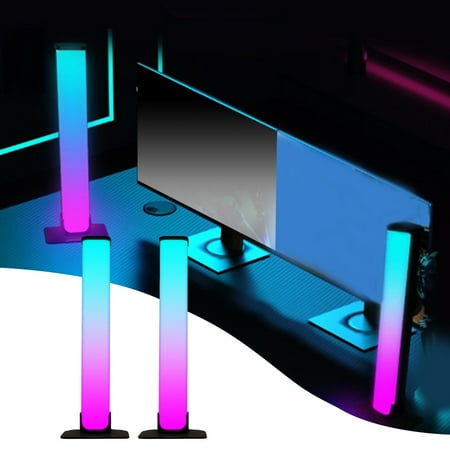
Welcome to Hovmgk, we specialize in offering high-quality lighting solutions for every need and space. Our wide range of lighting products includes energy-efficient LEDs, decorative lights, outdoor lights, task lighting, and more—designed to enhance the ambiance and functionality of your home,...
| Spec | Detail |
|---|---|
| Price | $14.47 |
| Type | USB LED strip |
| Control | Bluetooth app |
| Power | USB |
| Music sync | Yes |
Rating: 4.0/5
The “I want RGB but I’m not ready to commit” purchase. USB powered, Bluetooth app, music sync mode, sized for a PC monitor. At $14 this gets the ambient glow going without any real financial risk. If you hate it, you’re out fourteen bucks.
Standard RGB, not RGBIC — one color at a time. Still a visible improvement over no RGB at all, and a reasonable starting point before upgrading.
What works: cheap entry point, USB powered, app control, music sync, monitor-sized.
What doesn’t: standard RGB (no multi-color effects), basic build quality.
5. Skydimo RGB Ambient Strip — best PC monitor sync
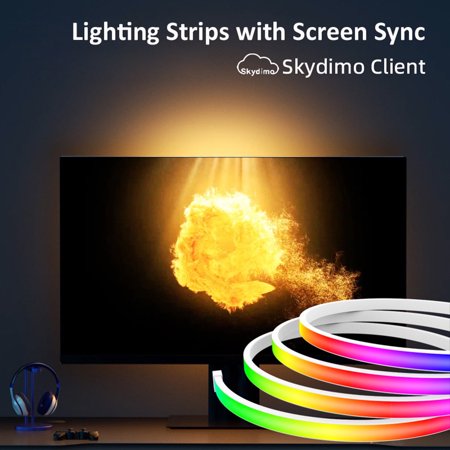
Skydimo Same Screen Display Computer Ambience Light-E-Sports Games Colorful Light Strip, Background Screen Light Synchronization Inject Cool Soul into Your E-Sports Space! Skydimo Same Screen Display Computer Ambience Light Is a High-End RGB Light Bar Specially Designed for Gamers and Technology...
| Spec | Detail |
|---|---|
| Price | $25 |
| Type | RGB strip + screen sync sensor |
| Sync | Screen sensor |
| App control | Yes |
| Target use | PC monitor bias light |
Rating: 4.2/5
Same concept as the #1 pick but sized for PC monitors instead of TVs. The sensor reads colors from the edge of your screen, the strip behind it responds. $25 and scaled appropriately for a 27–32 inch monitor.
Good pick if you have one monitor and want screen-sync bias lighting without paying TV-sized pricing.
What works: screen sync for PC monitors, lower price than TV-scale options, app control.
What doesn’t: shorter strip limits coverage on larger displays, sync latency slightly higher than camera-based systems.
Buying advice
What you need depends on what you’re actually building toward.
Eye comfort is the main goal? Start with a screen-sync bias strip behind the monitor — options #1 and #5. The colors matching your display makes the effect feel intentional rather than decorative.
Setup looks great on camera? Go wall panels. The DAYBETTER triangles are the fastest path to that aesthetic without dropping Nanoleaf money.
Something in between — ambient color without a full wall commitment? The INDMIRD bars. RGBIC, app control, music sync, two bars for $27.
On a tight budget? Hovmgk at $14. Get the glow going, see if you care enough to upgrade later.
FAQ
What’s the difference between RGB and RGBIC strips?
Standard RGB: all LEDs show one color at once. RGBIC: individually addressable segments can show different colors at the same time. RGBIC is what makes gradient effects and music sync look good rather than flat. Worth the few extra dollars.
Does screen-sync bias lighting actually work?
Yes. The sensor reads color from the edge of your screen and the strip responds in near-real-time. In a dark room during games or movies the effect is more immersive than it sounds on paper. Latency is low enough that it doesn’t look delayed.
Are LED panels worth it over strips?
Different jobs. Strips work better for bias lighting and underglow — they wrap around things. Panels are the aesthetic centerpiece. Most serious setups end up with both: strips for functional lighting, panels for the look.
Do I need a hub or bridge for any of these?
None of these require a hub. All Bluetooth or direct Wi-Fi through a phone app. No Hue Bridge, no extra hardware. Just download the app and pair.