Computer Station Nation is reader-supported.
When you buy through links on our site, we may earn an affiliate commission. Learn more.
Looking good on video calls isn’t vanity — it’s communication. When your camera makes you look like a pixelated ghost, people tune out. Here are the best webcams for video conferencing at every price point, tested for what actually matters on Zoom, Teams, and Meet.
Quick Picks
- Best Overall: onn. 4K Webcam — 4K clarity with dual mics for under $35.
- Best Premium: Logitech Pro Stream — 1080p, omnidirectional mic, professional quality.
- Best Mid-Range: Logitech Brio 100 — Logitech reliability at $33.
- Best Budget 4K: Atzeste 4K Webcam — 4K + dual mics for $22.
- Best Entry: Logitech C270 — reliable and simple at $17.
- Ultra-Budget: 1080p Full HD Webcam — $17, plug and play.
How we selected these: Evaluated across video clarity, mic performance, low-light behavior, and compatibility with Zoom, Teams, and Google Meet. Price-to-value ratio weighted heavily — no bloat picks.
Table of Contents
What Matters for Video Conferencing
- Resolution: 1080p is the minimum for looking professional. 4K on video calls gets downscaled to 1080p by most platforms, but the larger sensor still improves image quality.
- Microphone quality: On a video call, audio failure is worse than video failure. Dual mics with noise reduction are a real advantage in home offices with background noise.
- Low-light performance: Home offices have inconsistent lighting. A camera that handles mixed or dim light well is a genuine advantage.
- Wide FOV: Solo calls are fine at 80°. Group setups (home office with a partner, shared workspace) benefit from 90°+ FOV.
- Compatibility: All options here work plug-and-play with Zoom, Teams, and Google Meet on Windows and Mac.
At-a-Glance Comparison
| Webcam | Resolution | Mic | Price | Best For |
|---|---|---|---|---|
| onn. 4K | 4K | Dual | ~$35 | Best overall |
| Logitech Pro Stream | 1080p | Omnidirectional | ~$67 | Premium quality |
| Logitech Brio 100 | 1080p | Built-in | ~$33 | Logitech reliability |
| Atzeste 4K | 4K | Dual | ~$22 | Budget 4K |
| Logitech C270 | 720p | Single | ~$17 | Entry reliability |
| 1080p Full HD | 1080p | Single | ~$17 | Ultra-budget |
The Picks
#1 Best Overall: onn. 4K Webcam — Best for Meetings
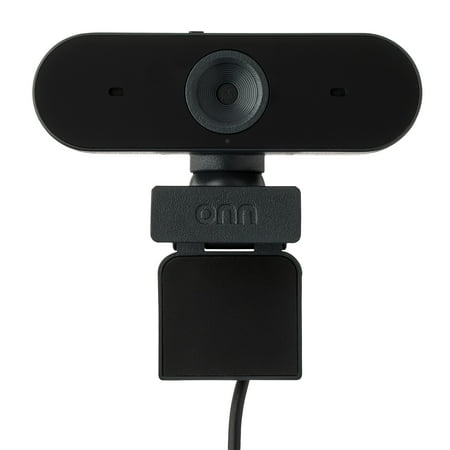
The onn 4K Webcam is a high-quality device designed to deliver superior video clarity and audio performance. With its ability to support up to 2160p resolution at a maximum of 25 fps, and 1080p resolution at 30 fps max, you can expect crystal clear images in every interaction. The webcam also...
4K, autofocus, dual mics, swivel head — and it’s under $35. The onn. 4K punches way above its price tag for video conferencing. The dual mics keep you sounding clear, and the 4K sensor means even when Zoom downscales your feed, you look noticeably sharper than 1080p cameras. The swivel head makes desk positioning effortless.
| Resolution | 4K |
| Mic | Dual |
| Autofocus | Yes |
| Price | ~$35 |
- ✅ 4K at budget price
- ✅ Dual mics
- ✅ Swivel mount
- ❌ Lesser-known brand vs Logitech
#2 Best Premium: Logitech Pro Stream — Best for Professionals
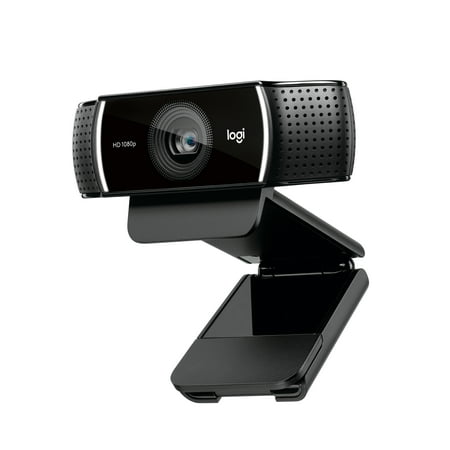
Live stream with outstanding clarity with the Logitech Pro Stream webcam, designed and built for streamers who take their game seriously. With a choice of 30 fps at 1080p or the hyperfast 60 fps at 720p, you can record or go live with vibrant, true-to-life video on channels like Twitch and...
When your video calls are board meetings and client presentations, the Pro Stream delivers the professional quality to match. Logitech’s omnidirectional mic is the best built-in mic option on this list — it picks up your voice cleanly while minimizing directional noise. Autofocus, solid build quality, and Logitech’s driver reliability make this the pick when you can’t afford a bad call.
| Resolution | 1080p / 30fps |
| Mic | Omnidirectional |
| Autofocus | Yes |
| Price | ~$67 |
- ✅ Best mic quality on this list
- ✅ Logitech driver reliability
- ❌ Premium price for 1080p
#3 Best Mid-Range: Logitech Brio 100 — Best Logitech Value
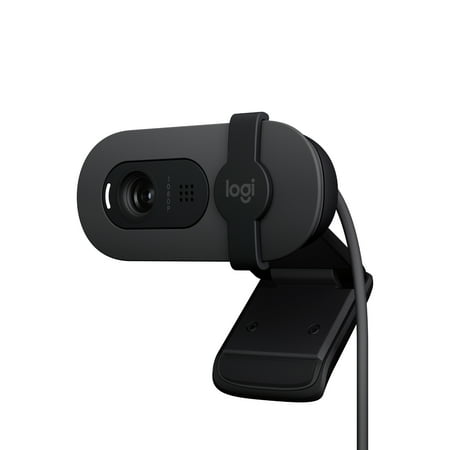
Look, sound, and meet better with Brio 100—a simple and affordable webcam that lets you show your best self in video calls. Full HD 1080p resolution and auto-light balance bring clarity and brightness to your calls, so you look your best. Sound better with a built-in microphone, and get total...
The Brio 100 is Logitech’s most approachable full-HD webcam for meetings and streaming. 1080p, built-in mic, solid Logitech build quality — all at $33. If the brand matters to you (and for enterprise environments it often does), this is how you get Logitech quality without the Pro Stream premium.
| Resolution | 1080p |
| Mic | Built-in |
| Price | ~$33 |
#4 Best Budget 4K: Atzeste 4K Webcam — Best 4K Under $25
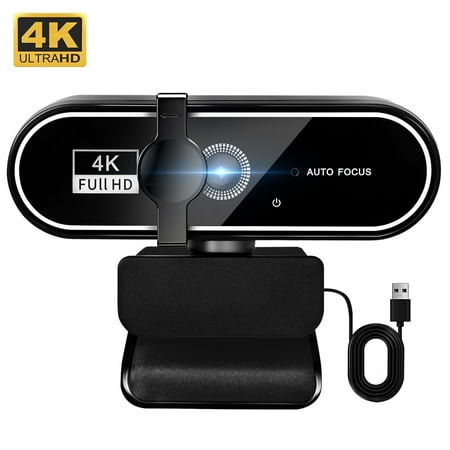
Atzeste Auto Focus 4K Webcam – Ultra-HD Clarity for Professional Communication Step up your video quality with the Atzeste autofocus 4K webcam, featuring a high-performance 8.3MP CMOS sensor that delivers genuine 4K resolution (3840x2160 @ 30fps). Whether you’re hosting a remote meeting,...
4K with dual mics for $22. The Atzeste delivers the sensor size benefits of 4K (better low-light, more headroom to crop) with dual mics for voice clarity — all at a price that makes it an easy call for anyone who wants a step up from 1080p without spending a lot.
| Resolution | 4K |
| Mic | Dual |
| Price | ~$22 |
#5 Most Reliable Entry: Logitech C270 — Best When It Just Needs to Work
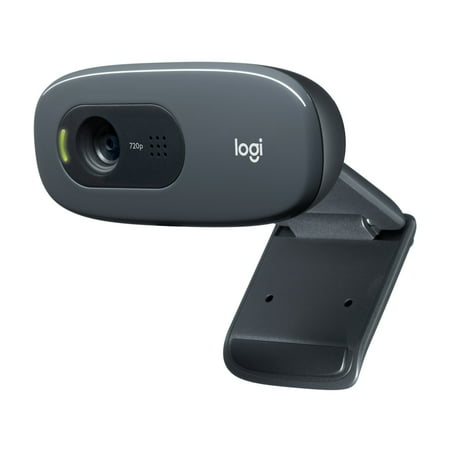
With the Logitech C270 Webcam, you can confidently join any video meeting knowing you’ll always have quality audio and video. Our most affordable camera, the C270 Webcam is an upgrade for your laptop or desktop with practical features that outperform most built-in laptop cameras. It supports...
720p and $17. The C270 is 720p, which is the bottom of acceptable — but it’s Logitech, which means it works every single time without driver issues, disconnects, or fussiness. In enterprise or corporate environments with IT restrictions, this universally supported webcam is sometimes the right call.
#6 Ultra-Budget 1080p: 1080p Full HD Webcam — Best Cheapest 1080p
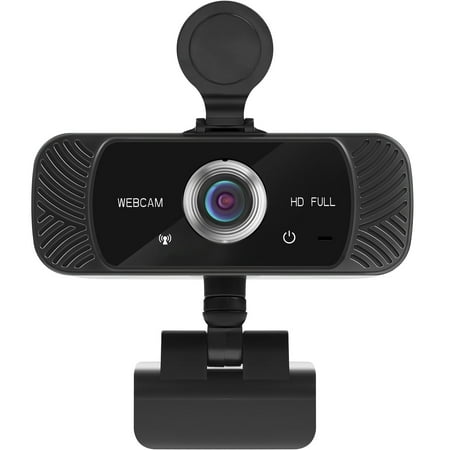
The Mata1 webcam is driverless for plug-and-play (PnP) streaming. The camera can rotate horizontally, 360 degrees, and vertically 180 degrees. The base conveniently has a tapped hole to connect a tripod (not included). The CMOS image sensor allows for a high frame rate and resolution, thus...
$17 for 1080p. Basic plug-and-play, works with everything. Not going to impress anyone, but it’s a genuine step above 720p for people who just need a functional camera on their calls without any frills.
Verdict
The onn. 4K wins on value — 4K, dual mics, autofocus, swivel head at $35 is hard to beat for any use case. The Logitech Pro Stream wins on quality — specifically mic quality, which matters more than camera resolution on most professional calls. The Atzeste 4K at $22 is the best pure budget pick if you want 4K without spending more. And if brand matters for your enterprise environment, the Logitech Brio 100 gives you Logitech reliability at a reasonable price.
FAQ
Does Zoom support 4K webcams?
Zoom caps outgoing video at 1080p for most users. However, a 4K webcam still benefits you — the larger sensor captures more light and produces a sharper 1080p output than a native 1080p camera. The difference is visible.
What’s more important for video calls — camera or microphone?
Microphone, without question. Bad audio is harder to tolerate than bad video. People will watch grainy video but they’ll mute or leave a call with bad audio. Prioritize mic quality — dual-mic options with noise reduction are worth the extra few dollars.
Will these work on Chromebook?
Yes — all USB webcams on this list are plug-and-play on Chromebook, Windows, and Mac. No additional software required for basic functionality.