Computer Station Nation is reader-supported.
When you buy through links on our site, we may earn an affiliate commission. Learn more.
Not every streaming upgrade requires a purchase. Some of the biggest improvements to stream quality come from repurposing what you already have, spending $5 at a hardware store, or changing a setting you didn’t know existed. Here’s the stuff that actually works.
Lighting hacks
Use a white bedsheet as a light diffuser
Direct LED light is harsh and creates hard shadows. A white bedsheet or white shower curtain hung in front of a bright lamp turns it into a softbox. The light becomes diffused, wraps around your face more evenly, and looks dramatically better on camera. Cost: $0 if you already own one.
Point your lamp at the wall, not at your face
Bounce lighting off a white wall behind your monitor and let that reflected light fall on you. It’s soft, even, and eliminates hotspots. Works best with bright white walls. Works surprisingly well with any floor lamp or desk lamp you already own.
Face a window during daytime streams
Natural light from a north-facing window is some of the best soft light you can get — even and diffused without direct sunlight. Rearrange your desk so the window is in front of you (behind the camera). Free lighting upgrade that professionals use in photography studios. Just don’t count on it for evening streams.
Foam board reflector for $1
A white foam board from a dollar store is a legitimate photography tool. Position it on the shadow side of your face (opposite your key light) and angle it to bounce light back. Fills in harsh shadows without buying a second light. Costs $1 at Walmart or Dollar Tree.
Audio hacks
Enable RNNoise in OBS
OBS has a built-in AI noise suppression filter called RNNoise that’s genuinely good at removing background sounds — HVAC, keyboard clicks, ambient hum. Add it as a filter on your microphone source (right-click mic → Filters → Add → Noise Suppression → RNNoise). It works better than the older Speex suppressor and makes cheap mics sound noticeably cleaner.
Build a mic isolation shield from foam
Acoustic foam panels (used for soundproofing) placed in a U-shape behind your mic cut reflected sound from the room. You can make a basic version with $10 worth of foam wedge panels from Amazon arranged around three sides of your mic. Not as effective as a dedicated reflection filter, but close — and far cheaper.
Record in a closet
Sounds ridiculous, works great. A closet full of hanging clothes is an accidental acoustic treatment — the soft irregular surfaces absorb reflections. If you have audio issues (echoey room, noisy background), do a test recording from inside a closet with the door closed. The improvement is often dramatic. Podcasters use this trick constantly.
Hang blankets behind you
Heavy curtains or moving blankets on the wall behind your desk absorb sound reflections that make your room sound echoey. They also improve your background visual. Two problems solved with blankets.
Camera hacks
Use your smartphone as a webcam
Modern phones have better cameras than most budget webcams. Both iOS and Android have free apps that let you use your phone as a USB webcam in OBS. DroidCam (Android/iOS) and OBS Camera (iOS) work well. Mount your phone on a mini tripod or clip it to a monitor stand. Instant camera upgrade with gear you already own.
Elevate your camera to eye level
Cameras positioned below eye level create an unflattering upward angle — viewers see your ceiling and up your nose. Raise your camera to eye level or slightly above using a stack of books, a box, or a laptop stand. Immediately more professional without buying a thing.
Lock exposure and white balance
Auto-exposure and auto-white balance constantly adjust as your scene changes, causing visible brightness and color shifts mid-stream. In your webcam software (Logitech G Hub, Razer Synapse) or camera settings, lock both values manually. Set exposure to what looks right and leave it there. Eliminates the “adjusting camera” look that screams beginner setup.
Setup and background hacks
Hang a curtain behind you
A solid-colored curtain creates a clean, professional background for virtually nothing. Dark colors work best — dark gray, navy, or black. Hang it with a tension rod so no drilling required. Hides whatever mess is normally behind you and makes lighting pop against a defined background.
Use monitor bias lighting
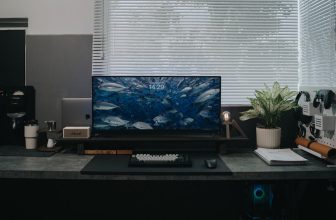
LED strips behind your monitor (Govee makes $15–20 options) create a soft colored halo that looks good on stream and reduces eye strain during long sessions. The light from the strips isn’t bright enough to affect your face camera, but it adds production value to your background. Probably the best $15 you can spend on stream aesthetics.
Virtual backgrounds in OBS
OBS has a virtual background plugin (obs-virtualbackground or the built-in chroma key tool) that can replace your background with an image or video. Works best with a green screen, but even without one the results are usable if your lighting is even. Cost: $0 if you have OBS and decent lighting.
Software hacks
Set a scene collection for your standard setup
Create an OBS scene collection with all your sources configured exactly how you want them — camera, mic, overlays, alerts, everything. Export it as a backup (Scene Collection → Export). Now you can restore your full setup in minutes if something breaks, and you won’t spend 20 minutes before each stream adjusting things back to where they were.
Enable Loudness Normalization on OBS audio
Add a Loudness Equalization compressor to your mic in OBS (Filters → Compressor). Set the ratio to around 4:1 and threshold to -18dB. This levels out the volume difference between your normal speaking voice and louder moments (gaming reactions, laughter) so viewers don’t have to constantly adjust their volume. Takes five minutes to set up, immediately improves the listening experience.
FAQ
Can I really use my phone as a streaming camera?
Yes. Apps like DroidCam (free on Android and iOS) turn your phone into a USB webcam that OBS recognizes. Your phone’s rear camera almost certainly outperforms any sub-$80 USB webcam. The main limitation is mounting — you need a clip or small tripod to position it properly.
Does OBS noise suppression really work?
RNNoise (the AI-based option in OBS) works very well for consistent background noise like HVAC, fans, and room hum. It’s less effective for irregular sounds like keyboard clicks and chair squeaks. Combined with a decent mic, it makes a $30 mic sound much cleaner than it has any right to.
What’s the single best free upgrade to my stream?
Fix your lighting. Specifically: make sure your light source is in front of you, not behind you. This single change does more for how you look on stream than any gear purchase under $100. If you’re already doing that, lock your camera exposure and white balance — auto-adjusting cameras look unprofessional even with great lighting.