Computer Station Nation is reader-supported.
When you buy through links on our site, we may earn an affiliate commission. Learn more.
A monitor with a built-in webcam and microphone eliminates a separate webcam from your desk, cuts cable management, and usually delivers a better angle than a laptop camera looking up at you. The options in this category are primarily business-class monitors designed for video conferencing — here’s what’s worth buying.
Quick picks
- ASUS BE24EQK 23.8″ with FHD Webcam — Best value with webcam
- Lenovo ThinkVision T24v-30 24″ with Webcam — Best for enterprise use
- ViewSonic VG2741V 27″ with Windows Hello Webcam — Best 27″ with webcam
- Philips Brilliance 241B7QPJKEB 23.8″ — Best for privacy-first setups
- Asus BE24ECSNK 24″ Business Monitor — Best for Asus ecosystems
Table of contents
What to look for
Most monitors with built-in webcams include FHD (1080p) cameras — adequate for video calls. The ViewSonic VG2741V goes further with a 5MP IR camera and Windows Hello face recognition, which adds biometric login on top of the webcam. For streaming or professional video use, a dedicated external camera will outperform any monitor-integrated webcam.
Built-in mic arrays pick up more directional audio than a single microphone. Most monitors in this category have a dual-mic array or beamforming microphone. Quality is suitable for calls but won’t replace a dedicated condenser mic for recording.
Business monitors in this category usually include USB-C with Power Delivery and a USB hub. If you use a laptop as your main machine, a monitor that also charges and connects your peripherals cuts clutter significantly — one cable from the laptop handles video, power, and peripherals.
Monitor with webcam reviews
ASUS BE24EQK 23.8″ Business Monitor — Best value with webcam
At $159, the ASUS BE24EQK is the most accessible entry in this category — Full HD IPS, frameless design, built-in FHD webcam, mic array, and flicker-free low blue light for all-day use. HDMI and USB connectivity. Covers all the bases for a home office monitor that handles video calls without a separate webcam on the desk.
| Spec | Detail |
|---|---|
| Size | 23.8″ |
| Resolution | 1920×1080 FHD |
| Panel | IPS, frameless |
| Webcam | Full HD |
| Microphone | Array |
| Price | ~$159 |
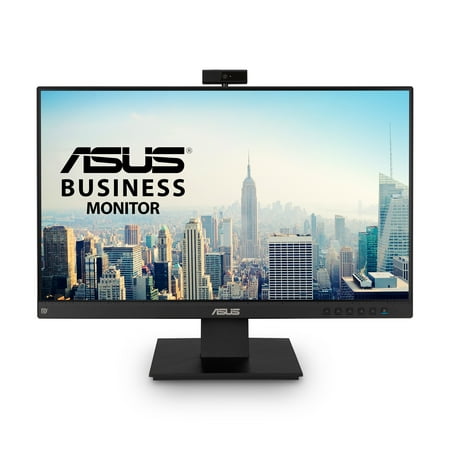
ASUS BE24EQK Business Monitor – 23.8 inch, Full HD, IPS, Frameless, Full HD Webcam, Mic Array, Flicker free, Low Blue Light, HDMI
Lenovo ThinkVision T24v-30 24″ — Best for enterprise use
Lenovo’s ThinkVision line is designed for corporate environments — durable build, strong ergonomic stand, reliable driver support, and a built-in webcam in a clean 24″ IPS package at $193. The right monitor if you’re equipping a serious remote work setup and want a brand with long-term enterprise support behind it.
ViewSonic VG2741V 27″ with Windows Hello Webcam — Best 27″ with webcam
The 5MP IR webcam with Windows Hello face recognition is the differentiator here — you log in to Windows just by sitting down at your desk. At 27″ IPS with USB-C, DisplayPort, HDMI, and a full ergonomic stand, this is the premium all-in-one workstation monitor. $253 is the highest price on the list, but Windows Hello integration alone saves the cost of a separate IR webcam.
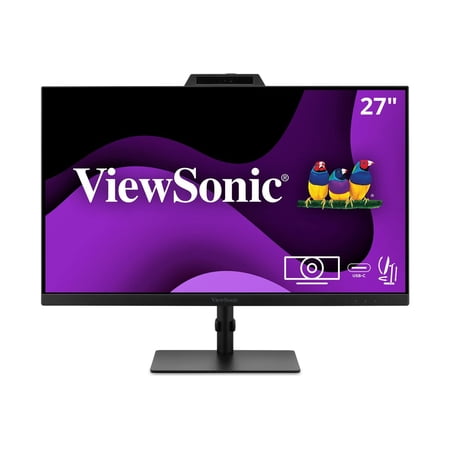
Enjoy streamlined collaboration and video conferencing with the ViewSonic® VG2741V monitor. This 27" FHD monitor features a built-in 5MP integrated camera that supports secure, password-free sign-in with Windows Hello, while a 5-degree adjustable angle and privacy shutter ensure optimal...
Philips Brilliance 241B7QPJKEB 23.8″ — Best for privacy-first setups
Philips Brilliance monitors are known for strong IPS color accuracy in business environments. The 241B7QPJKEB combines a 23.8″ IPS display with a pop-up webcam and full ergonomic adjustability. The pop-up webcam physically retracts into the top bezel when not in use — visual confirmation the camera is off, no software trust required. At $293, it’s the privacy-conscious premium option on this list.
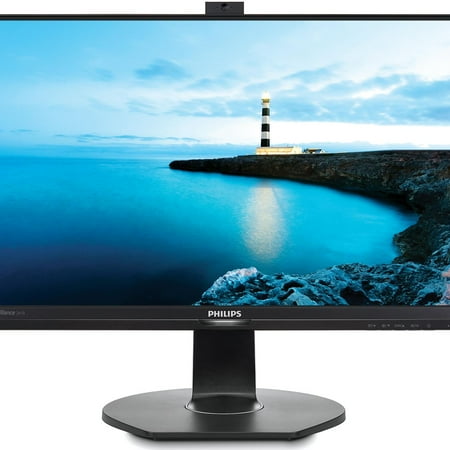
Philips Brilliance 241B7QPJKEB Webcam Full HD LCD Monitor - 16:9 - Textured Black - 23.8" Viewable - In-plane Switching (IPS) Technology - LED Backlight - 1920 x 1080 - 16.7 Million Colors - 250 Nit - 5 ms - 60 Hz Refresh Rate - Speakers - HDMI - VGA - DisplayPort - VESA Mount Compatible - USB Hub
Asus BE24ECSNK 24″ Business Monitor — Best for Asus ecosystems
Another Asus business monitor with webcam at $289 — IPS, 1080p, business-class build quality. Good choice for organizations standardizing on Asus hardware. The webcam and mic array handle Teams and Zoom well, and the IPS panel covers standard office and content use cases without issue.
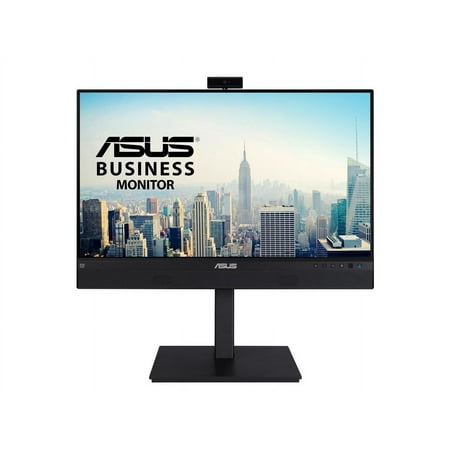
Asus BE24ECSNK 24" Class Webcam Full HD LCD Monitor - 16:9 - 23.8" Viewable - In-plane Switching (IPS) Technology - LED Backlight - 1920 x 1080 - 16.7 Million Colors - 300 Nit - 5 ms - 60 Hz Refresh Rate - Speakers - USB Type-C - HDMI - DisplayPort - VESA Mount Compatible - USB Hub
Verdict
For most home office workers: the ASUS BE24EQK at $159 covers all the bases without overspending. For 27″ with Windows Hello biometric login: the ViewSonic VG2741V is worth the premium. For privacy-first offices: the Philips pop-up webcam gives you physical camera shutoff built into the monitor.
FAQ
Are built-in monitor webcams good enough for video calls?
For Teams, Zoom, and Google Meet — yes. The FHD cameras in business monitors deliver clean 1080p video, and the monitor position is at eye level rather than looking up from a laptop. For streaming or YouTube production, invest in a dedicated external camera.
Does the built-in microphone replace a desk mic?
For video calls, the array microphones in these monitors are sufficient — considerably better than laptop mics. For recording, podcasting, or voiceover work, a dedicated USB condenser mic is a different product category and will produce much better audio.
Can I disable the webcam for privacy?
The Philips 241B7QPJKEB has a physical pop-up design that gives you hardware-level confirmation the camera is retracted. The other monitors rely on software/OS controls. For physical privacy assurance, the Philips is the choice — or put a webcam cover sticker on the lens, which works on any flat-lens camera.