Computer Station Nation is reader-supported.
When you buy through links on our site, we may earn an affiliate commission. Learn more.
Best streaming cameras: quick picks
| Pick | Camera | Price |
|---|---|---|
| Best overall | Logitech Pro Stream | $66.97 |
| Best 1440p budget | onn 1440P Webcam | $33 |
| Best 4K budget | 4K Webcam (PDAF) | $29.59 |
| Best value 2K | Vizolink 2K Webcam | $17.89 |
| Ultra budget | Mata1-USA 1080p | $16.99 |
Full reviews below.
Most people overthink the streaming camera. You don’t need a DSLR. You don’t need 4K — most platforms cap delivery at 1080p anyway. What you need is consistent autofocus, a reasonable field of view, and enough low-light performance that you don’t look like you’re broadcasting from a cave. These five webcams cover the full budget range and all of them clear that bar.
Best cameras for live streaming
1. Logitech Pro Stream — best overall
The Logitech Pro Stream is the most capable webcam in this roundup. 1080p at 30fps, autofocus, omni-directional microphones, and the reliability that comes with Logitech’s software ecosystem. It’s been a go-to recommendation for a reason — consistent performance, broad compatibility, and a build quality that outlasts the no-name alternatives.
At $66.97 it’s the priciest option here, but the gap between Logitech and budget webcams shows up immediately in low-light situations and fast movement. If you’re streaming at a desk and want a camera that just works without fiddling, this is the pick.
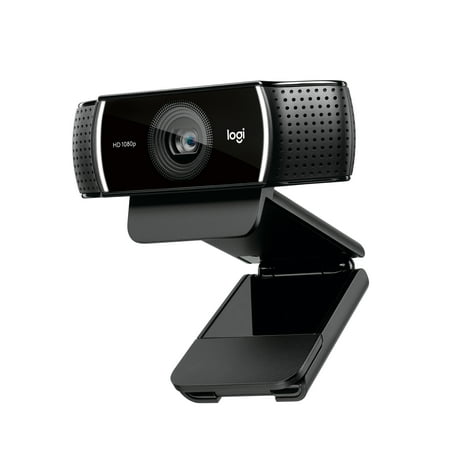
Live stream with outstanding clarity with the Logitech Pro Stream webcam, designed and built for streamers who take their game seriously. With a choice of 30 fps at 1080p or the hyperfast 60 fps at 720p, you can record or go live with vibrant, true-to-life video on channels like Twitch and...
2. onn 1440P Webcam — best 1440p at budget price
At $33, the onn 1440P delivers a resolution step above most webcams in its price range. Autofocus, built-in microphone, and an adjustable mount. The onn brand is Walmart’s in-house label, so availability is reliable and returns are straightforward.
1440p is a nice spec to have even if your platform streams at 1080p — the downsampling from 1440p to 1080p tends to look slightly sharper than native 1080p capture. Not a dramatic difference, but real. For $33 this is a strong value play for a battlestation that already has decent lighting.
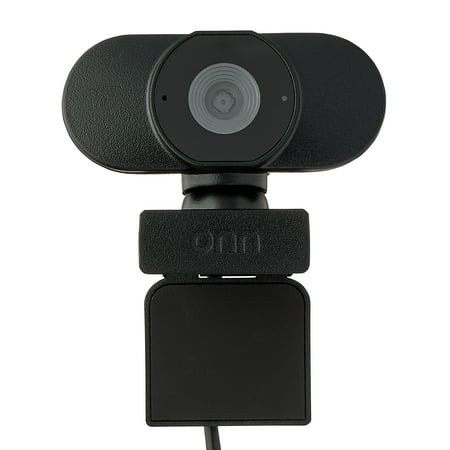
Camera onn. Your conference calls and virtual meetings are about to get an upgrade with our onn. Webcam with Autofocus! With an adjustable base and USB connectivity, now you can add a webcam to your screen easily. We've even given it up to 1440p resolution, so your video will transmit sharp and...
3. 4K Webcam with PDAF — best 4K under $30
Phase Detection Autofocus (PDAF) is usually found on cameras well above this price point. At $29.59, this webcam ships with PDAF, a 105° field of view, noise-cancelling mics, auto light correction, and a privacy cover. That’s a lot of spec per dollar.
The 4K capture is useful if you’re also recording locally for content beyond streaming — YouTube uploads, short-form video, etc. For pure streaming, 4K gets downsampled anyway, but the better sensor used to achieve 4K usually means cleaner 1080p output. The 105° FOV is wide — good for capturing your whole setup, though faces look slightly distorted at the edges.
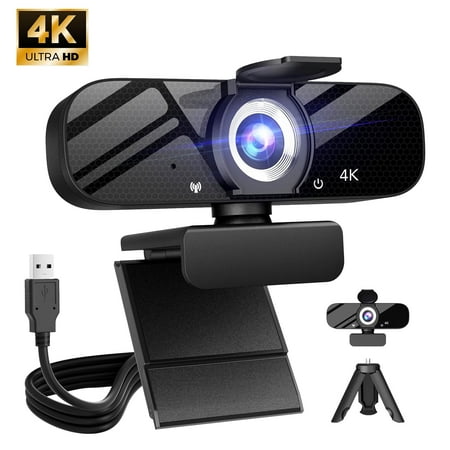
Compatible for Switch 2 Autofocus USB Web Cam 2 Microphones for PC Laptop Video Streaming
4. Vizolink 2K Webcam — best value 2K
The Vizolink packs dual microphones and 2K resolution into a $17.89 package. Autofocus, USB plug-and-play, works for streaming, gaming, and conferencing. The dual-mic setup is a step above single-mic budget webcams — better stereo separation and less dead-zone audio than a single capsule.
If you’re on a tight budget and need something that does more than the absolute minimum, the Vizolink hits the sweet spot. Don’t expect Logitech build quality, but the image output at 2K is genuinely better than most sub-$20 webcams.
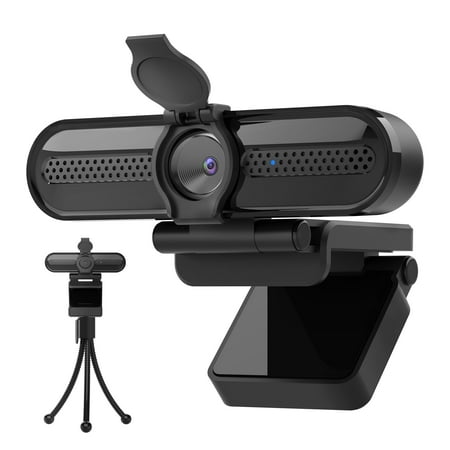
The Vizolink 2K/1080p Webcam with 2 Microphones for Laptop Conference Streaming PC USB Web Cam Autofocus offers professional-quality video calling, recording, and broadcasting. Featuring a Full HD AutoFocus lens, this webcam delivers crisp video at resolutions up to 2K and 1080p with frame rates...
5. Mata1-USA 1080p — ultra budget pick
The floor: $16.99 for a 1080p/30fps webcam with a 120° view and built-in microphone. USB 2.0, plug-and-play, no software required. It won’t win any awards for low-light or autofocus speed, but it captures 1080p and it works out of the box.
The 120° field of view is one of the widest on this list — useful for tabletop gaming, capturing a wide desk scene, or setups where you want more environment in frame. If your budget is genuinely limited and you need a camera right now, this gets the job done.
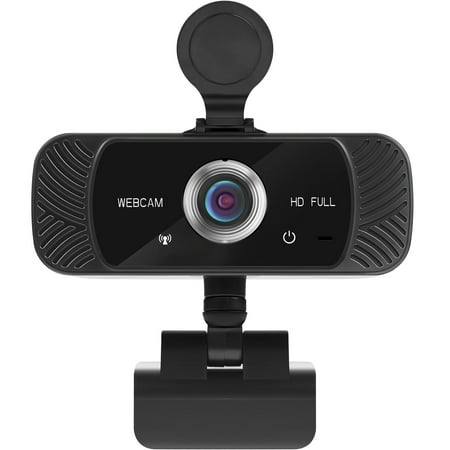
The Mata1 webcam is driverless for plug-and-play (PnP) streaming. The camera can rotate horizontally, 360 degrees, and vertically 180 degrees. The base conveniently has a tapped hole to connect a tripod (not included). The CMOS image sensor allows for a high frame rate and resolution, thus...
What to look for in a streaming camera
Resolution is less important than you’d think. Most platforms soft-cap at 1080p for delivery, and Twitch partners at 6000 kbps look about the same at 1080p60 whether you captured at 1080p or 4K. What actually matters more is how the sensor handles low light, how fast the autofocus tracks, and whether the field of view matches your desk setup.
Autofocus matters for any stream where you move. Fixed-focus webcams look fine if you stay still, but the moment you lean back or reach for something, they blur. PDAF and contrast-detect AF both track reasonably well; you just want some form of continuous autofocus rather than manual-only focus.
Field of view: 78° is the safe default for a face cam. Wide-angle lenses (90°+) are great for setup showcases but create barrel distortion at the edges — faces look stretched if you’re too close to the camera. Match the FOV to how far you sit from the camera.
Lighting matters more than sensor quality at budget tiers. A $35 ring light will make a $33 onn webcam look better than a $150 Elgato Facecam in bad lighting. If you’re on a tight budget, sort lighting before upgrading the camera.
Frequently asked questions
Do I need 4K for streaming?
No. Most platforms cap at 1080p. 4K is useful if you’re also recording locally for YouTube or other content — the higher resolution gives you more flexibility in post. For streaming-only setups, 1080p60 is the practical ceiling that matters.
Can I use a phone as a streaming camera?
Yes, with apps like DroidCam or Camo. Phone cameras genuinely outperform most webcams at this price range in terms of image quality. The tradeoff is battery drain, heat buildup during long streams, and setup complexity. Worth trying before buying a webcam if you already own a modern smartphone.
What’s the difference between the Logitech C920 and Pro Stream?
The Pro Stream is Logitech’s streaming-specific model with tweaked software integration and a slightly different lens profile. The C920 is their classic all-purpose webcam with decades of driver support behind it. Both are solid — the C920 is often slightly cheaper and has a longer track record; the Pro Stream is newer and optimized for streaming software.
Related reading
- Streaming Gear: The Complete Guide
- Best Streaming Lighting & Ring Lights
- Webcam vs. DSLR for Streaming