Computer Station Nation is reader-supported.
When you buy through links on our site, we may earn an affiliate commission. Learn more.
Quick Answer: For most buyers, the LG 27″ 180Hz wins outright — better gaming performance and a fully unlocked 180Hz panel justify the $50 price difference. Get the 144Hz model only if you’re strictly budget-limited and plan to use it mostly for general productivity.
Introduction
Both monitors share the LG UltraGear name, the same 27-inch IPS panel size, and nearly identical builds. The difference comes down to refresh rate, a $50 gap, and a few spec details that matter more than they look at first glance. The 27GS40W-B runs at 180Hz natively. The 27G411A-B runs at 120Hz natively and can be pushed to 144Hz through the OSD. If you’re deciding between these two for a gaming or design battlestation, here’s how the comparison actually shakes out.
Quick Comparison
| LG 27GS40W-B (180Hz) | LG 27G411A-B (144Hz) | |
| Price | $139 | $89 |
| Panel | IPS | IPS |
| Refresh Rate | 180Hz native | 120Hz / 144Hz OC |
| Response Time | 1ms GtG | 1ms MBR |
| HDR | No | HDR10 |
| G-Sync | No | Yes |
| FreeSync | FreeSync Premium | FreeSync |
| HDMI Ports | 2× HDMI 1.4 | TBC |
| VESA | 100×100mm | 100×100mm |
| Our Score | 8.8/10 | 8.4/10 |
Refresh Rate — LG 27GS40W-B vs 27G411A-B
This is the main event. The 27GS40W-B runs at 180Hz natively — no OSD tricks needed. The 27G411A-B runs at 120Hz by default; you get 144Hz only after manually enabling overclock mode in the monitor settings. In competitive gaming, 180Hz vs 144Hz is a subtle but real difference. For casual gaming and general use, it’s functionally invisible.
Winner: 27GS40W-B (180Hz) — native refresh, no OC required.
Display Quality — LG 27GS40W-B vs 27G411A-B
Both use IPS panels with similar color reproduction and viewing angles. The 27GS40W-B covers 99% sRGB with 250 nit brightness. The 27G411A-B adds HDR10 on paper, but at its peak brightness level, HDR isn’t meaningfully better than SDR. For color accuracy and design work, both are roughly equivalent. Neither is a professional color-grading display.
Winner: Tie — the HDR10 badge on the 27G411A-B doesn’t translate to a real advantage at this brightness level.
Gaming Performance — LG 27GS40W-B vs 27G411A-B
The 27GS40W-B has two advantages: a higher native refresh rate (180Hz vs 120Hz/144Hz OC) and a wider FreeSync Premium range (48–180Hz). FreeSync Premium also includes Low Framerate Compensation, which keeps VRR active even below the monitor’s minimum — useful in heavy scenes where framerates dip. The 27G411A-B adds G-Sync Compatible support, which is a genuine win for NVIDIA GPU owners. If you’re on AMD, the 180Hz model is the stronger gaming pick.
Winner: 27GS40W-B — higher refresh rate and FreeSync Premium. 27G411A-B wins on G-Sync support.
Value for Money — LG 27GS40W-B vs 27G411A-B
The 27G411A-B costs $50 less. If your budget stops at $90, it’s an excellent choice. But at $139, the 27GS40W-B is still a strong value for a 27-inch IPS gaming monitor with true 180Hz. The extra $50 buys a meaningfully better gaming experience, which is hard to dismiss if gaming is your primary use case.
Winner: 27G411A-B on absolute budget — but the 27GS40W-B is a better dollar-for-dollar gaming buy at its price.
Connectivity — LG 27GS40W-B vs 27G411A-B
The 27GS40W-B ships with 2× HDMI 1.4 and 1× DisplayPort 1.2 — solid for multi-source setups or console + PC. The 27G411A-B connectivity is similar, but gains G-Sync compatibility for NVIDIA card owners. Neither has a USB hub or built-in speakers.
Winner: Tie — 27GS40W-B has an extra HDMI port; 27G411A-B adds G-Sync support.
Build Quality & Ergonomics — LG 27GS40W-B vs 27G411A-B
Both monitors share tilt-only stands with no height, pivot, or swivel adjustment. Both use VESA 100×100mm, so you can mount either on a third-party arm for full ergonomic control. Builds are comparable — plastic-forward but solid for daily desk use.
Winner: Tie
Use Case Breakdown
Choose the LG 27GS40W-B (180Hz) if:
- Gaming is your primary use — especially competitive FPS where refresh rate matters
- You’re on an AMD GPU and want the best FreeSync implementation
- You want the cleanest gaming experience without OSD tweaks
Choose the LG 27G411A-B (144Hz) if:
- Budget is hard-capped at $90
- You have an NVIDIA GPU and want G-Sync Compatible support
- Your gaming is casual and the 144Hz cap won’t bother you
Verdict
The LG 27GS40W-B is the better monitor. Native 180Hz, FreeSync Premium with Low Framerate Compensation, and a second HDMI port outweigh the $50 savings from the 27G411A-B for most gaming setups. That said, the 27G411A-B is a genuinely strong $89 monitor — if budget is the hard constraint, you’re not making a bad buy. You’re just leaving some performance on the table.
Where to Buy
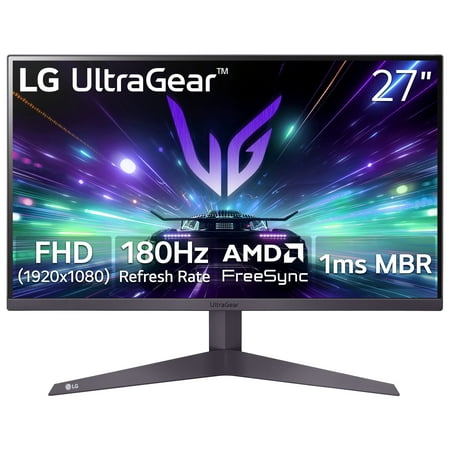
The LG 27" UltraGear Gaming Monitor (27GS40W-B) delivers a high-performance 180Hz refresh rate combined with AMD FreeSync™ technology to minimize screen tearing and ensure fluid motion. Its 3-side virtually borderless design provides an expansive viewing experience with a clean, modern...
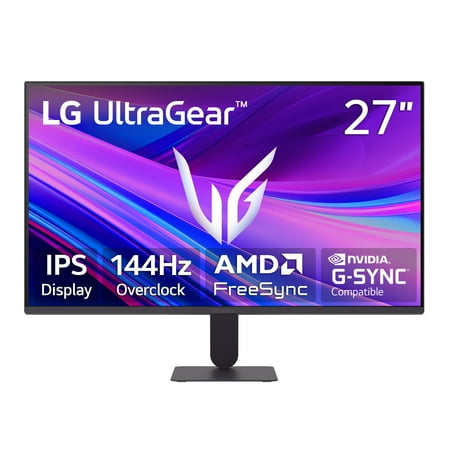
Upgrade your setup with this 27-inch Full HD IPS monitor made for work and play. See bright colors, wide angles, and a borderless screen for easy multi-monitor use. Enjoy smooth gaming with 144Hz, 1ms response, and AMD FreeSync and G-Sync Compatibility. Black Stabilizer and Dynamic Action Sync...
FAQ
Is the LG 27″ 180Hz worth $50 more than the 144Hz model?
Yes, for gaming. Native 180Hz vs an overclocked 144Hz is a real improvement for competitive play. If gaming is secondary, the $50 savings from the 27G411A-B are easier to justify.
Can the LG 27G411A-B run at 180Hz?
No. The 27G411A-B maxes out at 144Hz in overclock mode. Its native refresh rate is 120Hz. The 27GS40W-B is the 180Hz model.
Which works with NVIDIA GPUs?
Both support AMD FreeSync. The 27G411A-B also carries G-Sync Compatible certification, which enables variable refresh on NVIDIA cards without tearing. The 27GS40W-B relies on FreeSync only.
Do either of these monitors have HDR?
The 27G411A-B is rated HDR10. The 27GS40W-B is not. That said, neither panel has the peak brightness to deliver a meaningful HDR experience — HDR10 at this price is more of a compatibility spec than a visual upgrade.