Computer Station Nation is reader-supported.
When you buy through links on our site, we may earn an affiliate commission. Learn more.
Quick Answer: The onn 24\” ($91) is the better buy for most people — you get 2 extra inches of screen for $12 more, and the 24-inch size is noticeably more comfortable for day-to-day office work. The onn 22\” ($79) makes sense if your desk is genuinely cramped or budget is the deciding factor.
Introduction
Two onn monitors. Same brand, same panel spec approach, same 100Hz refresh rate, same HDMI-only connectivity. The difference is 2 inches of screen and $12 in price. If you’re deciding between these two for a home office desk, the choice is simpler than it looks — but it’s worth understanding exactly what you’re getting for that $12 difference.
Quick Comparison
| onn 22\” 100Hz | onn 24\” 100Hz | |
| Price | $79 | $91 |
| Screen Size | 22 inches | 24 inches |
| Resolution | 1920 × 1080 | 1920 × 1080 |
| Refresh Rate | 100Hz | 100Hz |
| Pixel Density | ~100 PPI | ~92 PPI |
| Cable Included | 6ft HDMI ✅ | 6ft HDMI ✅ |
| Our Score | 7.8/10 | 8.0/10 |
Screen Size — onn 22\” vs onn 24\”
This is the entire comparison. At a standard desk distance of 24–28 inches, a 22-inch screen feels noticeably smaller — you’re more likely to lean in for reading, and side-by-side browser windows feel cramped. The 24-inch adds usable workspace without requiring a larger desk. Two inches of diagonal doesn’t sound like much, but in practice it makes the difference between “this feels tight” and “this feels like a proper office setup.”
Winner: onn 24\”
Sharpness — onn 22\” vs onn 24\”
The 22-inch model runs at ~100 PPI vs the 24-inch’s ~92 PPI. Both are perfectly sharp for office work — text is clean and readable at normal viewing distance on either screen. The 22-inch is marginally crisper, but you won’t notice the difference in day-to-day use.
Winner: Tie (both sharp enough for office use)
Value — onn 22\” vs onn 24\”
$12 for 2 extra inches of screen is an excellent exchange. The onn 24\” at $91 is one of the most cost-efficient ways to get a comfortable 24-inch display. The onn 22\” at $79 is the better choice only if your desk physically can’t fit a 24-inch monitor, or if $12 matters to your budget.
Winner: onn 24\” (better value per inch)
Use Case Breakdown
Choose the onn 22\” if:
- Your desk space is genuinely limited (sub-18″ depth)
- This is a secondary screen where size doesn’t matter
- $12 is a meaningful difference for your budget
Choose the onn 24\” if:
- This is your primary monitor for work
- You spend 6+ hours a day in front of it
- You’ll ever have two browser windows open side-by-side
Verdict
Get the onn 24\”. For $12 more you get a meaningfully more comfortable screen for day-to-day work. The 22-inch only makes sense in specific space-constrained or price-constrained scenarios.
Where to Buy
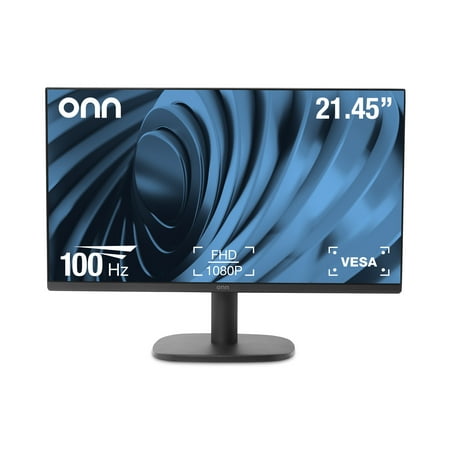
The onn 22" FHD Monitor is a high-quality display that offers Full High Definition performance in a 22-inch FHD Monitor with a bezel-less display and adjustable stand. With a 22" (21.45" actual diagonal) 1080p Monitor, it features a 1920 x 1080p Resolution, providing a clear and crisp image. The...
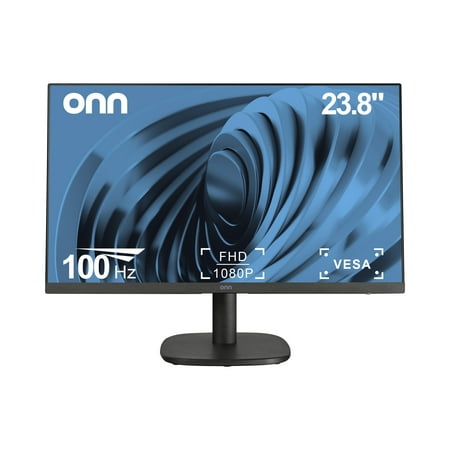
The onn 24" FHD Monitor is a high-quality display that offers Full High Definition performance in a 24-inch FHD Monitor with a bezel-less display and adjustable stand. With a 24" (23.8" actual diagonal) 1080p Monitor, it features a 1920 x 1080p Resolution, providing a clear and crisp image. The...
FAQ
Is 22 or 24 inches better for home office use?
24 inches is better for most home office setups. At standard desk distance, 22 inches can feel cramped for document work and multitasking. The 24-inch onn is only $12 more and the extra screen real estate is noticeable every day.
Do both onn monitors include an HDMI cable?
Yes — both the 22-inch and 24-inch onn office monitors include a 6-foot HDMI cable in the box. You don’t need to buy a cable separately.