Computer Station Nation is reader-supported.
When you buy through links on our site, we may earn an affiliate commission. Learn more.
Quick Answer: They serve different needs. The LG 27″ 180Hz is the better all-around monitor — bigger screen, IPS panel, better color quality. The onn 24″ 180Hz wins on pixel density and is $40 cheaper, but trades viewing angles and color accuracy for savings.
Introduction
Both monitors hit 180Hz at 1080p and cost under $150. Past that, they’re quite different. The LG 27GS40W-B is a 27-inch IPS panel; the onn is a 24-inch VA. Different screen sizes, different panel technologies, similar gaming specs. If you’re stuck choosing between these two, the decision usually comes down to how much you care about screen real estate versus sharpness — and whether you need accurate color or just fast motion.
Quick Comparison
| onn 24\” FHD 180Hz | LG 27\” 180Hz (27GS40W-B) | |
| Price | $99 | $139 |
| Screen Size | 24 inches | 27 inches |
| Panel Type | VA | IPS |
| Refresh Rate | 180Hz | 180Hz |
| Pixel Density | ~92 PPI | ~81 PPI |
| Viewing Angles | Narrower | Wide (IPS) |
| Color Accuracy | Lower (VA) | 99% sRGB (IPS) |
| Contrast | Higher (VA) | 1000:1 (IPS) |
| FreeSync | FreeSync | FreeSync Premium |
| Our Score | 8.2/10 | 8.8/10 |
Screen Size & Pixel Density — onn 24\” vs LG 27\”
At 24 inches, the onn delivers ~92 PPI — sharper text, crisper icons, cleaner image overall compared to the LG’s ~81 PPI at 27 inches. If you’re sitting close to your monitor (standard desk distance), the 24-inch screen looks sharper. But the LG’s 27-inch panel gives you more real estate for multitasking, video editing, or any work that benefits from spread.
Winner: onn on sharpness — LG on workspace
Panel Quality — VA vs IPS
This is the core trade-off. The onn’s VA panel delivers higher contrast — blacks look deeper, bright/dark scenes have more punch. The LG’s IPS panel wins on color accuracy (99% sRGB), viewing angles, and consistency across the screen. For gaming in a dark room, VA’s contrast advantage is real. For design work, photo editing, or any color-sensitive task, IPS is the clear winner.
The VA panel also has a known limitation: motion smearing on fast pixel transitions. At 180Hz with 1ms MPRT, the onn controls this reasonably well — but it’s more noticeable than on a comparable IPS at the same refresh rate.
Winner: LG IPS for color/design — onn VA for dark-room contrast
Gaming Performance — onn 24\” vs LG 27\”
Both hit 180Hz. Both support AMD FreeSync. The LG carries FreeSync Premium with Low Framerate Compensation; the onn has standard FreeSync. For pure competitive gaming at 1080p, both are excellent — you won’t notice the difference in framerates. The LG’s IPS panel does give a cleaner motion response without VA smearing, which some players find noticeable in very fast-paced content.
Winner: LG (FreeSync Premium + IPS motion clarity)
Value — onn 24\” vs LG 27\”
The onn at $99 is $40 cheaper. For budget gaming builds, that gap matters. The onn includes a 6-foot HDMI cable, which is a nice touch at the price point. The LG at $139 is still competitive for a 27-inch IPS 180Hz monitor — it’s not expensive, just more expensive than the onn.
Winner: onn on absolute budget — LG on overall value for screen quality
Use Case Breakdown
Choose the onn 24\” 180Hz if:
- Budget is your primary constraint
- You prefer sharpness over screen size (92 PPI)
- You game in a dark room where VA contrast helps
- Pure gaming performance is the focus — not design or color work
Choose the LG 27\” 180Hz if:
- You want a larger workspace for productivity + gaming
- Color accuracy matters for design, editing, or streaming
- Wide viewing angles are important (multiple viewers, or off-axis use)
- You want the best FreeSync implementation
Verdict
The LG 27GS40W-B is the stronger overall monitor — IPS color, FreeSync Premium, and a bigger screen give it the edge for most setups. The onn 24\” 180Hz is the smarter pick if you’re on a strict budget and primarily gaming. It delivers the same 180Hz experience at $40 less, just on a smaller VA panel.
Where to Buy
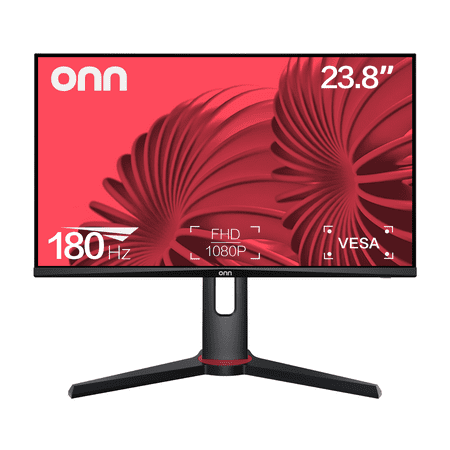
The onn 24" FHD Gaming Monitor is a high-performance display designed for gaming enthusiasts. With a 24" (23.8" actual diagonal) screen size, it boasts a 1920 x 1080p resolution, providing a crisp and clear Full High Definition (FHD) visual experience. The monitor's 180Hz refresh rate and 1ms...
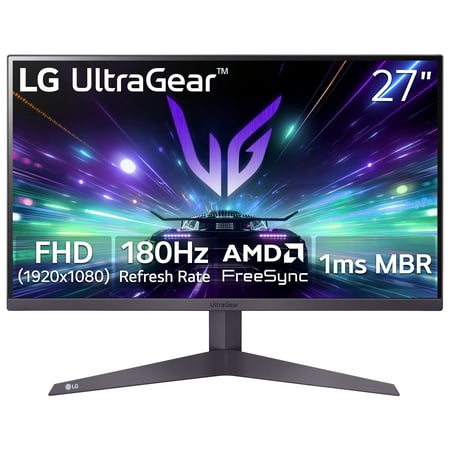
The LG 27" UltraGear Gaming Monitor (27GS40W-B) delivers a high-performance 180Hz refresh rate combined with AMD FreeSync™ technology to minimize screen tearing and ensure fluid motion. Its 3-side virtually borderless design provides an expansive viewing experience with a clean, modern...
FAQ
Is the onn 24″ or LG 27″ better for gaming?
Both hit 180Hz, but the LG has a better FreeSync implementation (FreeSync Premium) and an IPS panel with less motion smearing. The onn is a capable gaming monitor, but the LG edges it out overall for pure gaming performance.
Does the panel type matter for 180Hz gaming?
Yes. IPS panels (LG) handle fast transitions without the smearing that VA panels (onn) can show. At 180Hz, both are fast enough that the difference is subtle — but IPS is the cleaner choice for competitive play.
Which is sharper — 24″ or 27″ at 1080p?
The 24″ onn is sharper — 1080p on a 24-inch screen gives ~92 PPI vs ~81 PPI on the LG’s 27-inch screen. Text and fine details look crisper on the smaller screen.