Computer Station Nation is reader-supported.
When you buy through links on our site, we may earn an affiliate commission. Learn more.
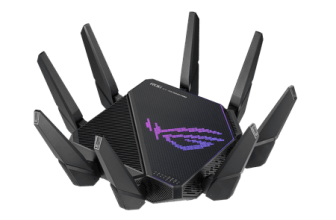
The ASUS ROG Rapture GT-AX11000 Pro is a $360 tri-band Wi-Fi 6 gaming router with a dedicated gaming band and full ROG software suite. The NETGEAR Nighthawk BE3100 is a $109 Wi-Fi 7 router with Multi-Link Operation. Same battlefield, different weapons: mature gaming optimization vs. next-gen wireless standard.
Quick Comparison
| Feature | ASUS ROG GT-AX11000 Pro | NETGEAR Nighthawk BE3100 |
| Price | ~$359.99 | ~$109 |
| Wi-Fi Standard | Wi-Fi 6 (AX11000) | Wi-Fi 7 (BE3100) |
| Bands | Tri-band + dedicated gaming band | Dual-band |
| Multi-Link Operation | No | Yes — Wi-Fi 7 MLO |
| Max Throughput | 11,000 Mbps | 3,100 Mbps |
| Gaming QoS | Adaptive QoS + Game Accelerator | Basic QoS |
| WAN Port | 2.5G | 2.5G |
| 10G Port | Yes — dedicated gaming port | No |
| Gaming Dashboard | Yes — full ROG software | Nighthawk app |
| AiMesh / Mesh | Yes | No |
| Best For | Competitive gamers, serious setups | Wi-Fi 7 upgrade path, budget Wi-Fi 7 |
Wi-Fi 6 Tri-Band vs Wi-Fi 7 Dual-Band
The ROG has tri-band architecture with a dedicated 5 GHz gaming band — your gaming devices get their own band, isolated from family streaming and smart home traffic. The BE3100 is dual-band Wi-Fi 7 with MLO: it can bond both bands simultaneously on compatible devices, which reduces latency and improves reliability under load.
For gaming today, the ROG’s dedicated gaming band delivers more consistent latency isolation. For the next 5–10 years as Wi-Fi 7 devices become standard, the BE3100’s MLO becomes more valuable. Both approaches target the same problem (gaming latency) through different means.
Gaming Software: ROG’s Clear Lead
The ROG GT-AX11000 Pro has a comprehensive gaming software ecosystem: Adaptive QoS, Game Accelerator for optimized routing to game servers, VPN Fusion, real-time network monitoring, and a dedicated gaming dashboard. The NETGEAR BE3100 has basic QoS and the Nighthawk app. For streamers and competitive gamers who want to configure their network specifically for gaming, the ROG is the more capable tool.
The $251 Price Gap
At $359.99 vs $109, the ROG costs 3.3x more. The ROG gives you more gaming-specific features, higher theoretical throughput, and the 10G gaming port. The BE3100 gives you Wi-Fi 7 future-proofing and MLO. Neither $251 premium is obviously worth it for casual gaming — but for a battlestation build where network performance matters, the ROG’s feature set justifies its cost.
Use Cases
Choose the ASUS ROG GT-AX11000 Pro if: you’re a serious competitive gamer who wants maximum gaming optimization, dedicated gaming band isolation, 10G wired gaming port, and the full ROG software suite.
Choose the NETGEAR BE3100 if: you want Wi-Fi 7 future-proofing at a reasonable price, your gaming is primarily on Wi-Fi 7-capable devices, or $360 is outside your router budget.
Where to Buy
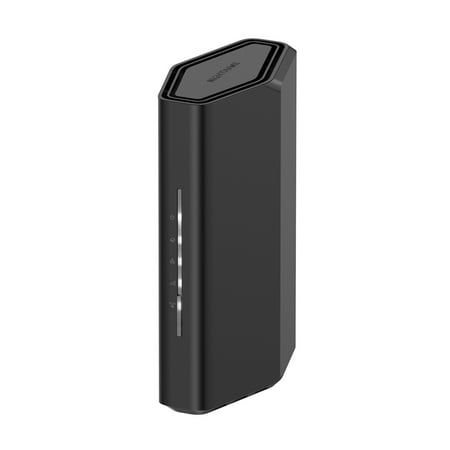
Leverage the power of WiFi 7 for speeds up to 3.1 Gbps at 1.2X faster than WiFi 6. The Nighthawk RS70 WiFi 7 Dual-band Router provides up to 2,000 sq. ft. WiFi coverage and capacity for up to 50 devices. Experience stunning streaming, video conferencing and reliably connect smart home devices....
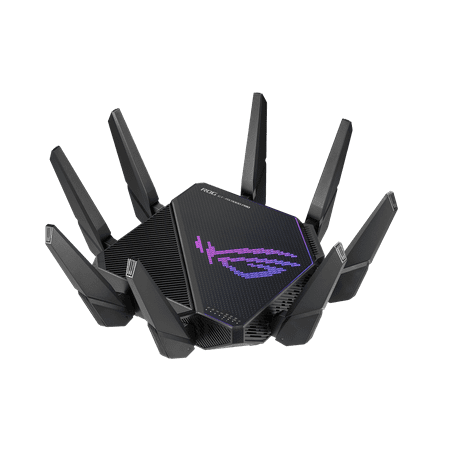
The ROG Rapture GT-AX11000 Pro is designed for gamers who want to keep multiple devices connected and still get incredible gaming performance. Enjoy up to twelve simultaneous WiFi streams for more video streaming, gaming and browsing for everyone in your home.
FAQ
Is Wi-Fi 7 actually better than Wi-Fi 6 for gaming?
On compatible devices, Wi-Fi 7’s MLO provides lower latency and better consistency than Wi-Fi 6. But most current gaming devices (consoles, PCs) are Wi-Fi 6 or earlier — so the Wi-Fi 7 advantage only materializes with newer hardware. For current gaming setups, the ROG’s dedicated gaming band often provides better practical results.
Does the 10G port on the ROG make a real difference?
Yes if your gaming PC has a 10G NIC and you use it for both gaming and transferring large files. For most gamers on standard gigabit connections, the 10G port provides headroom rather than immediate benefit — but it’s there when needed.