Computer Station Nation is reader-supported.
When you buy through links on our site, we may earn an affiliate commission. Learn more.
Quick answer: The HP 14″ N150 wins on portability — 3.2 lb form factor, 8–9 hour battery, and HP’s better keyboard make it the right pick for traveling accountants. The Auusda 15.6″ wins on raw power — 32GB RAM, 1TB SSD, and Windows 11 Pro for $100 less. Choose based on whether you sit at a desk or carry your laptop to clients.
Two of the top picks from our best laptops for accounting roundup serve almost opposite buyers. The HP 14″ Student Business Laptop is a brand-name portable built for the accountant who’s never at the same desk twice. The Auusda 15.6″ Business Laptop is a generic-brand workhorse with twice the memory and storage for less money — but it stays plugged in.
The choice between them isn’t really about specs. It’s about how you actually use the laptop. This comparison breaks down eight dimensions that matter for accounting work and ends with clear guidance for both buyers.
Quick comparison table
| Spec | HP 14″ N150 | Auusda 15.6″ |
|---|---|---|
| Price | $599.99 | $496.99 |
| CPU | Intel N150 (4-core, 2025) | Intel Celeron N5095 (4-core) |
| RAM | 16GB | 32GB DDR4 |
| Storage | 512GB SSD | 1TB NVMe SSD |
| Display | 14″ 1080p | 15.6″ 1080p IPS |
| Weight | ~3.2 lb | ~3.9 lb |
| Battery | ~8–9 hours | ~6 hours |
| OS | Windows 11 Home | Windows 11 Pro |
| Brand | HP (mainstream) | Auusda (generic) |
| Bundled software | 1-year Microsoft 365 | None |
Price — Auusda wins
The Auusda costs $497, the HP 14 costs $600. That’s a $103 gap with the Auusda doubling you on RAM and storage. By raw spec-per-dollar math, the Auusda wins decisively — you’re paying $100 more for the HP and getting half the RAM and half the storage.
That said, the HP includes a one-year Microsoft 365 subscription worth about $70, which closes the practical gap to roughly $33. Winner: Auusda — even after the bundled software.
Portability — HP wins easily
This is where the HP earns its money. At 3.2 lb with a 14″ footprint, it’s noticeably lighter and smaller than the Auusda’s 3.9 lb, 15.6″ body. The difference matters more than 0.7 lb sounds — the 14″ form factor slides into a small bag the 15.6″ doesn’t, and you’ll feel that every time you commute, travel, or carry the laptop between client offices.
The battery life gap is the bigger win. The HP’s N150 chip pulls 8–9 hours of real light-use battery; the Auusda’s older Celeron lands closer to 6 hours. For a full client-site day without a charger, the HP wins by a margin that’s not close. Winner: HP — by a wide margin.
RAM and storage — Auusda wins
32GB versus 16GB RAM. 1TB versus 512GB SSD. The Auusda doubles the HP on both. For QuickBooks Desktop with multiple company files or for accountants archiving multi-year client data, the Auusda’s headroom is meaningful. For QuickBooks Online or Xero, the HP’s 16GB is plenty.
The 1TB versus 512GB question is where individual workflow matters. Cloud-first accountants rarely fill 512GB; QuickBooks Desktop users with multi-year archives can fill 1TB faster than expected. Winner: Auusda.
CPU — HP’s N150 is meaningfully newer
The HP’s Intel N150 is a 2025-generation efficiency chip — more power-efficient than the Auusda’s older Celeron N5095, with comparable single-thread performance and a slightly higher 3.6 GHz boost. In real use, the HP runs cooler, lasts longer on battery, and feels marginally snappier on light loads.
The Auusda’s N5095 is a generation behind but still has four cores running at 2.9 GHz boost. For sustained multi-thread loads — recalculating large Excel workbooks, indexing PDFs, running QuickBooks operations — they’re close enough that the difference doesn’t matter. Both are budget-tier; neither is fast. Winner: HP — modest edge for newer silicon and efficiency.
Display — Auusda’s 15.6″ IPS is bigger
The Auusda’s 15.6″ panel is meaningfully larger than the HP’s 14″ panel — about 30% more pixel area. For spreadsheet work and side-by-side window snapping, that’s the difference between Excel feeling cramped and Excel feeling roomy. The Auusda’s panel is also confirmed IPS, while the HP’s panel type varies by SKU (some are TN, some IPS — confirm before buying).
For accountants who live in pivot tables and PDFs, the bigger screen wins. For accountants who work mostly in browsers or single-window apps, 14″ is fine. Winner: Auusda — larger and definitely IPS.
Build quality and keyboard — HP wins
HP is HP. Even at the budget end of HP’s lineup, the build quality is a noticeable step above generic-brand competitors. The chassis flex is minimal, the keyboard has real key travel and good spacing, and the trackpad — while not best-in-class — works without the ghost-touches that plague some budget brands.
The Auusda is genuinely fine for the price but doesn’t match HP on these dimensions. Its trackpad is the kind you’ll want to replace with an external mouse on day one. Winner: HP — clear edge.
OS — Auusda’s Pro license matters for client data
The Auusda ships with Windows 11 Pro out of the box. The HP ships with Home. The accounting-relevant difference is BitLocker — Pro includes full-disk encryption, Home doesn’t. If you store client data on the laptop, BitLocker is the safety net that protects it if the device is lost or stolen.
You can pay $99 to upgrade Home to Pro on the HP, which closes the gap but adds $99 to the price. Winner: Auusda — Pro license is worth real money for client-data workflows.
Brand reliability — HP wins clearly
HP is a tier-one laptop brand with US-based support, a real warranty, and a track record of delivering reliable budget machines. The HP 14 is a current product backed by HP’s standard 1-year limited warranty.
Auusda is a generic-brand seller with no meaningful US support presence. Returns and warranty go through Walmart’s standard return window. Reddit’s r/SuggestALaptop notes that generic-brand laptops in this tier often share OEMs with name brands, so the build is often comparable — but the support difference is real. Winner: HP — significant edge.
Use case fit
Choose the HP 14″ if you:
- Travel for audits, client visits, or remote work
- Need 8+ hours of battery for full days off the charger
- Value HP’s keyboard quality and brand support
- Don’t run heavy local accounting software (cloud or single-company QuickBooks)
Choose the Auusda 15.6″ if you:
- Work primarily at a desk
- Run QuickBooks Desktop with multi-company files
- Need 32GB of RAM and 1TB of storage for serious workloads
- Want Windows 11 Pro and BitLocker for client data security
The verdict
For traveling accountants, auditors, and field-work professionals, the HP 14″ N150 Student Business Laptop is the right pick. The combination of 3.2 lb chassis, 8–9 hour battery, HP’s solid keyboard, and the bundled Microsoft 365 subscription justifies the $600 price tag. Brand reliability and a real warranty matter when the laptop is your daily field tool.
For desk-bound accountants and QuickBooks Desktop power users, the Auusda 15.6″ Business Laptop is the smarter buy. 32GB of RAM, a 1TB SSD, Windows 11 Pro, and a numeric keypad for $100 less than the HP is the value play — provided you’re willing to skip the brand cachet and field-work portability.
Where to buy
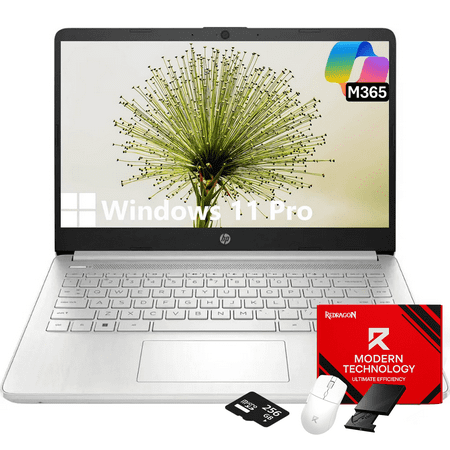
Statement: Original Seal is opened for upgrade ONLY. If the computer has modifications, then the manufacturer box is opened for it to be tested and inspected and to install the upgrades to achieve the specifications as advertised. Color: Natural Silver Display Type:LED Screen Size: 14 inches...
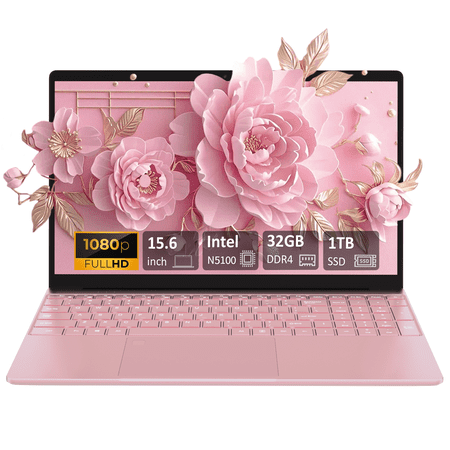
Introduce: This Auusda laptop is an ultra portable, powerful, and versatile companion that can meet your daily office and multimedia needs. Auusda Laptop with the latest Intel Celeron N5100 chipset, built-in 32GB DDR4 RAM and 1TB SSD large storage, equipped with 15.6-inch FHD 1920x1080 LCD 16:9...
Frequently asked questions
Will the HP 14″ run QuickBooks Desktop?
With one company file open, comfortably. The 16GB of RAM meets Intuit’s recommended threshold for normal use. For multi-company workflows where you regularly have two or three files loaded at once, the Auusda’s 32GB is the safer pick. The HP can handle it but will start swapping under heavy load.
Is HP’s warranty actually useful?
Yes. HP’s 1-year limited warranty includes US-based technical support and parts replacement for manufacturing defects. It’s not extensive, but it exists — which is more than the Auusda offers. For a laptop you’re going to depend on for field work, the warranty is a real consideration.
Can I add an external numpad to the HP 14″?
Yes. A USB or Bluetooth numeric keypad costs around $15 and works on any Windows machine. If you do significant data entry and want the HP’s portability, that’s the standard solution. The Auusda’s built-in numpad is more convenient if you’re always at a desk anyway.
Which is better for an accounting student?
The HP 14″ is the better buy for most students — the bundled Microsoft 365 covers the entire degree’s worth of software, the portability matters for moving between classes and study spots, and the brand reliability means it’s likely to survive four years of student abuse. The Auusda’s spec advantage is overkill for coursework.