Computer Station Nation is reader-supported.
When you buy through links on our site, we may earn an affiliate commission. Learn more.
Quick answer: The 4GB Pi 5 saves $100 and works perfectly for dedicated single-purpose builds (RetroPie, Steam Link receiver, headless server). The 8GB Pi 5 is the right pick if you want multi-purpose use, native Linux gaming with multitasking, or any uncertainty about future workloads. RAM is soldered — pick the right tier upfront.
Two RAM tiers of the same Raspberry Pi 5 board, both from our best SBC for gaming roundup. The choice between them is purely a question of how you’ll use the board — the silicon, GPU, ports, and form factor are identical.
Quick comparison table
| Spec | Pi 5 (4GB) | Pi 5 (8GB) |
|---|---|---|
| Price | $135.99 | $239.90 |
| Chip | BCM2712 | BCM2712 |
| CPU | 4× Cortex-A76 @ 2.4 GHz | 4× Cortex-A76 @ 2.4 GHz |
| GPU | VideoCore VII | VideoCore VII |
| RAM | 4GB LPDDR4X | 8GB LPDDR4X |
| PCIe / NVMe | Yes | Yes |
| RAM upgradable | No (soldered) | No (soldered) |
Price — 4GB wins by $100
$136 versus $240 — a $104 gap. That’s roughly the cost of an NVMe drive, an active cooler, plus a case. For dedicated single-purpose builds where 4GB is enough, the savings fund meaningful accessories. Winner: 4GB.
Multi-tasking — 8GB wins clearly
For Linux desktop use, browser-based workflows, native gaming with Discord and OBS, or any workload with three or more apps open simultaneously, 8GB is the comfortable threshold. 4GB hits swap aggressively under multi-tasking loads. Winner: 8GB — clear edge for multi-purpose use.
Single-purpose performance — tie
For RetroPie or Recalbox emulation only, 4GB is plenty — the OS and emulator together rarely use more than 2GB. For Steam Link as a streaming receiver, RAM requirements are minimal. For headless servers, 4GB is overkill. In these workloads, the 4GB and 8GB Pi 5 perform identically. Winner: tie.
Future-proofing — 8GB wins
RAM is soldered on the Pi 5. If your use case grows from “RetroPie only” to “Linux desktop with browser plus emulator plus streaming,” you’ll need a new board. The 8GB version’s headroom prevents that scenario. For users uncertain about future use cases, the 8GB is the safer buy.
Winner: 8GB.
Use case fit
Choose the 4GB Pi 5 if you:
- Are building a dedicated RetroPie or Recalbox emulator box
- Want a Steam Link or Moonlight streaming receiver
- Are running headless services (Pi-hole, Home Assistant, file server)
- Know your use case won’t grow into multi-tasking
Choose the 8GB Pi 5 if you:
- Want a Linux desktop daily driver alongside emulation
- Plan to run native Linux gaming with multiple apps open
- Are uncertain about future use cases
- Don’t want to buy a second board if your needs grow
The verdict
For dedicated single-purpose builds, the 4GB Pi 5 is genuinely the smart buy. Same chip, same GPU, same ports as the 8GB version — and $100 cheaper. Spend the savings on an NVMe HAT, an active cooler, and a quality case for a complete build under $200 total.
For multi-purpose builds and uncertain future use cases, the 8GB Pi 5 is the safer choice. The $100 premium is worth paying once compared to the cost of buying a whole new board if your 4GB build hits the ceiling.
Where to buy
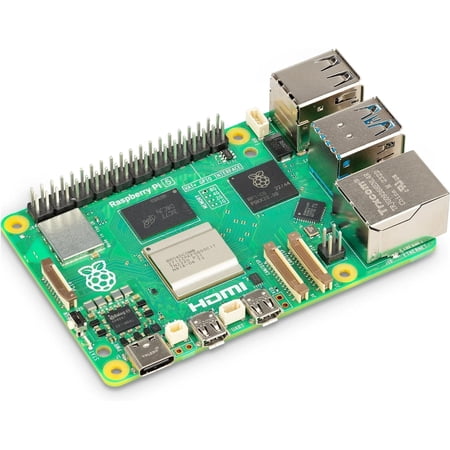
Raspberry Pi 5 is a significant upgrade over its predecessor, the Raspberry Pi 4. It features a 64-bit quad-core Arm Cortex-A76 processor running at 2.4GHz, delivering a 2–3× increase in CPU performance relative to the Raspberry Pi 4.
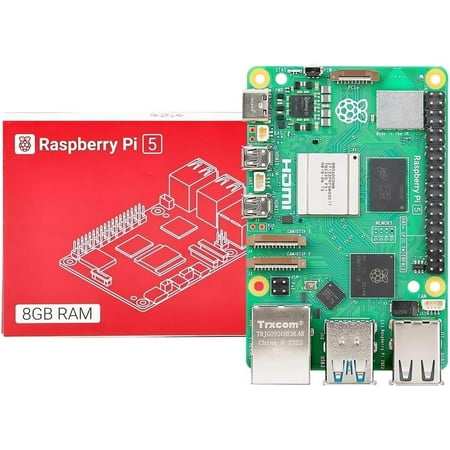
Integrated, temperature-controlled cooling fan that connects to the fan connector on Raspberry Pi 5,12mm × 17mm × 4mm heatsink with self-adhesive pad improves heat transfer from the processor,Easily removable lid exposes fan and breakout slot for cables and GPIO,Integrated mounting features...
FAQ
Will 4GB run Linux smoothly?
For dedicated single-purpose Linux installs (RetroPie, headless servers, dedicated Steam Link), yes. For full Linux desktop use with a browser, mail client, file manager, and emulator open together, you’ll feel the 4GB ceiling. The 8GB version is the right call for desktop daily-driver use.
Can I upgrade the 4GB to 8GB later?
No. RAM is soldered to the Pi 5 — there’s no upgrade path. If you outgrow 4GB, you need to buy the 8GB Pi 5 separately. The 4GB board can be repurposed as a server or secondary device, but it’s a separate purchase.
Is the GPU performance the same on both?
Yes. Both ship with the same VideoCore VII GPU at 800 MHz. Gaming performance is identical between the 4GB and 8GB versions in terms of frame rates and graphics quality.
Should I buy the 4GB and save the difference for an NVMe?
For dedicated emulation builds, that’s actually the right call. NVMe storage on a HAT is a meaningful quality-of-life upgrade — faster boot times, faster game loading, more reliable than microSD long-term. The math works out: 4GB Pi 5 ($136) plus NVMe HAT ($40) plus 256GB NVMe drive ($30) = $206, still cheaper than the 8GB Pi 5 alone with no NVMe.