Computer Station Nation is reader-supported.
When you buy through links on our site, we may earn an affiliate commission. Learn more.
Quick answer: The Auusda 15.6″ wins on memory (32GB vs 16GB), storage (1TB vs 512GB), and OS (Windows 11 Pro vs Home). The THTRO 15.6″ wins on price — it’s roughly 40% cheaper. For QuickBooks Desktop power users, get the Auusda. For cloud-only accounting and accounting students, the THTRO is the smart buy.
Two of the top picks from our best laptops for accounting roundup sit close enough on the spec sheet that the choice gets confusing. Both are 15.6″ Windows machines under $500. Both run Excel, QuickBooks, and any browser-based accounting tool you’d throw at them. Both have the kind of plastic build quality you’d expect at this price tier. So which one actually deserves your $300 to $500?
The short version: these laptops are aimed at different buyers. The Auusda’s headline specs (32GB RAM, 1TB SSD, Windows 11 Pro) make it a real workstation for QuickBooks Desktop users with multiple company files and serious storage needs. The THTRO drops to 16GB and 512GB but cuts the price nearly in half and adds an IPS panel. Read on for the full breakdown across eight comparison dimensions.
Quick comparison table
| Spec | Auusda 15.6″ | THTRO 15.6″ |
|---|---|---|
| Price | $496.99 | $299.99 |
| CPU | Intel Celeron N5095 (4-core) | Intel 6500Y (2-core) |
| RAM | 32GB DDR4 | 16GB |
| Storage | 1TB NVMe SSD | 512GB SSD |
| Display | 15.6″ 1080p IPS | 15.6″ 1080p IPS |
| OS | Windows 11 Pro | Windows 11 Home |
| BitLocker | Yes (Pro feature) | No (Home limitation) |
| Numeric keypad | Yes | Varies by model |
| Weight | ~3.9 lb | ~3.7 lb |
| Battery (typical) | ~6 hours | ~6 hours |
Price — THTRO wins
The THTRO comes in at $299.99 and the Auusda at $496.99. That’s a $197 gap. For most accounting students and small business owners doing books in a cloud tool, that gap is real money — closer to a CPA exam prep section than a rounding error.
Whether the gap is worth closing depends on whether you actually need the extra RAM and storage. Winner: THTRO.
RAM and storage — Auusda wins by a lot
This is where the price gap earns itself. The Auusda’s 32GB of RAM is double the THTRO’s 16GB, and the 1TB SSD is double the THTRO’s 512GB. For QuickBooks Desktop with multiple company files, that headroom matters — Intuit’s documentation recommends 8GB minimum and 16GB+ for “optimal” multi-company use. With 32GB you’re not optimizing, you’re just done thinking about it for the next five years.
The 1TB SSD is the other meaningful win. Most working accountants have multi-year archives of client tax returns, bank statements, audit workpapers, and PDFs that compound fast. 512GB will fill up in two or three tax seasons; 1TB extends that to seven or eight. Winner: Auusda — by a wide margin.
CPU performance — close, but Auusda edges it
The Auusda’s Intel Celeron N5095 is a four-core, four-thread efficiency chip with a 2.9 GHz boost. The THTRO’s Intel 6500Y is a two-core, four-thread chip from an older generation. In single-thread benchmarks they’re close. In multi-thread workloads — anything that loads multiple Excel calculations or runs QuickBooks alongside Chrome with twenty tabs — the Auusda’s extra cores pull ahead.
Neither chip is fast by 2026 standards. Both will feel slow if you ever need to compile code, edit video, or run heavy Excel macros on 100,000-row datasets. For ledger work, both are fine. Winner: Auusda — modest edge on multi-core.
Display — tie
Both laptops ship with a 15.6″ 1920×1080 IPS panel. IPS is the meaningful spec here — TN panels (common at the budget tier) wash out at any viewing angle and render fine spreadsheet text with a little fuzz. IPS gives you sharp text, accurate viewing angles, and pleasant PDF reading. Neither panel is going to win awards for color accuracy or peak brightness, but both are genuinely usable for the long stretches of spreadsheet and PDF reading accounting work demands.
Winner: tie.
Build quality — slight Auusda edge
Both laptops have plastic chassis and the kind of trackpad you’ll want to replace with an external mouse. Auusda has been on the market longer and has a longer paper trail of user reviews — generally positive about build solidity, mixed about trackpad and Wi-Fi reliability. THTRO is newer and has thinner review history, which makes it harder to judge.
Reddit’s r/SuggestALaptop notes that generic-brand budget laptops in this tier (Auusda, THTRO, Acemagic, SGIN, Jumper) often share OEMs with name brands like HP and Lenovo — chassis come from the same factories. Quality control varies more than the build itself. Winner: Auusda — slight edge, more user data to draw from.
Operating system — Auusda wins
The Auusda ships with Windows 11 Pro. The THTRO ships with Windows 11 Home. The practical difference for accountants is BitLocker — Pro includes full-disk encryption out of the box, Home doesn’t. If you store client data on the laptop and the device ever gets lost or stolen, BitLocker is what stops the thief from reading the drive.
You can upgrade Home to Pro for around $99 if you decide later you need BitLocker. That closes the gap but eats into the THTRO’s price advantage. Winner: Auusda.
Brand reputation — Auusda has more track record
Both Auusda and THTRO are generic-brand laptops sold primarily through Walmart and Amazon. Neither has a major US support presence. LaptopJudge’s review calls Auusda an affordable option for everyday tasks with limitations in graphics and processing — fair assessment.
For both brands, the standard r/SuggestALaptop advice applies: wipe the drive and reinstall Windows 11 from a fresh ISO before logging into anything sensitive. With the Auusda’s bundled Windows 11 Pro license, that’s a clean process. With the THTRO’s Home license, you’re equally able to reinstall — Home licenses also activate cleanly on a fresh image. Winner: Auusda — slight edge for review history depth.
Use case fit
Choose the Auusda if you:
- Run QuickBooks Desktop with multiple company files
- Need 1TB of local storage for client archives
- Want BitLocker-encrypted client data out of the box
- Prefer the slightly more proven brand history
Choose the THTRO if you:
- Live in QuickBooks Online, Xero, Wave, or another cloud accounting tool
- Are an accounting student and want to save $200 toward CPA exam prep
- Don’t store client data locally
- Want the cheapest 16GB / IPS-panel option available
The verdict
For most working accountants, the Auusda 15.6″ Business Laptop is the right pick. The combination of 32GB RAM, 1TB storage, and Windows 11 Pro maps directly onto the demands of QuickBooks Desktop, multi-year client archives, and BitLocker-secured data — and the $200 premium over the THTRO is justified for serious work.
For accounting students and cloud-first practitioners, the THTRO 15.6″ IPS Laptop is the smart buy. 16GB of RAM and an IPS panel for $300 is real value, and if your stack is Xero, Wave, or QuickBooks Online, you’ll never feel the missing 16GB or 512GB.
Where to buy
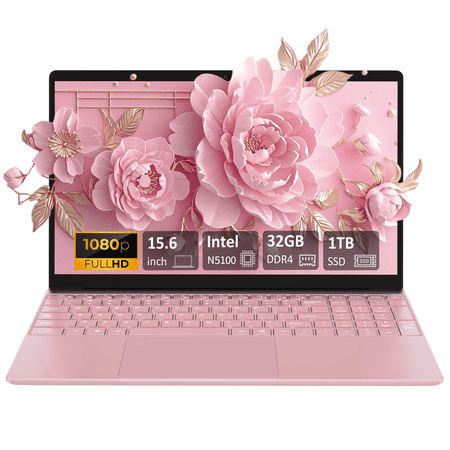
Introduce: This Auusda laptop is an ultra portable, powerful, and versatile companion that can meet your daily office and multimedia needs. Auusda Laptop with the latest Intel Celeron N5100 chipset, built-in 32GB DDR4 RAM and 1TB SSD large storage, equipped with 15.6-inch FHD 1920x1080 LCD 16:9...
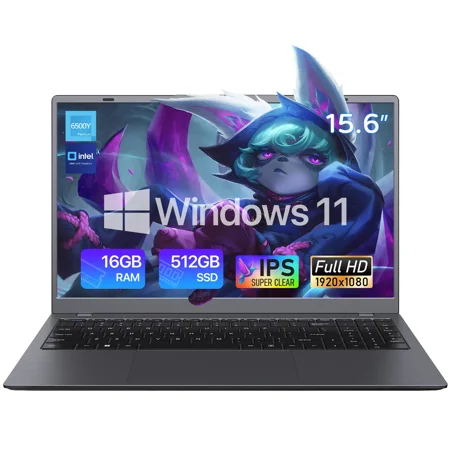
THTRO 15.6-inch laptop is equipped with a 1080P FHD display, delivering sharp text and vivid images for comfortable extended office and academic use. Powered by an Intel dual-core processor, it features 16GB of system memory and a 512GB solid-state drive (SSD), ensuring smooth operation when...
Frequently asked questions
Can I add more RAM to the THTRO later?
Most laptops in this price tier solder at least some of their RAM directly to the motherboard. Confirm with the seller before buying if RAM upgradability matters to you. Both laptops in this comparison generally allow SSD upgrades via an M.2 slot — RAM is the more constrained spec.
Will QuickBooks Desktop run on the THTRO with 16GB?
Yes, with one open company file. Intuit’s recommended specs call for 16GB of RAM as the comfortable threshold for normal use. If you regularly have two or three companies loaded simultaneously, the Auusda’s 32GB is the safer choice.
Which has better customer support?
Neither brand has US-based support that’s comparable to HP, Lenovo, or Dell. Returns and warranty claims for both go through the reseller (typically Walmart) within their standard return window. If post-purchase support matters to you, paying more for an HP or Lenovo with a real warranty is the right move.
Is the price gap really worth it?
Yes, if you run QuickBooks Desktop, store client data locally, and want BitLocker. No, if you live in cloud accounting tools, store nothing locally, and want the cheapest 16GB Windows machine available. The honest answer is that these laptops are aimed at different buyers — pick the one that matches your actual workflow.