Peripherals & Accessories
HDR on monitors is one of the most misunderstood specs in consumer electronics. The label covers everything from monitors that barely differ from ...
Quantum dot technology shows up on monitor spec sheets as "QLED," "Quantum Color," or "Nano Crystal" depending on the brand. The names are ...
"LED vs LCD" is one of the most misleading distinctions in monitor marketing. Here's the reality: almost every modern LCD monitor is already an LED ...
Monitor ergonomics is about positioning your display so your body isn't fighting against it all day. The right setup reduces neck strain, eye ...
Dual monitor setups introduce a new category of problems that single-monitor users never see. Most of them are fixable without hardware changes. ...
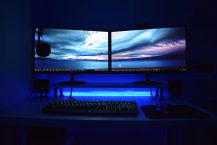
A dual monitor setup doubles your screen real estate and — done right — meaningfully improves how much you can get done. Done wrong, it creates ...
4K vs 5K is a comparison that almost exclusively matters for creative professionals — and within that group, mainly those working on Apple hardware ...
Color problems on a design monitor are some of the most frustrating to diagnose because the issue might be in the monitor, the OS, the application, ...
Color gamut is one of those specs that shows up everywhere in monitor marketing but rarely gets explained in plain terms. Here's what it means, why ...
An uncalibrated monitor is a silent problem. Your work looks correct on your screen, then it shows up wrong in print, on client monitors, or in the ...
Curved or flat — this debate comes up every time someone's shopping for a gaming monitor above 27". The answer isn't universal. It depends on screen ...
Gaming monitor problems usually fall into a handful of categories: image quality issues, connectivity problems, performance issues, and physical ...