Computer Station Nation is reader-supported.
When you buy through links on our site, we may earn an affiliate commission. Learn more.
Choosing a streaming mic comes down to four decisions. Most guides make it sound like fifty. Here’s the short version.
USB or XLR?
Start with USB. An XLR mic requires an audio interface ($100–$150) before you’ve bought anything else. The quality difference between a good USB mic and a starter XLR setup is smaller than the marketing suggests. Go XLR when you’ve actually maxed out what USB can do — typically when you’re recording professionally or the preamp quality on your USB mic is clearly the bottleneck.
Good USB mics to start with: Blue Snowball iCE ($49), HyperX QuadCast S ($139), Shure MV7 ($249, also supports XLR when you’re ready).
What polar pattern do you need?
Cardioid. Full stop for solo streamers. Cardioid picks up what’s directly in front and rejects ambient sound from the sides and behind. Omnidirectional captures everything in the room — wrong for streaming unless you’re doing a group roundtable. Bidirectional (figure-8) captures front and back — useful for two-person podcasts, not solo streams.
If you see a mic with multiple polar patterns, it’s not a bad sign — it means it does cardioid. Just make sure cardioid is one of the options.
How much should you spend?
$50–$150 covers most streamers. Under $50, you’re in “this is better than a headset” territory. $50–$150 gets you a mic that sounds noticeably good. Over $150, you’re paying for XLR versatility, better preamp headroom, or a specific sound character — worth it eventually, not worth prioritizing day one.
The biggest bang-for-buck upgrade is from headset mic to any dedicated USB condenser. The second upgrade (from $50 USB to $150 USB) is real but smaller. After $150, returns diminish quickly for streaming-specific use.
What should you ignore?
DPI ceiling analogies aside — high DPI specs on mics don’t mean anything useful in practice for streaming. High sample rate (96kHz vs 44.1kHz) means nothing for a stream that’s encoded to compressed audio. Self-noise ratings below 20dB A are all basically imperceptible. Don’t pay extra for numbers that don’t affect audible quality at streaming bitrates.
What to look for instead: physical mute button, headphone monitoring jack, solid boom arm compatibility (check the thread size), and reviews from actual streamers rather than studio engineers.
Positioning basics
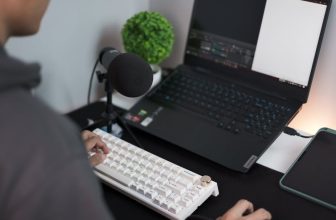
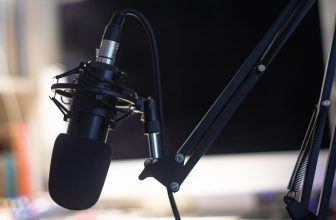
Get it off the desk. Desk stands transmit keyboard and mouse vibration directly to the capsule. A boom arm ($25–$99) eliminates that entirely. Position the mic 4–8 inches from your mouth, slightly off to the side to avoid direct plosives, and pointed toward your mouth not your keyboard.