Computer Station Nation is reader-supported.
When you buy through links on our site, we may earn an affiliate commission. Learn more.
Single-board computer gaming sounds like a contradiction until you actually try it. A Raspberry Pi 5 hooked up to a TV with RetroPie installed can run every console emulator from the Atari 2600 through the original PlayStation flawlessly, push into PS2 territory at lower settings, and stream Steam games from your gaming PC over the local network. For under $250 of hardware, you get a tiny console that emulates 40 years of gaming history.
This roundup focuses on the SBCs that are actually worth using for gaming in 2026 — practical hobby boards (the Raspberry Pi family, primarily) plus a couple of industrial Core i5 SBCs at the high end for buyers who want a tiny full-power gaming PC. None of these will replace a $1,000 prebuilt gaming desktop. All of them carve out specific niches that are genuinely fun to build around.
Quick picks
- Best overall: Raspberry Pi 5 8GB — The current flagship hobby SBC. 8GB of RAM and the BCM2712 chip handle PS2-era emulation, RetroPie, Steam Link, and modern Linux gaming for $240.
- Best for retro emulation: Raspberry Pi 4 Model B — Older silicon but the most mature RetroPie support. Every emulator is dialed in, every guide assumes a Pi 4. $200.
- Best budget Pi 5: Raspberry Pi 5 (4GB) — Same BCM2712 chip as the 8GB version with half the RAM for $136. Plenty for emulation up through PS1.
- Best high-end industrial SBC: InFocus INOPS5 — Real Intel Core i5-12450H in an SBC form factor. Plays actual modern PC games at low-to-medium settings. $817.
- Best premium industrial: ViewSonic VPC37-W55-G1 — Higher-tier industrial SBC with stronger thermals. $1,357 — closer to a real prebuilt gaming desktop in price.
- Skip for gaming: Yealink MCore-OPS-G2 — Industrial conferencing SBC, not designed for gaming. Listed for awareness only.
How we picked these
Two categories matter here. The hobby category — Raspberry Pi 4 and Pi 5 family — covers retro emulation, RetroPie builds, lightweight Linux gaming, and Steam streaming from a host PC. These are the SBCs you’d actually buy to build a project around, and where most “SBC gaming” content lives on YouTube and r/raspberry_pi. The industrial category — InFocus INOPS5 and ViewSonic VPC37 — covers Core i5 single-board systems designed for digital signage but capable of running Windows and modern PC games at low-to-medium settings.
Don’t expect AAA gaming at any meaningful settings on the Raspberry Pi family — the GPU and CPU aren’t built for it. Do expect flawless retro emulation, Steam Link streaming over a local network, and surprisingly playable indie titles like Stardew Valley, Hollow Knight, or Slay the Spire on Linux ports.
What you can actually play on a Raspberry Pi 5
The Pi 5’s BCM2712 chip is meaningfully faster than the Pi 4’s BCM2711 — about 2x in single-core performance and roughly 3x in graphics throughput. The practical impact is that PS2 emulation went from “barely works” on the Pi 4 to “playable for most titles” on the Pi 5. GameCube and Wii emulation is similar — possible on the Pi 4 with careful setup, much smoother on the Pi 5.
Native Linux gaming is the other unlock. The Pi 5 runs Stardew Valley, Hollow Knight, Cuphead, Celeste, and most 2D indies at full resolution and frame rate. SuperTuxKart and Open Surge are the open-source picks. Steam Link works flawlessly over Ethernet — host the actual game on a gaming PC and stream to the Pi 5 in another room. For $240 of hardware, that’s a real second-room gaming setup.
For broader laptop and desktop gaming alternatives, see our best prebuilt gaming PCs roundup for full-power gaming desktops, or our best all-purpose laptops guide for general-use machines.
At-a-glance comparison
| SBC | Best for | RAM | Price | Rating |
|---|---|---|---|---|
| Raspberry Pi 5 (8GB) | Overall pick | 8GB | $239.90 | 4.7 / 5 |
| Raspberry Pi 4 Model B | Retro emulation | 4GB / 8GB | $199.99 | 4.5 / 5 |
| Raspberry Pi 5 (4GB) | Budget Pi 5 | 4GB | $135.99 | 4.4 / 5 |
| InFocus INOPS5 | Real PC gaming | 8GB+ | $817.71 | 3.8 / 5 |
| ViewSonic VPC37 | Premium industrial | 16GB | $1,357.24 | 3.5 / 5 |
| Yealink MCore | Not for gaming | — | $1,599.90 | — |
Raspberry Pi 5 (8GB) — best overall
The 8GB Raspberry Pi 5 is the right pick for almost any SBC gaming project in 2026. Broadcom’s BCM2712 chip — quad-core ARM Cortex-A76 at 2.4 GHz — pairs with the new VideoCore VII GPU and 8GB of LPDDR4X memory to deliver meaningfully better performance than the Pi 4 in every workload that matters for gaming.
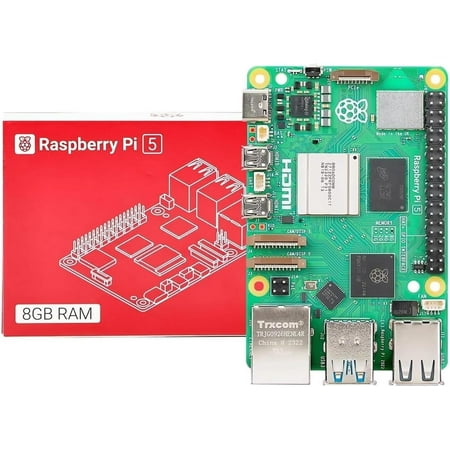
Integrated, temperature-controlled cooling fan that connects to the fan connector on Raspberry Pi 5,12mm × 17mm × 4mm heatsink with self-adhesive pad improves heat transfer from the processor,Easily removable lid exposes fan and breakout slot for cables and GPIO,Integrated mounting features...
For retro emulation, the Pi 5 hits PS2 territory with games like Final Fantasy X, God of War, and Shadow of the Colossus running playably at native resolution. The original PlayStation, N64, GameCube, and Wii all emulate flawlessly. RetroPie support is mature and well-documented — every emulator has a community-maintained build with optimized defaults for the Pi 5.
The 8GB of RAM matters for two specific things: Steam Link streaming with a heavy desktop environment running, and Linux native gaming with browsers and Discord open in the background. With 4GB of RAM, you can do one but not both comfortably. With 8GB, the Pi 5 handles everyday daily-driver workloads alongside gaming sessions.
Where it falls short: it’s not Windows. If you want to play Steam games natively (not streamed), Linux compatibility is the question — Proton has gotten dramatically better, but ARM compatibility is still spotty. For Windows-only games, you need to stream from another PC. Native Pi 5 gaming is Linux-native or via emulation.
Pros: Significantly faster than Pi 4 for PS2-era emulation; mature RetroPie support; 8GB enables comfortable daily-driver use alongside gaming; active first-party support and updates from Raspberry Pi Foundation.
Cons: No Windows support; Pi 5 active cooler is recommended (heat throttles under load without it); microSD storage is the bottleneck — NVMe HAT is recommended for serious use.
Rating: 4.7 / 5
Raspberry Pi 4 Model B — best for retro emulation
The Pi 4 is older silicon — Broadcom BCM2711, quad-core Cortex-A72 at 1.5 GHz — but it remains the best pick specifically for retro emulation projects. The reason is the ecosystem. RetroPie’s documentation, community guides, custom case designs, and emulator optimizations are all built around the Pi 4 form factor and chip. Nearly every YouTube tutorial and r/RetroPie thread assumes a Pi 4.
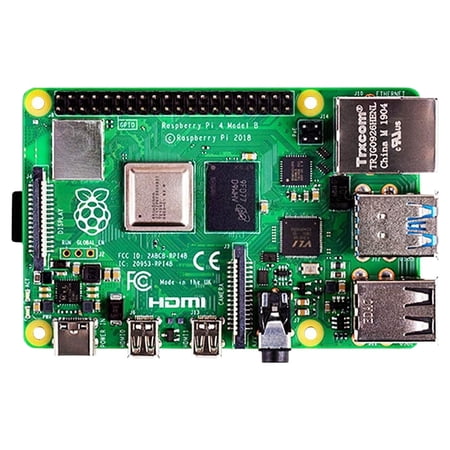
Raspberry Pi 4 Model B - single-board computer
For console emulation through the PlayStation era — NES, SNES, Sega Genesis, Game Boy family, N64, original PlayStation, Sega Dreamcast — the Pi 4 handles everything flawlessly. Where it struggles is anything later: PS2, GameCube, and Wii are possible but require careful per-title tuning. If you want plug-and-play emulation up through 32-bit and 64-bit consoles, the Pi 4 is the cheaper, more mature option.
The other reason to pick the Pi 4 over the Pi 5 is power consumption. The Pi 4 runs cooler and uses less power, which matters for portable handheld emulator builds running on battery. RetroFlag’s NESPi 4 case, the GPi Case 2, and similar handheld-conversion projects are all designed around the Pi 4’s thermal envelope.
Pros: Most mature RetroPie ecosystem; handles emulation through Dreamcast/PS1 flawlessly; lower power consumption than Pi 5; tons of community case designs and accessories.
Cons: Older silicon — PS2/GameCube/Wii emulation is marginal; getting harder to find at MSRP as the Pi 5 takes over the lineup; 4GB of RAM is the practical ceiling for most SKUs.
Rating: 4.5 / 5
Raspberry Pi 5 (4GB) — best budget Pi 5
The 4GB version of the Pi 5 has the same BCM2712 chip and VideoCore VII GPU as the 8GB pick — it just halves the RAM. At $135.99, it’s the cheapest entry point into the current Pi 5 generation. For pure RetroPie or Steam Link builds where you’re not running a heavy desktop alongside the game, 4GB of RAM is plenty.
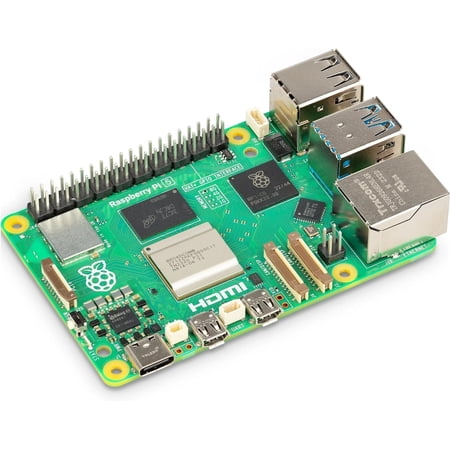
Raspberry Pi 5 is a significant upgrade over its predecessor, the Raspberry Pi 4. It features a 64-bit quad-core Arm Cortex-A76 processor running at 2.4GHz, delivering a 2–3× increase in CPU performance relative to the Raspberry Pi 4.
The decision between this and the 8GB version comes down to use case. For a dedicated emulation box that boots straight into RetroPie with no other workloads, 4GB is enough. For a multi-purpose machine that runs Linux gaming, browsers, and media playback alongside emulation, the 8GB version’s headroom matters.
One important consideration: RAM is soldered to the Pi 5. There’s no upgrade path. Pick the right RAM tier upfront — buying 4GB and discovering you need 8GB means buying a whole new board.
Pros: Same BCM2712 chip as the 8GB Pi 5 at lower price; plenty of headroom for dedicated emulation builds; cheapest path into current Pi 5 generation.
Cons: 4GB RAM caps multi-tasking workloads; RAM soldered, no upgrade path; same active cooling requirement as the 8GB Pi 5.
Rating: 4.4 / 5
InFocus INOPS5 — best high-end industrial SBC
The InFocus INOPS5 is the wildcard pick — a Core i5-12450H industrial SBC primarily designed for digital signage and conference rooms, but with enough horsepower to run actual Windows games at low-to-medium settings. At $817.71, it’s not a hobby board; it’s closer in price to a budget gaming desktop, but in a tiny SBC form factor.
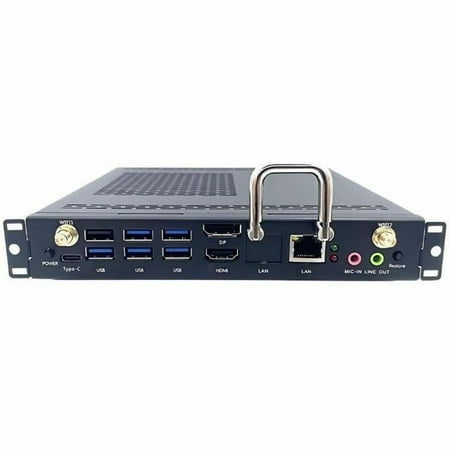
InFocus INOPS5 Single Board Computer - Intel - Core i5 - i5-12450H - 8 GB - DDR4 SDRAM - 256 GB Solid State Drive - Intel - UHD Graphics - Wireless LAN - Bluetooth - HDMI - 7 x Number of USB Ports - 1 x Number of USB 2.0 Ports - 5 x Number of USB 3.0 Ports - Network (RJ-45) - DisplayPort -...
The Core i5-12450H gives you 8 cores, 12 threads, and modern Intel architecture. Paired with integrated UHD graphics, it’ll run esports titles like Counter-Strike 2, Valorant, Fortnite, and League of Legends at 1080p with low-to-medium settings. AAA games are out — there’s no discrete GPU. For a tiny PC that fits behind a monitor and plays modern competitive games, this is genuinely capable.
The catch is that you’re paying mainstream-prebuilt-gaming-PC money for a tiny SBC form factor. For pure $/FPS, our best prebuilt gaming PCs roundup has full-tower options at this price with discrete GPUs. The INOPS5 is the right pick only if size constraints — desk space, mounting behind a monitor, embedded use cases — actually matter to you.
Pros: Real Core i5 with 8 cores and modern Intel architecture; plays modern Windows games at low-to-medium settings; tiny SBC form factor for embedded/space-constrained use cases.
Cons: $817 buys a full prebuilt gaming desktop with a discrete GPU at better $/FPS; integrated graphics only; designed for digital signage, not gaming — driver support is industrial.
Rating: 3.8 / 5
ViewSonic VPC37-W55-G1 — best premium industrial
The ViewSonic VPC37-W55-G1 is the premium industrial SBC at $1,357.24. Like the InFocus, it’s a Core i5 SBC primarily designed for digital signage and embedded computing. The price tier puts it in direct competition with full prebuilt gaming desktops that have discrete GPUs and better gaming performance per dollar.
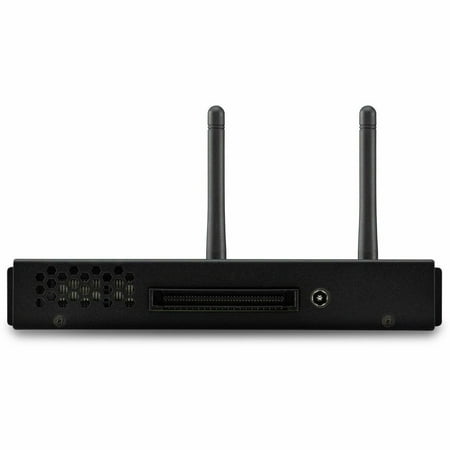
The ViewSonic® VPC37-W55-G1 Windows slot-in PC delivers a full Windows experience for users of ViewSonic ViewBoard® interactive displays. This slot-in PC module easily plugs into compatible displays and supports up to 5K resolution. With a powerful Intel® i5 processor, and fast SSD, the...
For dedicated gaming buyers, this is hard to recommend — the same money buys a CyberPowerPC Gamer Master or an iBUYPOWER Trace Mesh from our prebuilt gaming PCs roundup, both with discrete RTX-class GPUs that play AAA games at 1080p high settings. The ViewSonic’s integrated graphics are limited to esports titles at low-to-medium settings.
It earns a spot on this list because of its form factor — it’s an SBC, designed for embedded and signage applications, with the rare property of being able to run real Windows games when needed. If your use case is primarily digital signage with occasional gaming, this is a defensible buy. For pure gaming, skip it.
Pros: Premium industrial build quality; Core i5 chip with strong everyday performance; tiny SBC form factor; better thermals than the cheaper INOPS5.
Cons: $1,357 is full gaming desktop money for an integrated-graphics SBC; designed for digital signage, not gaming; significantly worse $/FPS than equivalent-priced prebuilt desktops.
Rating: 3.5 / 5
Yealink MCore-OPS-G2 — listed for awareness
Listed here only because it appears in this product category — the Yealink MCore-OPS-G2 is purpose-built for video conferencing room systems, not gaming. It runs Microsoft Teams Rooms or Zoom Rooms firmware and isn’t designed to install Windows or any gaming workload. At $1,599.90, it’s a conferencing appliance, not a gaming SBC.
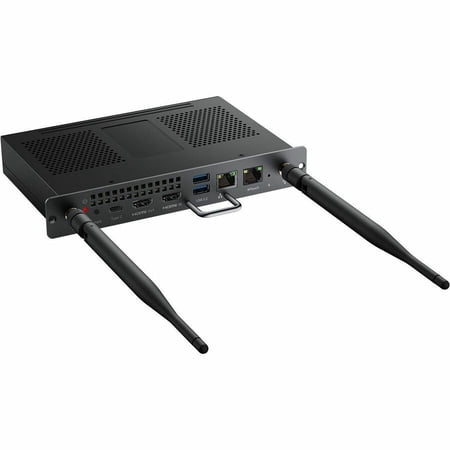
MCore-OPS-G2/MCore-OPS-G2T | Modular Computing Solution for MeetingBoard/MeetingBoard Pro Series.Yealink MCore-OPS-G2/MCore-OPS-G2T is the latest modular computing solution designed for Yealink MeetingBoard/MeetingBoard Pro Series. With Intel Core Ultra 5, upgraded memory, and a lightning-fast...
If you came to this article looking for SBC gaming, skip this product entirely. It exists in the same product category but doesn’t share the gaming use case.
The verdict
For most readers, the Raspberry Pi 5 (8GB) is the right pick. It’s the current flagship hobby SBC, handles emulation through PS2 territory, runs native Linux gaming, and works as a Steam Link receiver. At $240, it’s the natural starting point for any SBC gaming project.
For pure retro emulation, the Raspberry Pi 4 Model B is still the smarter buy. Mature RetroPie support, lower power consumption, and a massive accessory ecosystem make it the right pick for dedicated emulator handhelds and console builds.
For tight-budget Pi 5 access, the 4GB Pi 5 at $136 gets you the new generation of silicon at the lowest possible price.
Buying advice
If you want a RetroPie emulator box: The Pi 4 if you’re emulating up through PS1/Dreamcast and want the most mature ecosystem. The Pi 5 (8GB) if you want PS2-era emulation and Linux gaming alongside.
If you want a Steam Link receiver: Either Pi 5 SKU works. 4GB is enough for streaming-only; 8GB gives you headroom to run a desktop environment alongside.
If you want to play actual modern Windows games: Buy a real prebuilt gaming desktop, not an SBC. Our best prebuilt gaming PCs roundup has options at every budget. SBCs aren’t the right tool for modern AAA gaming.
Frequently asked questions
Can a Raspberry Pi 5 run Windows?
Technically yes via the WoR (Windows on Raspberry) project, which boots Windows 11 ARM on the Pi 5. Practically, performance is poor — most Windows applications run sluggishly, and gaming is essentially out. Stick with Linux for the Pi 5 if you want it to feel like the snappy device the hardware can deliver.
What’s the best emulator on the Pi 5?
RetroArch is the all-in-one frontend most users start with — it provides a unified interface for dozens of emulator cores. For specific systems: Mupen64Plus for N64, PCSX2 for PS2, Dolphin for GameCube/Wii, DuckStation for PS1. RetroPie or Recalbox bundle these into a polished install.
Do I need a heatsink or active cooler?
For the Pi 5, yes — the official active cooler ($5) or a third-party heatsink case is genuinely required. Without active cooling the Pi 5 thermal-throttles under sustained gaming load. The Pi 4 can usually get by with a passive heatsink, but an active cooler is recommended for emulation of newer consoles.
What storage should I use?
For casual use, a quality microSD card (SanDisk Extreme A2 64GB or larger) is fine. For serious use with large emulator collections or Linux gaming libraries, an NVMe SSD on a HAT (around $40 for the HAT plus the cost of a 256GB or 500GB NVMe drive) is meaningfully faster — boot times under 8 seconds and snappier game loading.
Are these worth buying for a kid’s first gaming setup?
For a kid interested in older console games and willing to learn a little Linux, absolutely — a Pi 5 with RetroPie is one of the best educational gaming projects available. For a kid who wants to play current Roblox, Fortnite, or Minecraft with friends, get a real budget gaming PC instead. The Pi family doesn’t run modern Windows multiplayer games.