Computer Station Nation is reader-supported.
When you buy through links on our site, we may earn an affiliate commission. Learn more.
A disorganized streaming setup causes problems you don’t notice until you’re live: cables in frame, mic in the wrong spot, nowhere to reach your water bottle without hitting something. Here’s how to structure a desk for streaming without turning it into a cable nightmare.
Start with the monitor
Your monitor position sets everything else. Center it at eye level, screen perpendicular to any windows to avoid glare. Everything else — mic, webcam, lights, keyboard — gets positioned relative to the monitor.
Mic positioning
Get the mic off the desk. A boom arm clamps to the desk edge and lets you swing the mic to any position without using desk space. The Rode PSA1 ($99) holds heavier mics like the SM7B without drift. The TONOR T20 ($25) works for lighter USB mics.
Position: 4–8 inches from your mouth, slightly to the side to avoid being in the webcam frame. Side-address condensers (Blue Yeti, most capsules) should face your mouth — you’re speaking into the side of the cylinder, not the top.
Camera position
On top of the monitor, center. Eye-level or just above. Keep your face centered in the frame with head-and-shoulders framing — not too zoomed in, not too far back. Make sure the mic arm isn’t visible in frame, which usually means positioning it to the side rather than directly below the webcam.
Lighting
Ring light or key light in front of you. The light stand should be between you and the camera — if you’re looking at the camera, the light should be coming from roughly the same direction you’re looking. Never from behind. Set it up before the stream, lock the position, and don’t move it between sessions.
Cable management
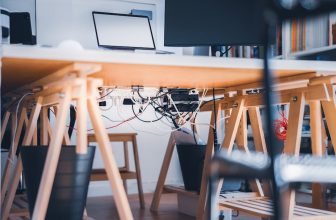
Run cables behind the desk, not across it. Cable clips ($5 for a pack) attach to the desk edge and keep USB, power, and HDMI cables off the surface. Velcro ties bundle cables going to the same destination. A cable management tray under the desk keeps power strips and excess cable length out of sight.
For streaming specifically: your mic cable, webcam USB, and capture card HDMI are the three cables that matter most for appearance. Route them out of the webcam frame and down the desk edge.
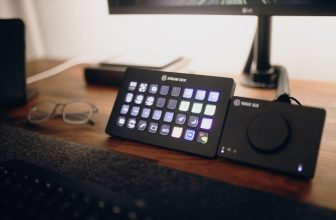
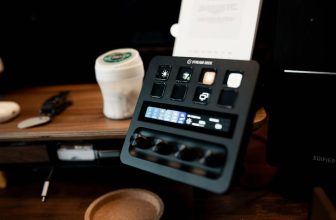
Stream Deck placement
If you have a Stream Deck, it belongs within easy reach of your non-mouse hand — typically to the left of the keyboard if you’re right-handed. You want to be able to hit scene transitions and mute without looking down or reaching across.