Computer Station Nation is reader-supported.
When you buy through links on our site, we may earn an affiliate commission. Learn more.
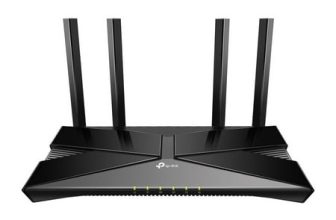
The TP-Link Archer AX1500 is a $54 budget Wi-Fi 6 router. The ASUS ROG Rapture GT-AX11000 Pro is a $360 gaming router with a dedicated gaming band and full ROG ecosystem. The price gap is $306. Here’s what that gap actually buys — and whether it’s worth it for your battlestation.
Quick Comparison
| Feature | TP-Link Archer AX1500 | ASUS ROG GT-AX11000 Pro |
| Price | ~$54 | ~$359.99 |
| Wi-Fi Standard | Wi-Fi 6 (AX1500) | Wi-Fi 6 (AX11000) |
| Bands | Dual-band | Tri-band + dedicated gaming band |
| Max Throughput | 1,500 Mbps | 11,000 Mbps |
| Gaming QoS | Basic | Adaptive QoS + Game Accelerator |
| WAN Port | 1G | 2.5G |
| 10G Gaming Port | No | Yes |
| OFDMA | Yes | Yes |
| Best For | Budget gaming baseline | Serious competitive gaming |
What the $306 Gap Buys
The ROG GT-AX11000 Pro gives you tri-band with a dedicated gaming band (the AX1500 is dual-band), 11,000 Mbps total throughput vs. 1,500 Mbps, a 10G dedicated gaming port, Adaptive QoS with Game Accelerator, 2.5G WAN, AiMesh expandability, and full ROG gaming software. The AX1500 gives you Wi-Fi 6 OFDMA, 4-stream dual-band coverage, and TP-Link’s reliability — all for $54.
For competitive gaming, most of the ROG’s advantages translate to real latency improvements. For casual gaming, the AX1500 handles streaming, gaming, and general use without issues at a fraction of the price.
Gaming on the AX1500
The TP-Link AX1500 is adequate for most gaming. Wi-Fi 6 OFDMA reduces congestion in multi-device households. The 5 GHz band handles gaming traffic for a single console or PC without issues. If you’re a solo gamer on a standard internet connection in a small apartment, the AX1500 won’t be your bottleneck.
Where it falls short: no gaming-specific QoS means gaming traffic competes equally with streaming, downloads, and smart home devices. In busy households, this causes lag spikes at peak times. The 1G WAN port limits you to 1 Gbps max ISP speed. No 10G port means wired gaming connections are capped at 1G.
Gaming on the ROG
The ROG’s dedicated gaming band is isolated from your household’s general Wi-Fi traffic. Game Accelerator reduces routing latency to game servers. Adaptive QoS prioritizes game packets automatically. The 10G gaming port delivers maximum wired performance. For a gaming PC or console as the centerpiece of your battlestation, the ROG removes every network variable.
Use Cases
Choose the TP-Link AX1500 if: you game casually or on a shared connection, your current router is Wi-Fi 4 or 5 and you want a budget upgrade, you’re on a tight build budget, or you’re a solo gamer in a low-traffic environment.
Choose the ASUS ROG GT-AX11000 Pro if: your battlestation is the centerpiece of competitive gaming, you need to eliminate network variables, you have a busy household with multiple devices competing for Wi-Fi, or gaming performance is worth spending $360 on infrastructure.
Where to Buy
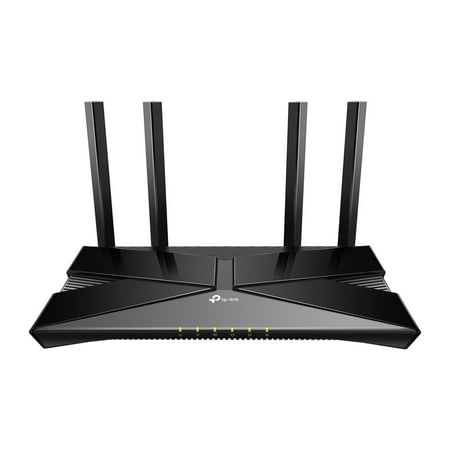
The Archer AX1500 is equipped with the latest Wi-Fi 6 for faster speeds, increased capacity and reduced network congestion. Dual-Band speeds of up to 1.5 Gbps for a buffer-free 4K/HD streaming and gaming experience. Connect more devices via OFDMA and MU-MIMO technology while eliminating network...
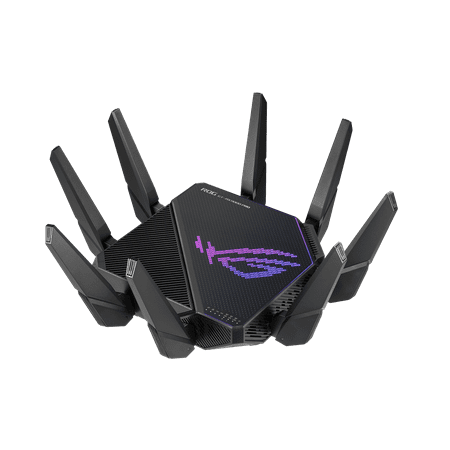
The ROG Rapture GT-AX11000 Pro is designed for gamers who want to keep multiple devices connected and still get incredible gaming performance. Enjoy up to twelve simultaneous WiFi streams for more video streaming, gaming and browsing for everyone in your home.
FAQ
Is a $54 router good enough for console gaming?
For most console gaming — PS5, Xbox Series X, Nintendo Switch — the AX1500 is fine. It handles 1080p/4K streaming and online gaming simultaneously. The ROG’s advantages are most noticeable in competitive PC gaming and busy multi-device households.
Is the ROG’s 11,000 Mbps meaningful for gaming?
The raw throughput number is less relevant than band isolation and latency. What makes the ROG great for gaming isn’t the 11 Gbps ceiling — it’s the dedicated gaming band ensuring consistent, low-latency wireless specifically for gaming devices.