Computer Station Nation is reader-supported.
When you buy through links on our site, we may earn an affiliate commission. Learn more.
Quick Answer
The Wire Trak Kit is the right pick for a full desk cable cleanup with multiple cables in one run. The Wire Trak Micro is for one or two cables in a tight space — and for setups you’re not ready to commit to.
If you’re hiding a single cable down a desk leg or along a monitor stand, Micro. If you’re running a monitor cable, USB hub cable, and power cable along the back of your desk, the full Kit.
At a Glance
| Wire Trak Micro | Wire Trak Kit | |
|---|---|---|
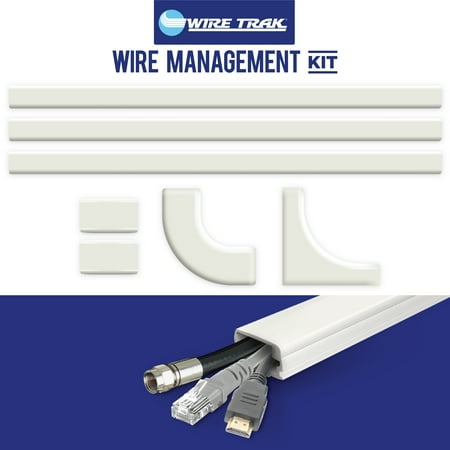
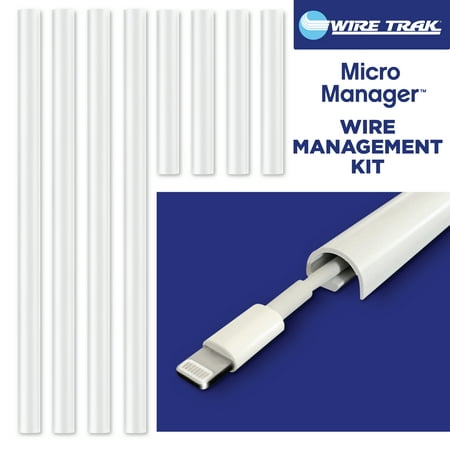
| Channel | Single-wire compact | 1″ x 1/2″ multi-cable |
| Capacity | 1–2 cables | 3–5 cables |
| Adhesive | Removable | Permanent peel-and-stick |
| Repositionable | Yes | No |
| Length | Compact runs | 54 inches |
| Price | $9.97 | $14.96 |
Capacity
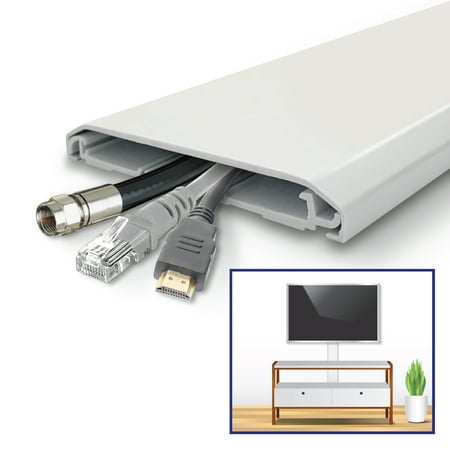
Winner: Wire Trak Kit. Bigger channel, more cables. The Kit handles 3–5 cables comfortably; the Micro is built for 1–2. If you’ve got a desk where every cable converges to the same exit point, the Kit is the right tool.
Flexibility
Winner: Wire Trak Micro. The removable adhesive is the differentiator. If you might rearrange your setup, if you’re renting, or if you’re still figuring out the right routing — the Micro lets you reposition without damage. The full Kit’s adhesive is semi-permanent.
Aesthetics
Tie. Both are clean, white, low-profile, and effective at hiding cables. The Kit’s wider channel is more visible if you don’t paint it; the Micro’s compact profile blends in slightly better but only handles one cable. Either way, the visual upgrade vs. raw cables is night-and-day.
Install Effort
Tie. Both use peel-and-stick — measure, peel, press, route cables, snap cover. The Micro is faster because there’s less length to handle, but the Kit isn’t dramatically harder. Both take 10–30 minutes depending on the run.
Price
Winner: Wire Trak Micro. $9.97 vs $14.96. Five bucks isn’t life-changing, but the Micro is the cheaper way in if you only need one cable run. If you need multiple runs across different walls, you’ll spend more buying multiple Kits than buying one Kit and reusing the Micro.
Where Each One Wins
Wire Trak Kit: Full desk cable cleanup. Multiple cables in one path. Permanent setup. Walls or desks you own and can paint.
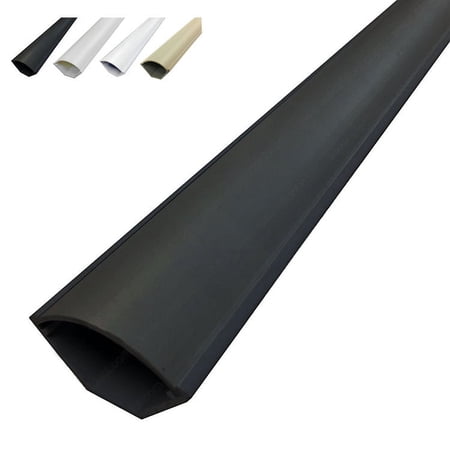
Wire Trak Micro: Single-cable runs. Monitor cable along the stand arm. Keyboard cable down the desk leg. Rentals where you’ll need to remove cleanly. Setups that change.
Use Case Breakdown
Get the Wire Trak Kit if: You’re doing a full battlestation cable cleanup. You’ve got multiple cables converging to the same path. You own the space and you’re ready to commit to a setup. The end caps and corners matter to you.
Get the Wire Trak Micro if: You only need to clean up one cable run. You’re renting and need clean removal. Your setup is still evolving. You want to test the raceway approach before committing to a bigger install.
Get both if: You’re using the Kit for the main desk-to-wall run and the Micro for the monitor cable on the arm. Different geometry, different tools.
Verdict
The Wire Trak Kit is the better default if you’re committing to a battlestation cable cleanup. More capacity, more accessories, and the small price premium gets you the full toolkit for a desk cable run.
The Micro is the right call when the Kit is overkill — single-cable runs, tight spaces, or any setup where the removable adhesive matters. Full lineup in our cable management accessories guide.