Computer Station Nation is reader-supported.
When you buy through links on our site, we may earn an affiliate commission. Learn more.
Quick answer: The Raspberry Pi 4 Model B is the right pick for retro emulation builds (PS1 era and earlier), battery-powered handhelds, and Raspberry Pi beginners. The Raspberry Pi 5 (8GB) is the right pick for new general-purpose SBC gaming builds, PS2-era emulation, and Linux gaming. Choose based on the specific gaming use case.
The Pi 4 and Pi 5 represent two generations of Raspberry Pi, both still in active production and both legitimate picks for SBC gaming. From our best SBC for gaming roundup, this comparison covers when each is the smarter buy.
Quick comparison table
| Spec | Pi 4 Model B | Pi 5 (8GB) |
|---|---|---|
| Price | $199.99 | $239.90 |
| Chip | BCM2711 | BCM2712 |
| CPU | 4× Cortex-A72 @ 1.5 GHz | 4× Cortex-A76 @ 2.4 GHz |
| GPU | VideoCore VI @ 500 MHz | VideoCore VII @ 800 MHz |
| RAM | 2GB / 4GB / 8GB LPDDR4 | 4GB / 8GB LPDDR4X |
| PCIe | No | Yes (PCIe 2.0) |
| Power | 15 W max | 27 W max |
| Active cooling | Optional | Required |
Ecosystem maturity — Pi 4 wins
The Pi 4 has a years-deep ecosystem of RetroPie images, custom case designs, YouTube tutorials, and r/RetroPie threads. The Pi 5 ecosystem is still catching up. For users new to Raspberry Pi who’ll learn from online guides, the Pi 4’s documentation depth saves real time. Winner: Pi 4 — clear edge.
Power efficiency — Pi 4 wins
Pi 4: 15 W max. Pi 5: 27 W max. For battery-powered handhelds (NESPi 4, GPi Case 2), the Pi 4’s lower power draw doubles battery life on the same power bank. Winner: Pi 4 — clear edge for portable use.
Cost — Pi 4 wins by $40
$200 versus $240. The Pi 4 is also typically bundled with cases and accessories at lower combined prices. For dedicated single-purpose builds, the cost savings add up. Winner: Pi 4.
CPU performance — Pi 5 is roughly 2x faster
The Pi 5’s Cortex-A76 cores at 2.4 GHz versus the Pi 4’s Cortex-A72 cores at 1.5 GHz delivers roughly 2x the single-core performance. For PS2-era emulation, this is the difference between marginal and playable. For PS1-era emulation and older, both are flawless. Winner: Pi 5 — clear edge.
GPU and modern features — Pi 5 wins
The Pi 5’s VideoCore VII at 800 MHz delivers roughly 3x the graphics throughput of the Pi 4’s VideoCore VI at 500 MHz. Vulkan 1.3 support, PCIe 2.0 for NVMe storage, and modern GPU features all favor the Pi 5. Winner: Pi 5.
Use case fit
Choose the Pi 4 Model B if you:
- Are building a dedicated retro emulator (PS1 era and earlier)
- Are building a battery-powered handheld
- Want the most mature RetroPie ecosystem
- Are new to Raspberry Pi and want online tutorials that match
Choose the Pi 5 (8GB) if you:
- Want PS2, GameCube, or Wii emulation
- Plan to run native Linux gaming alongside multitasking
- Want NVMe storage via a HAT
- Are building a wall-powered desktop machine
The verdict
For dedicated retro emulator and handheld builds, the Raspberry Pi 4 Model B is still the smart buy. Mature ecosystem, lower power draw, and $40 cheaper for use cases that don’t need the Pi 5’s extra horsepower.
For new general-purpose SBC gaming builds, the Raspberry Pi 5 (8GB) is the better starting point. The performance gain unlocks PS2-era emulation and Linux gaming workflows that the Pi 4 can’t match.
Where to buy
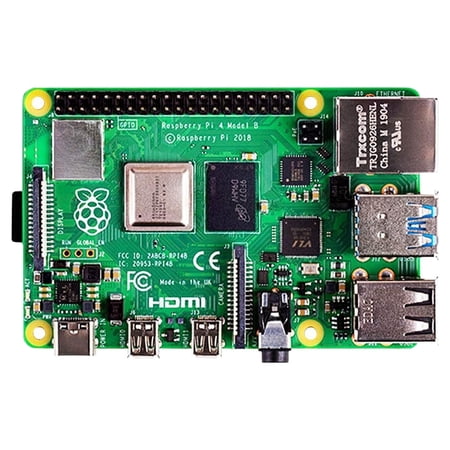
Raspberry Pi 4 Model B - single-board computer
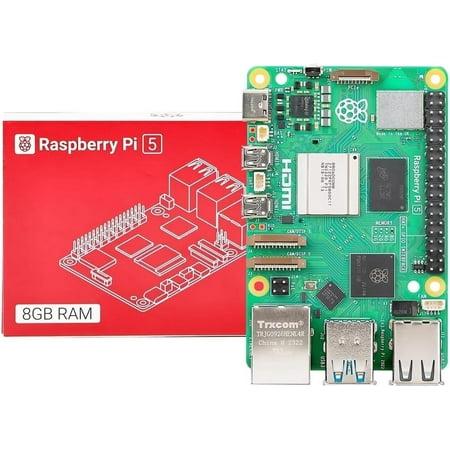
Integrated, temperature-controlled cooling fan that connects to the fan connector on Raspberry Pi 5,12mm × 17mm × 4mm heatsink with self-adhesive pad improves heat transfer from the processor,Easily removable lid exposes fan and breakout slot for cables and GPIO,Integrated mounting features...
FAQ
Are RetroPie images for Pi 4 compatible with Pi 5?
No. The Pi 5 needs Pi 5-specific RetroPie or Recalbox images. ROMs and save data can be migrated; the OS image needs to be fresh.
Will Pi 4 stay supported?
Yes, for years. Raspberry Pi Foundation has committed to Pi 4 production through at least 2030, and software support continues for both Raspberry Pi OS and the major emulator platforms. The Pi 4 isn’t going away.
Can the Pi 4 emulate PS2?
Some titles, with careful tuning. Most PS2 games run at 50–80% of full speed on the Pi 4 — playable with patience but not great. The Pi 5 hits playable frame rates on most PS2 titles natively.
Which is better for a kid’s first project?
The Pi 4 — the deeper documentation ecosystem makes the learning curve gentler. Every YouTube tutorial assumes a Pi 4. By the time the kid outgrows the Pi 4, they’ll be ready to upgrade to the Pi 5 or another platform on their own.