
Raspberry Pi 5 (4GB) Review — Best Budget Pi 5 for Gaming
| Performance | 9.0 |
|---|---|
| Value | 9.5 |
| Versatility | 7.0 |
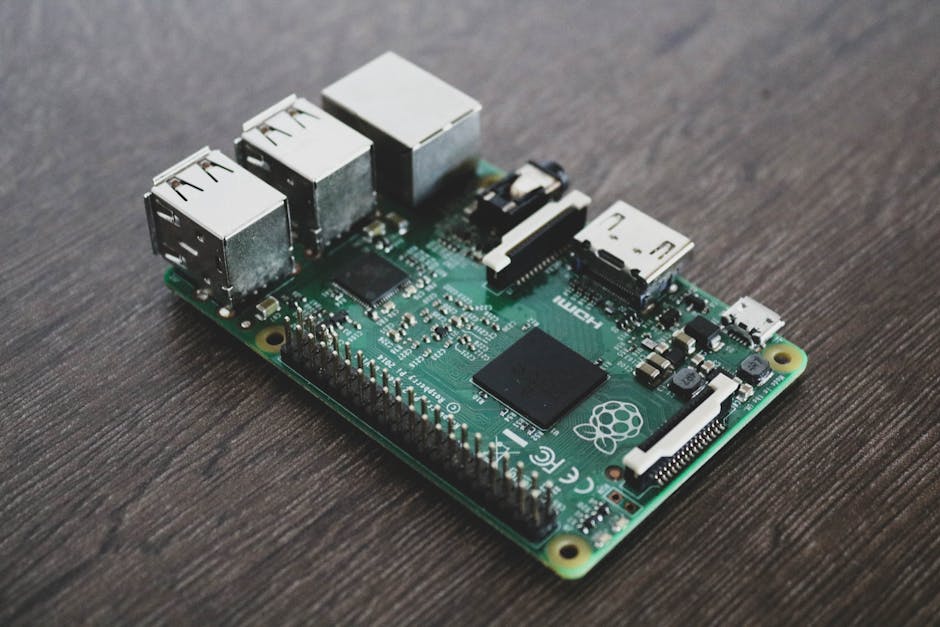
The cheapest entry point into the current Pi 5 generation. Same BCM2712 chip and VideoCore VII GPU as the 8GB version, with 4GB of RAM for $136.

Description
Quick specs
| Chip | Broadcom BCM2712 |
| CPU | Quad-core ARM Cortex-A76 @ 2.4 GHz |
| GPU | VideoCore VII @ 800 MHz |
| RAM | 4GB LPDDR4X |
| Storage | microSD slot + PCIe 2.0 (via NVMe HAT) |
| Networking | Gigabit Ethernet, Wi-Fi 5, Bluetooth 5.0 |
| Display outputs | 2× micro HDMI (4Kp60 HDR) |
| USB | 2× USB 3.0, 2× USB 2.0 |
| Power | USB-C 5V 5A (27W) recommended |
| Dimensions | 85 × 56 × 17 mm |
Specs sourced from the Raspberry Pi Foundation official product page.
The Raspberry Pi 5 (4GB) is the budget entry point into the current Pi 5 generation. At $135.99, it pairs the same Broadcom BCM2712 chip and VideoCore VII GPU as the 8GB Pi 5 — just with half the RAM. We picked it as the budget Pi 5 option in our best SBC for gaming roundup.
For dedicated emulation builds and Steam Link receivers, 4GB of RAM is genuinely enough. RetroPie or Recalbox boots straight into the emulation frontend without a heavy Linux desktop loaded — most of that 4GB sits unused. Steam Link has minimal memory requirements since the actual game runs on a host PC. For these single-purpose builds, the 4GB Pi 5 saves you $100 over the 8GB version.
Where 4GB hits the ceiling is multi-tasking. If you want to run a full Linux desktop with a browser, Discord, file manager, and the emulator together, 4GB starts feeling tight. Native Linux gaming with multiple background apps will paginate to swap once you push past three or four open windows. For multi-purpose builds, the 8GB Pi 5 is genuinely the better buy.
One important consideration: RAM is soldered to the Pi 5. There’s no upgrade path. Pick the right RAM tier upfront — buying 4GB and discovering you need 8GB means buying a whole new board. If your use case has any chance of growing into multi-tasking, spend the extra $100 for the 8GB version.
Same active cooling requirement applies — the Pi 5 thermal-throttles under sustained load without active cooling. Budget the $5 for the official active cooler or pick a third-party heatsink case. NVMe storage via a HAT is the recommended upgrade for serious use; microSD storage works but is meaningfully slower.
Verdict
The Raspberry Pi 5 (4GB) is the right pick for budget buyers building dedicated single-purpose machines — RetroPie emulation, Steam Link receivers, headless servers — where 4GB is plenty. For multi-purpose builds, native Linux gaming with desktop multitasking, or any uncertainty about future use cases, the 8GB Pi 5 is the smarter buy. Pick this only if you know you don’t need the extra RAM.

There are no reviews yet.