Best Streaming Lighting & Ring Lights (2026): Complete Guide
Computer Station Nation is reader-supported.
When you buy through links on our site, we may earn an affiliate commission. Learn more.
Best Streaming Lighting & Ring Lights — Quick Picks
| Pick | Light | Price | Best For |
|---|---|---|---|
| Best overall | Vivitar 18″ RGB Foldable | $47.54 | Portability + RGB effects |
| Best mid-range | Cshidworld 13″ RGB | $38.99 | Best value desk streaming |
| Best budget | Bower 12″ Foldable Ring Light | $29.18 | First ring light under $30 |
| Best RGB effects | Vivitar 18″ LED RGB Ring Light | $26.00 | Background ambience + face fill |
| Best ultra-budget | onn LED RGB Ring Light | $14.67 | Bare-minimum entry point |
| Cheapest reliable option | DAYBETTER 10″ Selfie Ring Light | $12.59 | Absolute budget floor |
All prices as of June 2026. Full breakdown below.
Your Streaming Lighting Guide
Lighting is the most underrated upgrade in streaming. Not the most exciting, not what people flex in their battlestation photos, but it matters more than almost any other piece of gear. A $35 ring light on a budget webcam will look better than a $150 webcam in bad lighting. Every time. The camera only captures what light gives it.
This guide covers the full landscape — ring lights, LED panels, and key lights — so you can figure out what fits your setup. Whether you are buying your first $12 ring light or planning a three-point studio, the principles are the same: soft, directional, controllable light placed between you and the camera.
Ring Lights vs Key Lights vs LED Panels
The streaming lighting world breaks into three categories. For a head-to-head breakdown, see our LED Panel vs Ring Light for Streaming: Which Is Better? comparison.
- Ring lights — Circular LED arrays that mount around or near the camera lens. Even, shadow-free light for close-up face shots. The trade-off: a ring-shaped catchlight in the eyes and possible reflection in glasses. Best for solo streamers and anyone who wants one-light simplicity. $10–$70.
- Key lights — Rectangular LED panels (Elgato Key Light, Nanlite PavoTube) that sit off-camera. Directional lighting with more depth. No ring reflection. Better for desk-adjacent placement where a ring light tripod crowds your workspace. $100–$300.
- LED panels / softboxes — Larger-area lights for very soft, diffuse light. Used in three-point setups with a fill and backlight. Overkill for most solo streaming but essential for facecam + green screen work. $50–$200.
For 80% of streamers, a single 12″–18″ ring light is enough. The other 20% add a key light or fill light as their standards get higher.
What to Look For
Before buying, consider these factors. For a budget roundup, see our Best Streaming Lighting & Ring Lights (2026): Every Budget Covered guide.
- Size (diameter) — 12″–18″ is the sweet spot for desk streaming. Under 10″ and face coverage drops off. Over 20″ and you are buying studio gear that will dominate your desk.
- Color temperature range — Tunable white (3200K–6500K) lets you match room lighting. Fixed 5500K daylight is fine if you control your room. RGB adds background effects.
- Brightness — More is better, but dimmable control matters more than raw output. A 40W-equivalent ring light on its lowest setting is often enough for a well-lit room.
- Mount / tripod quality — This is where budget lights cut corners. Look for sturdy legs and a standard 1/4″-20 mount for future compatibility.
- Power source — USB-powered lights are convenient. Battery-powered models add cost and runtime limits. Most ring lights plug into USB or wall power.
- Remote / app control — Wireless brightness remotes are standard above $25. App-controlled key lights (Elgato, Philips Hue) let you adjust without leaving your seat.
- Glasses-friendly design — If you wear glasses, look for dimmable brightness and a top-mount option. No ring light eliminates reflection entirely, but positioning helps a lot.
Best Streaming Ring Lights
Tested for brightness, build quality, and real-world streaming use. For a purely ranked list, see our Best Ring Lights for Streamers (2026): Ranked by Value. Prices from Walmart as of June 2026.
1. Vivitar 18″ RGB Foldable — Best Overall
The Vivitar 18″ RGB Foldable nails the balance between size, features, and price better than anything else we tested. At $47.54 you get an 18″ ring — big enough for even face coverage at typical desk distance — plus RGB color modes, a MagSafe-compatible phone mount, dual USB charging ports on the stand, and a wireless remote.
The MagSafe mount is a nice touch. Your phone snaps in place instead of clamping with plastic that can scratch. The foldable frame collapses to about half its diameter for storage or transport — useful if you move between setups or take your gear to events.
The dual USB ports are one of those things you do not appreciate until you have them. Charge your phone or wireless headset base off the stand directly. Two less cables running across your desk.
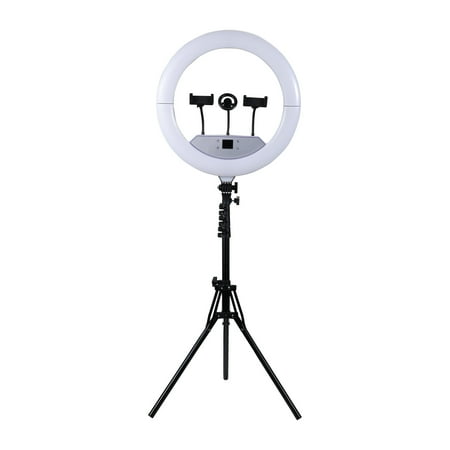
Vivitar Creator Series 18" RGB Foldable Ring Light Set is the ultimate LED lighting kit for content creators, vloggers, influencers, photographers, makeup artists, and live streamers. Perfect for social media Live, this professional studio light features 480 adjustable full-color and white LEDs...
2. Cshidworld 13″ RGB — Best Mid-Range
The Cshidworld 13″ at $38.99 is the value king. Ten brightness levels and 26 light modes give you more control than most ring lights at this price. The 13″ diameter is about the minimum for full face coverage — smaller leaves dark edges in a standard head-and-shoulders frame.
The extendable tripod is stable enough for desk use. The phone holder works with most phones. 941 reviews averaging 4 stars on Walmart confirms quality over a large sample — not just early adopters.
This is the pick if you want a solid, reliable ring light without overspending. The RGB is fun for background color effects, and the 13″ size fits most desks without dominating the layout.
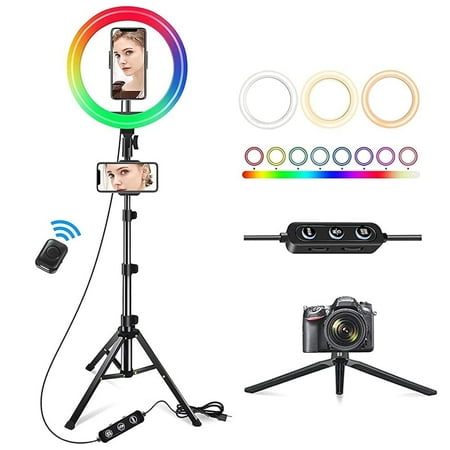
Why choose Cshidworld 13" Ring Light with Stand: 3 Light Modes 13" Ring Light The led ring light is with 3 color lights modes: white/ warm white/ warm light, 3000-7000K, and 10 adjustable brightness for each color. 26 adjustable colors in RGB mode, Perfect dimmable brightness and colors meet all...
3. Bower 12″ Foldable Ring Light — Best Budget
At $29.18 the Bower 12″ is where ring light quality stops being a compromise. Foldable design, adjustable stand, remote control, and enough face coverage for a head-and-shoulders stream frame.
805 reviews at 4 stars give this strong long-term reliability data. At 12″ you will want it closer to your face than an 18″ light — about 2–3 feet away works well for desk setups where the light sits behind or beside your monitor.
If you are buying your first streaming light and are not sure how much you will use it, this is the safe bet. Costs less than a new game and transforms how you look on camera.
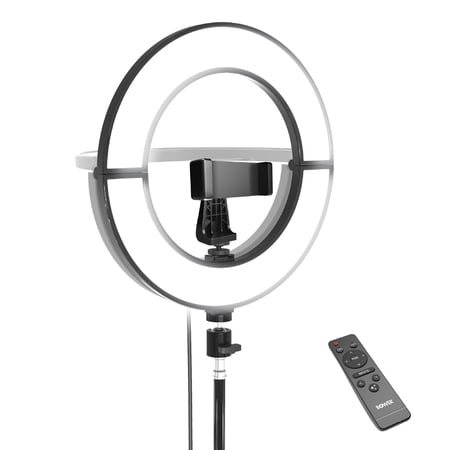
Enhance your photography and videography with the Bower 12" Foldable Ring Light. This versatile ring light provides superior illumination for capturing stunning photos and videos. Featuring an adjustable light stand and a wireless remote control, it is designed to meet the needs of both amateurs...
4. Vivitar 18″ LED RGB Ring Light — Best RGB Effects
The other Vivitar 18″ (not foldable, no MagSafe) focuses on color effects at a lower $26. Same accessory set — tripod, phone holder, USB ports, wireless remote — minus the foldable frame.
This is the pick if you primarily stream with a phone and want RGB background effects on a tight budget. 1,434 reviews at 4 stars make it the most-reviewed ring light here — broad reliability data over time.
The trade-off: no foldable design means it takes up its full footprint in storage, and the tripod is entry-level. For a fixed desk setup, neither matters. For portable use, spend the extra $21 on the foldable model above.
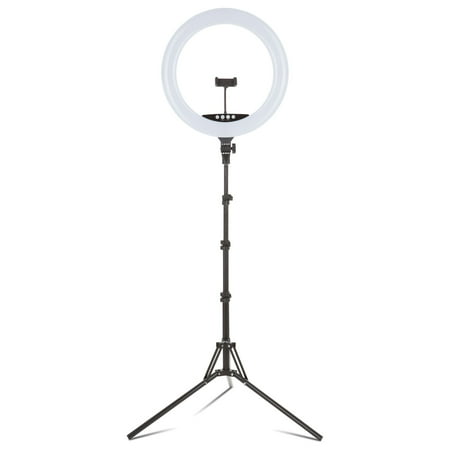
The Vivitar 18" LED RGB Ring Light with a stand and phone holder is an ideal tool for photographers, streamers and video bloggers who want the right light conditions wherever they shoot. This ring light set comes with a multicolor 18-inch ring light, an adjustable light stand, phone stand,...
5. onn LED RGB Ring Light — Best Ultra-Budget
The onn at $14.67 is the cheapest ring light I would recommend to a new streamer. Includes a tripod, adjustable height, phone holder, and Bluetooth remote. RGB modes add background color for very little money.
At this price the build is basic — plastic tripod legs, simple clamp, no USB passthrough. But the light output at close range (2–3 feet) is genuinely usable, and 195 reviews at 4 stars suggest consistent quality.
Think of this as the entry-level drug. A $15 ring light will show you immediately whether better lighting improves your stream. It almost certainly will. Plan to upgrade to 12″–18″ within a few months once you know what matters to you.
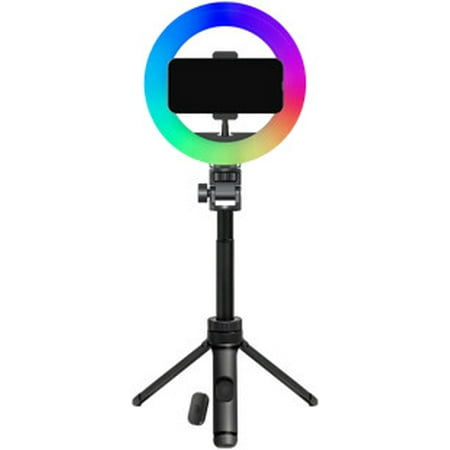
Light up your photos, videos, and live streams with the onn LED RGB Ring Light with Tripod Stand, Adjustable Height, Phone Holder, and Bluetooth Remote—the perfect lighting kit for TikTok, YouTube, Zoom, selfies, and makeup tutorials. With multi-color RGB modes and adjustable brightness, you can...
6. DAYBETTER 10″ Selfie Ring Light — Cheapest Reliable Option
The DAYBETTER 10″ at $12.59 is the absolute floor. At 10″ it is too small for full face coverage at normal desk distance — you will need it within 18–24 inches of your face — but it is dramatically better than no dedicated light.
The tripod and phone holder are basic. Only 7 reviews so not much long-term data. The 10″ size makes more sense as a secondary fill light or background accent than your primary face light.
Bottom line: If $12.59 is genuinely your budget, get this. It works. But if you can stretch another $2 to the onn at $14.67, or better yet to the Bower at $29.18, the quality gap at each step is significant.
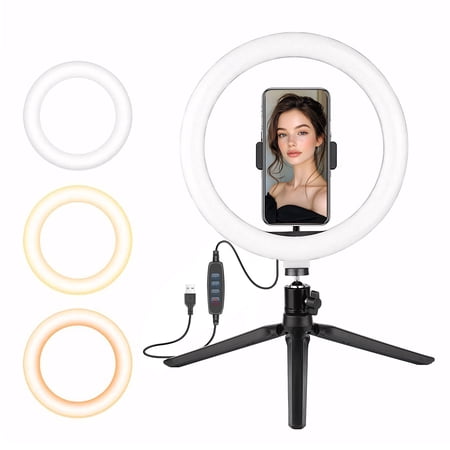
The DAYBETTER 10-inch Multi-White LED Ring Light Phone Stand is compatible with any smartphone, offering both convenience and versatility. It's perfect for video conferencing (Zoom, Teams), live streaming, YouTube/TikTok content, makeup tutorials, and product photography. The 10-inch LED light...
How to Set Up Your Ring Light
Position matters more than the light itself. For a detailed walkthrough, see our How to Set Up Ring Lights for Streaming: Position, Height, Settings guide. The basics:
- Front and center. Put the ring light directly in front of you, between you and the camera or just behind it. The most common mistake is putting the light behind you — that turns your face into a shadow.
- Slightly above eye level. The light should point down at your face at a 15–20 degree angle. This cuts under-chin shadows and reduces ring reflection in glasses. Too high and you get raccoon eyes. Too low and you look like you are telling a ghost story.
- Distance: 2–3 feet. Closer gives brighter, more even light but can wash out skin tones. Farther makes the effect more subtle. Start at arm’s length and adjust.
- Color temperature: 5500–6500K. Daylight white. Warm indoor lighting (2700–3500K) makes skin look yellow on most webcams because auto white balance struggles with mixed sources.
- Dim to match your room. Full brightness in a dark room creates harsh contrast. Your face should be two to three stops brighter than the background — enough to separate without looking overexposed.
Ring Light Tips for Glasses Wearers
The ring reflection in glasses is the most common complaint. If you are struggling with persistent lighting problems, our How to Fix Bad Lighting on Your Stream guide covers advanced fixes. Quick tips:
- Light high and angled down. The reflection moves down in the lens and may drop below the frame.
- Anti-reflective (AR) coating. Premium lenses with AR coating dramatically reduce visible reflection.
- Dim the light. Less brightness = less visible reflection. You may not need full power.
- Switch to a key light. If ring reflection drives you crazy, an LED panel produces a rectangular catchlight that looks more natural.
Is It Worth Spending More?
Short answer: yes, up to a point. The jump from $12 to $30 is enormous — you go from a toy to a legitimate tool. The jump from $30 to $50 gets you larger diameter and more features (RGB, better tripod, remote). Beyond $100 you hit diminishing returns unless you need app-controlled key lights for a multi-light studio.
The Vivitar 18″ RGB Foldable at $47.54 is the sweet spot. Big enough face coverage, RGB when you want it, solid accessories, foldable frame. Spending more gets you app control and slightly better build. Spending less means smaller diameter or fewer features — but the light quality above $25 is genuinely good either way.
Who should skip this guide? Anyone already happy with a key light setup. Anyone doing audio-only or screenshare streams with no facecam — lighting makes zero difference without a camera.
Frequently Asked Questions
What size ring light is best for streaming?
12″–18″ for desk streaming. 10″ works at close range (within 2 feet) but leaves dark edges. 20″+ is studio territory.
Can I use a ring light with glasses?
Yes. Position it high and angled down so the reflection drops below the lens. AR coating helps. If it still bothers you, switch to a key light.
Ring light vs key light?
Ring light for budget setups ($10–$70), solo streaming, and even face lighting. Key light for directional studio lighting, glasses wearers, and desk-adjacent placement. Most streamers start with a ring light and add a key light later.
Do ring lights work for Zoom calls?
Absolutely. One of the best webcam upgrades for remote workers. Works with any platform — Zoom, Teams, Meet, Slack. Costs less than dinner out and instantly improves how you look on calls.
What color temperature should I use?
5500–6500K (daylight white). Gives the most neutral skin tones. Warm white (2700–3500K) can work for late-night streams but needs careful white balance.
Is RGB worth it?
Nice-to-have, not essential. Good for background ambience — matching overlays or game aesthetic with a colored rim light behind you. For your primary face light, white is what matters.