Best Light for Computer Work: Complete Guide to Desk Lighting (2026)

Computer Station Nation is reader-supported.
When you buy through links on our site, we may earn an affiliate commission. Learn more.
What Makes a Great Light for Computer Work?
Good lighting for computer work goes beyond just brightness. The right light cuts down on eye strain, keeps headaches away, and makes it easier to stay locked in during long sessions. Whether you’re grinding through spreadsheets, cutting video, or gaming way too late, your desk lighting has a direct line to how your eyes feel by the end of the day.
So what separates a decent desk lamp from one that makes things worse? Three things: color temperature control, adjustable brightness, and where you put it. A light that runs too cool (blue-heavy) will mess with your sleep. One that’s too dim forces your eyes to work harder. And a lamp placed badly creates glare on your monitor that’s both annoying and draining.
Why Most Desk Lamps Miss the Mark for Computer Work
Most desk lamps were designed for reading paper, not for working alongside a bright computer screen. They throw light in a wide cone that hits your monitor, creates reflections, and washes out the display. What you actually want is task lighting that lights up your keyboard, desk, and papers without competing with your screen.
Over on r/Workspaces, people talk about this exact problem all the time. One thread describes eyes “hurting like crazy” at night because the overhead light was too harsh while the desk stayed dark. The fix wasn’t a brighter bulb — it was directional, dimmable task lighting off to the side of the monitor.
Types of Computer Work Lighting
Not all computer lighting works the same way. Here are the main types and what each one does best.
Traditional Desk Lamps
The classic gooseneck or articulated-arm desk lamp is still the most versatile option you can buy. Look for adjustable heads, dimmable LEDs, and multiple color temperature settings. The good ones let you aim light exactly where you need it while keeping it off your screen. The SZRSTH LED Desk Lamp is a solid example — a 24W architect-style lamp with a clamp mount and stepless dimming so you can dial in the right brightness for your workspace.
If you’re watching your wallet, the Mainstays 17″ LED Desk Lamp is hard to beat at under $10. It’s flexible, comes with a built-in AC outlet and catch-all base, and has racked up over 5,600 positive ratings. It’s no design statement, but it gets the job done without complaint.
Monitor Light Bars
Monitor light bars sit on top of your display and throw light down onto your desk. They’re ideal for computer work because they light up your keyboard and desktop without ever touching your screen. The OGEDNAC Screen Monitor Light Bar gives you touch and wireless remote control, adjustable color temperature, and anti-glare design — all for under $20. It’s a space-saving move that frees up your entire desk surface.
Clip-On / Clamp Lamps
When desk real estate is tight, clip-on lamps attach right to your desk edge, shelf, or headboard. The Lepro LED Clip-on Desk Lamp is a crowd favorite with 3 color modes, 10 brightness levels, and a flexible gooseneck. It runs on USB so you can power it from your monitor or any wall adapter. At $18.99 with over 1,100 ratings, it’s a reliable middle-ground pick for small desks and dorm setups.
Bias Lighting
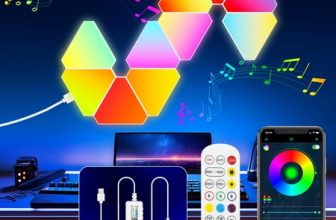
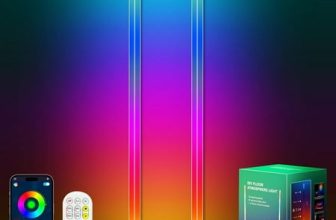
Bias lighting sits behind your monitor and casts soft light onto the wall behind it. This cuts down the contrast between your bright screen and a dark background — one of the biggest causes of digital eye strain. It’s not a replacement for task lighting, but it works great as a secondary source in a layered lighting setup.
Key Features to Look For
When you’re shopping for computer work lighting, these specs matter more than brand names or flashy designs.
Color Temperature (2700K–6500K)
Color temperature is measured in Kelvin. Warm light (2700K–3000K) has a yellow/orange glow that’s easy on the eyes and better for evening work. Cool light (5000K–6500K) is blue-white and mimics daylight — good for focus but it can mess with your sleep if you use it late. The best desk lamps let you switch between them. For computer work, aim for 4000K–5000K during the day and drop to 3000K after sunset.
Brightness & Dimmability
Stepless (continuous) dimming is the gold standard. Without it, you’re stuck with whatever brightness the lamp comes set to — usually either way too harsh at night or too dim during the day. Most of the lamps in our list offer stepless or multi-level dimming.
CRI (Color Rendering Index)
CRI measures how accurately a light source shows colors. For computer work — especially if you do design or photo editing — look for CRI of 90+. Cheap LEDs often land in the 70-80 range, which makes colors look flat. This matters less for typing and browsing, but if color accuracy matters to you, don’t skip it.
Adjustability & Reach
A lamp that only points straight down is barely useful. Look for articulated arms, swivel heads, or flexible goosenecks that let you direct light exactly where you need it. The BCOOSS LED Desk Lamp has a flexible gooseneck plus bonus features like a pen holder and wireless charging pad — small touches that clean up your desk.
Desk Lighting Placement Tips
Even the best lamp will let you down if you put it in the wrong spot. Here’s the short version:
- Put your lamp to the side of your monitor, not directly behind or in front. A 45-degree angle from your line of sight to the screen is the sweet spot.
- Watch out for overhead glare. If your ceiling light bounces off your screen, kill it and rely on your task lamp instead.
- Layer your light sources. Combine ambient lighting (bias or overhead) with task lighting (desk lamp) for the most comfortable setup.
- Don’t just light your keyboard. Keep some light on the wall behind your monitor too — the contrast between a bright keyboard and a dark wall still strains your eyes.
People on r/Workspaces regularly report that switching to a side-placed, dimmable LED task lamp ended their evening eye strain completely. Even a cheap adjustable lamp was a big upgrade over relying on overhead lights alone.
Best Lights for Computer Work by Category
Best Overall — SZRSTH LED Desk Lamp
At $37.99 with a 24W LED, clamp mount, adjustable head, and stepless dimming, this architect-style lamp is the most capable pick in our lineup. The higher wattage means it can light a large desk area without breaking a sweat. The clamp mount saves desk space, and the adjustable head lets you aim light exactly where you want it. With a perfect 5-star average from 305 reviews, it’s a safe call for anyone who spends serious hours at a computer.
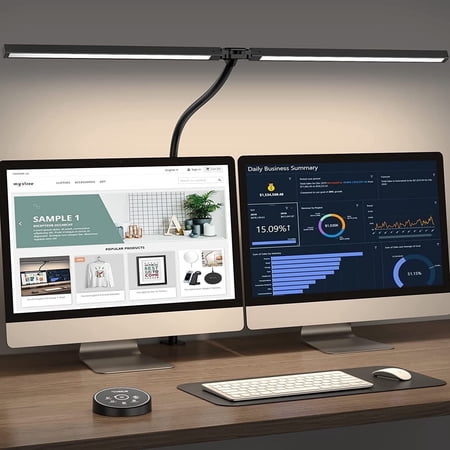
LED Desk Lamp for Office Home - Architect Lamp with Clamp,Dual Screen Computer Monitor Gooseneck Smart Light: 24W 5 Color Flexible Adjustable Lighting Table Lamp for Study Reading Drafting 1. The foldable swing arm design makes it more flexible and saves more space 2. Equipped with wide and...
Best Budget — Mainstays 17″ LED Desk Lamp
Under $10 with over 5,600 ratings averaging 5 stars makes this the value champion. The flexible neck and built-in AC outlet (rare at this price) make it genuinely practical. It won’t have the refined color temperature control of more expensive lamps, but for basic desk lighting it’s more than enough and surprisingly well-liked.
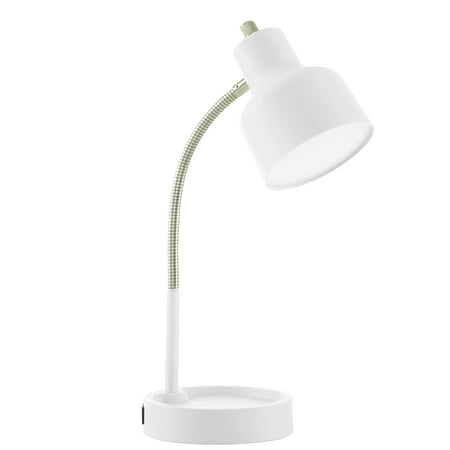
Introducing the Mainstays LED Desk Lamp with Catch-All Base and AC Outlet - The perfect lighting solution for any workspace! This lamp is designed to provide ample lighting while also serving as a convenient storage space for all your small desk items. Measuring at 14.5" H x 5.52" W at it's...
Best Space-Saver — OGEDNAC Monitor Light Bar
Monitor light bars solve the clutter problem completely. The OGEDNAC sits on top of your screen, projects light down without hitting your eyes, and comes with touch or wireless remote control. The anti-glare design and adjustable color temperature make it a strong pick at $18.99. It’s newer to the scene with 42 reviews so far, but it holds a solid 4-star average.
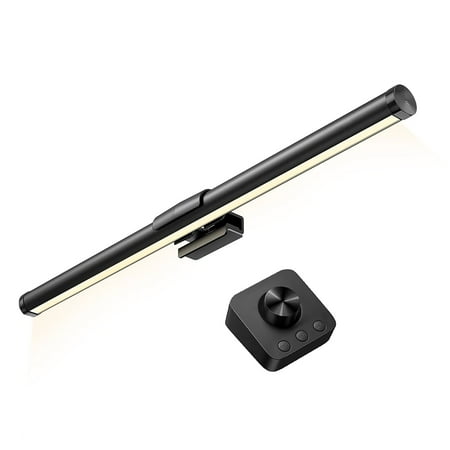
Why do You Need a Monitor Light? Firstly, consider the strain imposed on our eyes during prolonged exposure to screens. The harsh contrast between the luminosity of the monitor and the ambient lighting in the room can lead to eye fatigue and discomfort. OGEDNAC monitor light acts as a...
Best All-in-One — BCOOSS LED Desk Lamp with Wireless Charger
This lamp combines flexible task lighting with a built-in wireless charging pad and pen holder — helping you cut clutter while you light your desk. At $14.99 with 657 ratings, it’s one of the most practical options for small desks where every inch counts. The 3 lighting modes and dimmable LED give you enough control for day-to-day work.
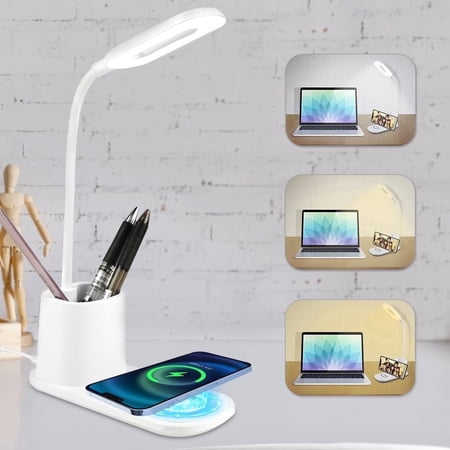
If you love a clean and tidy desk space that is clutter-free, BCOOSS LED desk lamp is here for you. It offers more than just illumination; it features a built-in pen holder for your pencils, pens, or glasses, and a convenient wireless charger that also doubles as a phone holder for your...
Best with Built-In Power — BOHASHIN LED Desk Lamp
This lamp doubles as a power station with 2 USB charging ports and 4 AC outlets built into its base. The 2 color temperature settings and 4-foot extension cord make it handy for desk layouts where outlets are hard to reach. At $13.29 with over 1,200 ratings, it’s a smart grab if you’re tired of crawling under your desk to plug things in.
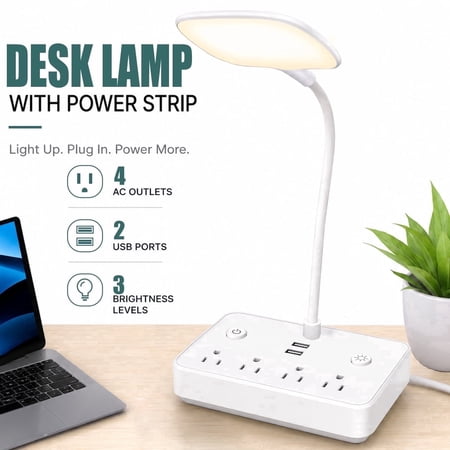
BOHASHIN LED desk lamp with 2 USB Charging Port and 4 AC Outlets, 2 Color Temperatures and 4ft Extension Cord for reading, Working, Studying Number of Outlets: 4 Number of USB ports: 2USB Shell: ABS Line length: 4ft Rated voltage: 110V Rated current: 10A Rated total power: 2000w USB output...
Best Clip-On — Lepro LED Clip-on Desk Lamp
For tight spaces, standing desks, or anyone who bounces between workstations, the Lepro’s clip-on design is a winner. USB-powered, flexible gooseneck, 3 color modes, and 10 brightness levels give you full control. At $18.99 with over 1,100 ratings averaging 5 stars, it’s a proven option that works on desks, shelves, headboards, and more.
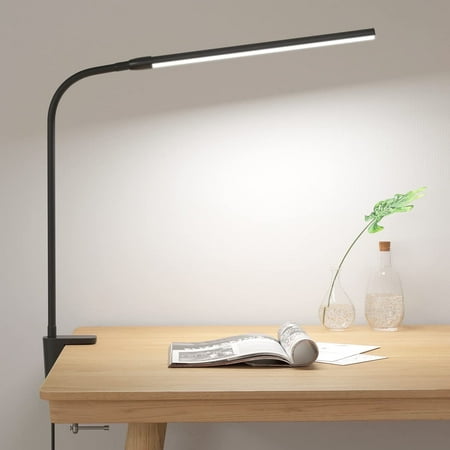
✨✨This Lepro clip desk lamp is designed with C-clamp, which can be easily fixed on desk, bedside, cabinet, nail table, workbench and so on. The clip design saves space and keeps your area tidy. With three color temperatures and 10 levels of brightness, this table lamp can meet the lighting needs...
Frequently Asked Questions
What color temperature is best for computer work?
4000K–5000K (neutral white) is the sweet spot for daytime computer work. It’s bright enough to keep you alert without the harsh blue wash of 6500K. Switch to 2700K–3000K (warm white) in the evening to cut down on blue light exposure before bed.
Is a monitor light bar better than a desk lamp for computer work?
For computer work specifically, a monitor light bar is often the better choice because it eliminates desk clutter and won’t create screen glare if you’ve got it positioned right. But a desk lamp is more versatile overall — you can swing it around for reading documents, crafting, or other tasks. Lots of people end up using both.
How bright should my desk lamp be for computer work?
Aim for 400–800 lumens of task lighting hitting your desk surface. You should be able to read printed documents comfortably without the light creating glare on your screen. Dimmable lamps help you dial it in based on time of day and ambient room light.
Can bad lighting really cause eye strain?
Yes. Poor lighting is one of the most common triggers for Computer Vision Syndrome (digital eye strain). Research consistently shows that improper desk lighting — glare, not enough illumination, and harsh color temperature — directly adds to eye fatigue and headaches during long computer sessions.
Should I use warm or cool light for working at night?
Warm light (2700K–3000K) at night, every time. Cool blue light suppresses melatonin production and makes it harder to wind down after work. A lot of modern LED desk lamps come with a dedicated “reading” or “night” mode that drops the color temperature automatically.
Do I need a lamp with a USB port or charger built in?
Not essential, but it’s awfully convenient. Lamps like the BOHASHIN and BCOOSS pack in USB ports or wireless charging, which cuts down on cable mess. If your desk outlets are limited, a lamp with built-in power is a smart way to save space.
Final Verdict
The best light for computer work is the one you’ll actually use every day. That means it needs to be adjustable, dimmable, and set up right. For most people, a decent LED desk lamp with stepless dimming and adjustable color temperature will solve 90% of their computer lighting problems.
If you’re building a home office on a budget, the Mainstays 17″ LED Desk Lamp at under $10 is a perfectly fine place to start. If you want the best experience, the SZRSTH LED Desk Lamp with its 24W output and clamp mount will light a big desk properly and hold up for years. And if desk space is tight, the OGEDNAC Monitor Light Bar or Lepro Clip-on Lamp will solve the problem without taking up any surface area at all.
The one thing you shouldn’t do: rely on overhead ceiling lights alone for computer work. A dedicated task lamp is a small investment that makes a real difference in how your eyes feel at the end of the day.