Budget-Friendly Streaming Setups: The Complete Guide to Building Your Stream on a Budget in 2026
Computer Station Nation is reader-supported.
When you buy through links on our site, we may earn an affiliate commission. Learn more.
Budget-Friendly Streaming Setups: The Complete Guide to Building Your Stream on a Budget in 2026
Starting a streaming channel is one of the most exciting things you can do with your battlestation — but the price tags on “pro” streaming gear can make it feel like you need a second mortgage just to be heard. The good news? You absolutely don’t. A genuinely good streaming setup that looks and sounds professional is achievable for under $200, and a great one fits inside $500. This guide walks you through every component you need, what to prioritize when your budget is tight, and exactly where to spend vs. where to save.
What Do You Actually Need to Start Streaming?
Before we dive into specific products, let’s cut through the noise. The essential components of any streaming setup — budget or otherwise — are surprisingly few:
- A microphone — Your audience will forgive 720p video. They will not forgive tinny, echoey audio. This is Priority #1.
- A webcam or camera — Facecam builds connection. A basic 1080p webcam is enough to start.
- Lighting — Good lighting makes a $30 webcam look like a $200 camera. Never skip this.
- Capture card — Only if you’re streaming from a console or running a dual-PC setup.
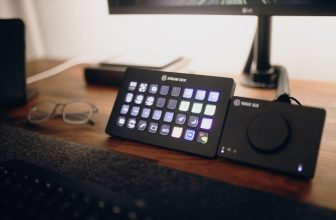
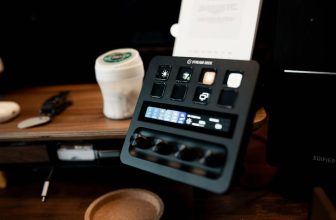
- Stream deck or controls — Nice to have, not essential. Your keyboard and OBS shortcuts work fine.
A $50 USB microphone in 2026 sounds better than a $200 setup did five years ago. The gap between budget and pro gear has shrunk that much.
Priority #1: The Microphone — Audio Is Everything
Audio is the thing people notice first. Viewers will tolerate a grainy webcam, but they will click away from bad audio within seconds. The microphone is where your first dollar should go.
For budget streamers, USB condenser microphones are the sweet spot. They plug straight into your computer — no audio interface, no XLR cables, no phantom power. Just plug and talk.
Top Budget Microphone Picks
These are the microphones and microphone bundles that deliver pro-quality audio without the pro price tag. For our full ranked list with detailed comparisons, check out our guide to the Best Budget Microphones for Streaming (Under $50).
Best All-in-One Starter Bundle — If you’re starting from zero, look for a bundle that includes the mic, boom arm, pop filter, and audio interface in one box. The Condenser Microphone Bundle with Audio Mixer and Voice Changer is a complete studio package for under $50 — everything you need to sound clear on stream.
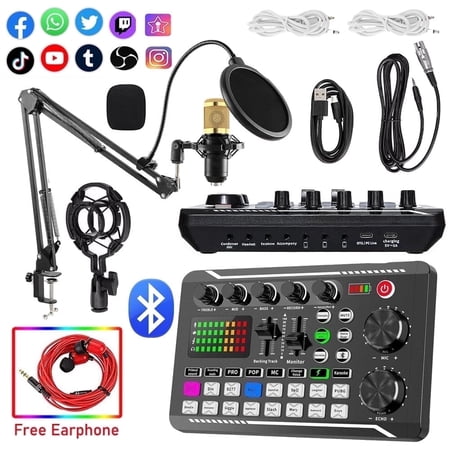
The BM800 high-performance microphones are designed to deliver clear, high-quality sound for memorable recordings. can deliver warm, clear bass, detailed midrange, and a silky high end. It is ideal for vocals, musical instruments, podcasting, voiceovers, interviews, field recordings. Suitable...
Best Ultra-Budget USB Mic — For under $30, the GLUAAE USB Gaming Microphone delivers surprisingly warm condenser audio with a flexible boom arm included. It’s a favorite among new streamers on a shoestring budget, with over 200 positive reviews backing its performance.
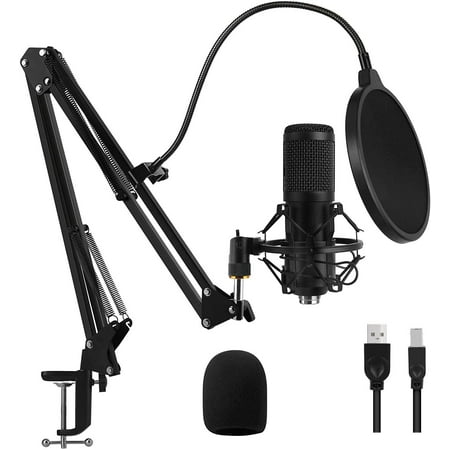
This microphone doesn't need to install any driver, compatible with PC, Computer and Laptop, Windows, Linux. This makes it easily to use for chatting, gaming, recording, podcasting, and singing. This package includes a condenser microphone, suspension scissors arm, metal shock mount,...
Best Budget Two-Person Bundle — If you plan to stream with a co-host or guest, the Podcast Equipment Bundle for 2 includes two microphones and a dual audio interface for around $55. This is the most affordable way to get multi-mic streaming without buying everything twice.
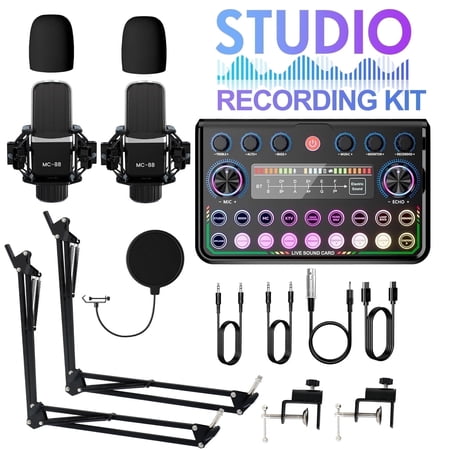
This audio interface kit features one-touch intelligent noise reduction and Bluetooth wireless accompaniment, eliminating background noise and delivering pure, immersive sound. With versatile connectivity options, it seamlessly adapts to various devices for live streaming, singing, music...
Webcams and Cameras: You Don’t Need a DSLR
A lot of people think you need a $500 mirrorless camera to look good on stream. You don’t. A basic 1080p webcam with proper lighting looks excellent — and the money you save can go toward that better microphone.
When shopping for a budget webcam, look for:
- 1080p resolution at 30fps minimum — This is the baseline for acceptable stream quality.
- Built-in dual microphones — A nice backup, though you’ll use your dedicated mic for streaming.
- Auto-focus or fixed focus — Auto-focus is better if you move around; fixed focus is sharper if you stay put.
Popular budget webcam options include the Logitech C920 (the gold standard that keeps dropping in price) and a range of excellent $30-50 alternatives from brands like NexiGo, AUKEY, and Vivitar that rival the C920’s quality for half the cost.
Lighting: The Secret Weapon That Costs Almost Nothing
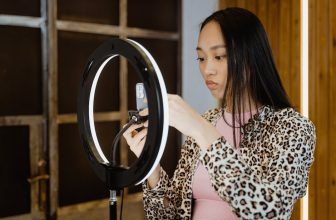
Good lighting is the single biggest visual upgrade you can make for the lowest cost. A $20 ring light can make a $30 webcam look like a $200 camera. Lighting quality directly affects how sharp and detailed your camera sensor appears.
For budget streamers, a ring light with adjustable color temperature (warm to cool) and brightness control is the best bang for your buck. Look for models that include a phone holder and tripod stand so you can use your smartphone as a high-quality streaming camera if your webcam isn’t cutting it. We’ve rounded up the best Affordable Lighting Solutions for Streamers (Under $60) if you want a detailed comparison of top options.
Placement tip: Position your ring light directly behind your monitor, slightly above eye level, angled down at your face. This creates a flattering “loop” light in your eyes and eliminates harsh shadows.
Capture Cards: When and Why You Need One
A capture card is only necessary if you’re streaming from a console (PlayStation, Xbox, Nintendo Switch) or running a two-PC setup where one computer handles gaming and the other handles streaming. If you’re gaming and streaming on the same PC, you do not need a capture card.
For budget console streamers, 1080p60 capture cards are now available for under $40. Brands like BENFEI, EVGA, and generic USB 3.0 capture dongles all deliver reliable 1080p60 capture at a fraction of the cost of an Elgato. The key spec to watch is USB 3.0 — USB 2.0 capture cards cap at 30fps and introduce noticeable latency.
Putting It All Together: Sample Budget Builds
The $100 Starter Setup
This is the absolute minimum viable streaming setup that still looks and sounds professional. For a more detailed walkthrough, check out our complete guide to starting your stream for under $100.
- Microphone: USB Podcast Microphone Bundle ($27-30) — includes mic, arm, and pop filter
- Webcam: Basic 1080p webcam ($25-30)
- Lighting: Small clip-on ring light ($15-20)
- Software: OBS Studio (free)
- Total: ~$80-100
This setup works well for variety streaming and chatting. The audio will be above average for the price point, and the lighting will elevate your video quality significantly because you must use a webcam, and lighting is your friend.
Recommended mic for this tier: The USB Podcast Microphone Bundle is a complete starter kit that includes everything you need to get on air.
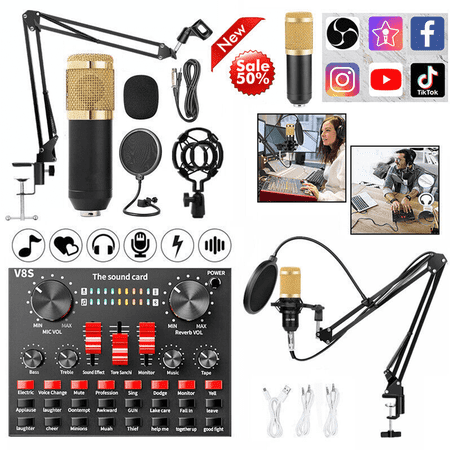
Capture crystal-clear audio with our professional-grade USB microphone.Designed for recording podcasts and live streaming, this studio microphone kit is equipped with advanced features, including an adjustable microphone stand and a high-quality sound card.Whether you're a content creator on...
The $300 Mid-Range Setup
This is the sweet spot where your stream starts to look genuinely professional:
- Microphone bundle: Condenser mic with audio mixer and voice changer ($50)
- Webcam: Logitech C920 or equivalent 1080p autofocus webcam ($50-70)
- Lighting: 10-inch ring light with tripod ($30-40)
- Capture card: USB 3.0 HDMI capture dongle ($30-40) — if console streaming
- Accessories: Boom arm, pop filter, cable management ($30)
- Software: OBS Studio + StreamElements or Streamlabs (free)
- Total: ~$200-300
This is where the Podcast Equipment Bundle with Audio Interface shines — the audio mixer gives you real-time control over volume, EQ, and even voice effects without touching OBS.
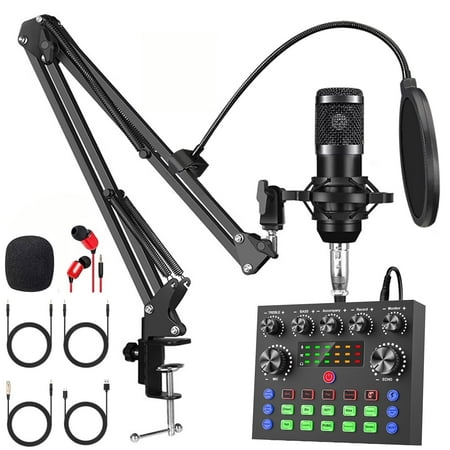
The Podcast Equipment Bundle is an all-in-one recording studio package designed for creators who want professional sound quality with simple setup. This set includes a BM-800 condenser microphone for clear and detailed audio capture, along with a V8s voice changer and live sound card audio...
The $500 “Worth the Wait” Setup
If you can stretch to $500, your stream will be indistinguishable from mid-tier professional broadcasters:
- Dual microphone setup: Two-mic podcast bundle for co-streaming ($55-60)
- Camera: Used DSLR or high-end webcam like Razer Kiyo Pro ($100-150)
- Lighting: Two softbox lights or key + fill LED panel setup ($70-100)
- Capture card: 4K60 capable card for future-proofing ($60-80)
- Stream controls: Touch portal app on an old tablet or phone (free)
- Acoustic treatment: Foam panels for echo reduction ($20-30)
- Total: ~$400-500
At this tier, the Podcast Equipment Bundle for 2 allows you and a co-host to stream with professional audio quality, while dual lighting eliminates all shadows for a clean, broadcast-ready look.
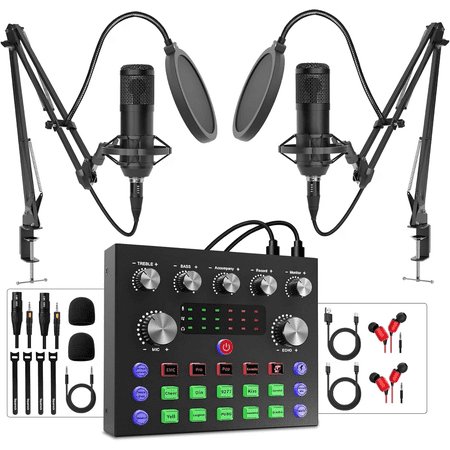
This podcast microphone kit features an integrated design that brings the audio interface directly into the DJ mixer, putting complete sound control at your fingertips. The dual condenser microphones, equipped with DSP chips, deliver exceptional sound quality, while the metal boom arms and shock...
Software and Setup Essentials
Hardware is only half the battle. Here’s the software stack every budget streamer needs. And if you want to stretch your dollar even further, check out our guide to DIY Streaming Equipment Hacks — free upgrades that actually make a difference.
- OBS Studio — The gold standard for streaming software. Free, open-source, endlessly customizable.
- StreamElements or Streamlabs — Overlay, alert, and tip management. Free tiers cover everything a beginner needs.
- Voicemeeter Banana — Free virtual audio mixer for advanced audio routing (noise gates, compressors, EQ).
- Twitch Studio — Simplified streaming client for absolute beginners on Twitch.
The most important OBS settings for budget streamers: set your audio bitrate to 160kbps or higher (Opus codec on Twitch, AAC everywhere else), use noise suppression and noise gate filters on your mic, and test your stream with a friend before going live to catch audio issues.
Frequently Asked Questions
What’s the cheapest possible streaming setup?
If you already have a decent PC, you can start streaming for under $50: a basic USB microphone ($20-30) and a clip-on ring light ($15-20). Use your existing webcam or even your phone as a camera via OBS’s NDI or DroidCam. This is genuinely workable for chatting and casual gaming.
Do I need a capture card for PC streaming?
No. Capture cards are only needed for console streaming or dual-PC setups. If you game and stream on the same computer, your graphics card handles encoding — no extra hardware required.
Should I prioritize microphone or webcam?
Microphone, every time. Viewers will tolerate 720p video but they will not tolerate poor audio. Spend 60-70% of your budget on audio, 30-40% on video and lighting combined.
Can I use my smartphone as a webcam?
Yes, and it often looks better than budget webcams. Use apps like EpocCam, DroidCam, or Iriun (all free) to turn your phone into a wireless webcam via WiFi or USB.
What internet speed do I need to stream?
For 1080p60 streaming, you need at least 6-8 Mbps upload speed. For 720p30 (a great starting point for budget streamers), 3-5 Mbps is sufficient. Test your connection at speedtest.net before investing in streaming gear.
Is a ring light or softbox better for streaming?
Ring lights are better for budget streamers because they’re cheaper, smaller, and create a distinctive “circle catchlight” in your eyes that looks good on camera. Softboxes create softer, more even lighting but take up more desk space and cost more.
Final Verdict: Start Small, Upgrade Smart
The best streaming setup is the one you actually start using. It’s easy to fall into the trap of waiting until you have “the perfect setup” to go live — but your first stream with a $30 microphone and a ring light will teach you more about what you actually need than a month of research ever will.
Who should buy a budget streaming setup? Anyone starting out, upgrading from a headset mic, or adding a second streaming station. The budget microphone bundles available today deliver professional-quality audio at a fraction of what studio gear cost just a few years ago.
Who should skip it? If you already own decent streaming gear and are hitting limits (background noise, need for XLR multi-mic setup, 4K streaming), then save for the pro-tier upgrade. If you’re torn between budget and premium options, our Budget vs. High-End Streaming Gear comparison breaks down exactly when it’s worth spending more. But if you’re reading this wondering if you can start streaming without breaking the bank — the answer is yes, and the gear has never been better or cheaper.