Streaming Lighting: The Complete Guide for Your Battlestation (2026)

Computer Station Nation is reader-supported.
When you buy through links on our site, we may earn an affiliate commission. Learn more.
Streaming Lighting at a Glance
| Pick | Light | Price | Best For |
|---|---|---|---|
| Best RGB + portability | Vivitar 18″ RGB Foldable | $47.54 | Streamers who want effects + clean face light |
| Best mid-range value | Cshidworld 13″ RGB | $26.99 | Desk streaming on a budget |
| Best value ring light | Bower 12″ Foldable | $29.18 | First ring light under $30 |
| Best ultra-budget | onn LED RGB Ring Light | $14.67 | Entry-level streaming on a shoestring |
| Best clip-on portable | Bower Clip-on Snap Light | $20.78 | Laptop streaming / travel |
| Best full-size RGB | Vivitar 18″ LED RGB | $26.00 | Background ambience + face fill |
Prices as of June 2026. See full breakdown below.
Why Your Stream Needs Good Lighting
Still relying on overhead ceiling lights or whatever light sneaks through your window? You are leaving viewers on the table. Good lighting is the single best upgrade you can make to your stream. Full stop. A $30 ring light paired with a budget webcam will produce a noticeably sharper, more professional image than a $200 camera fighting against bad ambient light. Every time.
This guide walks through everything worth knowing about streaming lighting in 2026 — the types of lights, the specs that actually matter, how to position them, and which options give you the most for your money. Whether you are a Twitch affiliate looking to level up your face cam, a YouTuber recording talking-head content, or a remote worker who wants to look professional on Zoom, the right lighting makes an immediate difference. For a quick-reference overview of all the essentials, check out our Best Streaming Lighting & Ring Lights (2026): Complete Guide.
For quick product recommendations sorted by budget, check our Best Streaming Lighting & Ring Lights (2026): Every Budget Covered guide first. If you already own a light and need positioning help, the setup section below has you covered.
Types of Streaming Lights
Streaming lights fall into four main categories. Each has strengths and trade-offs depending on your space, content style, and budget.
Ring Lights
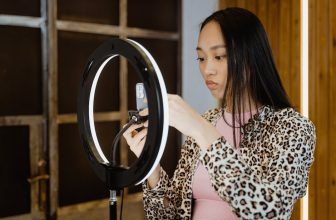
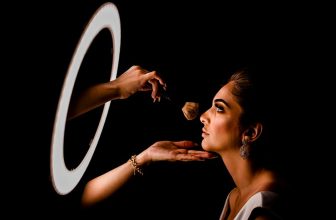
Ring lights are the most popular lighting choice among streamers, and for good reason. Their circular design places the light source directly around the camera lens, creating a flat, even illumination that minimizes shadows on your face. This is flattering for most people and explains why ring lights dominate the selfie and beauty content space. They are also relatively affordable, portable, and easy to set up out of the box. The downside? That circular catchlight reflection in your eyes is a dead giveaway, and ring lights cannot match the directional control or depth you get from a multi-light setup. Sizes range from compact 10-inch models perfect for travel up to 18-inch or larger rings for wider shots.
LED Panel Lights
LED panel lights are rectangular arrays that put out a soft, even spread of light. They are more versatile than ring lights because you can position them anywhere — to the side for a key light, overhead for a hair light, or behind you for rim/backlighting. Most panels are bi-color (warm to cool white), dimmable, and some throw in RGB modes for background color. The trade-off is that panels cost more for equivalent light output, and they require a stand or mounting solution.
Softbox Lights
Softboxes use a diffusion panel to scatter light, giving you the softest, most natural-looking illumination you can get. They kill harsh shadows cold and create that professional studio look that is tough to beat for talking-head content and interviews. The catch: softboxes are bulky, take up significant desk or floor space, and typically cost more than ring lights. They are overkill for a compact streaming setup but excellent for a dedicated studio space.
Clip-On & Compact Lights
If you travel, work from a laptop, or just do not have desk space to spare, clip-on lights hit a practical middle ground. These small LED panels attach directly to your monitor or laptop lid, providing directional fill light without taking up desk real estate. They are not powerful enough to serve as a primary key light in a dim room, but they work well as a supplement to ambient light or as a portable option for Zoom calls and quick streams.
Key Specs That Actually Matter
Not all lights are built the same. Here is what to actually pay attention to when comparing streaming lights:
- CRI (Color Rendering Index): Aim for 90+ CRI. This measures how accurately colors appear under the light. Low CRI lights make skin tones look flat or greenish on camera. Every light recommended in this guide meets 90+ CRI.
- Color Temperature: Measured in Kelvin (K). 3200K is warm (tungsten), 5600K is neutral daylight. Most good streaming lights are bi-color, letting you dial in anywhere between. Warmer light is more flattering for fair skin; cooler light works well for high-energy gaming streams.
- Brightness / Lumens: More brightness gives you flexibility to diffuse or bounce the light. For a single light setup, look for at least 500 lumens. For multi-light setups, even 300 lumens per unit works because you layer them.
- Dimmability: Stepless (continuous) dimming is preferred over stepped. You want to fine-tune brightness, not jump between presets.
- Size: Larger lights produce softer light. A 14-inch ring light will look more flattering than a 10-inch one at the same distance because the light source is bigger relative to your face.
How to Set Up Your Streaming Lighting
The gold standard is three-point lighting. Here is the breakdown:
- Key light: Your main light source, placed at 45 degrees to your face, slightly above eye level. This is where a ring light or LED panel shines.
- Fill light: A softer light on the opposite side, at about half the brightness of the key. This fills in shadows on the other side of your face.
- Backlight / rim light: A light placed behind and above you, aimed at the back of your head and shoulders. This separates you from the background and adds depth — the secret to a professional look.
If you have just one light, put it directly in front of you, slightly above eye level, slightly off to one side. A single ring light positioned well already puts you ahead of 90% of streamers who never think about lighting at all. For a step-by-step walkthrough of positioning, see our guide to setting up ring lights for streaming.
Top Streaming Lights for 2026
These are the best streaming lights you can buy right now, across every budget. All prices are current as of June 2026 and sourced from Walmart. For a full ranked list with detailed value analysis, see our Best Ring Lights for Streamers (2026): Ranked by Value.
Vivitar Creator Series 18″ RGB Foldable Ring Light
The best all-around ring light for streamers who want RGB effects, portability, and build quality that does not feel cheap. The 18-inch diameter delivers soft, even light up to about four feet away, and the whole thing folds flat for storage or tossing in a bag. It includes a MagSafe-compatible phone mount, adjustable tripod stand, and wireless remote.
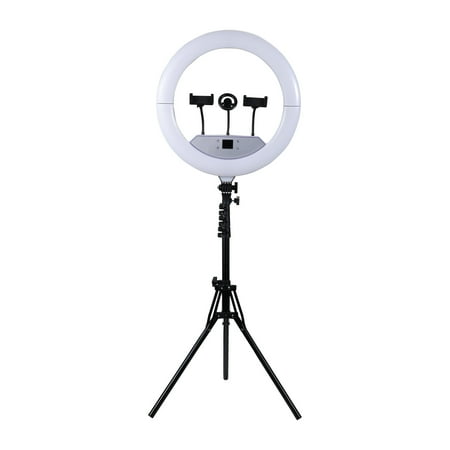
Vivitar Creator Series 18" RGB Foldable Ring Light Set is the ultimate LED lighting kit for content creators, vloggers, influencers, photographers, makeup artists, and live streamers. Perfect for social media Live, this professional studio light features 480 adjustable full-color and white LEDs...
Cshidworld 13″ LED RGB Selfie Ring Light
The sweet spot for mid-range streaming. At 13 inches it is large enough for soft lighting on a face cam but compact enough to not dominate your desk. The RGB modes add background flair, and the included tripod and phone holder make it versatile for content creation beyond streaming.
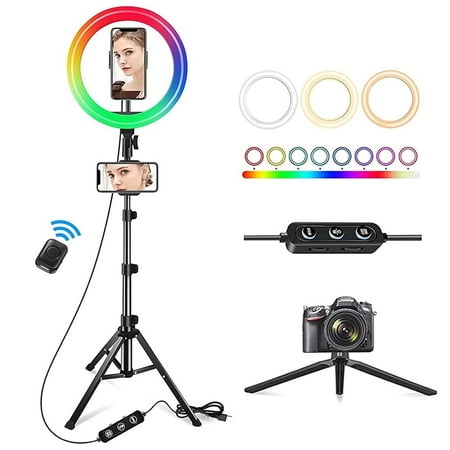
Why choose Cshidworld 13" Ring Light with Stand: 3 Light Modes 13" Ring Light The led ring light is with 3 color lights modes: white/ warm white/ warm light, 3000-7000K, and 10 adjustable brightness for each color. 26 adjustable colors in RGB mode, Perfect dimmable brightness and colors meet all...
Bower 12″ Foldable Ring Light with Adjustable Stand
The best sub-$30 ring light you can buy right now. For the price, you get adjustable color temperature (three modes), 10 brightness levels, and a stand sturdy enough for desk use. Over 800 Walmart reviews say this is not a disposable toy — it is a legitimate streaming tool at a bargain price.
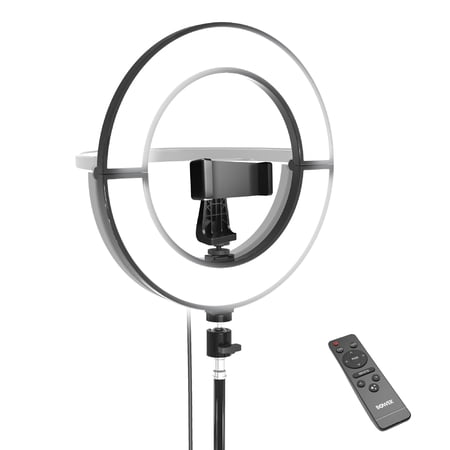
Enhance your photography and videography with the Bower 12" Foldable Ring Light. This versatile ring light provides superior illumination for capturing stunning photos and videos. Featuring an adjustable light stand and a wireless remote control, it is designed to meet the needs of both amateurs...
onn LED RGB Ring Light with Tripod Stand
At $14.67, this is the absolute floor for a functional ring light. It includes RGB color modes, adjustable height tripod, phone holder, and Bluetooth remote. It works fine for entry-level streaming, Zoom calls, and TikTok content. The light quality is not as soft as larger rings, but for the price it is hard to beat.
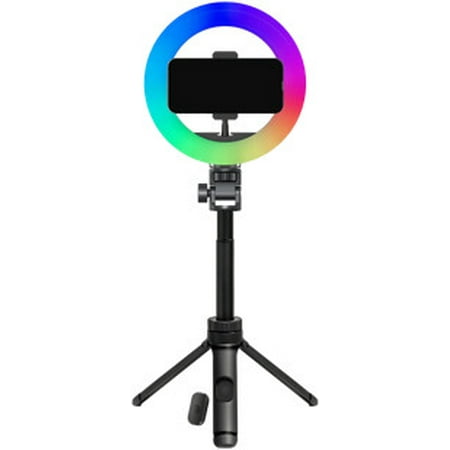
Light up your photos, videos, and live streams with the onn LED RGB Ring Light with Tripod Stand, Adjustable Height, Phone Holder, and Bluetooth Remote—the perfect lighting kit for TikTok, YouTube, Zoom, selfies, and makeup tutorials. With multi-color RGB modes and adjustable brightness, you can...
Vivitar 18″ LED RGB Ring Light
An 18-inch ring light for $26. That is the headline. With over 1,400 reviews, it is one of the most popular ring lights on the market. Ideal for streamers who want a large light source without spending big. Missing the foldable convenience of the Creator Series but delivers nearly identical lighting performance at half the price.
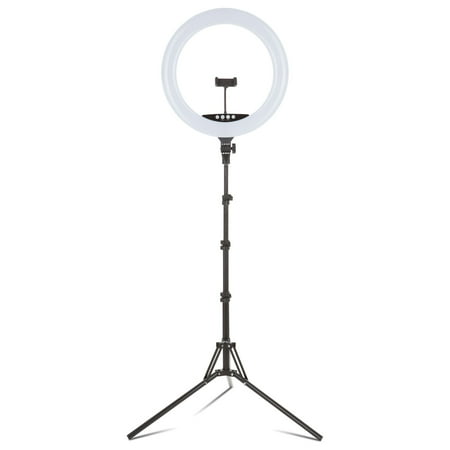
The Vivitar 18" LED RGB Ring Light with a stand and phone holder is an ideal tool for photographers, streamers and video bloggers who want the right light conditions wherever they shoot. This ring light set comes with a multicolor 18-inch ring light, an adjustable light stand, phone stand,...
Bower Clip-on Snap Light
Built for laptop streamers, hotel rooms, or as a secondary fill light. Clips onto any monitor or laptop lid, provides 8 brightness levels, and charges via USB-C. It will not replace a proper key light, but nothing beats it for portability.
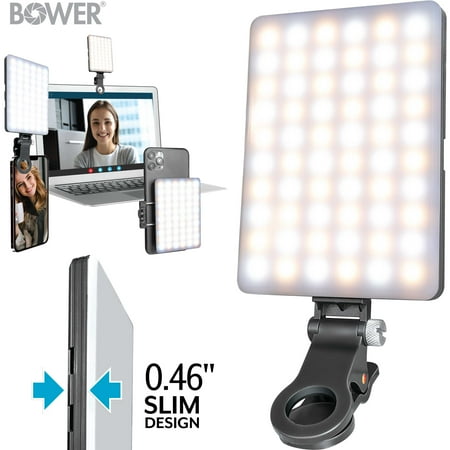
Introducing the Bower Clip-on Snap Light, a compact and lightweight LED light tool ideal for live streaming, selfies, and video calls. It easily attaches to phones and devices with a secure, anti-scratch rubberized clip. This versatile light features 8 adjustable brightness levels and dual...
Ring Light vs. LED Panel vs. Softbox: Which Should You Choose?
Which one you pick comes down to your space, your content, and your budget. Here is a quick comparison of the main trade-offs. For a deeper dive into the two most common options, see our LED panel vs ring light comparison.
| Factor | Ring Light | LED Panel | Softbox |
|---|---|---|---|
| Price range | $12 – $80 | $25 – $200+ | $40 – $150+ |
| Light quality | Good, flat | Very good, directional | Best, most natural |
| Portability | Excellent | Good | Poor |
| Desk space needed | Minimal | Moderate | Significant |
| Best for | Face cam, beginners | Multi-light setups | Studio-quality talking head |
Is It Worth Investing in Streaming Lighting?
Unequivocally yes — but diminishing returns hits hard and fast. The jump from no lighting to a $15 ring light is enormous. The jump from that $15 light to a $50 one? Noticeable, but not as dramatic. The jump from $50 to $200? Marginal for most streamers. For the vast majority of streamers, a single ring light in that $15–$50 range will completely transform your stream quality. Add a second light for fill or rim, and you are producing video that looks better than 95% of what is on Twitch.
Who should buy: Anyone with a face cam producing content for Twitch, YouTube, TikTok, or Zoom. If viewers can see you, good lighting improves retention. Who should skip: Streamers who use only a voice chat avatar or PNGtuber, or those with a professionally lit studio space already.
Frequently Asked Questions
Is a ring light or softbox better for streaming?
Ring lights win for most streamers — they are compact, affordable, and flattering for face cams. Softboxes look nicer but need way more space and setup time. Dedicated studio? Get a softbox. Streaming from a desk? Get a ring light.
How many lights do I need for streaming?
One light is enough for a dramatic upgrade. Two lights (key + fill) gets you a professional look. Three lights (key + fill + backlight) pushes you into proper studio quality. Start with one and add as your budget allows.
Can I use a regular desk lamp for streaming?
In a pinch, sure. Point a desk lamp with a white shade at a white wall for bounced light, and you have a basic key. But the color temp will be off (household bulbs run 2700K — way too warm), and the light will be harsh. A proper ring light or LED panel is worth the upgrade.
Does RGB lighting count as streaming lighting?
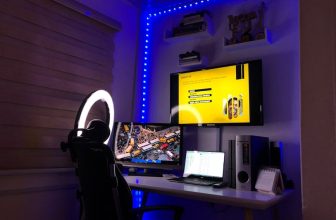
No. RGB strips and LED signs on your wall create background vibe, but they are nowhere near bright or color-accurate enough to light your face. Think of RGB as set dressing and a ring light as your actual lighting.
Running into issues with your current setup? Our How to Fix Bad Lighting on Your Stream guide covers the most common problems — from uneven exposure to color casts — and what to do about them.
What size ring light should I get?
For face-cam streaming, 12 to 18 inches is the sweet spot. 10-inch rings work in a pinch but throw harsher light at close range. 18-inch rings are the softest but eat up more space. Stick to 14–18 inches for most setups.
Is 90+ CRI really necessary?
Yes. Anything below 85 CRI will make your skin look dull or weirdly colored on camera. Most ring lights above $15 hit 90+ CRI, but always check the spec sheet before you buy. It makes a real visible difference in how you look on camera.