Computer Station Nation is reader-supported.
When you buy through links on our site, we may earn an affiliate commission. Learn more.
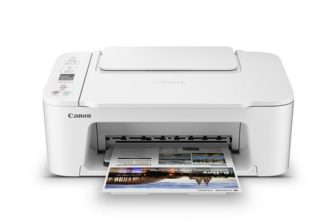
The Canon PIXMA TS3722 is a $53 budget wireless all-in-one. The Canon PIXMA TR4722 is a $64 wireless all-in-one that adds an ADF, fax, Bluetooth, and a larger paper tray. The gap is $11. Here’s whether those upgrades are worth it.
Quick Comparison
| Feature | Canon PIXMA TS3722 | Canon PIXMA TR4722 |
| Price | ~$53 | ~$64 |
| Functions | Print, Copy, Scan | Print, Copy, Scan, Fax |
| ADF | No | Yes — 20-sheet |
| Fax | No | Yes |
| Bluetooth | No | Yes |
| Paper Capacity | 60 sheets | 100 sheets |
| Print Speed (Black) | ~7.7 ipm | ~8.8 ipm |
| Display | No LCD | 1.5″ LCD |
| Best For | Minimal printing needs | Home office, document scanning |
What the $11 Gap Buys
Eleven dollars is nothing in a printer purchase. The TR4722 adds a 20-sheet ADF so you can drop a stack of documents and walk away. It adds fax — still needed for healthcare forms, legal docs, and remote work. It adds Bluetooth alongside Wi-Fi. And it bumps the paper tray from 60 to 100 sheets. For $11, the TR4722 is the obvious choice for anyone who scans documents or occasionally faxes.
The only reason to choose the TS3722 over the TR4722: you genuinely never scan multi-page documents, you’ll never fax, and you want the absolute smallest footprint. For photo printing and basic document output, the TS3722 produces identical quality.
Print Quality — Effectively Identical
Both printers use the same Canon FINE cartridge system (PG-245/CL-246) and the same 4800 × 1200 dpi color resolution. Document output and photo quality are identical. The difference between them is feature set, not output quality.
Use Cases
Choose the Canon PIXMA TS3722 if: you only print photos and simple documents, you have extremely limited desk space, or you need the cheapest wireless printer available.
Choose the Canon PIXMA TR4722 if: you scan multi-page documents, you need fax capability, or you want a slightly faster printer with a bigger paper tray — at only $11 more, it’s the better value in nearly every home office scenario.
Where to Buy
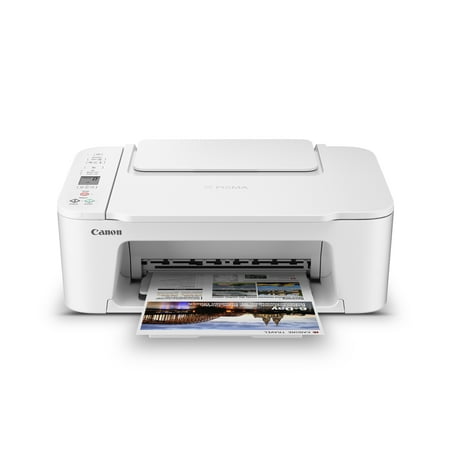
Designed for home use, the Canon PIXMA TS3722 All-in-One inkjet printer delivers high-quality printing and outstanding wireless connectivity in a compact size. The PIXMA TS3722 is easy to set up and maintain and offers great media versatility to print on a variety of media types and sizes,...
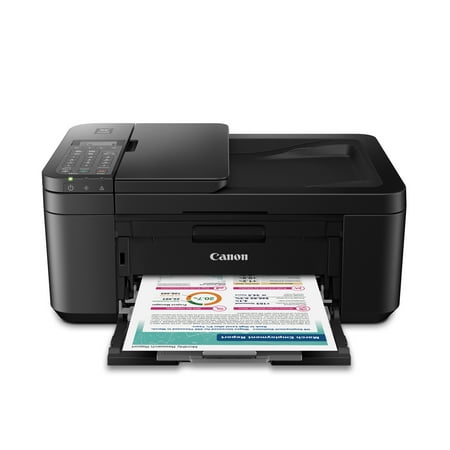
CANON PIXMA TR4722 Wireless InkJet All-In-One Printer. Compact, Versatile, Easy-to-use For all your work or home printing needs, the PIXMA TR4722 Wireless All-in-One Printer has you covered. Enjoy simple setup through the Canon PRINT Inkjet/SELPHY App and an easy to install 2-Cartridge hybrid...
FAQ
Do both printers use the same ink cartridges?
Yes — both use the Canon PG-245 black and CL-246 color cartridges (or their XL versions). Ink costs are identical. If you already have cartridges for one, they work in the other.
Is the ADF on the TR4722 worth it for occasional use?
Yes. Even if you only scan multi-page documents a few times a month, manually feeding pages one at a time on the TS3722 gets old fast. The TR4722’s 20-sheet ADF is one of those features you don’t know you need until you’ve lived without it.