Computer Station Nation is reader-supported.
When you buy through links on our site, we may earn an affiliate commission. Learn more.
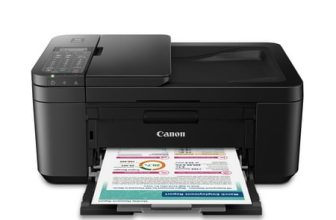
The Canon PIXMA TR4722 is a $64 wireless all-in-one with ADF and fax. The Canon PIXMA TS3722 is a $53 budget wireless all-in-one without those features. This comparison looks at the TR4722’s angle — where the extra $11 justifies itself, and the specific cases where the TS3722 is actually the right call.
Quick Comparison
| Feature | Canon PIXMA TR4722 | Canon PIXMA TS3722 |
| Price | ~$64 | ~$53 |
| ADF | Yes — 20-sheet | No |
| Fax | Yes | No |
| Bluetooth | Yes | No |
| Paper Capacity | 100 sheets | 60 sheets |
| Print Speed (Black) | ~8.8 ipm | ~7.7 ipm |
| Display | 1.5″ LCD | No LCD |
| Print Quality | 4800 × 1200 dpi | 4800 × 1200 dpi |
| Ink System | PG-245 / CL-246 | PG-245 / CL-246 |
| Best For | Home office, document users | Photo printing, minimal use |
Where the TR4722 Wins
The TR4722’s 20-sheet ADF is its biggest advantage. Scanning multi-page documents on a flatbed-only printer means lifting the lid, placing each page, closing the lid, and repeating — every single time. With the TR4722’s ADF you load the stack and walk away. For home offices, WFH setups, or students who scan assignments and paperwork, this changes daily use entirely.
Fax is increasingly niche but still required in healthcare, legal, and government contexts. At $64, the TR4722 is one of the cheapest wireless fax printers available. If your job ever requires sending a fax, the TR4722 handles it without a dedicated machine.
Where the TS3722 Makes Sense
If your use case is purely printing photos, printing documents without ever needing to scan multiple pages at once, and you’re space-constrained, the TS3722 is genuinely fine. It’s $11 less, slightly smaller, and produces identical print quality. For a kid’s bedroom printer or a guest house unit that barely gets used, the TS3722 is the pragmatic choice.
Use Cases
Choose the Canon PIXMA TR4722 if: you work from home, scan documents regularly, need fax capability, or want Bluetooth and a larger paper tray — the $11 premium is paid back on the first multi-page scan.
Choose the Canon PIXMA TS3722 if: you only need to print photos and basic documents, you never scan multi-page documents, and you want the cheapest wireless printer available.
Where to Buy
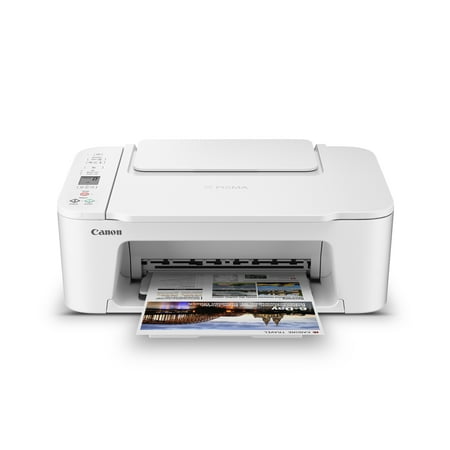
Designed for home use, the Canon PIXMA TS3722 All-in-One inkjet printer delivers high-quality printing and outstanding wireless connectivity in a compact size. The PIXMA TS3722 is easy to set up and maintain and offers great media versatility to print on a variety of media types and sizes,...
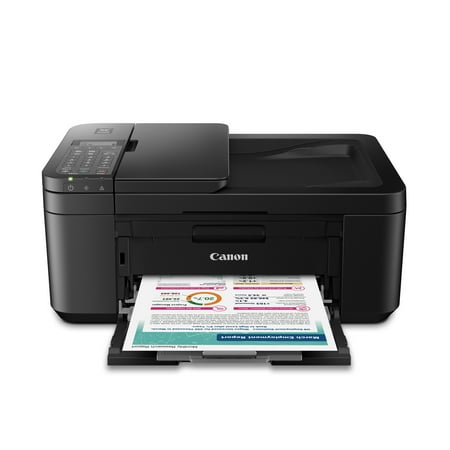
CANON PIXMA TR4722 Wireless InkJet All-In-One Printer. Compact, Versatile, Easy-to-use For all your work or home printing needs, the PIXMA TR4722 Wireless All-in-One Printer has you covered. Enjoy simple setup through the Canon PRINT Inkjet/SELPHY App and an easy to install 2-Cartridge hybrid...
FAQ
Is the TR4722 significantly larger than the TS3722?
Slightly. The TR4722 is 17.2″ × 13.3″ × 6.7″ vs. the TS3722’s 16.8″ × 11.5″ × 5.7″. The extra inch of depth mainly comes from the ADF assembly on top. It’s larger but not dramatically so — both fit on a standard desk shelf.
Does the TR4722 print faster than the TS3722?
Marginally — 8.8 ipm vs. 7.7 ipm for black ISO print speed. In practice the difference is imperceptible for typical home office print jobs. The ADF advantage matters far more than the speed difference.