Computer Station Nation is reader-supported.
When you buy through links on our site, we may earn an affiliate commission. Learn more.
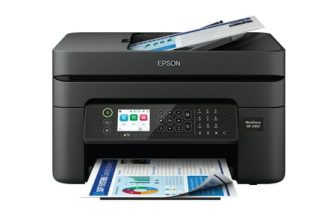
The Epson WorkForce WF-2950 is a $79 home office printer with auto-duplex, a 30-sheet ADF, Ethernet, and fax. The Canon PIXMA TS3722 is a $53 budget wireless printer with print, copy, and scan only. The gap is $26. Here’s what that gap actually delivers.
Quick Comparison
| Feature | Epson WF-2950 | Canon PIXMA TS3722 |
| Price | ~$79 | ~$53 |
| Functions | Print, Copy, Scan, Fax | Print, Copy, Scan |
| ADF | Yes — 30-sheet (duplex) | No |
| Auto-Duplex Print | Yes | No (manual only) |
| Ethernet | Yes — 10/100 Mbps | No |
| Print Speed (Black) | ~10 ipm | ~7.7 ipm |
| Paper Capacity | 150 sheets | 60 sheets |
| Resolution | 5760 × 1440 dpi | 4800 × 1200 dpi |
| Display | 2.4″ color LCD | No LCD |
| Best For | Home office daily use | Occasional printing |
What the $26 Gap Buys
The WF-2950 gives you automatic two-sided printing — load the document, print both sides without touching it. That alone saves paper and time on every multi-page print job. You also get a 30-sheet ADF that scans both sides, Ethernet for wired office network sharing, faster print speeds (10 vs 7.7 ipm), a larger 150-sheet paper tray, higher resolution (5760 vs 4800 dpi), and a proper 2.4″ color LCD to navigate the menus.
The TS3722 gives you Wi-Fi printing, copy, and flatbed scan at $53 — sufficient for light home use, nothing more.
Auto-Duplex: The Real Differentiator
For anyone who prints reports, presentations, or school papers regularly, automatic duplex printing changes how you think about the printer. With the TS3722, double-sided printing means manually flipping every page. With the WF-2950, you set it and it handles both sides automatically. Over a year of daily home office use, this saves significant time and paper.
Use Cases
Choose the Epson WF-2950 if: you print daily for work or school, need auto-duplex, scan multi-page documents regularly, have a wired office network, or want the best all-around budget home office printer.
Choose the Canon PIXMA TS3722 if: you print occasionally, your main use is photos or simple documents, you want the lowest possible upfront cost, or desk space is extremely limited.
Where to Buy
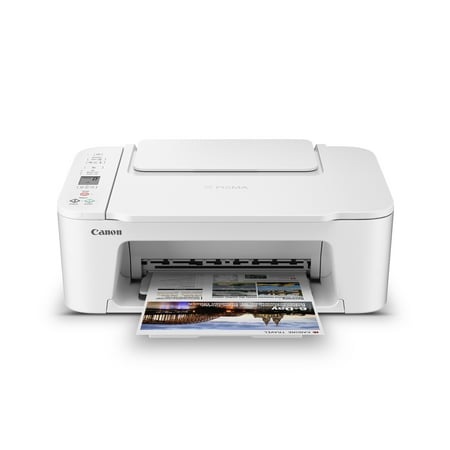
Designed for home use, the Canon PIXMA TS3722 All-in-One inkjet printer delivers high-quality printing and outstanding wireless connectivity in a compact size. The PIXMA TS3722 is easy to set up and maintain and offers great media versatility to print on a variety of media types and sizes,...
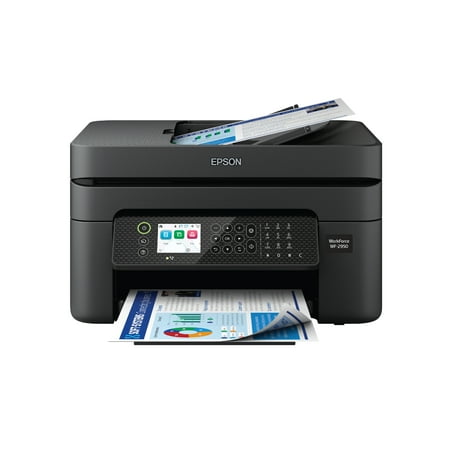
Epson WorkForce WF-2950 Wireless All-in-One Printer with Scan, Copy, Fax, Auto Document Feeder, Automatic 2-Sided Printing and 2.4" Color Display The easy-to-use, pro-quality home office printer—with convenient features. Business printing should be simple. That’s why we developed the WorkForce...
FAQ
Is the Epson’s ink more expensive than Canon’s?
The Epson WF-2950 uses a 4-cartridge system (220 Black, Cyan, Magenta, Yellow) vs. Canon’s 2-cartridge system. Epson’s individual color cartridges can be replaced separately, which reduces waste when one color runs out. Both offer XL versions. Long-term ink costs are comparable for typical home office use.
Does the Epson’s Ethernet port matter for home use?
For most home users, Wi-Fi is sufficient. Ethernet matters if you’re sharing the printer across multiple wired devices, running it in a room with poor Wi-Fi signal, or need more reliable print queuing. It’s a bonus feature — not a reason to buy, but useful if your setup already has a wired network nearby.