Computer Station Nation is reader-supported.
When you buy through links on our site, we may earn an affiliate commission. Learn more.
FPS games punish inconsistent inputs. See also: our full gaming keyboard buying guide for more on what specs matter. A misfire in VALORANT or CS2 because your keyboard dropped a keypress or ghosted a simultaneous input is genuinely frustrating — and avoidable. Here’s what to look for in an FPS keyboard, and a few picks worth your desk space.
What Matters in an FPS Keyboard
Linear switches. TKL or smaller form factor. Full N-key rollover. Polling rate of 1000Hz or higher.
That’s the short version. Linear switches give you fast, consistent keystrokes with no bump to push through — the standard recommendation from essentially every competitive FPS player. TKL form factor moves your mouse hand closer to center, which matters for wide mouse movements. N-key rollover means every simultaneous keypress registers — critical for WASD movement combined with ability keys.
Top Picks for FPS Gaming
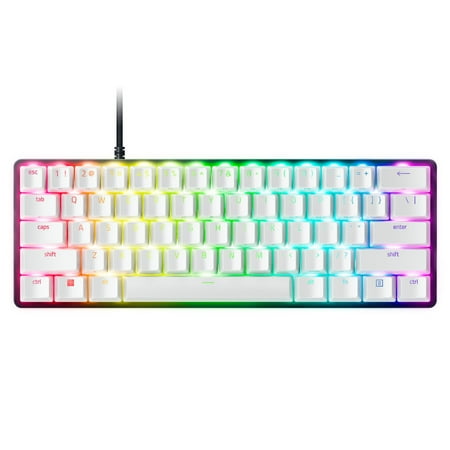
Dominate on a different scale with the Razer Huntsman Mini Special Edition, a 60% form factor gaming keyboard with cutting-edge Razer Optical Switches. Highly portable and ideal for streamlined setups, it’s time to experience lightning-fast actuation in our most compact form factor yet. The...
The Razer Huntsman Mini is a 60% board with Razer’s optical switches — linear or clicky. The optical actuation means faster input registration than traditional mechanical contact switches. Compact enough to give your mouse plenty of room. Solid choice for competitive play.
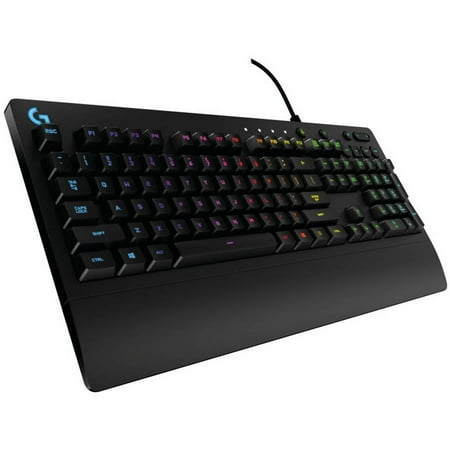
Logitech G213 Prodigy Gaming Keyboard with 16.8 Million Lighting Colors (920-008083)
The Logitech G213 is technically a membrane keyboard, but Logitech’s Mech-Dome hybrid switches are better than most cheap membrane boards. It’s a budget option worth knowing about if you’re not ready to spend on a full mechanical board but want better FPS performance than a standard membrane.
The Geeky GK61 SE is a 60% board with Outemu switches. Budget-friendly, compact, solid for a starter FPS setup. Not as polished as the Razer or Logitech options but much cheaper. Good first mechanical keyboard for FPS if you want to try 60% without spending $100+.
Switch Recommendations for FPS
Linear reds (Cherry MX Red, Gateron Red, Razer Yellow) are the universal FPS recommendation. Lighter actuation (35g to 45g) means faster inputs and less fatigue over long sessions. Tactile Browns are a reasonable alternative if you also type a lot. Avoid clicky Blues for FPS — heavier actuation and the click mechanism adds a small amount of travel delay.
Hall Effect and optical switches (Wooting, Razer Optical) are worth considering at the competitive end — they actuate faster with no debounce delay. The difference is small but real at high sensitivity levels.
FAQ
Does keyboard size affect FPS performance?
Indirectly, yes. TKL and 60% keyboards put your mouse hand closer to center, which gives you more natural mouse movement without arm fatigue. Full-size boards push your mouse arm further right. For competitive FPS at higher sensitivity, TKL or smaller is the standard choice.
Do I need a high polling rate keyboard for FPS?
1000Hz is fine for all but the most competitive play. 8000Hz polling rate keyboards exist but the real-world benefit is negligible unless you’re playing at a level where sub-millisecond input timing actually affects outcomes. Standard 1000Hz is sufficient.