Computer Station Nation is reader-supported.
When you buy through links on our site, we may earn an affiliate commission. Learn more.
Adjustable desks get marketed as a health product. The pitch is that standing is good, sitting is bad, and an adjustable desk is the bridge. The reality is a bit more nuanced — and more interesting.
What “adjustable desk” actually means
There are two types. Manual crank desks adjust height by turning a handle — functional, but slow enough that most people don’t switch positions as often as they intend. Electric sit-stand desks use a motor to raise and lower the frame at the press of a button. Electric versions are more expensive but dramatically more usable in practice.
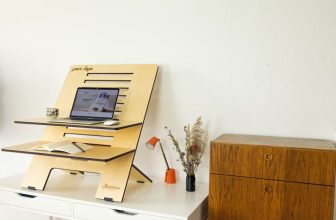
There’s also a third category: converter units that sit on top of an existing fixed desk and raise just the monitor and keyboard. These are cheaper and work well for people who don’t want to replace the desk entirely.
The actual health benefits
The core benefit isn’t “standing is healthy.” It’s that prolonged static sitting is hard on the spine and circulatory system, and an adjustable desk makes it easier to break that up. Even short standing periods — 20–30 minutes — help reduce the physical fatigue that builds up through a long work session.
Research consistently shows that alternating between sitting and standing reduces lower back discomfort for people who spend most of their day at a desk. The effect is real. It’s not dramatic — it won’t fix a bad chair or poor posture on its own — but combined with those things it makes a measurable difference.
The productivity angle
This one is harder to quantify, but the people who actually use adjustable desks regularly tend to report that standing during certain types of work — calls, reading, light tasks — keeps energy levels more consistent through the day. The afternoon slump is partly physical, and changing your physical posture is one of the cheapest ways to address it.
What you actually need to make it work
An anti-fatigue mat. Standing on hard floors for extended periods creates foot and knee fatigue that cancels out the benefits. Anti-fatigue mats are inexpensive ($20–50) and make a significant difference in how long you can comfortably stand.
A sit-stand schedule or reminder. Most people buy an adjustable desk and forget to actually adjust it. Some desks have built-in timers. A phone reminder set for every 45–60 minutes works just as well.
The honest trade-offs
Motorized frames add wobble at maximum height that fixed desks don’t have. Cheaper sit-stand desks wobble noticeably with a heavy monitor when fully raised. If stability matters to your setup, budget more for a quality frame — or keep heavy equipment at sitting height and only raise for lighter work.
They also cost more than fixed desks at every quality tier. You’re paying for the mechanism. The question is whether the ergonomic benefit justifies that premium for your specific work pattern.
FAQ
How long should you stand at a standing desk?
The standard recommendation is 15–30 minutes of standing per hour of work. Don’t try to stand all day on day one — start with shorter standing periods and build up. The goal is alternation, not replacing sitting with standing entirely.
Is a manual crank desk worth it?
Only if you genuinely don’t mind the extra effort to adjust. In practice, manual cranks get used less frequently than electric motors. If you’re committed to actually switching positions throughout the day, the electric version will serve that goal better. If you just want height adjustability for occasional adjustments, a manual crank at a lower price is reasonable.
Do anti-fatigue mats make a difference?
Yes. Standing on hard floors creates physical fatigue in the feet, legs, and lower back that accumulates faster than most people expect. An anti-fatigue mat reduces that significantly. It’s not optional if you plan to stand for more than 20–30 minutes at a stretch.