Computer Station Nation is reader-supported.
When you buy through links on our site, we may earn an affiliate commission. Learn more.
You don’t need to spend $200 on a router. But you also don’t want to waste $20 on something that’s going to frustrate you daily. The budget router space has gotten really good — there are solid Wi-Fi 6 options under $60 that beat routers that cost twice as much five years ago.
This guide breaks down exactly what to look for in a budget router, what you can realistically skip, and which specific models deliver real performance without the premium price tag.
Quick Picks — Best Budget Routers
- Best budget Wi-Fi 6 overall: TP-Link Archer AX1500 — $54, Wi-Fi 6 with OFDMA
- Best step-up pick: TP-Link Archer AX4400 — $114, 6-stream Wi-Fi 6 for busier households
- Best ultra-budget Wi-Fi 5: TP-Link Archer C54 — $25, AC1200 basics
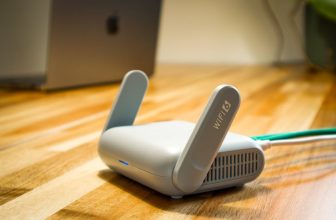
- Best pocket travel/flexible option: GL.iNet GL-MT3000 Beryl AX — $99, travel-friendly Wi-Fi 6 with VPN support
- Absolute floor pick: Dbit N300 — $20, bare-minimum connectivity
What Actually Matters in a Budget Router
1. Wi-Fi Generation: Get Wi-Fi 6 If You Can
Wi-Fi 6 (802.11ax) is available at $54 now. It’s worth the extra spend over Wi-Fi 5 (AC) for one key reason: OFDMA. This technology lets the router serve multiple devices simultaneously in each transmission, which is night-and-day on networks with 5+ devices. If you’re buying new, target Wi-Fi 6 minimum.
2. Speed Class: Don’t Be Fooled by Big Numbers
AC1200, AX1500, AX4400 — these combined speed ratings are theoretical maximums across all bands added together. Real-world single-device speeds are much lower. What these numbers tell you is roughly how much simultaneous bandwidth the router can serve across all clients. AX1500 is fine for apartments. AX4400 handles busier households.
3. MU-MIMO: Multiple Users, Multiple Inputs
MU-MIMO (Multi-User Multiple Input Multiple Output) lets the router talk to multiple devices at the same time. Without it, the router serves devices one at a time and everyone waits. Even budget routers include this now — check the spec sheet before buying anything over $20.
4. Coverage Area
Budget routers claim 1,000–1,500 sq ft coverage. Cut that in half for homes with thick walls or multiple floors. For a one-bedroom apartment, budget coverage specs are fine. For a larger home, you’ll want to step up or consider mesh.
5. App & Setup Experience
TP-Link’s Tether app is genuinely good and available on all their budget models. NETGEAR’s app is solid too. Dbit and no-name brands have web-only setup interfaces that feel like 2010. Not a dealbreaker, just worth knowing.
The Picks
TP-Link Archer AX1500 — Best Budget Wi-Fi 6
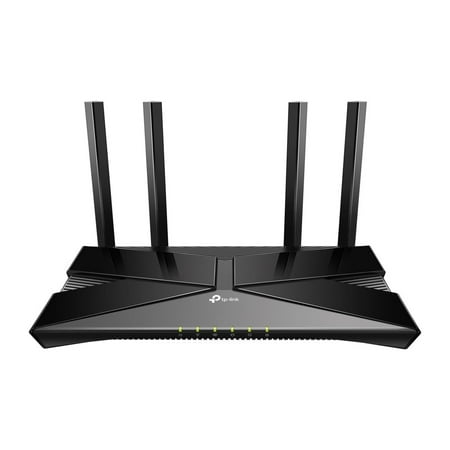
The Archer AX1500 is equipped with the latest Wi-Fi 6 for faster speeds, increased capacity and reduced network congestion. Dual-Band speeds of up to 1.5 Gbps for a buffer-free 4K/HD streaming and gaming experience. Connect more devices via OFDMA and MU-MIMO technology while eliminating network...
The AX1500 is the sweet spot of the budget router world. Fifty-four dollars gets you genuine Wi-Fi 6 with OFDMA and 4-stream dual-band performance. It’s not going to out-spec a $200 gaming router, but it handles 5-10 devices on a typical home network without drama. Over 2,000 reviews at 4 stars. Works with every ISP.
| Spec | Value |
|---|---|
| Wi-Fi Standard | Wi-Fi 6 (AX1500) |
| Streams | 4-stream dual-band |
| OFDMA | Yes |
| Price | ~$54 |
TP-Link Archer AX4400 — Best Step-Up
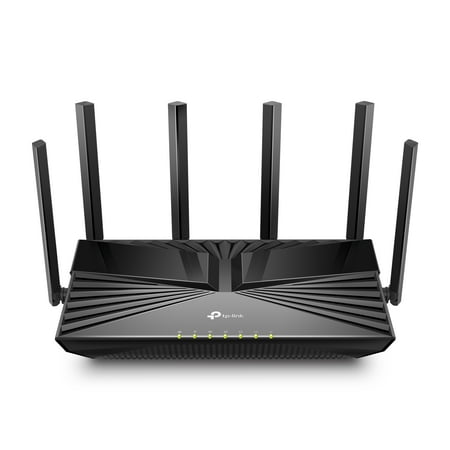
Reaching dual-band speeds up to 4400 Mbps, AX4400 is perfect for buffer-free 4K/8K streaming and gaming experiences.[3] Connect more devices using OFDMA and MU-MIMO technology while simultaneously eliminating lag, keeping your devices running at top speed.[4] Beamforming technology and six...
If you have a busy household — multiple people streaming and gaming simultaneously — the AX4400 at $114 is the right call. Six spatial streams handle device congestion significantly better than 4-stream budget options. It’s above the pure budget tier but represents the best performance-per-dollar in the mid-range.
TP-Link Archer C54 — Best Ultra-Budget Wi-Fi 5
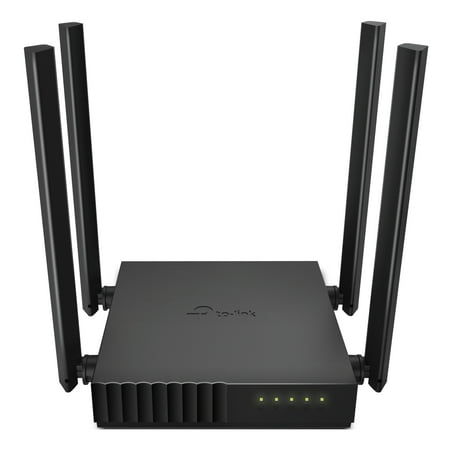
Palm-sized Archer C54 AC1200 dual-band router is ideal for video streaming and high-speed downloading.[1] Four antennas and beamforming focus stronger, more reliable WiFi signal towards your devices. MU-MIMO technology lets the router talk to several devices at once.[2] For added flexibility,...
Twenty-five dollars. AC1200 MU-MIMO. If you truly cannot spend $54 on the AX1500, this is your option. It handles basic internet use fine for a single or two-person household. Not Wi-Fi 6, not OFDMA, but reliable and cheap. Nearly 2,000 reviews can’t be wrong.
GL.iNet GL-MT3000 Beryl AX — Best Flexible/Travel Option
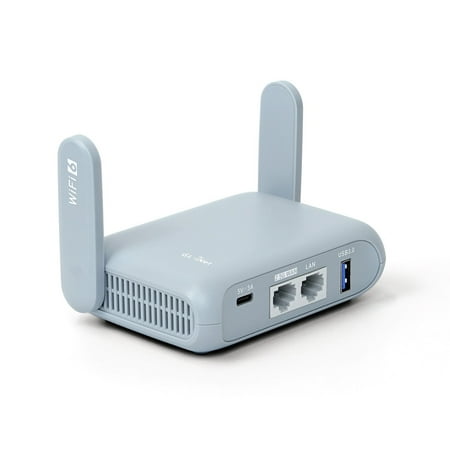
Pocket-sized AX3000 VPN Router for Network SecurityGL.iNet- Beryl AX (GL-MT3000) is an AX3000 pocket-sized travel router that uses the Wi-Fi 6 protocol. It is an upgraded version of Beryl (GL-MT1300), it runs on MT7981B 1.3GHz dual-core processor, offering more than double the total Wi-Fi speed....
The GL.iNet Beryl AX is a pocket-sized Wi-Fi 6 router with serious flexibility. VPN passthrough, OpenWrt support, and a compact form factor make it popular with travelers and power users who want granular network control. At $99 it’s more than basic budget, but no other router at this price gives you this level of configurability.
Dbit N300 — The Absolute Floor
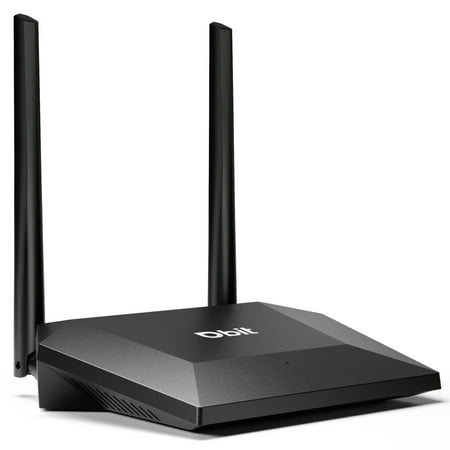
The WRN300 Wireless 300Mbps Easy Setup Router is designed to setup more easily for the home user. It complies with IEEE802.11n, delivers wireless speeds of up to 300 Mbps, give you the simple and reliable wifi experience, making it perfect for everyday web activities like e-mail, chatting,...
Twenty bucks. N300 single-band. This handles very basic internet browsing and light use for one or two devices. Not recommended for gaming or streaming. But if you literally need something to get online in a pinch, it works.
Budget Router Red Flags
- No OFDMA on Wi-Fi 6 claims — Some cheap routers label themselves “AX” but don’t actually support OFDMA. Check specs carefully.
- N300 / N150 in 2026 — These are extremely slow single-band legacy specs. Avoid unless it’s literally all you can afford for a temporary fix.
- No-name brands with zero reviews — Firmware security is a real concern with obscure brands. Stick to TP-Link, NETGEAR, ASUS, or GL.iNet for budget picks.
- Extremely high “speed” claims at low prices — AX6000 for $30 is not real. Those numbers are marketing fiction.
Budget Tiers at a Glance
| Budget | What You Get | Best Pick |
|---|---|---|
| Under $25 | Wi-Fi 5 basics, 1-2 devices OK | Dbit N300 or TP-Link C54 |
| $50–$60 | Wi-Fi 6, OFDMA, 5-10 devices | TP-Link Archer AX1500 |
| $100–$120 | Wi-Fi 6 with more streams, 10-20 devices | TP-Link Archer AX4400 |
| $100 flexible | Wi-Fi 6 + VPN + OpenWrt control | GL.iNet Beryl AX |
FAQ
Is a cheap router good enough for gaming?
For casual gaming on a wired connection, yes. For competitive gaming over Wi-Fi with other heavy users on the network, a cheap router without QoS will hurt you. The TP-Link AX1500 at $54 is the minimum Wi-Fi 6 option for gaming. Ideally, run Ethernet to your gaming rig regardless of router quality.
Will a budget router slow down my internet?
A budget router won’t cap your speeds below your ISP plan on a wired connection. Over Wi-Fi, cheap routers can throttle throughput to connected devices, especially under load. A good budget Wi-Fi 6 router like the AX1500 handles most home internet plans without being the bottleneck.
What’s the minimum router I should buy in 2026?
Spend $54 on the TP-Link Archer AX1500 and get Wi-Fi 6. Don’t go below that unless you’re in a genuine budget emergency. The $25-$30 Wi-Fi 5 options will work, but you’ll likely want to upgrade sooner than you’d expect.