Computer Station Nation is reader-supported.
When you buy through links on our site, we may earn an affiliate commission. Learn more.
Is a gaming router actually worth it, or is it just a regular router with RGB and a higher price tag? Honest answer: it depends on your situation. Let’s break down exactly what the difference is and who should spend the extra money.
The Short Answer
| Gaming Router | Regular Router | |
|---|---|---|
| QoS/Traffic prioritization | Dedicated gaming QoS | Basic or none |
| Dedicated gaming band | Often yes (tri-band) | No |
| Game accelerators | Yes (on premium models) | No |
| Software dashboard | Full gaming dashboard | Basic admin panel |
| Price | $100–$900+ | $25–$200 |
| Performance on uncongested network | Same | Same |
| Performance on congested network | Better (with QoS active) | Worse |
The Gaming Router — ASUS ROG Rapture GT-AX11000 Pro
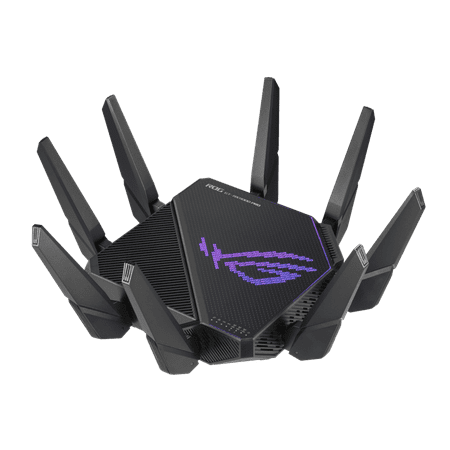
ASUS ROG Rapture GT-AX11000 Pro Tri-Band WiFi 6 gaming router, 10G port, Quad-core 2.0 GHz CPU, ASUS RangeBoost Plus, UNII4, Triple-level game acceleration, Lifetime internet security, AiMesh support
This is what a dedicated gaming router looks like. Tri-band Wi-Fi 6 with a third 5 GHz band reserved exclusively for gaming devices. Full QoS dashboard that lets you manually set device priorities. Game Accelerator that actively finds lower-latency paths to game servers. AIMESH support for whole-home coverage.
The ROG Rapture costs $219.99. What you’re paying for is the software — the hardware is excellent, but the game-traffic prioritization tools are the actual differentiator. On a crowded home network, those tools matter a lot.
The Regular Router — NETGEAR WiFi 6 RAX5
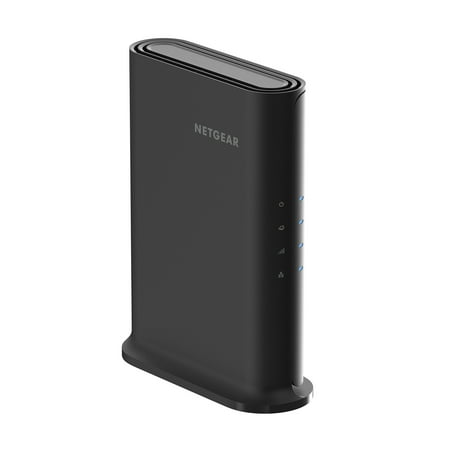
The NETGEAR® 4-Stream AX1600 WiFi 6 Router upgrades your network to provide greater capacity with consistent and powerful signal strength to all your connected devices. With speeds up to 1.6Gbps, this next-gen router is recommended for a small to medium home, up to 1,500 sq. ft., with up to 20...
The NETGEAR RAX5 is a solid Wi-Fi 6 router at $59. AX1600, covers 1,500 sq ft, handles 20 devices. No gaming dashboard. No dedicated gaming band. Basic QoS that you can enable through the admin panel — but it doesn’t automatically identify and prioritize game traffic the way a gaming router does.
On a lightly loaded network with good ISP speeds, this router delivers gaming performance nearly identical to a gaming router. Your ping is determined by your ISP’s routing to game servers, not your router — as long as nothing is saturating your local bandwidth.
Also in the Mix
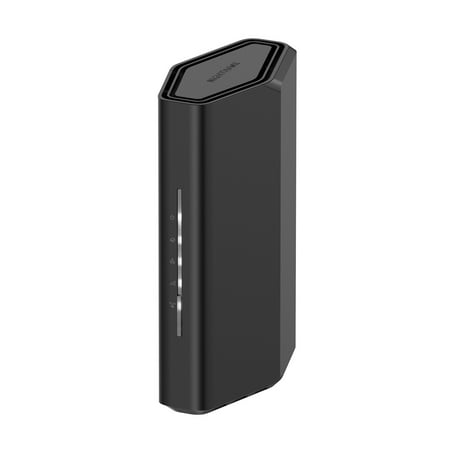
Leverage the power of WiFi 7 for speeds up to 3.1 Gbps at 1.2X faster than WiFi 6. The Nighthawk RS70 WiFi 7 Dual-band Router provides up to 2,000 sq. ft. WiFi coverage and capacity for up to 50 devices. Experience stunning streaming, video conferencing and reliably connect smart home devices....
The NETGEAR Nighthawk BE3100 is a Wi-Fi 7 regular router at $109. MLO (Multi-Link Operation) is its key feature — devices connect across multiple bands simultaneously for lower latency. It’s not a gaming router, but Wi-Fi 7 MLO is genuinely impactful for gaming latency on supported devices.
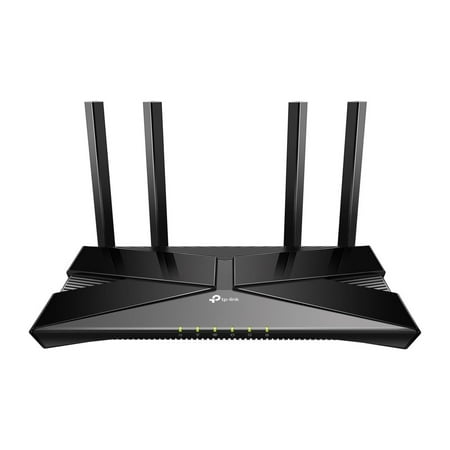
The Archer AX1500 is equipped with the latest Wi-Fi 6 for faster speeds, increased capacity and reduced network congestion. Dual-Band speeds of up to 1.5 Gbps for a buffer-free 4K/HD streaming and gaming experience. Connect more devices via OFDMA and MU-MIMO technology while eliminating network...
The TP-Link Archer AX1500 at $54 is the budget Wi-Fi 6 regular router. Fine for gaming if you live alone or have a lightly loaded network. No fancy features, just reliable Wi-Fi 6.
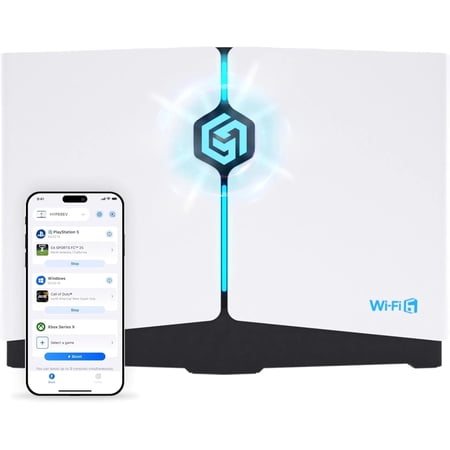
Power up your gaming and home wi fi with the hyperev gaming router. Engineered for players and power users, hyperev combines wi fi 6 speed Up to 3 gbps With latency-lowering traffic management so you can download faster, cut ping, and play without lag. Whether you'Re on ps5, xbox series x,s,...
The HYPEREV is interesting — it’s a budget gaming-specific device at $39.99 designed specifically to reduce lag for consoles and PC. Not a full-featured gaming router, but it’s the cheapest way to get hardware-level gaming traffic prioritization.
Head-to-Head: The 6 Key Dimensions
1. Latency on an Idle Network
Winner: Tie. With nobody else on the network, a gaming router and a regular router deliver essentially the same ping to game servers. Your ISP’s routing dominates. Router hardware matters very little here.
2. Latency on a Congested Network
Winner: Gaming router. When someone else is downloading updates or streaming 4K while you game, a gaming router’s QoS keeps your gaming packets moving first. A regular router with no QoS treats all traffic equally — your game traffic competes with Netflix for bandwidth, and you feel it in your ping.
3. Jitter and Packet Loss
Winner: Gaming router (on congested networks). Jitter — the inconsistency in your ping — is more noticeable than average ping for most games. QoS gaming features specifically target jitter reduction by keeping game packet flow consistent.
4. Setup and Features
Winner: Gaming router. The ROG dashboard gives you visibility into your network traffic that a basic router admin panel doesn’t. Device prioritization, real-time stats, game accelerator toggles — all in one place.
5. Value
Winner: Regular router (for most people). A $59 Wi-Fi 6 router covers the vast majority of gaming use cases. The $160 premium for a gaming router is only justified if you consistently have multiple heavy users on your network simultaneously.
6. Future-Proofing
Winner: NETGEAR BE3100 (regular router). Wi-Fi 7 hardware at $109 beats Wi-Fi 6 gaming routers at the same price for long-term value. MLO from Wi-Fi 7 will be more impactful for gaming over time as client devices catch up.
Who Should Get a Gaming Router?
- You game competitively and live with 3+ other people who use heavy bandwidth simultaneously
- You’ve already confirmed your ISP speeds are fine but still experience ping spikes mid-game
- You want full network visibility and manual traffic control
- Budget isn’t a constraint and you want the best possible setup
Who Should Stick with a Regular Router?
- You game solo or with light concurrent network usage
- You’re on a wired Ethernet connection to your gaming rig (router type matters less wired)
- Your budget is under $120
- You’re a casual gamer who doesn’t notice or care about 5-10ms ping differences
Verdict
Most gamers don’t need a gaming router. A solid Wi-Fi 6 router in the $54-$109 range handles gaming traffic just fine on a lightly loaded network. The gaming router premium is worth it specifically for households with multiple simultaneous heavy users and competitive gamers who feel every ms of jitter.
If you’re on the fence: start with the NETGEAR BE3100 at $109 (Wi-Fi 7). If you still have network issues after that, then look at a dedicated gaming router with QoS.