Computer Station Nation is reader-supported.
When you buy through links on our site, we may earn an affiliate commission. Learn more.
Dead spots in your home? Weak signal in the bedroom or back office? You’ve probably seen mesh router systems all over the shelves. But do you actually need one, or is a regular single router still the move?
Mesh vs Traditional: Key Differences
| Mesh System | Traditional Router | |
|---|---|---|
| Coverage approach | Multiple nodes distributed around home | Single unit, range extends from one point |
| Dead spot elimination | Excellent — nodes fill gaps | Limited — range extenders degrade performance |
| Multi-floor performance | Great — place a node per floor | Degrades significantly through ceilings |
| Setup complexity | Easy (most use app-based setup) | Easy to moderate |
| Cost | $50–$600+ | $25–$300 |
| Peak single-point performance | Lower (shared backhaul) | Higher at close range |
The Mesh Side
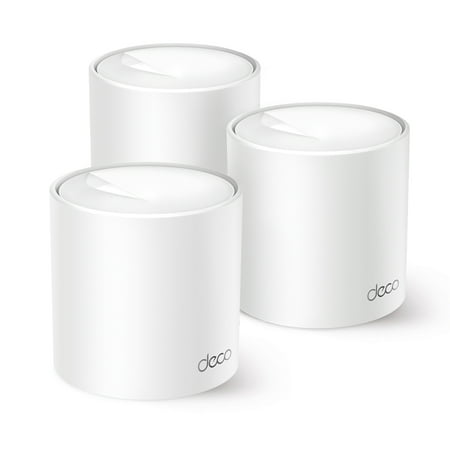
Experience seamless Wi-Fi 6 coverage in every corner of your home with Deco Wi-Fi 6 Mesh System. Featuring two Wi-Fi bands with dynamic backhaul to support up to 120 connected devices while keeping them all running at top speed and an extensive coverage area of 5,600 sq. ft., the Deco W4500...
The TP-Link Wi-Fi 6 mesh system (3-pack AX1800) at $98 is the standout value here. Three nodes covering your entire home with Wi-Fi 6 OFDMA for under $100. The nodes communicate wirelessly for backhaul. Real-world coverage for a 2,000–3,000 sq ft home.
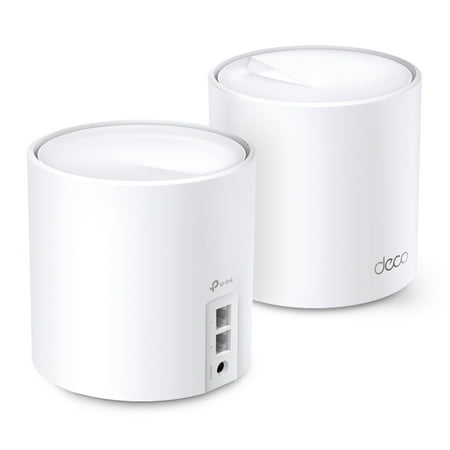
Experience a Whole Home Wi-Fi 6 Mesh system with unprecedented 1.5 Gbps Dual-Band Wi-Fi. Two Wi-Fi bands with dynamic backhaul by TP-Link Mesh support up to 120 devices and keeps all of them running at top speed. This way, Deco W3000(3-pack) offers whole home coverage up to 3,900 sq. ft. with...
TP-Link’s AI-driven AX1500 mesh at $68 uses machine learning to optimize band steering — it routes devices to the best node and band automatically. Single-unit or expandable.
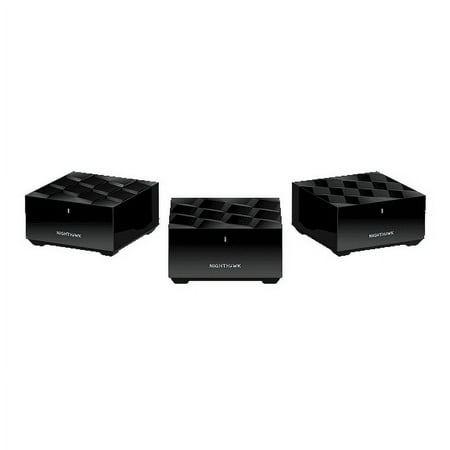
Enjoy advanced whole home WiFi designed to deliver smooth video streaming and fast online gaming to more devices at the same time. Using the latest WiFi 6 technology, it’s ideal for medium to large homes up to 4,500 sq.ft. and internet speeds over 100Mbps.
The NETGEAR Nighthawk AX1500 mesh at $61 brings NETGEAR’s trusted reliability to a 2-unit mesh system. Wi-Fi 6 coverage for homes up to ~3,000 sq ft across two nodes.
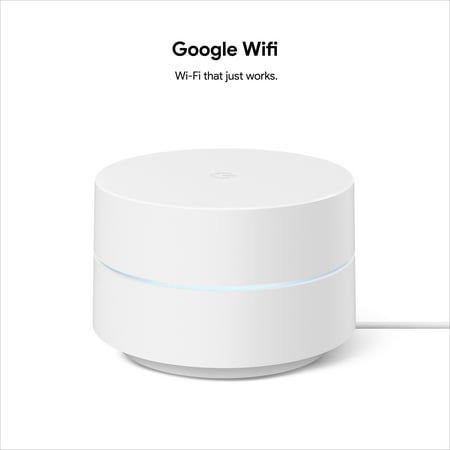
The Google Wi-Fi whole home Wi-Fi system delivers fast, reliable internet coverage throughout your home with a simple, sleek design. This 1 pack unit works as a standalone router or can be added to an existing Google Wi-Fi network for expanded coverage. With easy setup through the Google home...
Google Wifi AC1200 at $72 is Wi-Fi 5 but still excellent for dead spot coverage if you don’t have Wi-Fi 6 devices. Simple app, reliable performance, Google’s network optimization baked in.
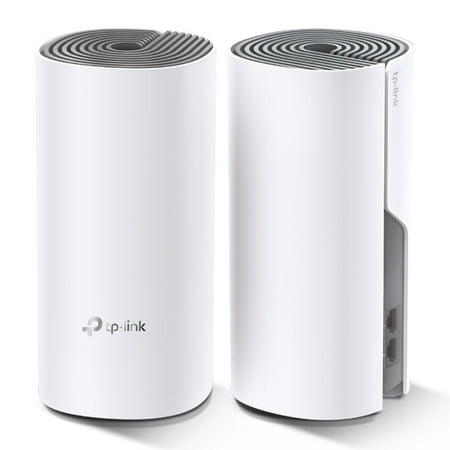
Works with any internet service provider (ISP) and modem. Get fast and reliable WiFi throughout your home. Two AC1200 Deco routers work together to create a single network that provides coverage up to 3,000 sq ft. and keeps your devices connected even as you move around.[1,4] Want more coverage?...
TP-Link’s 2-pack AC1200 mesh system at $49 is the budget entry point for whole-home mesh coverage. Wi-Fi 5, but effective for basic multi-room coverage at a low price.
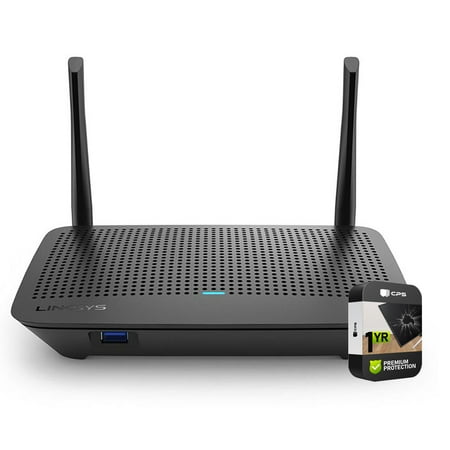
CRTE9LINKMR6350 - Linksys Wi-Fi 5 Smart Mesh Router Factory Refurbished - Linksys 1 year warranty Bundle Includes: Linksys Wireless Wifi 5 AC1300 Dual-Band Mesh Router 1 Year Extended Warranty for Products Valued Up To $150 1 Year Extended Warranty added to the Existing Manufacturer's Warranty...
The Linksys MR6350 at $30 rounds out the budget mesh options — a compact mesh-ready router for smaller deployments.
When Mesh Wins
- Multi-floor homes — Signal drops hard through concrete floors and ceilings. A node per floor solves this cleanly.
- Homes over 2,000 sq ft — No single router covers this reliably without dead zones. Mesh nodes placed strategically eliminate them.
- Brick or concrete walls — Dense building materials kill Wi-Fi range. Multiple nodes placed closer together compensate.
- Seamless roaming — Walk around your home without reconnecting. Mesh handles handoffs between nodes automatically.
When Traditional Wins
- Apartments under 1,200 sq ft — A single router covers this easily. Mesh is overkill.
- Gaming at close range — A single high-performance router near your gaming rig with a wired connection beats any mesh setup for peak performance.
- Budget under $60 — The TP-Link AX1500 at $54 beats a cheap mesh system on raw performance at close range.
Verdict
Single router for apartments and smaller spaces. Mesh for multi-floor homes, larger square footage, or dead spot problems. The TP-Link 3-pack AX1800 mesh at $98 is an incredible deal if you need full-home Wi-Fi 6 coverage.
One thing to note: for a battlestation setup where your gaming rig is near your router, run Ethernet regardless. Mesh vs. traditional only matters for your wireless devices.