Computer Station Nation is reader-supported.
When you buy through links on our site, we may earn an affiliate commission. Learn more.
Budget router shopping is full of traps — inflated speed claims, outdated hardware dressed up in fresh packaging, and options so cheap they’ll frustrate you within a week. Here’s how to cut through it and pick the right one without getting burned.
Step 1: Know Your Actual Needs
Before you look at a single spec, answer these questions:
- How many devices connect simultaneously? Under 5 = any budget option works. 5-15 = get Wi-Fi 6. 15+ = step up to a 6-stream router.
- How large is your space? Apartment under 800 sq ft = any router covers it. Larger = check coverage specs carefully (and mentally cut them in half for real-world performance).
- Do you game or stream heavily? Yes = target Wi-Fi 6 minimum. Basic browsing = any option works.
- What’s your true budget? Be honest. The difference between $25 and $54 is meaningful. The difference between $54 and $80 at the budget level is minimal.
Step 2: Set Wi-Fi 6 as Your Floor
Wi-Fi 6 is available for $54. There’s virtually no reason to buy Wi-Fi 5 new in 2026 unless you literally cannot afford $54. Wi-Fi 6 brings OFDMA (better multi-device handling), MU-MIMO improvements, and lower overhead — real differences on a loaded network.
Exception: if you need a temporary fix and only have $20-25, a Wi-Fi 5 AC1200 router like the TP-Link C54 works fine for basic internet access. Just plan to upgrade within a year.
Step 3: Ignore the Combined Speed Number
“AX3000” doesn’t mean 3,000 Mbps to one device. It’s the sum of all bands combined at theoretical maximum. Your single device gets a fraction of that. What matters more: the number of spatial streams (more = better per-device throughput) and whether OFDMA is supported.
Step 4: Stick to Known Brands
At budget prices, brand trust matters. TP-Link and NETGEAR have proven track records on budget hardware. Avoid no-name brands at this tier — the firmware is often insecure, the hardware corners are cut harder, and support is nonexistent. TP-Link’s Archer line and NETGEAR’s RAX line are the safest budget picks.
Step 5: Check App Support
A good mobile app makes router management vastly easier. TP-Link’s Tether and NETGEAR’s Nighthawk/Orbi apps are both solid. Budget no-name routers often have web-only admin panels that require a wired connection to configure. Not a dealbreaker, but worth knowing before you buy.
Step 6: Read Recent Reviews
Walmart and Amazon reviews surface real-world reliability problems that spec sheets hide. Sort by “Most Recent” and look for patterns — if multiple recent reviews mention firmware crashes, connection drops, or overheating, that’s signal. The TP-Link AX1500 has 2,000+ reviews averaging 4 stars — that sample size is meaningful.
The Decision Tree
| Your Situation | Buy This |
|---|---|
| Tight budget, basic internet, 1-2 people | TP-Link Archer C54 (~$25) |
| Most households, Wi-Fi 6, up to 10 devices | TP-Link Archer AX1500 (~$54) |
| Busy household, 10+ devices, or gaming | TP-Link Archer AX4400 (~$114) |
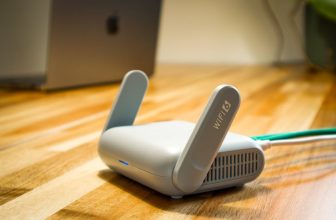
| Want VPN/advanced features at budget price | GL.iNet Beryl AX (~$99) |