Computer Station Nation is reader-supported.
When you buy through links on our site, we may earn an affiliate commission. Learn more.
Printers. Every battlestation needs one eventually. And every time someone goes to buy one, they get absolutely wrecked by the choices.
Inkjet or laser? All-in-one or print-only? Why does a $50 printer come with $40 of ink? Nobody answers these questions clearly. This guide does. By the end you’ll know what type of printer fits your setup, which specs actually matter, and which traps will cost you money.
Let’s dive in.
Table of Contents
What to Look For
Inkjet vs. Laser
This is the real decision. Everything else is secondary.
Inkjet printers spray liquid ink onto paper. Great for photos. Cheap upfront. The problem: liquid ink dries out. Leave one sitting for a few weeks and you come back to clogged print heads. The printer runs a cleaning cycle to clear them, burning through ink before you print a single useful page. Not ideal.
Laser printers use toner, a dry powder fused to paper with heat. Sharper text, faster on documents, and zero clogging from sitting idle. A laser can sit unplugged for three months and fire up perfectly. The trade-off is photo quality, which is noticeably worse than inkjet, and color laser costs more per page.
Text documents and you print infrequently: get a laser. Photos or regular color printing: get an inkjet. Want one machine for everything: a quality inkjet all-in-one works, just commit to actually using it so the heads don’t dry out.
All-in-One vs. Print-Only
An all-in-one (AIO) adds a flatbed scanner and usually a copier, sometimes fax. Print-only just prints.
Get the AIO. The price difference is small, and the scanner earns its keep the first time you need to send a signed document or scan a receipt. Decent AIOs cost barely more than print-only models.
Print-only makes sense if you’re tight on desk space or already own a standalone scanner you actually use. Otherwise, just get the AIO.
One feature worth checking specifically: Automatic Document Feeder (ADF). An ADF lets you stack multiple pages and scan without repositioning between each one. If you regularly scan multi-page documents, it’s essential. For casual use, not a big deal.
Total Cost of Ownership
Here’s the one people always miss.
Printer manufacturers sell hardware cheap and profit on ink. A $50 printer with $20 cartridges that run out every two months isn’t a $50 printer. It’s a $50 printer plus a recurring ink bill.
The right way to shop: calculate total cost of ownership (TCO). Take the purchase price, add the cost of ink over two to three years. Two printers at the same sticker price can have wildly different actual costs based on cartridge yield.
The math: cartridge price divided by page yield (ISO rating) equals cost per page. Multiply by your monthly page volume, multiply by 12, add to the purchase price. Now you’re comparing real numbers.
Tank-based printers flip this. Epson EcoTank, Canon MegaTank, and HP Smart Tank all use bottled ink instead of cartridges, with a higher upfront price and dramatically lower per-page cost. At 100+ pages per month, tank printers usually pay for themselves within a year.
Print Speed
Pages per minute (ppm) is one of the most misleading specs in tech. Manufacturers calculate it from page 2, at draft quality, on plain text. Real-world speeds, especially for inkjets at normal quality, are significantly lower.
Lasers hit their rated speeds much more reliably. For occasional home printing, speed doesn’t really matter. If you’re printing long documents regularly, go laser.
The spec that actually matters day-to-day: first-page-out time (FPOT), how long from pressing print to getting your first sheet. Budget inkjets often take 15 to 30 seconds. Gets annoying fast if you print single pages constantly.
Wireless Connectivity
Wi-Fi is standard on every modern home printer. What varies is which protocols are included. Wi-Fi connects to your router so any device on the network can print. Wi-Fi Direct lets phones print without a shared network. AirPrint is Apple’s zero-setup standard. Mopria is Android’s version.
USB-only printers still exist at the budget end. Fine next to a dedicated PC, friction everywhere else.
Paper Handling
Budget printers hold 60 to 100 sheets. Home-office models hold 150 to 250. Sounds minor until you’re hand-feeding pages one at a time through a 30-page job.
Auto duplex (printing both sides automatically) is worth paying for if you regularly print documents. Manual duplex means flipping the paper yourself every time.
Print Resolution
Resolution is DPI (dots per inch). For text, 600 dpi is plenty. Nobody can tell the difference between 600 and 1200 dpi on a Word document. For photos, 4800 x 1200 dpi minimum, 5760 dpi if you want gallery-quality output. Don’t let resolution specs inflate your budget unless photos are the actual use case.
Key Specs by Tier
| Spec | Budget ($50-$100) | Mid-Range ($100-$200) | Premium ($200+) |
|---|---|---|---|
| Technology | Inkjet | Inkjet or Laser | Laser or Tank Inkjet |
| Print Speed | 5-8 ppm color | 10-15 ppm | 20+ ppm |
| Cost Per Page (color) | 5-15¢ | 3-8¢ | 1-3¢ (tank/laser) |
| Paper Capacity | 60-100 sheets | 100-250 sheets | 250-500 sheets |
| Auto Document Feeder | Rare | Some models | Common |
| Auto Duplex Printing | Manual flip only | Auto on some | Auto standard |
| Connectivity | Wi-Fi + USB | Wi-Fi + USB + mobile | Wi-Fi + Ethernet + mobile |
| Recommended Duty Cycle | Under 500 pages/mo | 500-1,000 pages/mo | 1,000+ pages/mo |
Who It’s For
Casual home user
School forms, shipping labels, recipes, the occasional boarding pass. 10 to 30 pages a month. A compact wireless inkjet AIO under $80 handles everything. Canon PIXMA TS3722 and Epson XP-4205 are exactly this. Don’t overthink it.
One caveat: if weeks go by between print jobs, go laser. No ink to dry out, pages come out clean every time.
Photo enthusiast
Quality is the priority. Get a 6-ink inkjet at minimum. Four-color models print acceptable photos. Six-color (with light cyan and light magenta added) produces noticeably smoother gradients and skin tones. Look for borderless printing support and dedicated photo paper compatibility.
Home office worker
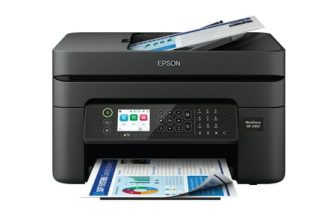
Contracts, invoices, reports, scanning signed paperwork constantly. 50 to 200 pages a month. At 100 pages a month at 10 cents a page, that’s $120 a year in ink, roughly the cost of the printer itself, every year. Two good options: a tank-based inkjet like the EcoTank ET-2803 ($179, near-zero per-page ink costs) or a mono laser if you rarely print color. The Epson WorkForce WF-2950 hits the sweet spot for mixed use with auto duplex and ADF for under $70.
High-volume user
200+ pages a month. Total cost of ownership drives everything here. Tank-based inkjet for color, mono laser for text-heavy work. Also check the recommended monthly duty cycle in the specs. Budget printers that don’t publish this number aren’t built for volume and will wear out faster than you’d like.
Top Picks
These are the best options confirmed available right now. For full head-to-head comparisons, check the Best Home Printers roundup. These are the across-tier picks.
Canon PIXMA TS3722 – Best Budget Pick ($53)
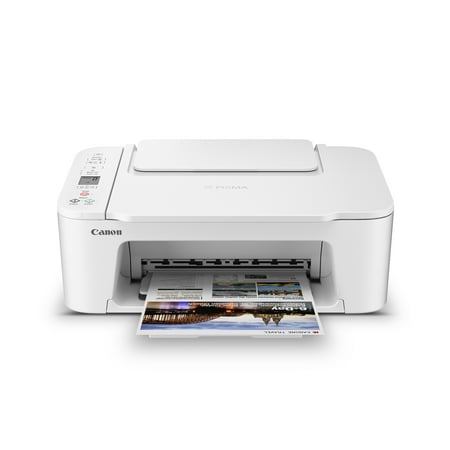
Designed for home use, the Canon PIXMA TS3722 All-in-One inkjet printer delivers high-quality printing and outstanding wireless connectivity in a compact size. The PIXMA TS3722 is easy to set up and maintain and offers great media versatility to print on a variety of media types and sizes,...
Compact, wireless, prints/scans/copies. Exactly what you need for light home use and nothing more. Over 24,000 reviews at 4 stars.
Epson Expression Home XP-4205 – Best All-Rounder Under $60 ($59)
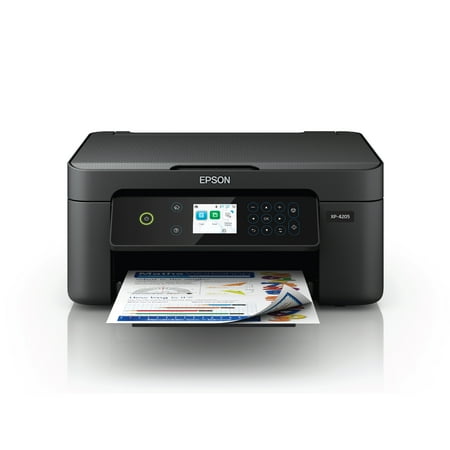
Enjoy easy, everyday printing—plain and simple—with the Expression Home XP-4205. From coupons to directions, recipes to homework, the XP-4205 delivers the documents you need without missing a beat. Engineered with Epson’s state-of-the-art imaging technology, this high-performance, all-in-one...
Adds automatic 2-sided printing for $6 more than the Canon. If you’re constantly printing double-sided documents, this is the smarter pick.
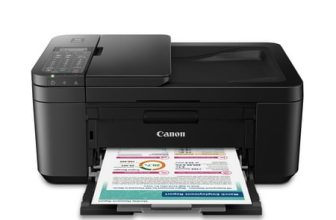
Canon PIXMA TR4722 – Best with Fax ($64)
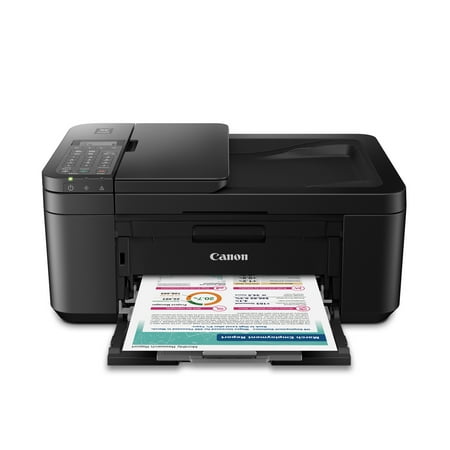
CANON PIXMA TR4722 Wireless InkJet All-In-One Printer. Compact, Versatile, Easy-to-use For all your work or home printing needs, the PIXMA TR4722 Wireless All-in-One Printer has you covered. Enjoy simple setup through the Canon PRINT Inkjet/SELPHY App and an easy to install 2-Cartridge hybrid...
Same wireless AIO as the TS3722 with fax added. If you deal with insurance forms, medical offices, or legal paperwork, this one saves you a UPS Store trip.
Epson WorkForce WF-2950 – Best for Home Office ($69)
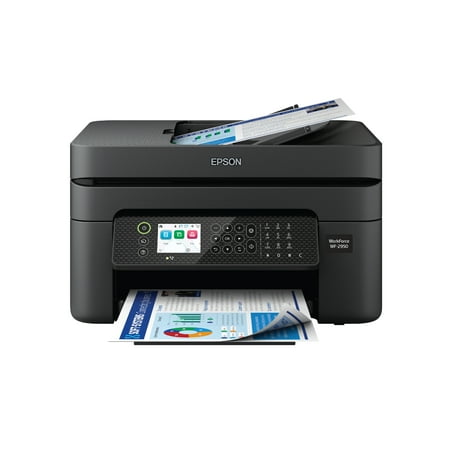
Epson WorkForce WF-2950 Wireless All-in-One Printer with Scan, Copy, Fax, Auto Document Feeder, Automatic 2-Sided Printing and 2.4" Color Display The easy-to-use, pro-quality home office printer—with convenient features. Business printing should be simple. That’s why we developed the WorkForce...
Auto document feeder, auto duplex, scanner, copier, fax. The complete bad boy for work-from-home setups, under $70.
Epson EcoTank ET-2803 – Best Long-Term Value ($179)
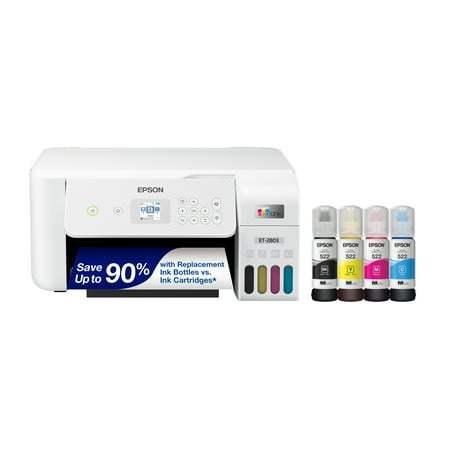
Your family needs a printer that’s fast, affordable, and easy to use. That’s why we developed the EcoTank ET-2803 – an innovative cartridge-free solution that uses high-capacity, easily refillable ink tanks. So you’ll worry less about running out of ink, and save a lot on replacement ink (1)....
$179 upfront, but ink bottles run around $13 and yield thousands of pages. Print more than 50 pages a month and this pays for itself in under a year versus a cartridge printer. The math works out badly for cartridges.
Red Flags to Avoid
Ignoring ink costs
A $40 printer with $22 cartridges that yield 200 pages costs 11 cents a page. At 100 pages a month, that’s over $130 a year in ink, more than triple the printer’s purchase price annually. Calculate cost per page before buying.
Buying an inkjet you’ll use once a month
Nozzles clog. You’ll waste ink on cleaning cycles and find streaky output when you actually need something printed. Infrequent printers should go laser.
Trusting ppm ratings
Inkjet speed numbers are measured from page 2 at draft quality on text-only pages. Real-world speeds are 40 to 60% lower. Check reviews with actual timed tests.
Third-party cartridges
Cheaper upfront. Variable quality, potential warranty voiding, and the real possibility a firmware update kills them. Some networked printers report unauthorized ink use back to the manufacturer. Buy manufacturer ink or switch to a tank printer.
Skipping the connectivity check
Not every budget printer has AirPrint or Wi-Fi Direct. If you print from an iPhone and your printer doesn’t support AirPrint, you need a third-party app every time. Check the spec sheet.
FAQ
Is inkjet or laser better for home use?
Mostly documents and infrequent use: laser. Photos and regular color: inkjet. If you’re genuinely unsure, a good inkjet AIO like the Epson WorkForce line covers both.
What does cost per page actually mean?
Cartridge price divided by page yield. A $22 black cartridge rated for 200 pages is 11 cents per black page. Manufacturers use ISO standards for yield ratings at 5% page coverage, which is about right for a typical text document.
Do I really need an all-in-one?
Almost certainly yes. The scanner pays for itself the first time you need to scan a signed document without leaving the house. Unless you already own a standalone scanner you actually use, just get the AIO.
Can I use third-party ink?
You can. Quality varies, it may void your warranty, and firmware updates have locked out aftermarket cartridges on multiple popular models. A tank-based printer removes the problem entirely.
What is Wi-Fi Direct?
The printer broadcasts its own connection. Your phone prints to it without both being on the same network. Useful in apartments and dorms where setups are complicated. Not essential if everyone’s on the same Wi-Fi.
How do I know if a printer will hold up over time?
Check the recommended monthly duty cycle. That number tells you how many pages the manufacturer expects it to handle regularly. No number listed means it’s designed for light use. For 100+ pages a month, look for at least 500 pages/month recommended duty cycle.