
Logitech Pro Stream Webcam Review — Best for Streaming at 1080p
| Video Quality | 8.5 |
|---|---|
| Audio Performance | 8.3 |
| Build & Design | 8.4 |
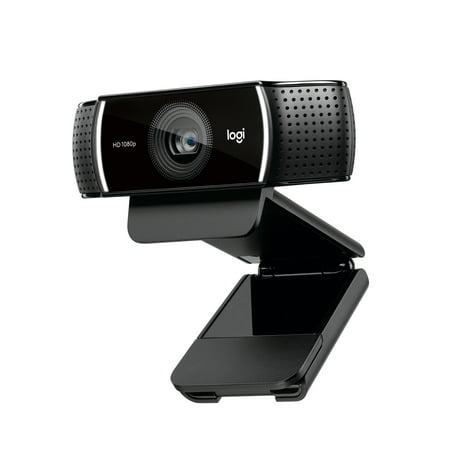
The Logitech Pro Stream Webcam delivers sharp 1080p video with a glass lens, autofocus, and a 720p/60fps mode built for streaming — a reliable upgrade for content creators and video callers who want real clarity without flagship pricing.

Description
Quick Specs
| Resolution | 1080p at 30fps / 720p at 60fps |
| Autofocus | Yes — continuous autofocus |
| Field of View | 78° (1080p) / 90° (720p) |
| Lens | Glass (not plastic) |
| Microphone | Dual stereo with noise cancellation |
| Connection | USB-A |
| Background Removal | Yes (via Logitech Capture software) |
| Compatibility | Windows 7+, macOS 10.10+, Chrome OS |
| Tripod Mount | Yes (1/4-20 mount included) |
| Weight | ~162g |
Source: Logitech official product page
The Logitech Pro Stream Webcam is a dedicated streaming and video calling camera built for content creators who want real 1080p clarity without spending big money. I have had this bad boy clipped to my monitor for a while, and the difference from a standard laptop camera is immediately obvious — sharper edges, better color, and actual autofocus that tracks you when you lean back in your chair.
Video quality is the main story here. At 1080p and 30fps, you get a glass lens (not plastic) that produces noticeably cleaner images in good lighting. Drop to 720p and it unlocks 60fps — a nice option for gaming streams where motion matters more than resolution. The 78° field of view at 1080p is solid for a single-person frame, and a wider 90° option at 720p gives you more room if needed.
The dual stereo mics with noise cancellation are decent for casual video calls and light streaming, but serious streamers will still want a dedicated mic. The audio picks up keyboard clatter and fan noise in a quiet room — treat it as a backup rather than your primary audio source.
Build quality is solid throughout. The clip mechanism is sturdy, the cable is braided, and the camera feels genuinely premium compared to budget options. Setup is plug-and-play via USB-A, and Logitech Capture software adds background removal and color correction if you want them. Discord, OBS, Zoom, and Streamlabs all recognize it instantly with no driver fuss.
The main limitations: you are capped at 30fps at 1080p (no 1080p/60fps option), and the USB-A connection is getting long in the tooth for newer battlestations. No 4K either — but the glass lens at 1080p genuinely punches above its resolution class.
Verdict
The Logitech Pro Stream Webcam hits the sweet spot for streamers and video callers who want a step up from laptop cameras without paying flagship prices. Glass lens, autofocus, and Logitech’s software ecosystem make it an easy pick at this price.
Reviews (0)
User Reviews
Be the first to review “Logitech Pro Stream Webcam Review — Best for Streaming at 1080p”
Related Products


There are no reviews yet.