Computer Station Nation is reader-supported.
When you buy through links on our site, we may earn an affiliate commission. Learn more.
Picking a router feels harder than it should be. The shelves (and Walmart listings) are full of options with giant speed numbers and marketing terms that don’t mean much without context. Let’s cut through it.
After evaluating 5 routers across price tiers — from $25 ultra-budget to $179 Wi-Fi 7 — based on wireless standard, device capacity, real-world range, and value, here are the best routers for home use right now.
Quick Picks
- Best overall: NETGEAR Nighthawk RS180 — Wi-Fi 7, 2,500 sq ft, future-proof
- Best mid-range value: TP-Link Archer AX4400 — Wi-Fi 6, 6-stream, best bang for $114
- Best budget Wi-Fi 6: TP-Link Archer AX1500 — solid Wi-Fi 6 for just $54
- Best for small spaces: NETGEAR WiFi 6 RAX5 — compact AX1600 for apartments
- Best on a shoestring: TP-Link Archer C54 — $25, does the basics fine
At-a-Glance
| Router | Best For | Wi-Fi Gen | Price | Rating |
|---|---|---|---|---|
| NETGEAR Nighthawk RS180 | Large homes, future-proofing | Wi-Fi 7 | $179 | ★★★★★ |
| TP-Link Archer AX4400 | Mid-range households | Wi-Fi 6 | $114 | ★★★★★ |
| TP-Link Archer AX1500 | Budget Wi-Fi 6 | Wi-Fi 6 | $54 | ★★★★☆ |
| NETGEAR WiFi 6 RAX5 | Apartments, small spaces | Wi-Fi 6 | $59 | ★★★★☆ |
| TP-Link Archer C54 | Absolute budget basics | Wi-Fi 5 | $25 | ★★★★☆ |
#1. NETGEAR Nighthawk RS180 — Best Overall
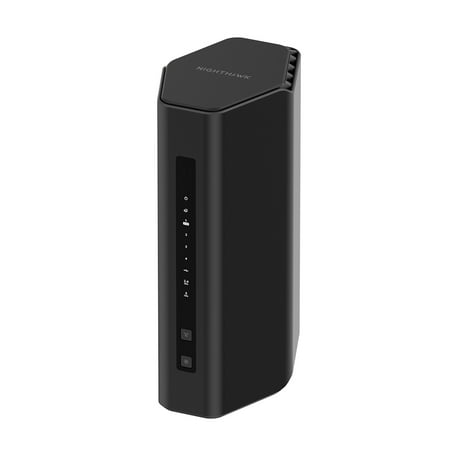
Leverage the power of WiFi 7 for speeds up to 5.5 Gbps at 1.2x faster than WiFi 6. The Nighthawk® RS180 WiFi 7 Dual-band Router provides up to 2,500 sq. ft. WiFi coverage and capacity for up to 80 devices. Experience stunning 4K streaming, video conferencing and reliably connect smart home...
The Nighthawk RS180 is Wi-Fi 7 at a price that actually makes sense. BE5500 spec means up to 5.5 Gbps combined wireless throughput. The 2.5 Gbps WAN port future-proofs you for multi-gig ISP plans. Covers 2,500 square feet and handles 80 devices simultaneously.
| Spec | Detail |
|---|---|
| Standard | Wi-Fi 7 (BE5500) |
| Coverage | 2,500 sq ft |
| Max Devices | 80 |
| WAN Port | 2.5 Gbps |
| Price | ~$179 |
Pros: Wi-Fi 7 with MLO, massive coverage, future-proof WAN port, NETGEAR’s solid app ecosystem
Cons: Priciest option on this list, Wi-Fi 7 benefits only realized with Wi-Fi 7 client devices
Rating: 5/5 — Best router on this list, period. If budget allows, get this one.
#2. TP-Link Archer AX4400 — Best Mid-Range
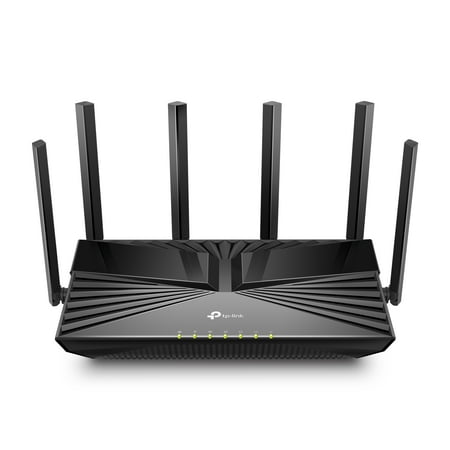
Reaching dual-band speeds up to 4400 Mbps, AX4400 is perfect for buffer-free 4K/8K streaming and gaming experiences.[3] Connect more devices using OFDMA and MU-MIMO technology while simultaneously eliminating lag, keeping your devices running at top speed.[4] Beamforming technology and six...
Six streams of Wi-Fi 6 at $114 is where the real value is on this list. The AX4400 pushes more data per client than cheaper 4-stream routers, which matters when multiple devices are connected at once. OFDMA handles the device juggling efficiently. TP-Link’s Tether app makes setup dead simple.
| Spec | Detail |
|---|---|
| Standard | Wi-Fi 6 (AX4400) |
| Streams | 6 spatial streams |
| Max Speed | 4.4 Gbps combined |
| Price | ~$114 |
Pros: 6-stream Wi-Fi 6, great multi-device performance, excellent app, solid price
Cons: Not Wi-Fi 7, 1 Gbps WAN limits future multi-gig plans
Rating: 5/5 — Best value pick for most households. This is the one I’d recommend to most people.
#3. TP-Link Archer AX1500 — Best Budget Wi-Fi 6
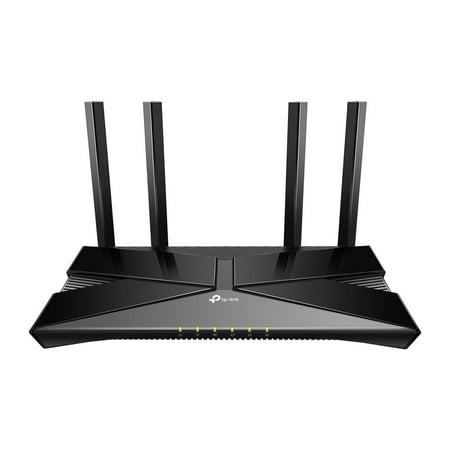
The Archer AX1500 is equipped with the latest Wi-Fi 6 for faster speeds, increased capacity and reduced network congestion. Dual-Band speeds of up to 1.5 Gbps for a buffer-free 4K/HD streaming and gaming experience. Connect more devices via OFDMA and MU-MIMO technology while eliminating network...
Fifty-four bucks for Wi-Fi 6 is legitimately impressive. The AX1500 brings OFDMA and 4-stream dual-band performance to the budget tier. Up to 1.5 Gbps combined throughput. Works with all major ISPs. Easy setup. Over 2,000 reviews averaging 4 stars tell the story.
| Spec | Detail |
|---|---|
| Standard | Wi-Fi 6 (AX1500) |
| Streams | 4-stream |
| Max Speed | 1.5 Gbps combined |
| Price | ~$54 |
Pros: Wi-Fi 6 at budget pricing, OFDMA support, universal ISP compatibility, great review volume
Cons: Fewer streams than mid-range options, smaller coverage than premium picks
Rating: 4/5 — Excellent for anyone upgrading from an old ISP router without spending big.
#4. NETGEAR WiFi 6 RAX5 — Best for Apartments
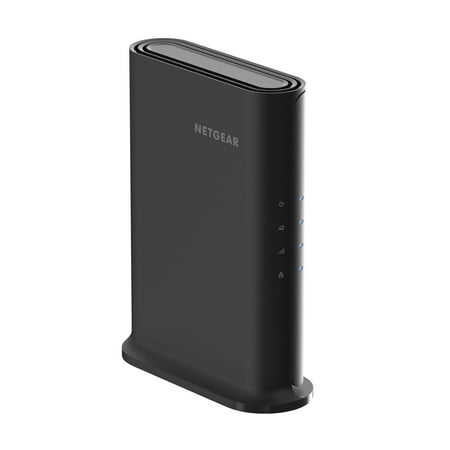
The NETGEAR® 4-Stream AX1600 WiFi 6 Router upgrades your network to provide greater capacity with consistent and powerful signal strength to all your connected devices. With speeds up to 1.6Gbps, this next-gen router is recommended for a small to medium home, up to 1,500 sq. ft., with up to 20...
The RAX5 is NETGEAR’s compact Wi-Fi 6 offering. AX1600, covers 1,500 square feet, handles up to 20 devices. It’s tight on device capacity but perfect for smaller spaces. NETGEAR Armor security is a bonus — keeps your network locked down without a separate subscription out of the box for the first year.
| Spec | Detail |
|---|---|
| Standard | Wi-Fi 6 (AX1600) |
| Coverage | 1,500 sq ft |
| Max Devices | 20 |
| Price | ~$59 |
Pros: Trusted brand, built-in security suite, compact form factor, solid Wi-Fi 6 performance
Cons: Lower device limit, smaller coverage than AX1500 at a slightly higher price
Rating: 4/5 — Great for apartments and studio setups. The Armor security is a nice extra.
#5. TP-Link Archer C54 — Best Ultra-Budget
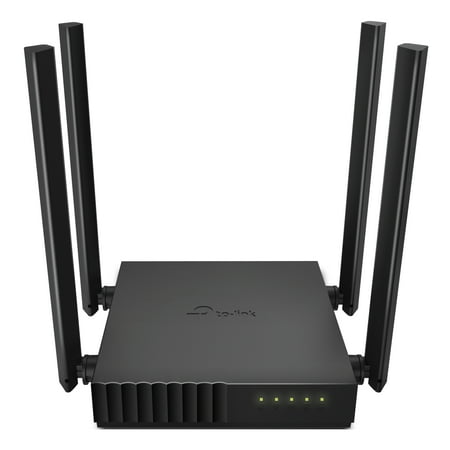
Palm-sized Archer C54 AC1200 dual-band router is ideal for video streaming and high-speed downloading.[1] Four antennas and beamforming focus stronger, more reliable WiFi signal towards your devices. MU-MIMO technology lets the router talk to several devices at once.[2] For added flexibility,...
This is the “I just need something that works” pick. AC1200, MU-MIMO, dual-band. Not Wi-Fi 6, not fancy, not impressive on paper. But at $25 with nearly 2,000 reviews and 4 stars, this bad boy keeps thousands of homes connected every day. Works with every ISP. Easy to set up.
| Spec | Detail |
|---|---|
| Standard | Wi-Fi 5 (AC1200) |
| Technology | MU-MIMO dual-band |
| ISP Support | Universal |
| Price | ~$25 |
Pros: Dirt cheap, works everywhere, proven reliability, easy setup
Cons: Wi-Fi 5 only, no OFDMA, lower capacity than Wi-Fi 6 options
Rating: 4/5 — For $25 the only fair rating is 4/5. Does exactly what it promises.
Verdict
Best overall: NETGEAR Nighthawk RS180. Wi-Fi 7, large coverage, future-proof WAN port. If you want to buy once and forget about upgrading for years, this is it.
Best value: TP-Link Archer AX4400. Wi-Fi 6 with 6 streams at $114 hits a sweet spot most households should target. Handles real-world multi-device loads without drama.
Best budget pick: TP-Link Archer AX1500 at $54. You get Wi-Fi 6 for the price of an older Wi-Fi 5 router. No reason to go cheaper unless you truly can’t spare the cash.
Buying Advice
Spend at least $50 to get into Wi-Fi 6. The OFDMA and MU-MIMO improvements over Wi-Fi 5 are noticeable with 5+ devices on the network. Don’t spend $25 on a Wi-Fi 5 router unless it’s truly all you can swing.
Households with 10+ devices and multiple users streaming/gaming simultaneously should aim for the AX4400 or better. Single-person setups or apartments can do well with the AX1500 or RAX5.
Skip the ISP-supplied router if you can. They’re almost always inferior hardware locked down by the carrier. A $54 AX1500 beats most ISP-supplied routers in every meaningful way.
FAQ
How often should I replace my router?
Every 4–5 years is a reasonable cycle. Router hardware improves significantly with each Wi-Fi generation. If your router is still on Wi-Fi 5 (AC) and you have a lot of devices, upgrading to Wi-Fi 6 is worth it today.
Does a better router increase my internet speed?
A better router won’t make your ISP connection faster. But it can eliminate bottlenecks between your devices and the router itself. If your current router is congested (dropping packets, high latency), upgrading will feel like a speed increase.
What’s the difference between 2.4 GHz and 5 GHz bands?
2.4 GHz travels farther but is more crowded and slower. 5 GHz is faster with less interference but shorter range. Put devices close to your router on 5 GHz. Far-away devices with weak signal do better on 2.4 GHz. Most modern routers handle band steering automatically.