Computer Station Nation is reader-supported.
When you buy through links on our site, we may earn an affiliate commission. Learn more.
Minimalist setups look effortless in photos. Getting there takes some actual planning. Here’s how to build a desk setup that’s genuinely minimal — not just staged that way for a photo.
Start with less, not with “right things”
The minimalist mistake is buying specific minimalist-aesthetic items instead of removing things. Start by taking everything off the desk and only putting back what you used in the last week. Most people are surprised how little that is. Everything else is clutter wearing the costume of productivity.
Choose the right desk shape
Minimalist setups work best with clean geometry. A simple rectangular surface — not L-shaped, not curved — reads as more minimal. The width should be just enough for your setup: if a 47-inch desk fits your monitor and keyboard with a bit of extra space, that’s better than a 60-inch desk with empty expanses at the edges.
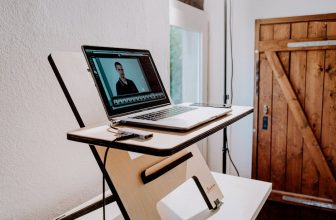
Floating/wall-mounted desks are the extreme version — no legs visible, the surface appears to float off the wall. They look great in small spaces and eliminate the visual weight of a traditional desk frame.
Cable management is non-negotiable
Visible cables are the single biggest enemy of a clean minimal setup. Every cable on the desktop surface breaks the aesthetic. Route all cables through grommets, run them in under-desk trays, and use velcro ties to bundle runs together. A power strip mounted under the desk surface removes the last visible cable source.
Wireless peripherals help significantly — a wireless keyboard and mouse eliminate the two most common desktop cables. Bluetooth headphones remove one more. Each wireless component is one fewer cable to manage.
The monitor arm is the most impactful single upgrade
A monitor arm lifts the display off the desk surface entirely, removes the monitor stand footprint, and allows you to push the monitor back or angle it precisely. The visible result — a screen floating above a clear desk surface — defines the minimalist setup aesthetic more than almost anything else. If you do one thing for a minimal setup, it’s this.
Choose a neutral finish
White, light wood (maple, birch), or matte black desks read as minimal. Dark wood, chrome accents, and RGB-anything pull in visual complexity. The Bestier L-shaped white and walnut is a good example of a desk that’s functional and neutral. For a pure minimalist look, a white or light maple surface with black metal legs is the classic combination.
Limit what sits on the surface permanently
A minimal desk has: monitor (on an arm, not a stand), keyboard, mouse on a desk pad, and nothing else permanent. A desk lamp if needed. Everything else — speakers, headset, controller — goes on a stand, hook, or shelf, not the surface. When your desk is empty except for input devices, it looks intentional. Every additional object adds visual noise.
FAQ
How do you keep a minimalist desk tidy day to day?
Have a place for everything that isn’t the desk surface. If your headset doesn’t have a hook, it will end up on the desk. If your controller doesn’t have a dock, it will end up on the desk. Solve the storage problem for every item that tends to migrate to your surface, and the desk stays clear with much less effort.
What desk color is most minimalist?
White and light wood tones are the most classic minimalist choices. Matte black works for a darker aesthetic. Avoid high-gloss finishes — they pick up fingerprints and scratches visually and require more maintenance to look clean.