
Logitech Brio 100 Full HD Webcam Review — Best Entry-Level for Video Calls
| Ease of Use | 9.0 |
|---|---|
| Video Quality | 7.5 |
| Value | 7.8 |
The Logitech Brio 100 is the no-fuss entry-level webcam for clear 1080p video calls — RightLight auto-exposure, a privacy shutter, and plug-and-play simplicity make it the safest pick at under $25.

$24.99
Description
Quick Specs
| Resolution | 1080p Full HD at 30fps |
| Autofocus | No — fixed focus |
| Field of View | 78° |
| Microphone | Omnidirectional built-in mic |
| Light Correction | RightLight 2 auto-exposure |
| Connection | USB-A |
| Privacy Shutter | Yes — built-in |
| Cable Length | 1.5m |
| Compatibility | Windows 10+, macOS 10.15+, Chrome OS |
| Weight | ~64g |
Source: Logitech Brio 100 official product page
The Logitech Brio 100 is the company’s entry-level 1080p webcam, and it does exactly what it promises with zero fuss. If you are tired of video calls where your face looks like a smudge from a decade-old laptop camera, this is the upgrade that fixes the problem without overcomplicating anything. Plug it in, open Zoom, done.
Video quality at 1080p/30fps is crisp and clean in normal room lighting. Logitech’s RightLight technology automatically adjusts exposure based on your environment — so if you are sitting in front of a bright window or in a dimly lit home office, the camera compensates without you touching a setting. It is a subtle but genuinely useful feature that most budget webcams skip entirely.
The 78° field of view is tighter than some competitors, which is actually fine for solo video calls — it keeps the background out of the frame naturally. The omnidirectional microphone picks up your voice clearly at normal speaking volume, though it will capture ambient room noise in a quiet environment. For Zoom calls and Teams meetings, it is more than adequate.
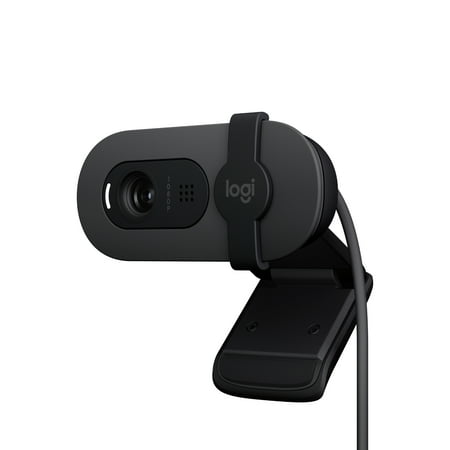
A built-in privacy shutter is a nice touch at this price. Slide it across when you step away from your desk — simple mechanical coverage, no software toggle needed. The camera clips onto monitors and laptops solidly, and the rotating ball joint lets you angle it without fighting the mount.
There is no autofocus here — the Brio 100 uses fixed focus, which is set for typical desktop distances and generally stays sharp. Move very close or very far from the camera and you will notice the limits. There is also no 60fps mode and no software ecosystem like Logitech Capture — this is a stripped-down, plug-and-play device without bells and whistles.
Verdict
The Logitech Brio 100 is the best entry-level webcam for anyone who needs reliable 1080p video calls without paying for features they will not use. RightLight auto-correction, a privacy shutter, and Logitech’s build quality make it worth choosing over unknown budget brands at the same price.
Reviews (0)
User Reviews
Be the first to review “Logitech Brio 100 Full HD Webcam Review — Best Entry-Level for Video Calls”
Related Products


There are no reviews yet.