Computer Station Nation is reader-supported.
When you buy through links on our site, we may earn an affiliate commission. Learn more.
Router spec sheets are full of acronyms and numbers that sound technical but are rarely explained. Here’s every term you’ll see when shopping for a router — plain English, no fluff.
Wi-Fi Standards
- Wi-Fi 5 (802.11ac) — Previous generation. AC followed by a number (AC1200, AC1750) indicates combined dual-band speed rating. Still works fine, but no OFDMA.
- Wi-Fi 6 (802.11ax) — Current standard. AX followed by a number (AX1500, AX4400). Adds OFDMA and BSS Coloring for better efficiency with many devices. Minimum recommended for new purchases in 2026.
- Wi-Fi 6E — Wi-Fi 6 extended into the 6 GHz band. Less interference, more available channels. Tri-band with 6 GHz support.
- Wi-Fi 7 (802.11be) — Latest standard. BE followed by a number (BE3100, BE5500). Adds Multi-Link Operation (MLO), 320 MHz channels, and 4K-QAM for dramatically lower latency and higher throughput.
Speed & Throughput Terms
- Combined speed rating (e.g., AX3000) — The theoretical sum of all band speeds. AX3000 = 574 Mbps on 2.4 GHz + 2,402 Mbps on 5 GHz. Not a real single-device speed.
- Spatial streams (2×2, 4×4) — The number of simultaneous data streams per band. More streams = higher throughput per client. A 4×4 router can push more data to a single device than a 2×2 router on the same band.
- MU-MIMO (Multi-User MIMO) — Lets the router communicate with multiple devices simultaneously rather than taking turns. Essential for multi-device households.
- OFDMA (Orthogonal Frequency Division Multiple Access) — Wi-Fi 6+ feature that subdivides channels to serve multiple devices within a single transmission. Dramatically improves efficiency on congested networks.
Bands & Frequencies
- 2.4 GHz band — Longer range, more interference (shares spectrum with microwaves, baby monitors, neighbors). Lower speeds but better penetration through walls.
- 5 GHz band — Shorter range, much less interference, significantly faster speeds. Use this for devices near the router.
- 6 GHz band (Wi-Fi 6E/7) — Cleanest band with virtually no legacy device interference. Short range but lowest latency. Best for gaming devices that support it.
- Dual-band — Has 2.4 GHz and 5 GHz. Standard on all current routers.
- Tri-band — Adds a third band (usually a second 5 GHz or a 6 GHz). More capacity for more devices or dedicated backhaul in mesh systems.
Ports & Physical Connectivity
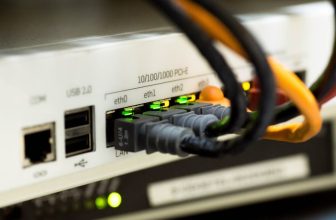
- WAN port — The input port that connects to your modem. Usually 1 Gbps; premium routers have 2.5 Gbps or 10 Gbps WAN ports for multi-gig ISP plans.
- LAN ports — Ethernet output ports for wired devices. Typically 4 ports at 1 Gbps each on consumer routers.
- USB port — Present on many mid-range routers. Used for network-attached storage (NAS) via USB drive, shared printing, or 4G/5G LTE backup.
Network Features
- QoS (Quality of Service) — Traffic prioritization. Lets you tell the router which devices or traffic types get bandwidth first. Essential for gaming on congested networks.
- BSS Coloring (Wi-Fi 6+) — Lets overlapping networks coexist without collisions by “coloring” transmissions from different networks. Reduces interference in apartment buildings.
- MLO (Multi-Link Operation, Wi-Fi 7) — Devices can use multiple bands simultaneously. Lower effective latency, better throughput, more resilient connections.
- Beamforming — Focuses the wireless signal toward specific devices rather than broadcasting in all directions equally. Improves range and signal quality for supported clients.
- DHCP — The service that assigns IP addresses to devices on your network automatically. Every home router runs this.
Security Terms
- WPA3 — Current Wi-Fi security standard. Use this if your router and devices support it. More resistant to brute-force attacks than WPA2.
- WPA2 — Previous security standard, still secure with a strong password. Universal compatibility. Use if your older devices don’t support WPA3.
- Firewall — Router-level protection against unauthorized incoming connections. All consumer routers have this — NAT (Network Address Translation) provides a basic firewall by default.
- Guest network — Isolated network for visitors. Keeps guests on a separate subnet from your main devices — important for security.