Computer Station Nation is reader-supported.
When you buy through links on our site, we may earn an affiliate commission. Learn more.
Quick Picks — At a Glance
- Best overall budget monitor: CRUA 22-Inch FHD 100Hz — unbeatable value at $68.69 with a smooth VA panel and VESA compatibility
- Best value from a big brand: onn 22-Inch FHD Office Monitor — Walmart’s own brand delivers reliability at $74 with nearly 2,800 reviews
- Best large screen on a budget: MSI 27-Inch PRO MP271A E2 — a 27-inch 120Hz monitor for only $89 that doubles as a gaming display
- Best for mixed use (work + play): onn 24-Inch 144Hz FHD — buttery-smooth 144Hz refresh at $84 for spreadsheet-by-day, gaming-by-night workflows
- Best curved screen: CRUA 24-Inch Curved 165Hz — immersive curved VA panel nearly 5,000 reviewers swear by, $89.89
- Best no-frills secondary monitor: Gawfolk 22-Inch FHD — ultra-thin bezel-less design at $69.99 for sidecar duty
So you’re working from home and staring at a laptop screen all day. Ouch. A real monitor changes the game — less neck strain, more room to actually see what you’re working on, and a setup that looks like you mean business. Here’s the kicker: you don’t have to spend a ton of cash to get there. There are plenty of solid, affordable monitors for home office use that’ll make your daily grind way more comfortable without wrecking your wallet.
After evaluating more than a dozen budget monitors based on picture quality, connectivity, eye-care features, VESA compatibility, and real-world user feedback, we narrowed it down to six picks that deliver real value without the premium price tag. Every monitor on this list comes in under $90 and has proven itself with actual customer reviews — no theoretical specs or untested claims here.
What to Look For in an Affordable Home Office Monitor
Before we get into the picks, here’s what actually matters when you’re shopping on a budget: For a deeper dive into every consideration, our Home Office Monitor Buying Guide: What Actually Matters in 2026 covers the full picture. Here are the highlights:
- Size matters, but bigger isn’t always better. For most home offices, 22–24 inches is the sweet spot. Big enough to spread out windows side by side, small enough to fit on a standard desk. 27 inches is great if you have the space, but expect to pay a bit more.
- 1080p is perfectly fine. Unless you’re editing photos or video, Full HD (1920×1080) resolution is all you need for spreadsheets, documents, and video calls. 4K is nice but adds cost — and on a 24-inch screen, you barely notice the difference for office work.
- Eye care features are a must. Look for flicker-free technology and low blue light modes. You’re going to be staring at this thing for 8+ hours a day — your eyes will thank you.
- Connectivity. Make sure it has at least one HDMI port. Most budget monitors still include VGA for legacy devices, but HDMI is what you’ll actually use with a modern laptop or desktop.
- VESA mount compatibility is a hidden gem. A monitor arm frees up desk space and lets you dial in the perfect ergonomic position. If a monitor has VESA mounting holes, it’s a winner.
Panel type matters for your use case. VA panels (like the ones in most of our picks) offer better contrast than standard IPS for documents and video, making text pop. If you’re curious about the technical differences and what they mean for your daily workflow, check out our explainer on LED vs LCD Monitor: What the Difference Actually Means (and What It Doesn’t). The short version: for office work on a budget, a quality VA or IPS panel at 1080p will serve you well.
The Best Affordable Monitors for Home Office Use
Alright, let’s get to the actual monitors. These picks all come in under about $90, proving you really don’t need to spend big to get a capable home office screen. Each one has real specs, real user ratings, and real prices from Walmart.
1. CRUA 22-Inch FHD Computer Monitor — Best Budget Pick
If you want a solid monitor that covers all the basics without spending more than you have to, the CRUA 22-inch is where it’s at. It packs a 100Hz VA panel (smoother than the standard 60Hz) with a three-side frameless design that looks way more expensive than it is. Eye-care technology is included, and you get both HDMI and VGA inputs. Plus it’s VESA compatible, so you can mount it on an arm later. With over 1,600 reviews and a solid 4-star rating, this thing has been tested by a lot of people.
- Pros: Excellent value at $68.69, 100Hz refresh rate, frameless design looks premium, VESA mount compatible, eye-care technology
- Cons: Only 22 inches, basic stand with limited tilt adjustment, no DisplayPort input
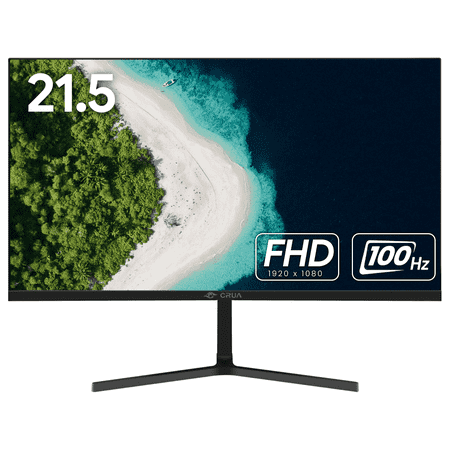
⭐Immerse in Brilliance - CRUA 22" Full HD Monitor Discover greatness with the CRUA 22" desktop monitor. Enjoy stunning visuals in Full HD with a 1080P resolution, 100Hz refresh rate, and 95% sRGB color gamut. Immerse yourself with a wide 178° viewing angle and a sleek narrow bezel design....
2. onn 22-Inch FHD Office Monitor — Best Value from a Big Brand
Walmart’s house brand onn has been quietly putting out solid budget electronics, and their 22-inch office monitor is a great example. It’s a 100Hz FHD panel that comes with a 6-foot HDMI cable right in the box — a small thing, but genuinely convenient when you’re setting up. Almost 2,800 reviews and a 4-star average tell you this is a proven pick. Simple, reliable, and under $80. If you’re planning a multi-screen desk, this pairs naturally with another monitor — and our guide on How to Set Up Dual Monitors for Your Home Office walks you through getting everything running smoothly.
- Pros: Trusted brand (Walmart/onn), HDMI cable included, 2,776 reviews confirming reliability, great price at $74
- Cons: Only 22 inches, basic ergonomics (no height adjust), standard 60Hz-equivalent (100Hz still beats budget 60Hz panels)
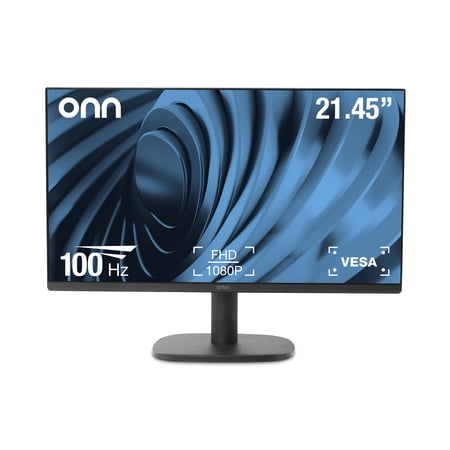
The onn 22" FHD Monitor is a high-quality display that offers Full High Definition performance in a 22-inch FHD Monitor with a bezel-less display and adjustable stand. With a 22" (21.45" actual diagonal) 1080p Monitor, it features a 1920 x 1080p Resolution, providing a clear and crisp image. The...
3. MSI 27-Inch FHD Office Monitor — Best Large Screen on a Budget
MSI is known for gaming monitors, but their PRO MP271A E2 is a pure office workhorse. You get a 27-inch FHD panel with a 120Hz refresh rate and 1ms response time — unusual at this price point. It comes with HDMI, DisplayPort, and VGA inputs, plus Adaptive-Sync to keep things smooth. If you have the desk space and want the biggest screen for your money, this is a strong contender. Users give it 4 stars from 85 reviews. Setting up a large monitor like this at the right height and distance is key — Monitor Ergonomics: Terms Explained and Setup Targets has the exact measurements you need.
- Pros: Massive 27-inch screen, 120Hz + 1ms is rare at this price ($89), DisplayPort + HDMI + VGA, Adaptive-Sync support
- Cons: FHD resolution at 27” means lower pixel density, only 85 reviews so far, no built-in speakers
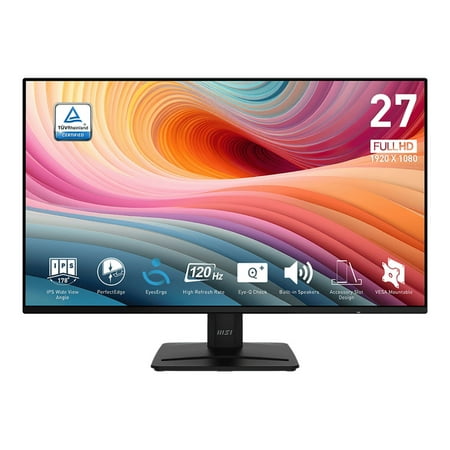
The PerfectEdge 120Hz Home Office Monitor, crafted for young professionals, combines modern design with high performance. Whether handling daily office tasks or diving into immersive gaming experiences, this monitor delivers breakthrough visual enjoyment and usability.
4. onn 24-Inch FHD 144Hz Office Monitor — Best for Mixed Use
Need a monitor that handles spreadsheets by day and games by night? The onn 24-inch ups the refresh rate to 144Hz, which makes everything on screen feel buttery smooth — whether you’re scrolling through documents or playing a quick round after hours. It includes a 6-foot HDMI cable and has a perfect 5-star average from early reviews. A newer model on the market, but the specs are compelling for the price. A higher refresh rate like this is especially helpful when you’re running two screens and noticing sync issues — our guide on Dual Monitor Problems: How to Fix the Most Common Issues covers the typical hiccups.
- Pros: 144Hz refresh at just $84, 5-star rating (38 reviews), includes HDMI cable, 24-inch is the ideal office size
- Cons: Limited reviews (newer model), standard stand only, may be overkill if you only do office work
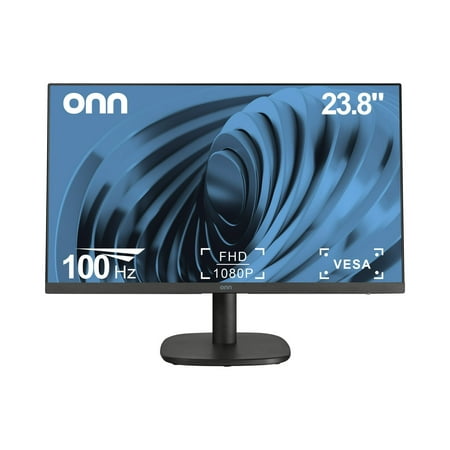
onn 24'' FHD(1920 x 1080p) 144hz Bezel-less PC Monitor: The onn. 24''(23.8" actual diagonal) FHD Bezel-less Monitor features a bezel-less IPS panel with 178° viewing angles and vibrant 1920x1080 resolution, compatible with Windows, macOS, and ChromeOS. The 100hz refresh rate delivers smooth...
5. CRUA 24-Inch Curved Gaming Monitor — Best Curved Screen
Curved monitors on a budget? Yes, they exist. The CRUA 24-inch curved panel runs at 165Hz (180Hz overclockable) with FreeSync support and 120% sRGB color coverage. It’s technically a gaming monitor, but the curved form factor is surprisingly nice for office work too — it reduces eye travel across the screen and feels more immersive. With nearly 5,000 reviews and a 4-star average, this is one of the most popular budget monitors out there. The curve makes a meaningful difference in how your eyes move across the display, and proper ergonomic positioning amplifies that benefit.
- Pros: Curved VA panel at only $89.89, 165Hz (180Hz OC), FreeSync support, 4,923 reviews confirming quality, 120% sRGB
- Cons: Gaming-focused aesthetic may not suit all offices, no built-in speakers, larger footprint due to curved stand
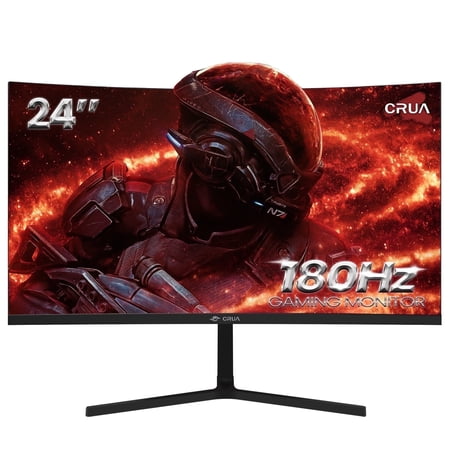
️Epic Gaming Mate - CRUA 24" Curved Gaming Monitor Enhance your visual experience with the CRUA CR240DM 24 inch monitor. Immerse yourself in stunning visuals with 1080P resolution, a fast 180Hz refresh rate, and a professional-grade VA panel. AMD FreeSync technology ensures smooth gaming, while...
6. Gawfolk 22-Inch FHD Monitor — The No-Frills Option
Sometimes you just need a screen that works. The Gawfolk 22-inch is an ultra-thin bezel-less VA panel with HDMI and VGA inputs. It doesn’t try to be fancy — it’s a straightforward 1080p monitor that gets the job done for documents, browsing, and video calls. Perfect as a secondary monitor or for a basic home office setup where you don’t need extra bells and whistles. With just 9 reviews so far, it’s newer to the market, but the price is right at under $70.
- Pros: Lowest price on the list at $69.99, ultra-thin bezel design, VESA compatible, great as a secondary monitor
- Cons: Very few reviews (9 total), standard 60Hz/75Hz, basic stand with limited adjustment
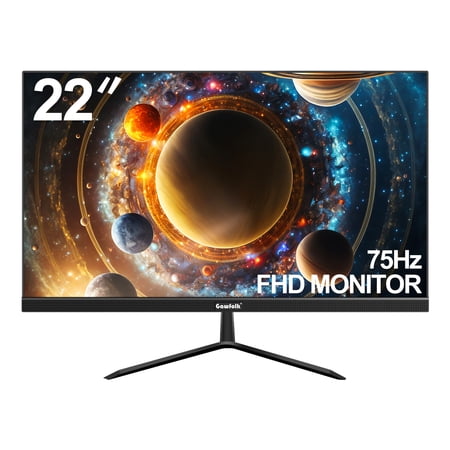
Enjoy a stunning visual experience with the Gawfolk 22-inch Computer Monitor. This VA panel display boasts a Full HD 1920 x 1080 resolution, a 75Hz refresh rate, and a 4ms response time, delivering crisp, clear images. The 2800R curved design and 178-degree wide viewing angle provide an...
Quick Comparison
| Monitor | Size | Refresh Rate | Rating | Price |
|---|---|---|---|---|
| CRUA 22″ FHD | 22″ | 100Hz | 4.0 (1,661 reviews) | $68.69 |
| onn 22″ Office | 22″ | 100Hz | 4.0 (2,776 reviews) | $74.00 |
| MSI 27″ FHD | 27″ | 120Hz | 4.0 (85 reviews) | $89.00 |
| onn 24″ 144Hz | 24″ | 144Hz | 5.0 (38 reviews) | $84.00 |
| CRUA 24″ Curved | 24″ | 165Hz | 4.0 (4,923 reviews) | $89.89 |
| Gawfolk 22″ FHD | 22″ | — | 4.0 (9 reviews) | $69.99 |
Buying Advice: Which Monitor Should You Pick?
Your choice really comes down to desk space and how you work. Here’s a quick breakdown:
- Limited desk space or strict budget: The CRUA 22-inch ($68.69) is the most affordable pick that doesn’t compromise on quality. Its 100Hz panel and VESA mounting make it flexible for future upgrades.
- Want a brand you know: The onn 22-inch ($74) comes from Walmart’s in-house label and over 2,700 reviewers vouch for it. The included HDMI cable is a nice bonus.
- Need screen real estate: The MSI 27-inch ($89) is the largest display you’ll find at this price. Just be aware that 1080p on a 27-inch panel means slightly less sharpness than a 24-inch at the same resolution.
- Work hard, play hard: The onn 24-inch 144Hz ($84) or CRUA 24-inch curved ($89.89) both deliver high refresh rates that make after-hours gaming genuinely enjoyable on the same monitor you use for work.
- Secondary or sidecar monitor: The Gawfolk 22-inch ($69.99) is affordable enough that you can pair it with any primary display without guilt. Just don’t expect it to be your main production screen.
Frequently Asked Questions
Is 1080p good enough for a home office monitor?
Absolutely. For office tasks like word processing, spreadsheets, email, and video calls, 1080p Full HD is perfectly adequate. You’d only need higher resolutions like 1440p or 4K for photo/video editing or if you sit very close to a large screen.
What size monitor is best for working from home?
22 to 24 inches is the sweet spot for most home offices. It’s large enough to comfortably have two windows side by side without feeling cramped, but small enough to fit on a standard-depth desk. If you have extra desk space and good eyesight, 27 inches gives you even more room.
Do I need a high refresh rate for office work?
Not strictly, but it helps. A 100Hz or 120Hz monitor makes scrolling through documents and web pages noticeably smoother than a standard 60Hz panel. Once you’ve tried it, it’s hard to go back. A higher refresh rate also means you can use the same monitor for casual gaming after hours.
What’s the most important feature for eye comfort?
Flicker-free technology and low blue light modes are the two big ones. Flicker-free eliminates the imperceptible screen flicker that causes eye strain over long periods, and low blue light reduces the harsh blue wavelengths that can disrupt sleep if you work late. All of the monitors listed here include some form of eye-care technology.
Can I use a gaming monitor for office work?
Yes, and many of our picks prove it. Monitors like the CRUA 24-inch curved and the onn 24-inch 144Hz are technically gaming monitors, but their higher refresh rates make general desktop use feel smoother too. The key is choosing one with a goodVA or IPS panel that handles text clearly — and most modern gaming monitors deliver that.
How important is VESA mount compatibility?
If you ever plan to use a monitor arm, it’s essential. VESA mounting lets you attach your monitor to an arm that frees up desk space and lets you position the screen at the perfect height and distance. Most of our picks are VESA compatible, which is a standout feature in this price range.
Final Thoughts
You don’t need to spend hundreds to get a great home office monitor. Whether you go with the ultra-affordable CRUA 22-inch, the spacious MSI 27-inch, or the versatile onn 24-inch 144Hz, you’re getting a real upgrade over a laptop screen — without the price tag that used to come with it. Pick the size and features that match your desk and your work style, and you’ll wonder why you didn’t make the switch sooner.
The most important takeaway: pay attention to ergonomics, eye-care features, and connectivity that matches what your laptop or desktop actually has. A monitor that fits your setup and your body will serve you better than one with flashy specs you don’t need.