Computer Station Nation is reader-supported.
When you buy through links on our site, we may earn an affiliate commission. Learn more.
Wireless printing sounds simple. Plug it in, connect to Wi-Fi, print from your phone. That’s how it works on the box. In practice, wireless printers range from genuinely painless to “why is this not working again.” These four current models — all under $65, all AIO — are the ones actually worth buying.
Bottom line: the Epson XP-4205 is the best all-around wireless printer at this price. The HP DeskJet 4255e is the best value under $50. Need fax? Canon TR4722.
Wireless Printing in 2024: What’s Actually Changed
Every printer here supports Wi-Fi 2.4GHz, AirPrint (iPhone/iPad), Mopria (Android), and has a companion app for setup and mobile printing. That’s the baseline now, not a premium feature.
What still varies: Wi-Fi Direct support, setup reliability, and how companion apps handle firmware updates and ink monitoring. Budget printers have gotten better at wireless, but it’s not universal that they “just work” on the first try.
None of these printers support 5GHz Wi-Fi. That’s standard across the sub-$100 inkjet category. If your router’s 2.4GHz band is congested or weak where the printer will live, placement matters more than you’d expect.
The Printers
Epson Expression Home XP-4205 — Top Pick ($59)
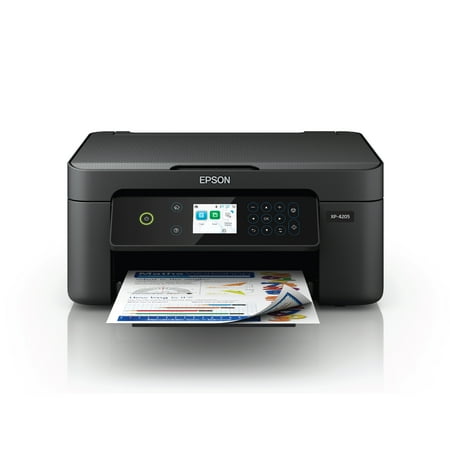
Enjoy easy, everyday printing—plain and simple—with the Expression Home XP-4205. From coupons to directions, recipes to homework, the XP-4205 delivers the documents you need without missing a beat. Engineered with Epson’s state-of-the-art imaging technology, this high-performance, all-in-one...
Best wireless inkjet AIO under $60. Auto duplex printing, individual ink cartridges (replace only what runs out), 100-sheet paper capacity, and wireless setup via Epson Smart Panel that works on both Android and iOS without drama.
Wireless performance is consistent. Setup takes about 5 minutes: connect to your network in the app, print a test page, done. It maintains its Wi-Fi connection reliably and doesn’t drop off the network after sleep cycles the way some budget inkjets do.
Print quality is what you’d expect from a 4-color inkjet at this price. Sharp text, acceptable color graphics, passable photos. Not a photo printer, but solid for everyday home use.
| Spec | Value |
|---|---|
| Price | $59 |
| Type | Inkjet AIO |
| Wireless | Wi-Fi 2.4GHz, AirPrint, Mopria, Wi-Fi Direct |
| Print speed | 10 ppm mono / 5 ppm color |
| Auto duplex | Yes |
| Paper capacity | 100 sheets |
| Ink system | 4-color individual cartridges |
| App | Epson Smart Panel |
Buy it if: you want the best all-around wireless printer under $60. Auto duplex and individual cartridges make it the most practical option at the price.
HP DeskJet 4255e — Best Value ($49.99)
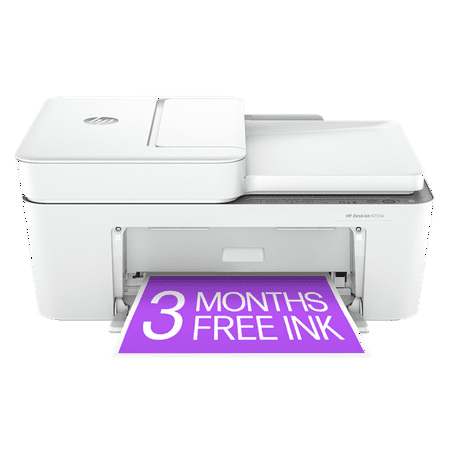
Explore the multifunctional capabilities of the DeskJet 4255e Wireless All-In-One Color Thermal Inkjet Printer, a compact and wireless device designed for effortless printing, scanning, and copying. This printer is equipped with an automatic document feeder, making it an ideal choice for home...
The cheapest wireless AIO that still checks all the boxes. AirPrint, Mopria, HP Smart app for setup and monitoring, automatic paper and ink level detection. HP’s Instant Ink subscription is tighter here than on competitors — great if you want ink auto-shipped, less ideal if you prefer to buy third-party cartridges.
Wireless setup via the HP Smart app, one of the better printer apps in this category. Reconnection after deep sleep is occasionally spotty, but rare enough not to be a real problem.
The trade-off at this price: 60-sheet paper capacity and no auto duplex. Fine for light use, not for anyone printing batches regularly.
| Spec | Value |
|---|---|
| Price | $49.99 |
| Type | Inkjet AIO |
| Wireless | Wi-Fi 2.4GHz, AirPrint, Mopria |
| Auto duplex | No |
| Paper capacity | 60 sheets |
| Ink system | HP 67/67XL cartridges |
| App | HP Smart |
Buy it if: you want the cheapest wireless printer that actually works. Good for light home printing.
Canon PIXMA TS3722 — Best for Photos ($53)
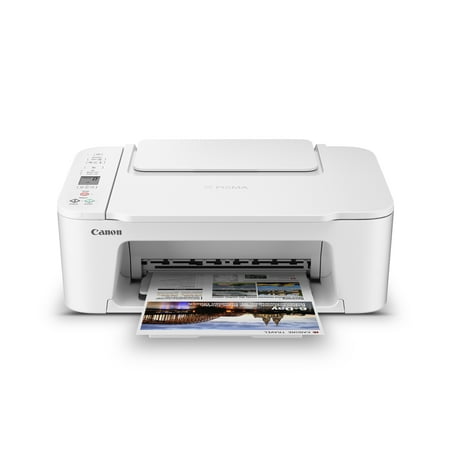
Designed for home use, the Canon PIXMA TS3722 All-in-One inkjet printer delivers high-quality printing and outstanding wireless connectivity in a compact size. The PIXMA TS3722 is easy to set up and maintain and offers great media versatility to print on a variety of media types and sizes,...
The most-reviewed printer here, 24,000+ ratings at 4 stars. Compact, wireless, and prints photos noticeably better than the HP. Borderless 4×6 photo support is the differentiator. Quiet operation, small footprint.
Wireless setup via the Canon PIXMA/TR Print and Scan app. Reliable connectivity. The 2-cartridge system (black plus tri-color) is the main trade-off: when any single color in the tri-color runs low, you replace the whole cartridge.
| Spec | Value |
|---|---|
| Price | $53 |
| Type | Inkjet AIO |
| Wireless | Wi-Fi 2.4GHz, AirPrint, Mopria |
| Auto duplex | No |
| Paper capacity | 60 sheets |
| Photo printing | Yes, borderless 4×6 |
| Ink system | 2-cartridge (PG-243/CL-244) |
Buy it if: casual photo printing is part of the use case. Skip the HP and get this instead for $3 more.
Canon PIXMA TR4722 — Best with Fax ($64)
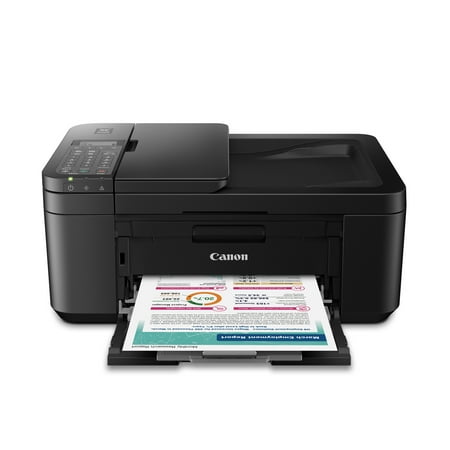
CANON PIXMA TR4722 Wireless InkJet All-In-One Printer. Compact, Versatile, Easy-to-use For all your work or home printing needs, the PIXMA TR4722 Wireless All-in-One Printer has you covered. Enjoy simple setup through the Canon PRINT Inkjet/SELPHY App and an easy to install 2-Cartridge hybrid...
The TR4722 adds fax and a larger paper tray to the TS3722 package. Same wireless stack, same print quality. Fax requires a phone line, which is rare in most homes now, but if you deal with insurance, mortgage, or legal paperwork that still goes through fax, this is the right call at $64.
| Spec | Value |
|---|---|
| Price | $64 |
| Type | Inkjet AIO + fax |
| Wireless | Wi-Fi 2.4GHz, AirPrint, Mopria |
| Auto duplex | No |
| Paper capacity | 100 sheets |
| Fax | Yes (requires phone line) |
Buy it if: you need fax. Otherwise, save $5 and get the TS3722, or spend $5 more and get the Epson XP-4205 with auto duplex.
Wireless Setup Comparison
| Printer | App | AirPrint | Wi-Fi Direct | Sleep Reconnect |
|---|---|---|---|---|
| Epson XP-4205 | Epson Smart Panel | Yes | Yes | Reliable |
| HP DeskJet 4255e | HP Smart | Yes | No | Mostly reliable |
| Canon TS3722 | PIXMA/TR Print & Scan | Yes | No | Reliable |
| Canon TR4722 | PIXMA/TR Print & Scan | Yes | No | Reliable |
Wi-Fi Direct is only on the Epson XP-4205 of these four. Worth noting for anyone in a shared apartment or dorm where the home network situation is complicated.
Ink Costs and Long-Term Use
All four use cartridge-based ink. At moderate use (50-100 pages/month), annual ink costs typically run $60-$120 depending on your color-to-black ratio. For anyone printing more than that consistently, these aren’t the right printers. An Epson EcoTank would be significantly more economical at higher volume. See the full printer buying guide for the TCO math.
Canon and Epson both have solid track records on firmware updates not breaking third-party ink support. HP’s budget line has been more aggressive about this historically.
Where to Buy
Enjoy easy, everyday printing—plain and simple—with the Expression Home XP-4205. From coupons to directions, recipes to homework, the XP-4205 delivers the documents you need without missing a beat. Engineered with Epson’s state-of-the-art imaging technology, this high-performance, all-in-one...
Explore the multifunctional capabilities of the DeskJet 4255e Wireless All-In-One Color Thermal Inkjet Printer, a compact and wireless device designed for effortless printing, scanning, and copying. This printer is equipped with an automatic document feeder, making it an ideal choice for home...
Designed for home use, the Canon PIXMA TS3722 All-in-One inkjet printer delivers high-quality printing and outstanding wireless connectivity in a compact size. The PIXMA TS3722 is easy to set up and maintain and offers great media versatility to print on a variety of media types and sizes,...
CANON PIXMA TR4722 Wireless InkJet All-In-One Printer. Compact, Versatile, Easy-to-use For all your work or home printing needs, the PIXMA TR4722 Wireless All-in-One Printer has you covered. Enjoy simple setup through the Canon PRINT Inkjet/SELPHY App and an easy to install 2-Cartridge hybrid...
FAQ
Do all these printers work with iPhone?
Yes. All four support AirPrint. iPhone and iPad can print to any of them without installing a separate app. Download the manufacturer app too for ink monitoring, scan, and settings.
Which is easiest to set up wirelessly?
HP Smart and Epson Smart Panel are both well-designed setup apps. All four follow the same basic pattern: download app, put printer in setup mode, connect to Wi-Fi through the app. Realistically 5-10 minutes for any of them.
Can I print from my phone without home Wi-Fi?
Only the Epson XP-4205 supports Wi-Fi Direct, which lets you print directly to the printer without a shared network. The other three require both your phone and the printer to be on the same Wi-Fi network.
How do I fix wireless printing that keeps disconnecting?
Three things usually fix it: move the printer closer to the router, assign it a static IP address in your router’s DHCP settings, and disable deep sleep mode in the printer settings. Deep sleep mode drops the Wi-Fi connection on most budget inkjets.