The Ultimate Guide to Desk Pads & Desk Mats: Protect Your Battlestation in Style
Computer Station Nation is reader-supported.
When you buy through links on our site, we may earn an affiliate commission. Learn more.
The Ultimate Guide to Desk Pads & Desk Mats: Protect Your Battlestation in Style
A desk pad — sometimes called a desk mat, blotter, or writing pad — is the single easiest upgrade you can make to your workspace. It protects your desk surface from scratches, spills, and daily wear while giving your mouse and keyboard a smooth, consistent surface to work on. Whether you’re building a competitive gaming rig, a home office, or a shared workspace, the right desk pad ties everything together visually and functionally.
In this guide we cover everything you need to know: why you need one, what materials to look for, how to pick the right size, which features matter, and which desk pads are actually worth your money in 2026. Whether this is your first desk pad or you’re upgrading from a basic mouse pad, you’ll leave this guide knowing exactly what to buy.
What Is a Desk Pad?
A desk pad is a large-format surface covering that sits on top of your desk. Unlike a standard mouse pad, which covers only the area under your mouse, a desk pad extends across the full keyboard-and-mouse area — and sometimes the entire desk. Desk pads come in materials like PU leather, fabric, wool, and silicone, each offering different levels of glide, cushion, water resistance, and durability.
Think of it as the area rug for your desktop: it defines the space, adds comfort, and protects what’s underneath. If you’re new to this category, reading up on the Best Desk Pad recommendations is a good starting point to see what real buyers choose across different styles and budgets.
Desk pads have been around for decades in various forms — executive leather blotters, drafting table covers, and now the modern extended mouse mat that dominates gaming and creator setups. What changed in the last few years is the variety: you can now get a desk pad in nearly any material, color, or print pattern, at prices ranging from under $10 to well over $100 for handmade wool versions.
Why You Need a Desk Pad
Here are the biggest reasons battlestation owners and home office users add a desk pad to their setup:
- Surface protection — Scratches, coffee rings, keyboard feet imprints, and general wear happen to every desk. A desk pad takes the damage instead of your expensive wood or laminate surface. If you already scratched your desk, a Best Custom Desk Mats option can cover existing marks while adding personality.
- Unified mouse + keyboard surface — No more bumpy transition between a mouse pad and bare desk. Your mouse glides smoothly, your keyboard sits level, and your wrists don’t feel a ridge.
- Noise dampening — A cloth or foam-backed mat absorbs keyboard clatter and mouse thumps. In a shared room or late-night session, this matters.
- Cleanliness — Desk pads are easier to clean than a desk surface. Most wipe down with a damp cloth. Fabric pads can be spot-cleaned or hand-washed. For a thorough cleaning guide, see How To Wash A Computer Desk Mat.
- Aesthetic upgrade — A well-chosen desk pad pulls your monitor, keyboard, mouse, and desktop into a cohesive look. It’s the finishing touch on a clean battlestation.
Types of Desk Pads by Material
The material of your desk pad determines how it feels, how long it lasts, and what it’s best suited for. Here’s a breakdown of the most common types so you can match the material to your needs.
PU Leather Desk Pads
PU leather (sometimes called vegan leather or bonded leather) is the most common material for desk pads. It’s smooth, water-resistant, easy to wipe clean, and looks professional in both office and gaming setups. PU leather pads are typically thin (2–3 mm) and provide a firm writing surface. They’re the best choice if you write on your desk pad regularly.
Most affordable desk pads on the market today are PU leather. The Swayvoo Desk Pad Protector and the Pen+Gear Simulated Leather Desk Mat are both good examples — affordable, waterproof, and available in multiple sizes and colors. For buyers who want a premium leather feel, the Best Leather Desk Pad roundup covers the top options at every price point.
PU leather is also available in transparent or translucent finishes, which are popular for preserving the look of a natural wood desktop while still offering protection. You can find top-rated options in the Best Clear Desk Pad guide if that style appeals to you.
Cloth / Fabric Desk Mats
Fabric desk mats — often called “extended mouse pads” — are the go-to choice for gamers. They offer a smooth, consistent glide surface for your mouse across the entire mat. Most are made from polyester or microfiber with a rubber or non-slip foam base. Fabric mats come in a huge range of designs, from solid black to full-print graphics. They also accommodate custom printing, which is where the Best Custom Desk Mats category shines for branded or personalized setups.
The trade-off: fabric stains more easily than leather and needs more frequent cleaning. But if you prioritize mouse glide and a soft wrist feel, fabric is worth considering.
Wool Desk Pads
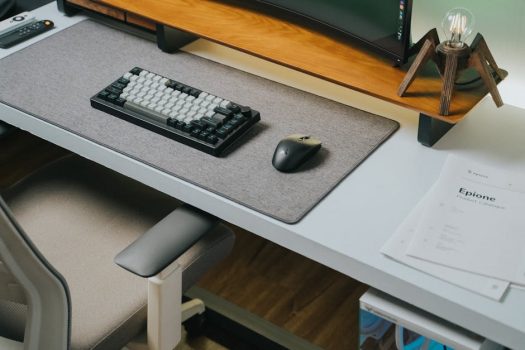
Wool felt desk pads are at the premium end of the market. They’re naturally stain-resistant, sound-dampening, and have a soft, warm texture that stands out from the usual black leather or printed fabric. Brands like Grovemade popularized the wool desk pad for high-end desk setups. They’re not ideal for writing (the surface is too soft) but look incredible and age gracefully. These are a common choice for executive offices and designer workspaces, alongside the Best Executive Desk Pad selections.
Silicone and Rubber Desk Pads
Less common but worth mentioning: silicone desk pads are heat-resistant and fully waterproof, making them a good fit for kitchen-adjacent desks or creative workspaces where paint and glue are part of the job. Rubber mat desk pads offer maximum non-slip grip but are usually thicker and less refined in appearance. They’re also a popular choice for standing desks where stability matters more than aesthetics.
Desk Pad Sizes: Finding the Right Fit
Desk pads fall into a few standard size categories. The right one depends on your desk dimensions and how much surface you want covered. Get your measurements wrong and you’ll either have a tiny pad floating in the middle of your desk or one that hangs off the edges and curls up.
- Small (around 18″ x 12″) — Covers the keyboard area only. Good for tight desks or if you want minimal coverage.
- Medium (around 24″ x 14″) — The most popular size. Covers a tenkeyless or full-size keyboard plus mouse area. Fits most standard desks without overhang.
- Large (around 31″ x 16″) — Covers the full keyboard + mouse zone with room to spare. Common among battlestation builders who want a clean, unified look.
- XXL / extended (36″ x 18″ and up) — Covers nearly the entire desk surface. Popular in streaming setups and dual-monitor configurations where you want complete coverage.
Before buying, measure your desk width and subtract 2–4 inches total for breathing room. A mat that overhangs the edges will curl and look messy fast. Depth matters too — if your desk is shallow (under 20 inches deep), a 16-inch deep mat might leave very little exposed surface at the front, which can feel cramped.
Some desk pads also come with built-in calendar layouts or weekly planners printed on them, which is a niche but useful feature for productivity-focused users. The Best Desk Pad With Calendar list highlights the top options in this category if you like the idea of combining a desk protector with a daily planner.
How to Choose the Right Desk Pad
Follow these three questions to narrow your options:
- What surface do you need? — Do you write on paper at your desk? Get PU leather. Do you game with a lightweight mouse and need fast glide? Get a cloth extended mat.
- How much desk space do you have? — Measure first. A mat that’s too small looks awkward. One that’s too large and overhangs looks worse. Medium (24×14) is the safe starting point.
- What’s your budget? — Basic PU leather pads start around $8. Extended gaming mats run $12–$25. Premium wool or leather pads can go over $60. For the best value at any tier, browse the Best Leather Desk Pad and Best Executive Desk Pad guides for curated recommendations at different price breaks.
Desk Pad vs Mouse Pad: What’s the Difference?
A regular mouse pad covers only the mouse area — typically 9″ x 11″ or smaller. A desk pad covers your keyboard and mouse together (and sometimes more). The key difference is coverage: a mouse pad handles one peripheral, while a desk pad handles the whole input zone.
Most battlestation builders eventually move from a mouse pad to a desk pad because it looks cleaner, feels more consistent, and protects more of the desk surface. You can still use a wrist rest on top of a desk pad — they work fine together. If you’re on the fence, the Best Desk Pad collection shows the most popular transitions from single mouse pads to full desk coverage.
Another key distinction: a desk pad is often thicker and more durable than a mouse pad because it’s designed for permanent placement. A mouse pad is usually thin enough to roll up and toss in a bag. Desk pads are meant to stay put for months or years at a time.
Desk Pads Worth Considering in 2026
Based on current pricing, ratings, and availability, here are real desk pads you can buy right now. These span the budget-to-midrange sweet spot and cover the most popular sizes and materials:
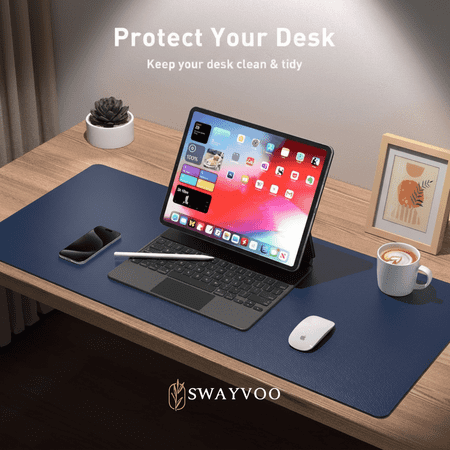
Protect your desk and elevate your workspace with the Swayvoo PU leather desk mat — a full-coverage, dual-purpose surface for home offices, workstations, and gaming setups. Measuring 31.5" × 15.7" (80 × 40 cm), it covers your entire work area to shield wood, glass, and laminate desks from...
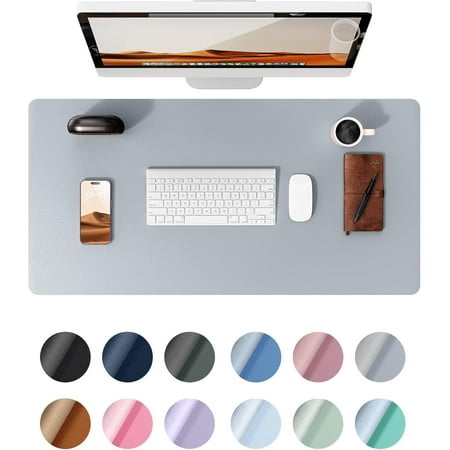
Product DescriptionDifferent Size for You To Choose S: 23.6"x13.8"Minzimin a company which specializes in providing desk pad and mouse pad in need in office supplies. Dual-Sided Desk Pad Non-Slip Desk Pad Eco Cork Desk Pad Protector RGB/Cork/Hard office pads
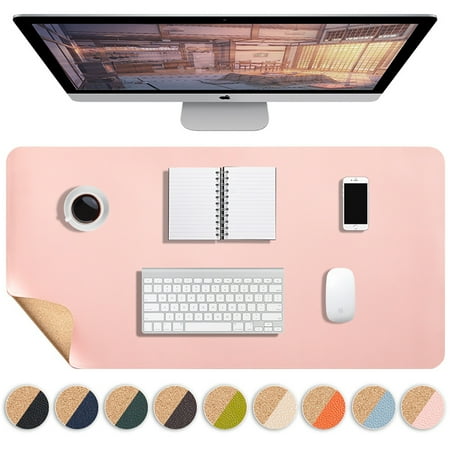
Multifunctional table mats are suitable for any scenario - from basic computer use to design work. The mats are free to cut and can be used anywhere you need them, such as placemats, insulated mats, non-slip mats, table mats, etc. Why choose our desk mats? 1.LARGE SIZE & MULTI COLOR OPTIONS: Our...
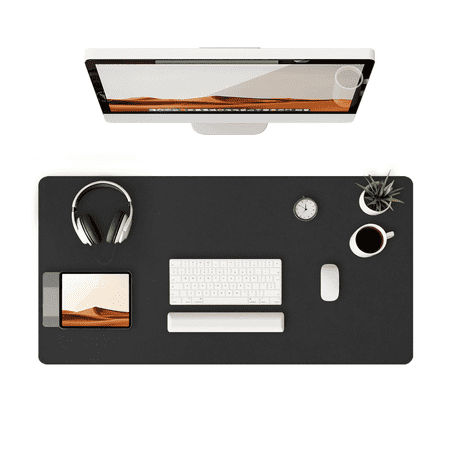
Durable Desk Protection This 31.5" x 15.7" desk mat is made of sturdy PU leather, protecting your desktop from scratches, spills, and stains for smooth writing, typing, and mouse use. Non-Slip Suede Base The desk pad has a soft suede backing that prevents slipping, keeping your workspace stable...
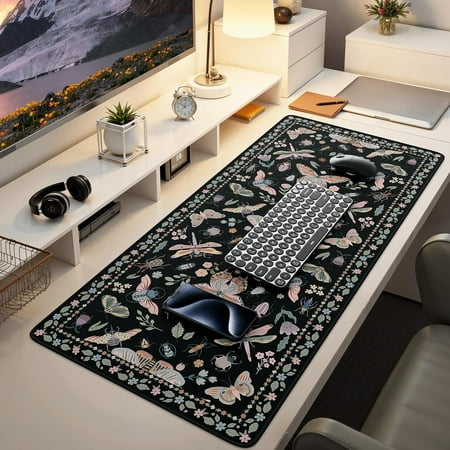
Product description
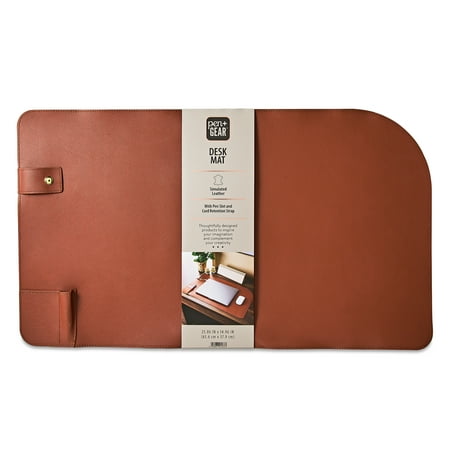
The Pen+Gear Simulated Leather Desk Mat provides the perfect work surface. Thoughtfully designed, the simulated leather design elevates the space and adds elegance and sophistication to your workspace. Measuring 25.86 by 14.96 inches, this desk mat can fit your laptop and mouse. Plus, the cord...
Frequently Asked Questions
Will a desk pad damage my desk?
No — quite the opposite. A desk pad protects your desk from scratches, spills, and keyboard feet marks. Cheap pads with PVC backing can leave a temporary imprint on some finishes over long periods, but most PU leather and fabric pads are safe for any surface. If you’re worried, lift and air the pad every few months.
Can I put a desk pad on top of a glass desk?
Yes, but you’ll want a pad with a strong non-slip rubber or silicone base. Glass is slippery, and standard PU leather pads can slide around. Look for a desk pad advertised as “non-slip” with a textured bottom layer.
How do I clean a desk pad?
PU leather: wipe with a damp microfiber cloth. For stubborn marks, mild soap and water works. Fabric/ cloth: spot-clean with a gentle detergent and blot dry. Avoid submerging fabric pads — the rubber base can degrade. Wool felt: brush off crumbs and spot-clean with a barely damp cloth; avoid rubbing aggressively. For a detailed walkthrough with step-by-step instructions, check How To Wash A Computer Desk Mat.
Does a desk pad help with wrist pain?
A desk pad alone won’t fix ergonomic issues, but it does provide a softer surface for your wrists and palms than bare wood or laminate. For serious wrist support, pair your desk pad with a dedicated gel or memory foam wrist rest.
Do desk pads work with mechanical keyboards?
Absolutely. In fact, desk pads are especially popular in the mechanical keyboard community. A good pad dampens keyboard echo and provides a stable platform. Most mechanical keyboards sit perfectly flat on a desk pad without any wobble.
What’s the standard desk pad thickness?
Most desk pads are 2–4 mm thick. PU leather pads tend to be thinner (2 mm). Fabric gaming mats are often 3–5 mm with a foam layer. Thicker pads feel more cushioned under your wrists but can create a lip where your desk ends — measure your desk lip height before going thick.
Final Verdict
A desk pad is one of the highest-ROI upgrades you can make to your battlestation or home office. It protects your desk, improves your mouse and keyboard experience, reduces noise, and makes your setup look intentional rather than thrown together. The best desk pad for you depends on your material preference, desk size, and budget — but even a basic $10 PU leather pad will immediately improve how your desk feels and looks.
Whether you’re gaming, working from home, or building a content creation studio, start with a desk pad. It’s the foundation piece your desk deserves.