
Computer Station Nation is reader-supported.
When you buy through links on our site, we may earn an affiliate commission. Learn more.
Two 60% mechanical keyboards. Same price tier. Same target buyer. Different switches under the hood. The HK GAMING GK61 and the Geeky GK61 SE both show up at the top of budget mechanical keyboard recommendations, and both come from the same 60% ANSI form factor that’s perfect for programmers. So which one wins for you?
Here’s the short answer up front. If you want the smoothest, quietest typing experience for an office and shared spaces, the Geeky GK61 SE with Brown switches is the winner. If you want the fastest possible actuation and don’t mind clicky noise, the HK GAMING GK61 with optical Blues wins. The rest is detail.
Quick Comparison
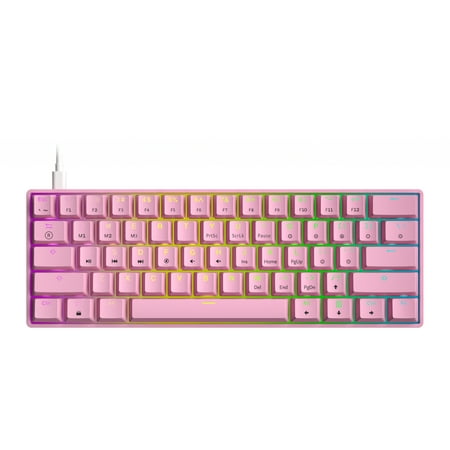
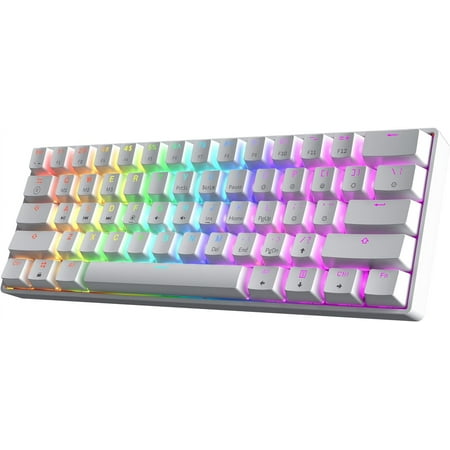
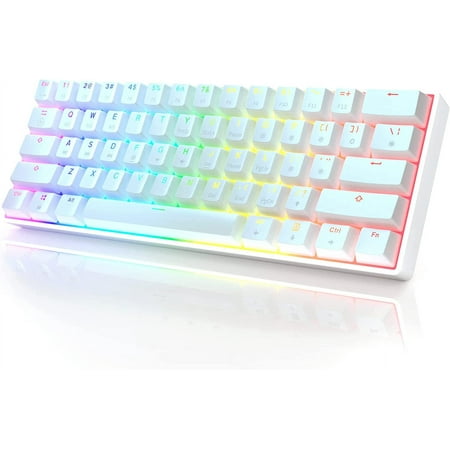
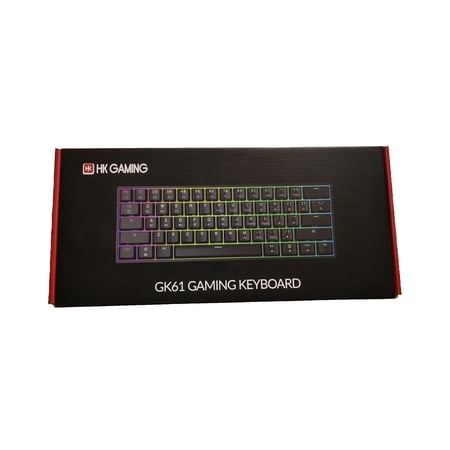
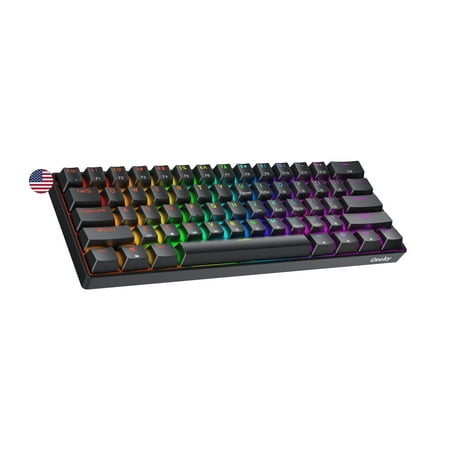
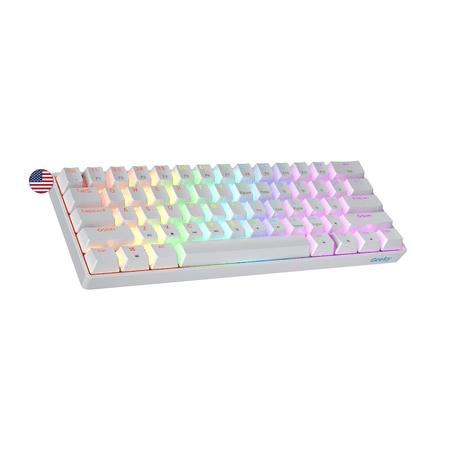
| Spec | HK GAMING GK61 | Geeky GK61 SE |
|---|---|---|
| Price | $25.00 | $22.73 |
| Switch type | Gateron Optical Blue (clicky) | Mechanical Brown (tactile) |
| Hot-swappable | Yes (optical only) | No |
| Switch lifespan | 100M keystrokes | 50M keystrokes |
| Layout | 60% ANSI | 60% ANSI |
| Backlight | Per-key RGB | Per-key RGB |
| Keycap material | Double-shot ABS | ABS |
| Connection | USB-C detachable | USB-C detachable |
| Compatibility | Win / Mac / Linux | Win / Mac / Linux |
Switch Feel
This is the big difference, and it’s the one that determines which keyboard you should buy.
The HK GAMING GK61 uses Gateron Optical Blue switches. Clicky, loud, snappy, with instant actuation thanks to the optical infrared sensor. Every keystroke is a tactile and audio event. Fast typists love these because there’s zero debounce delay — the moment the beam breaks, the keypress registers. For programmers who hammer out code at 100+ WPM and want sharp feedback on every keystroke, optical Blues are addictive.
The Geeky GK61 SE ships with Mechanical Brown switches. Tactile bump on every press, no click, quieter overall. The actuation force is similar (around 55g) but the experience is fundamentally different. You feel the keystroke without hearing it. For long coding sessions, Browns are the marathon switch — less fatigue, less noise, less drama.
Which is better? Depends entirely on where you work. Home office or private space? Optical Blues are a blast. Shared office, kids in the next room, microphone for meetings? Browns. Period.
Hot-Swap and Customization
The HK GK61 has hot-swappable optical sockets — pull a switch out and drop a new one in without soldering. Sounds great, but there’s a catch. The sockets only accept optical switches, not standard Cherry MX style. So your aftermarket switch sampler pack from any hobbyist site won’t work here. You’re locked into the optical switch ecosystem, which is smaller and pricier than the MX world.
The Geeky GK61 SE is not hot-swappable. The switches are soldered in. Whatever you buy is what you keep, unless you want to break out a soldering iron. For most buyers this is fine — the Browns it ships with are widely considered the safest default switch.
If switching is something you care about, HK wins. If you’re picking a switch and never touching it again, the Geeky is fine.
Build Quality
Both boards are plastic case with metal top plate construction. Both feel sturdy enough at the price point. The HK GK61 has slightly better factory stabilizers — pre-lubed from the factory, no stab rattle on the bigger keys (spacebar, shift, enter). The Geeky has stock-quality stabs that ping a bit on the space bar.
Neither board is a luxury build. Both are honest $20–25 keyboards. Don’t expect Keychron Q1 levels of construction.
Daily Typing Verdict
For most programmers, the Geeky GK61 SE is the better daily driver. Brown switches are the office-friendly default that most programmers end up loving long-term. The lack of hot-swap matters less than people think when the switches it ships with are already the most-recommended choice.
The HK GAMING GK61 wins for fast typists in private spaces who want optical speed and the option to swap switches later. The clicky Blues are wonderful for some, terrible for others — be honest about your environment before pulling the trigger.
Who Should Buy Which?
Buy the Geeky GK61 SE if:
- You work in a shared office or use a microphone for meetings
- You want a quiet, smooth typing experience for long coding sessions
- You’ve never owned a mechanical keyboard before and want the safest first pick
- You don’t care about switching switches later
Buy the HK GAMING GK61 if:
- You work in a private space and love loud clicky switches
- You type at 100+ WPM and want zero debounce delay
- You might want to swap switches later (optical only)
- You want the longer 100M keystroke lifespan
FAQ
Are optical switches better than mechanical?
Optical switches register faster and last longer, but they’re not always a better feel. The fastest actuation is meaningful for competitive gaming and fast typing — less critical for most office work. Standard mechanical switches have a broader ecosystem of replacement parts and aftermarket support.
Can I use either keyboard on Mac?
Yes, both boards support Mac via a FN-layer toggle that remaps Command and Option correctly.
Which is louder?
The HK GAMING GK61 with Optical Blues is significantly louder. The clicky bump is part of the design. Geeky GK61 SE Browns are quiet enough for most office environments.
Is hot-swap really useful?
Only if you plan to experiment with different switches. For most users who pick one switch and stick with it, hot-swap is a nice-to-have rather than a need-to-have. If you do want to experiment, the HK GK61’s optical-only socket limits you to a smaller switch market.


