Computer Station Nation is reader-supported.
When you buy through links on our site, we may earn an affiliate commission. Learn more.
Buying headphones shouldn’t require a degree in audio engineering. But the spec sheets, marketing claims, and sheer number of options make it easy to spend money on the wrong pair. This guide cuts through that — what to actually look for, what to ignore, and how to match the right headphone to how you actually use it.
Step 1: Pick the right form factor
Before price, before brand, before any spec — decide which type of headphone fits your use case. The form factor determines everything else.
| Type | Best for | Trade-off |
|---|---|---|
| Over-ear (circumaural) | Home, desk, long sessions, gaming | Bulky, can cause heat buildup |
| On-ear (supra-aural) | Casual listening, commute | Less isolation, can clamp uncomfortably |
| In-ear (IEM/earbuds) | Gym, commute, portability | Less bass extension, ear fatigue over hours |
| True wireless (TWS) | Maximum portability, phone calls | Smaller battery, loss risk |
Home battlestation: over-ear, full stop. Gym or commute: in-ear or true wireless with ear hooks. Everything in between: on-ear or true wireless, depending on how much isolation you want.
Step 2: Set a realistic budget
Here’s what your money actually buys at different tiers:
| Budget | What you get | What you don’t get |
|---|---|---|
| Under $20 | Functional audio, basic wireless | ANC, quality materials, reliable battery |
| $20–$50 | Good wireless, decent ANC, known brands | Premium ANC, audiophile sound |
| $50–$100 | Excellent wireless, strong ANC, 40+ hr battery | Top-tier ANC from Sony/Bose/Beats |
| $100–$200 | Premium ANC, high-quality audio, premium materials | Studio/professional accuracy |
| $200+ | Best-in-class across all categories | Not much — diminishing returns hit hard here |
Most people belong in the $50–$100 range. That’s where you get genuinely good wireless from JLab, Sony, and JBL without paying for marketing. Below $50 you’re making real compromises; above $150 you’re paying for incremental improvements.
Step 3: Decide on wireless vs. wired
Wired sounds better per dollar. Wireless is more convenient. If your headphones never leave your desk, wired wins on value. If you’re commuting, hitting the gym, or bouncing between rooms, wireless is worth the premium.
Gaming caveat: skip Bluetooth-only headsets if you care about competitive play. Gaming-focused headsets use 2.4GHz wireless dongles, which give you wireless freedom at wired-equivalent latency. Bluetooth adds 30–80ms — fine for movies, bad for shooters. Full breakdown: wireless vs. wired headphones.
Step 4: Figure out whether you need ANC
ANC earns its price if you deal with constant low-frequency noise — trains, planes, open offices, loud HVAC. It’s much less useful in a quiet home. The effect is genuinely impressive on commutes; in a home studio it mostly just costs you money.
Budget ANC ($15–$30) takes the edge off. Mid-range ANC ($70–$100) from JLab is genuinely strong for the price. Premium ANC ($150+) from Sony, Bose, and Beats handles the full noise spectrum and adapts in real time. Full guide: best noise-canceling headphones.
Step 5: Check the specs that actually matter
Battery life
For wireless: 25–40 hours without ANC is average in 2026. With ANC running, expect 20–30 hours. Under 15 hours without ANC is below average. Those spec-sheet numbers come from ideal conditions at low volume — real-world usage runs 10–20% lower.
Impedance
Low impedance (16–32Ω) works fine from phones and laptops — which is what most consumer headphones use. High impedance (80–300Ω+) needs an amp to actually perform. Only matters if you’re buying open-back audiophile or studio cans.
Frequency response
“20Hz–20kHz” is on every headphone because it covers human hearing range. It tells you nothing about how the response is tuned within that range — flat and accurate versus bass-boosted and muddy are both “20Hz–20kHz.” For real data, check Rtings.com. They measure actual frequency response curves on nearly every major model.
Driver size
Bigger isn’t better. A well-tuned 40mm driver beats a poorly-tuned 50mm driver every single time. Driver size is one data point among many — not a quality indicator on its own.
Step 6: Assess comfort before you buy
Comfort is the most underrated spec. A headphone you can wear for four hours without pain is worth more than one that sounds slightly better but digs into your ears by hour one. Things that actually affect how they feel over long sessions:
- Ear cup size and padding material (memory foam vs. basic foam vs. protein leather)
- Clamping force — how tight they grip your head
- Weight — heavier headphones create fatigue during long sessions
- Headband padding — especially relevant for over-ear models worn all day
Try before you buy if you can. Reviews that mention clamping force and long-session comfort are more useful than ones that only talk about sound.
Featured products
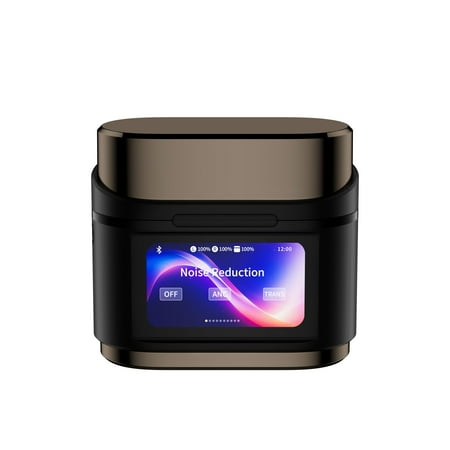
These innovative Real-Time Translation Headphones are designed to enhance your communication and learning experiences. With support for an impressive 144 languages, they break down language barriers effortlessly, making them perfect for international travel and focused study sessions. The...
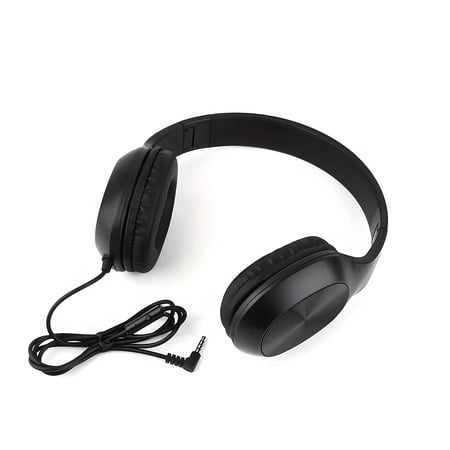
Origin: Guangdong,China Battery Properties: Without Battery Earcup Style: Semi-open-back Is There A Charging Case?: No Headphone Jack: 3.5mm Compatible Device: Cellphones Recommended Scenario: Calling Age Range: Adult Control Method: Push Button Type Noise Control Mode: no noise control...
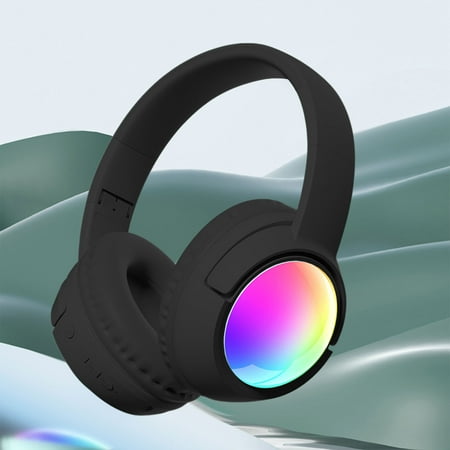
Tech Haven: Your Gateway to a Smarter Digital Life Welcome to your one-stop destination for cutting-edge electronics that blend seamlessly with your lifestyle. In a world driven by innovation and digital connection, we provide the essential tools to work, create, play, and explore with greater...
Buying checklist
- Form factor matches your primary use case
- Budget aligns with the tier table above
- Wireless vs. wired decision made
- ANC need assessed honestly
- Battery life (if wireless) meets your usage pattern
- Comfort reviews checked — especially for long-session use
- Platform compatibility confirmed (especially for gaming headsets)
Where to start
For the full category overview and top picks across all use cases, see the complete headphones guide. For specific categories:
- Best gaming headphones
- Best wireless headphones
- Best noise-canceling headphones
- Best workout headphones
- Best budget headphones under $50
FAQ
How much should I spend on headphones?
$50–$100 covers most people’s needs. Below $50 you’re making real compromises; above $150 you’re mostly paying for incremental improvements. The exception: if you’re wearing them 6+ hours a day for work or commuting, spending $150+ on comfort and ANC is genuinely worth it.
What brand should I buy?
Sony, JBL, and JLab are the clearest value plays in consumer headphones. Beats for Apple ecosystem users. Audio-Technica and BeyerDynamic for audiophile or studio use. Sennheiser for premium. Skullcandy for casual and workout models. Avoid no-name brands with no reviews, especially wireless — Bluetooth implementation quality varies wildly at the budget end.
Can I trust headphone specs?
Partially. Battery life specs come from ideal conditions at low volume — real-world numbers run 10–20% lower. Frequency response range (“20Hz–20kHz”) tells you almost nothing without the actual curve. ANC dB reduction claims use inconsistent methodology across brands. Driver size and impedance are factual. For objective measurements, Rtings.com is the most reliable source covering most major models.