
User Posts: Dustin Montgomery
0
0
How to Set Up Built-In Accessibility Features in Windows and macOS for Adaptive Computing If standard computer interfaces don't work well for you, both ...
0

0
Adaptive & Accessible Computing Equipment: The Complete Buying Guide (2026) If standard computer gear makes your daily workflow harder instead of ...
0

0
Gaming Mouse Pads at a Glance A gaming mouse pad is one of the most overlooked upgrades you can make to your battlestation. It gives you a consistent ...
0

0
Gaming Glasses for Enhanced Performance: The Complete Guide (2026) Spend a few hours grinding in your favorite game, and you know the drill: dry, tired ...
0
0
Short version: Bad speaker placement and neglected Windows audio settings are the two biggest reasons desktop speakers sound mediocre. Fixing them costs ...
0

0
Mechanical Keyboards at a Glance What You Need to Know: Mechanical keyboards use individual mechanical switches under each key instead of rubber dome ...
0
0
Streaming accessories are the unsung heroes of any great broadcast. The camera and microphone get all the attention, but it's the accessories — capture cards, ...
0

0
The Ultimate Guide to Desk Pads & Desk Mats: Protect Your Battlestation in Style A desk pad — sometimes called a desk mat, blotter, or writing pad — is ...
0
0
Creative vs JBL Desktop Speakers: Which Brand Wins for Your Battlestation? So you're ready to upgrade your desktop audio and you've landed on the two heavy ...
0
0
Computer Speakers Buying Guide – At a Glance What to Look For in Computer Speakers Type matters most: 2.0 (stereo) for desk-only, 2.1 (stereo + ...
0

0
At a Glance — Computer Speaker Brands Whether you're gaming, editing audio, video-calling, or just listening to music at your desk, the brand you choose ...
0
0
Budget-Friendly Streaming Setups at a Glance What you need to start streaming on a budget: A decent computer, a USB microphone, a 1080p webcam, basic ...
- « Previous Page
- 1
- 2
- 3
- 4
- …
- 83
- Next Page »
User Deals: Dustin Montgomery
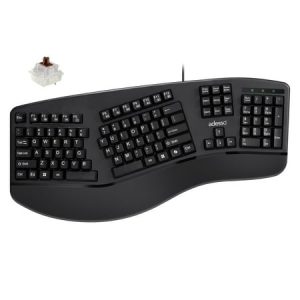
Deal
Split-style ergonomic mechanical keyboard with genuine Cherry MX Brown switches and an integrated padded wrist rest. The cheapest credible answer to wrist pain on the market.
★★★★★
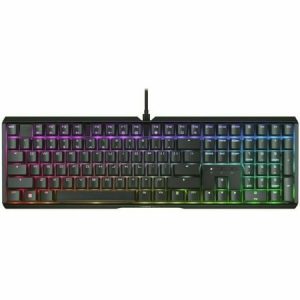
Deal
Full-size gaming keyboard with genuine Cherry MX2A Brown switches, double-shot PBT keycaps, and an aluminum top plate. The cleanest tactile typing experience from the company that invented MX switches.
★★★★★
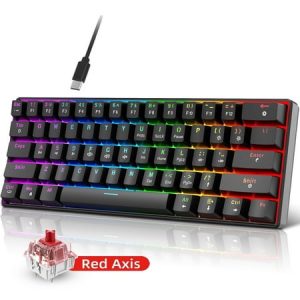
Deal
A 60% mechanical keyboard with hot-swappable red linear switches and 21 LED lighting effects. Built for typists and hobbyists who want to tune their typing feel without soldering.
★★★★★
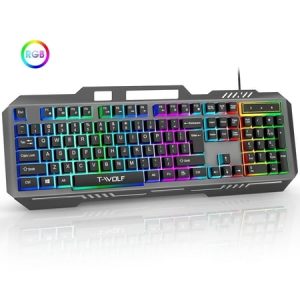
Deal
Quiet linear mechanical keyboard with IP57 spill protection and a detachable USB cable. Built for typists who share their workspace.
★★★★★
Deal
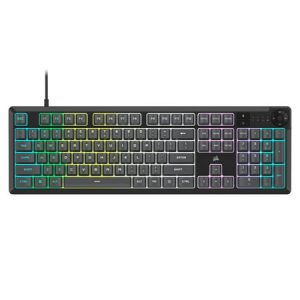
Corsairs full-size K55 CORE is the easiest RGB recommendation we can make for anyone who wants ten-zone lighting, dedicated media keys, and iCUE software without paying premium mechanical prices.
★★★★★
Deal
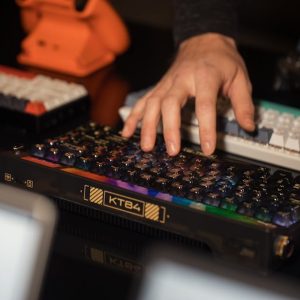
Budget wireless mechanical keyboard with PBT keycaps, 2.4GHz dongle plus USB-C wired mode, and a compact full-key layout. Ideal for remote programmers who travel.
★★★★★
Deal
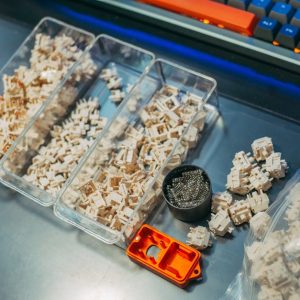
Hot-swappable optical 60% mechanical keyboard with Gateron Optical Blue switches and per-key RGB. Built for fast typists who want instant actuation and durability.
★★★★★
Deal
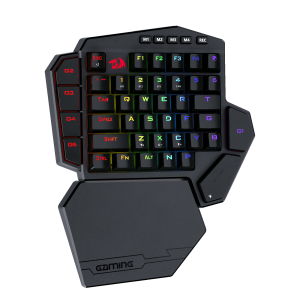
A left-handed mechanical gaming keypad with hot-swappable switches, seven dedicated macro keys, three connection modes, and a real wrist rest. Built for MMO and competitive gaming workflows where your left hand needs binding real estate.
★★★★★
Deal
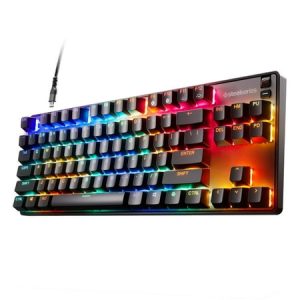
Mac-rated tenkeyless mechanical with adjustable OmniPoint optical switches and native macOS configuration software. Best gaming keyboard for Mac users who want pro-level customization without bouncing into Windows.
★★★★★
Deal
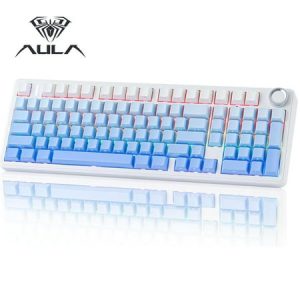
Five-layer foam dampening, 8000mAh battery, and hot-swap sockets make this the best premium quiet keyboard platform under $100. Swap in silent switches for studio-grade silence.
★★★★★
Deal
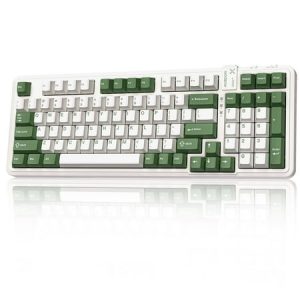
Silent tactile switches and gasket-mounted build deliver office-quiet typing without sacrificing tactile feel. Three-mode wireless and hot-swap sockets make this the quiet workstation keyboard to build around.
★★★★★
Deal
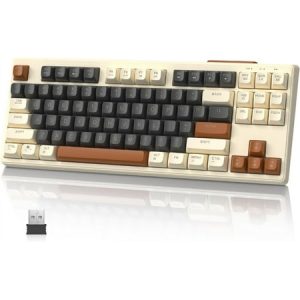
An $23 dual-mode wireless TKL mechanical with PBT keycaps — the best budget entry point into wireless mechanical keyboards.
★★★★★
Show next
Browsing All Comments By: Dustin Montgomery