Computer Station Nation is reader-supported.
When you buy through links on our site, we may earn an affiliate commission. Learn more.
Quick picks
- Best overall: LG 32″ UltraGear QHD 165Hz — 1440p at 165Hz, the best specs on this list
- Best budget under $80: MSI 23.8″ FHD 144Hz IPS — solid brand, fast panel, hard to beat at $79
- Best curved budget: CRUA 24″ 165Hz Curved — curved screen under $90 is genuinely rare
- Best ultrawide value: Sceptre 34″ Ultrawide 3440×1440 — ultrawide resolution for $169
- Best mid-range: Pixio PX246 Wave 24″ 120Hz — Pixio’s budget line punches above its price
- Best budget office/gaming: Westinghouse 22″ FHD IPS — cheapest IPS option on the list
Selection methodology: I evaluated these monitors on refresh rate, panel type, price-to-performance ratio, and real-world usability for gaming. All six are available at Walmart with current pricing. Budget picks below $150 were weighted toward refresh rate and brand reliability. The premium LG pick was evaluated against QHD gaming standards.
Introduction
The gaming monitor market in 2026 is better than ever for budget buyers. You can get a 144Hz IPS panel for under $80 now. A year ago that would’ve been impossible. The bar has moved.
That said, there’s still a ton of junk mixed in with the good stuff. No-name brands slapping “gaming” on any LCD panel and inflating the refresh rate spec with MPRT numbers. I dug through Walmart’s current listings to find the six that actually deliver.
This list covers monitors from $79 to $274. Budget picks at the low end, a solid QHD option at the top, and an ultrawide surprise in the middle. Whatever your setup and budget, there’s something here. Check our gaming monitors guide if you want to brush up on specs before buying.
At a glance
| Monitor | Best for | Size | Resolution | Refresh rate | Price |
|---|---|---|---|---|---|
| LG 32″ UltraGear QHD | Best overall | 32″ | 1440p QHD | 165Hz | $274.99 |
| MSI 23.8″ FHD IPS | Best under $80 | 24″ | 1080p FHD | 144Hz | $79 |
| CRUA 24″ Curved | Best curved budget | 24″ | 1080p FHD | 165-180Hz | $89.59 |
| Sceptre 34″ Ultrawide | Best ultrawide value | 34″ | 3440×1440 | 115Hz | $169.97 |
| Pixio PX246 Wave | Best mid-range | 24″ | 1080p FHD | 120Hz | $139.99 |
| Westinghouse 22″ | Budget IPS | 22″ | 1080p FHD | IPS | $99.99 |
Contents
LG 32″ UltraGear QHD 165Hz — best overall
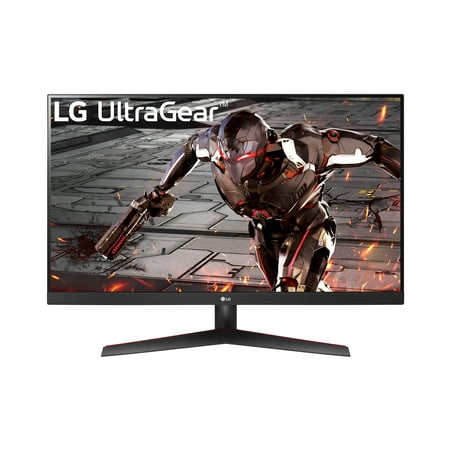
Gaming Innovation Beyond Boundaries The pinnacle of gaming monitors. Complete your battle station with a premium LG UltraGear™ Gaming Monitor. Built for gamers, it delivers the latest hardware, specs, ergonomics, sleek design and sensory experience. 165Hz Refresh Rate
| Spec | Value |
|---|---|
| Panel size | 32″ |
| Resolution | 2560×1440 (QHD) |
| Refresh rate | 165Hz |
| Response time | 1ms (GtG) |
| Adaptive sync | AMD FreeSync Premium |
| Price | $274.99 |
Rating: 4.7/5
The LG 32″ UltraGear is the clear best pick on this list if you can stretch the budget. QHD resolution at 32″ gives you noticeably sharper visuals than 1080p — at this screen size, you really feel the pixel density improvement. 165Hz keeps everything smooth. 1ms GtG response time means no ghosting in fast-paced games.
LG’s UltraGear line has a strong reputation in the gaming monitor space. This model is AMD FreeSync Premium certified and works as G-Sync Compatible on NVIDIA setups. The 32″ size is great for single-player immersion and works well for productivity too.
Pros:
- QHD at 32″ looks excellent — sharp and immersive
- 165Hz + 1ms keeps up with fast gameplay
- LG’s build quality and panel calibration are consistently solid
- Works with both AMD FreeSync and NVIDIA G-Sync Compatible
Cons:
- $275 is a jump over the budget options on this list
- 32″ needs a deeper desk to sit at proper viewing distance
- 1080p users upgrading from smaller screens may need time to adjust to the larger canvas
MSI 23.8″ FHD 144Hz IPS — best under $80
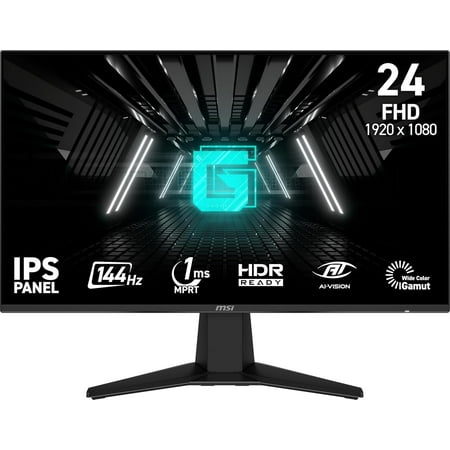
Enjoy smooth and vibrant gaming with the MSI 23.8" FHD IPS Gaming Monitor. This 23.8-inch monitor features a Full HD (FHD) 1920 x 1080 resolution and an IPS panel for clear, accurate colors from wide viewing angles. With a 144Hz refresh rate, 1ms response time, and AMD FreeSync, you’ll...
| Spec | Value |
|---|---|
| Panel size | 23.8″ |
| Resolution | 1920×1080 (FHD) |
| Refresh rate | 144Hz |
| Response time | 1ms |
| Adaptive sync | AMD FreeSync |
| Price | $79 |
Rating: 4.4/5
Seventy-nine dollars for an MSI IPS gaming monitor with 144Hz and 1ms response time. In 2024 this spec sheet would’ve cost $150+. This is where the budget monitor market is at right now and it’s wild.
MSI is a legitimate gaming brand — they make GPUs, motherboards, laptops. Their monitor line isn’t as celebrated as LG or Asus ROG, but it’s real hardware from a company with a reputation to protect. For a first gaming monitor upgrade or a secondary display, this is excellent value.
Pros:
- $79 is a legitimate price, not a gimmick
- IPS panel means good colors and wide viewing angles
- 144Hz at 1ms — real gaming specs, not marketing numbers
- MSI brand reliability at budget pricing
Cons:
- 23.8″ is slightly small if you sit far from your desk
- 1080p only — fine at 24″, not future-proof
- No height adjustment on the stand in most configurations
CRUA 24″ 165Hz Curved — best curved budget
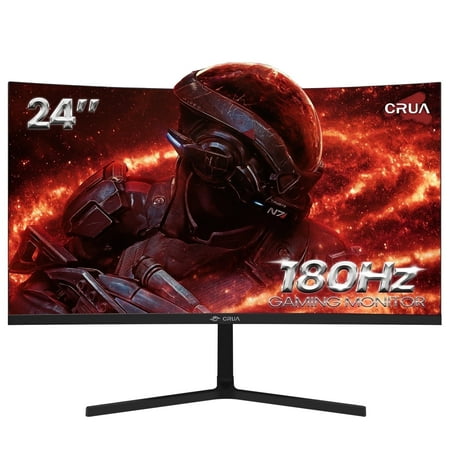
️Epic Gaming Mate - CRUA 24" Curved Gaming Monitor Enhance your visual experience with the CRUA CR240DM 24 inch monitor. Immerse yourself in stunning visuals with 1080P resolution, a fast 180Hz refresh rate, and a professional-grade VA panel. AMD FreeSync technology ensures smooth gaming, while...
| Spec | Value |
|---|---|
| Panel size | 24″ |
| Resolution | 1920×1080 (FHD) |
| Refresh rate | 165Hz (180Hz overclock) |
| Curve radius | 1500R |
| Price | $89.59 |
Rating: 4.2/5
Curved monitors at 24″ are a bit of a niche — the curve is subtle at this size, not the dramatic wrap-around you get from a 34″ ultrawide. But some people genuinely prefer the slight curve even on smaller screens, and the CRUA pulls it off at under $90.
CRUA is one of those newer budget gaming monitor brands that’s been getting surprisingly decent reviews. The 165Hz spec (180Hz with overclock) is legitimate — GtG response time, not just MPRT inflation. For buyers who want a bit of the curved aesthetic on a tight budget, this one works.
Pros:
- Curved monitor under $90 — that’s genuinely rare
- 165Hz refresh rate is solid for gaming
- 180Hz overclock available for extra headroom
- 24″ is the right size for this curve radius
Cons:
- CRUA is a newer brand with a shorter track record than MSI or LG
- 1500R curve is mild — don’t expect the full ultrawide curved experience
- 1080p resolution shows its limits at 24″+ for productivity tasks
Sceptre 34″ IPS Ultrawide 3440×1440 — best ultrawide value
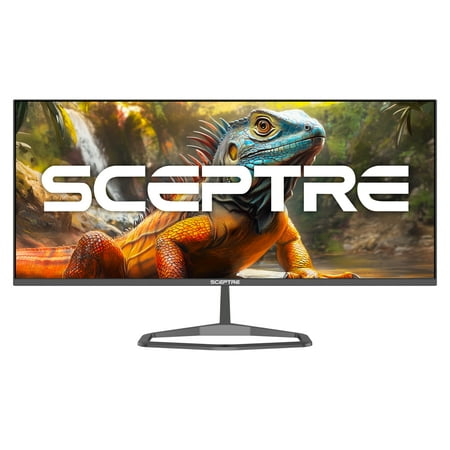
Introducing the Sceptre E345W-QU120D Ultrawide Gaming Monitor - Unleash the Power of Seamless Play! Elevate your gaming experience to new heights with the Sceptre Ultrawide Gaming Monitor. Designed for the modern gamer who demands top-tier performance, this cutting-edge monitor delivers a visual...
| Spec | Value |
|---|---|
| Panel size | 34″ |
| Resolution | 3440×1440 (UWQHD) |
| Refresh rate | up to 115Hz |
| Panel type | IPS |
| Price | $169.97 |
Rating: 4.3/5
An ultrawide monitor at 3440×1440 for $169. Let that sink in. Premium ultrawide monitors at this resolution run $400-800. The Sceptre doesn’t match those on panel quality or build, but it gets you the ultrawide format and QHD-equivalent sharpness at a fraction of the price.
Sceptre is an established budget monitor brand in the US market — they’ve been around long enough to have a real support infrastructure. This model runs IPS which keeps colors decent. 115Hz is lower than most gaming monitors on this list, but for the cinematic single-player and content consumption crowd that ultrawides attract, it’s perfectly workable.
Pros:
- 3440×1440 ultrawide for $169 is insane value
- IPS panel means good colors at wide viewing angles
- 34″ ultrawide format works great for cinematic games and multitasking
- Established brand with real warranty support
Cons:
- 115Hz is the refresh rate ceiling — fine but not high-refresh
- Budget IPS won’t match premium panels on backlight uniformity
- Needs a GPU that can push pixels at 3440×1440
- 34″ needs desk width and depth — measure first
Pixio PX246 Wave 24″ 120Hz — best mid-range
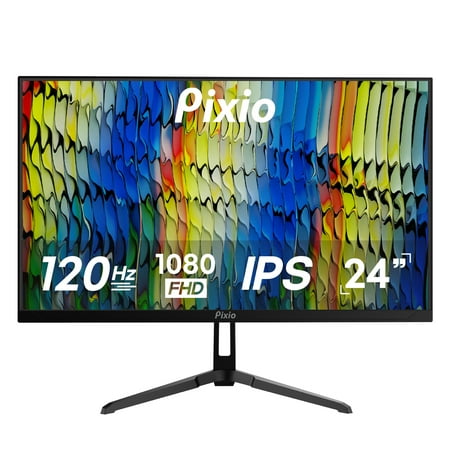
Elevate your gaming experience with the Pixio PX246 Wave 24-inch Gaming Monitor, designed to deliver unparalleled performance and stunning visuals. With a 120Hz refresh rate and 4ms GTG response time, the PX246 Wave ensures ultra-smooth gameplay, making every action feel fluid and responsive,...
| Spec | Value |
|---|---|
| Panel size | 24″ |
| Resolution | 1920×1080 (FHD) |
| Refresh rate | 120Hz |
| Panel type | IPS |
| Price | $139.99 |
Rating: 4.2/5
Pixio has built a solid reputation among budget gaming monitor enthusiasts over the past few years. They focus almost entirely on gaming displays and it shows in their panel selection and build quality relative to price. The PX246 Wave is a clean 24″ IPS with 120Hz — not flashy, but well-executed.
120Hz sits slightly below the 144Hz sweet spot but you’d be hard-pressed to notice in most games. The IPS panel is the real draw here — Pixio’s color accuracy tends to be better out of the box than no-name budget panels at similar prices. Good choice if you want a 24″ IPS from a brand with a real community following.
Pros:
- Pixio has a dedicated following for good reason — real quality control
- IPS panel with better-than-average factory calibration
- Clean design, no gaudy gaming aesthetics if that’s not your thing
- Well-documented user community if you need setup help
Cons:
- 120Hz vs the 144Hz competition at similar prices is a slight disadvantage
- $139 puts it between the $79 budget picks and the premium $275 LG — awkward tier
- No adaptive sync listed — verify before buying if FreeSync/G-Sync matters to you
Westinghouse 22″ FHD IPS — best budget IPS
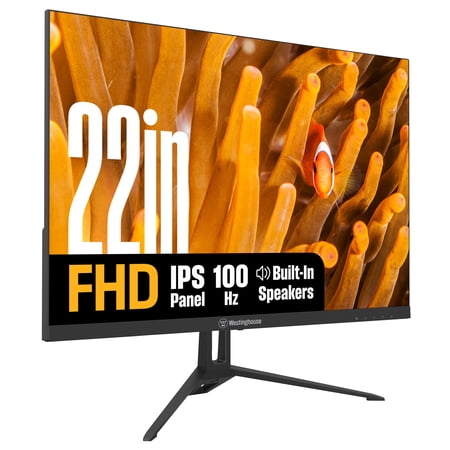
Enjoy vibrant 1080p visuals on a 27-inch IPS display with 300 nits brightness for clear, consistent colors from any angle. A 100Hz refresh rate, 1ms response time, and Adaptive Sync ensure ultra-smooth performance for work, gaming, and entertainment. Built-in speakers keep your desk...
| Spec | Value |
|---|---|
| Panel size | 22″ |
| Resolution | 1920×1080 (FHD) |
| Panel type | IPS |
| Price | $99.99 |
Rating: 3.9/5
The Westinghouse is the most modest pick on this list. 22″ IPS at $99. No headline refresh rate, no gaming branding. It’s a solid general-purpose monitor that happens to be fine for casual gaming.
Westinghouse is one of those American legacy brands that licenses out to budget manufacturers. Quality is inconsistent across products. This specific model gets decent reviews for a no-frills office monitor. If you need a second display or a basic gaming monitor for a kid’s room, it fits the bill. Don’t expect a gaming monitor experience — this is just a good IPS screen at a low price.
Pros:
- IPS at $100 — real colors, not TN washout
- 22″ is a comfortable small desk size
- Good for casual gaming, work, media consumption
Cons:
- No high refresh rate spec listed — not a true gaming monitor
- 22″ is small by current standards
- Westinghouse brand quality is inconsistent
- Dedicated gamers should spend $20 more for the MSI 144Hz option
Verdict
The clear winner is the LG 32″ UltraGear QHD. QHD at 32″ with 165Hz is a legitimately good gaming monitor at a reasonable price for the specs. If you can spend $275, this is where your money goes.
If budget is the priority, the MSI 23.8″ 144Hz IPS at $79 is the best value on this list. Real brand, real specs, real price.
The Sceptre 34″ Ultrawide at $169 is the sleeper pick — if ultrawide is what you want, there’s nothing else at this price that delivers 3440×1440 on an IPS panel.
How to choose
If you’re upgrading from 60Hz and don’t know where to start, the MSI or CRUA 24″ options will transform your gaming experience for under $90. The refresh rate jump alone is worth it.
If you play single-player games and want immersion, the Sceptre ultrawide is the most interesting pick here. Ultrawide format changes how open-world and cinematic games feel. $169 is a genuinely accessible entry point.
If you want the best monitor on this list and the budget allows, the LG 32″ QHD at $275 is the right choice. QHD resolution at a big 32″ screen is a real upgrade over 1080p and the 165Hz keeps it competitive for gaming.
Skip the Westinghouse if gaming is your primary use — spend the extra $20 and get the MSI 144Hz instead. The Westinghouse is fine as a secondary display or casual screen, but dedicated gaming deserves a proper refresh rate.
Frequently asked questions
Is 1080p still good for gaming monitors in 2026?
Yes, especially at 24″ screen sizes. 1080p at 24″ is sharp and the format handles high refresh rates easily. The LG 32″ at 1440p shows why going bigger benefits from the resolution upgrade, but 1080p at 24″ is a solid choice for most gamers — especially competitive players who want high framerates without taxing their GPU.
Is the Sceptre ultrawide worth buying over a standard gaming monitor?
Depends on your games. Ultrawide (21:9 aspect ratio) looks incredible in games that support it — open-world RPGs, racing sims, space games. Some games don’t support ultrawide and show black bars. If your main games are CS2 or Valorant, ultrawide is actively a disadvantage for competitive play. If you play story games and want immersion, the Sceptre ultrawide at $169 is an excellent deal.
Do I need FreeSync or G-Sync for these monitors?
It helps but isn’t mandatory. FreeSync and G-Sync eliminate screen tearing by syncing your GPU’s output to the monitor’s refresh rate. The MSI model has AMD FreeSync. Without sync tech you can still cap framerates to avoid tearing. If you have an NVIDIA GPU, check if the monitor is “G-Sync Compatible” — many FreeSync monitors are, including most MSI displays.
What GPU do I need for the Sceptre ultrawide?
For 3440×1440 at 60fps in modern AAA games, a mid-range GPU (RTX 4060 or RX 7600) handles it comfortably. For 115Hz in demanding titles you’d want an RTX 4070 or better. The ultrawide resolution costs more GPU power than 1080p but less than 4K — it’s a good middle ground for mid-range GPU owners who want a visual step up.